1. Information momba ny fiarovana
Please read all safety instructions carefully before operating this device. Keep this manual for future reference.
- Do not overload wall outlets or extension cords beyond their rated capacity. Overloading can cause electric shock or fire.
- Aza atao amin'ny orana na hamandoana ny fitaovana mba hisorohana ny loza mety hitranga amin'ny afo na ny herinaratra.
- Aza sokafy ny kabinetra. Alefaso amin'ny mpiasa mahafeno fepetra ihany ny serivisy.
- Ataovy azo antoka fa tsy voatsindrona na mandeha ny tady herinaratra.
2. Vokatra mihoatraview
The DANFI AUDIO DF TE-2017 is a versatile 3-speed record player with built-in speakers, Bluetooth input, and USB recording capabilities. It supports 7", 10", and 12" vinyl records.

Sary 2.1: Eo anoloana view of the DANFI AUDIO DF TE-2017 Record Player with the dust cover open, showing the platter and tone arm.
Anisan'ny singa:
- DANFI AUDIO DF TE-2017 Record Player
- 45 adaptatera RPM
- Tady herinaratra & adaptatera
- Replacement Needle (Stylus)
- Takelaka mihodina
- User Manual (ity antontan-taratasy ity)
3. Torolàlana fananganana
3.1 Famoahana sy fametrahana
- Esory amim-pitandremana ny mpilalao firaketana amin'ny fonony.
- Apetraho eo amin'ny toerana milamina sy milamina ny fitaovana, lavitry ny tara-masoandro mivantana, ny hafanana ary ny vovoka na ny hovitrovitra be loatra.
- Hamarino tsara ny rivotra manodidina ny fitaovana.
3.2 Fivoriambe voalohany
- Sarona vovoka: The removable dust cover can be placed on top of the unit to protect the platter and tone arm when not in use.
- Tsihy miraikitra: Place the provided turntable slipmat onto the platter.
- Fiarovana Stylus: Remove the clear plastic stylus protector from the needle before first use. Be careful not to damage the stylus.
3.3 Fampifandraisana herinaratra
- Connect the power adapter to the DC IN port on the back of the record player.
- Ampidiro amin'ny fivoahana mety tsara ny adaptatera herinaratra.
4. Torolàlana miasa

Image 4.1: Diagram illustrating the various controls and components of the record player, including the 45 RPM adapter, tone arm, tone arm lifter, auto stop control, speed switch, ON/OFF button (volume control), and cartridge.
4.1 Fampiasana fototra ny "turntable"
- Herim-batana / maty sy feo: Rotate the ON/OFF/VOLUME knob clockwise to power on the unit and adjust the volume.
- Select Speed: Set the speed switch (33, 45, or 78 RPM) to match the record you are playing. For 45 RPM records, place the 45 RPM adapter on the spindle.
- Firaketana toerana: Place your vinyl record on the turntable platter.
- Sandry fanandratana feo: Use the tone arm lifter to gently raise the tone arm.
- Toerana misy ny sandry feo: Manually move the tone arm over the desired starting groove of the record.
- Sandry Feo Ambany: Gently lower the tone arm using the lifter. The music will begin to play.
- Fijanonana ho azy: The turntable features an auto-stop function that will stop the platter rotation automatically when the record finishes playing. Ensure the 'Auto Stop Control' switch is engaged for this feature.
- Fiafaran'ny Famerenana: When the record finishes, use the tone arm lifter to raise the tone arm, return it to its rest, and secure it with the clip.
4.2 Bluetooth Input Mode
This record player can receive audio wirelessly from Bluetooth-enabled devices like smartphones or tablets.

Image 4.2: A smartphone displaying its Bluetooth settings, connected to the TE-2017 record player, demonstrating wireless music streaming.
- Safidio ny fomba Bluetooth: Press the 'M' button on the front panel until 'BT' appears on the display. The unit will enter pairing mode.
- Alefaso ny Bluetooth amin'ny fitaovana: Eo amin'ny findainao na takelakao, avelao ny Bluetooth ary tadiavo ireo fitaovana misy.
- Fitaovana mampiaraka: Select 'TE-2017' from the list of devices. Once paired, you will hear a confirmation sound.
- Milalao mozika: You can now stream music from your device through the record player's built-in speakers.
Note: This unit functions as a Bluetooth receiver only and cannot connect to external Bluetooth speakers.
4.3 USB Recording (Vinyl to Digital)
Convert your vinyl records into digital audio files (WAV format) directly onto a USB flash drive.
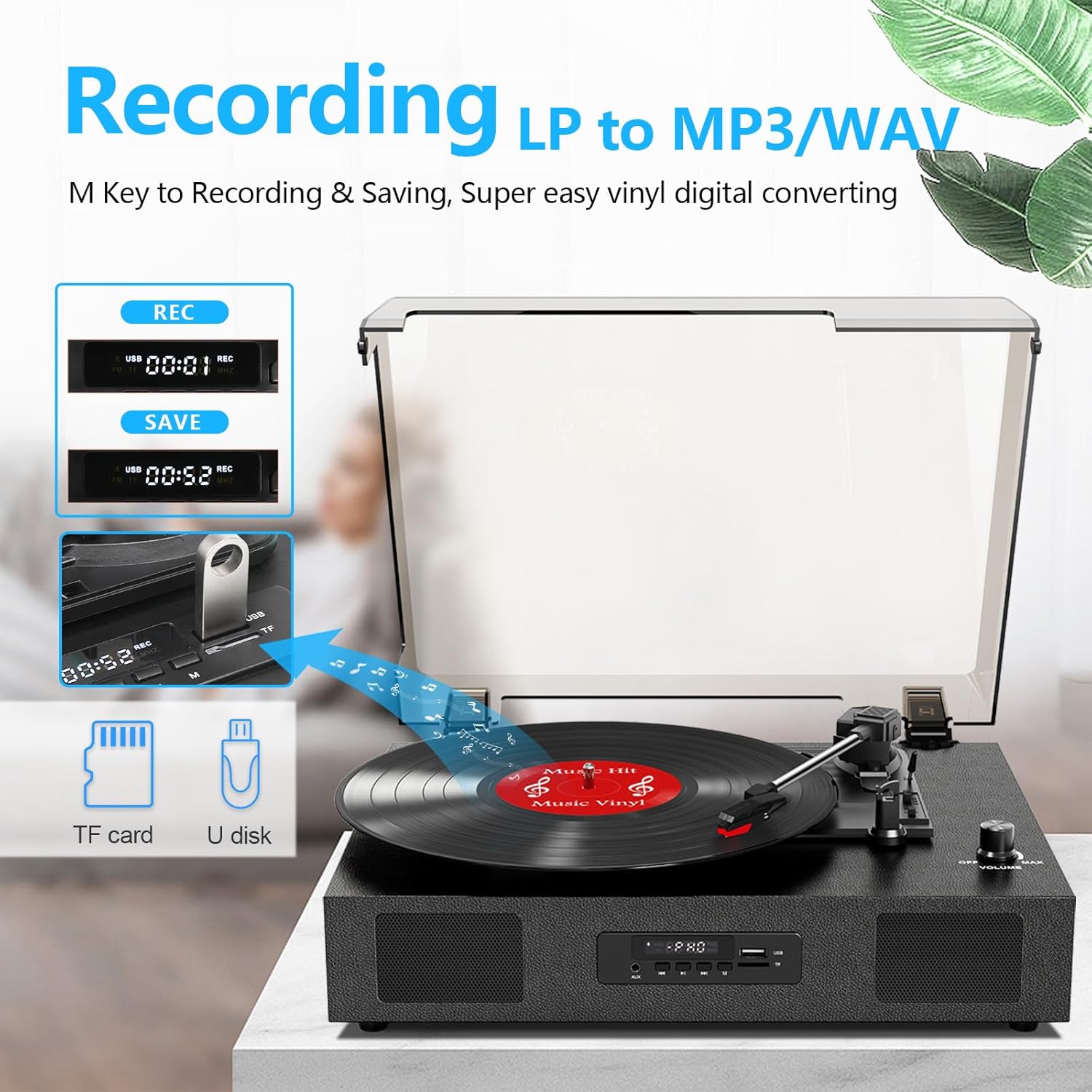
Image 4.3: The record player's display showing 'REC' and a timer, with a USB flash drive inserted, indicating the USB recording function.
- Ampidiro ny kapila USB: Insert a USB flash drive (formatted to FAT32) into the USB port on the front panel.
- Manomboka Playback: Begin playing your vinyl record as described in section 4.1.
- Manomboka mirakitra: Press the 'REC' button on the front panel. The display will show 'REC' and a timer, indicating recording has started.
- Atsaharo ny firaketana: Press the 'REC' button again to stop recording. The recorded file dia ho voatahiry ao amin'ny kapila USB-nao.
- Access Files: You can access the recorded WAV files on your computer. If MP3 format is desired, conversion can be done using computer software.
4.4 RCA Line-Out Connection
Connect the record player to external powered speakers or a home audio system for enhanced sound.
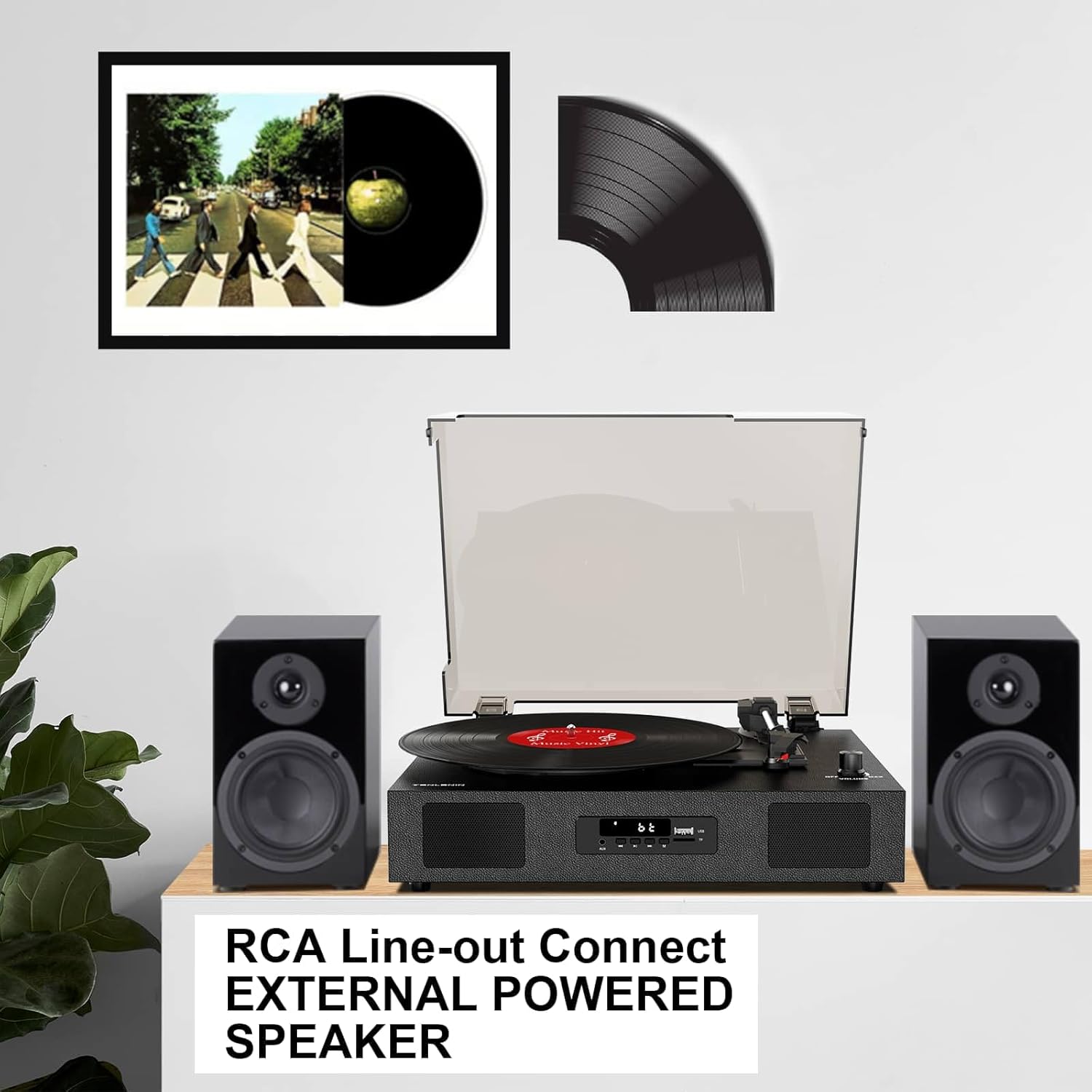
Image 4.4: The record player connected via RCA cables to a pair of external powered speakers, demonstrating the line-out functionality.
- mampifandray tariby: Use RCA audio cables (not included) to connect the RCA L/R output jacks on the back of the record player to the corresponding input jacks on your external ampLifier na fanamafisam-peo.
- Ahitsio Volume: Control the volume primarily through your external audio system. The record player's volume knob will still affect the output level.
4.5 AUX Line-In
Connect external audio devices (e.g., MP3 players) via the AUX IN port.
- Cable mampifandray: Use a 3.5mm audio cable (not included) to connect your external device to the AUX IN port on the front panel.
- Safidio ny fomba AUX: Press the 'M' button until 'AUX' appears on the display.
- Play Audio: Alefaso ny feo avy amin'ny fitaovanao mifandray. Hivoaka amin'ny alalan'ny fanamafisam-peo an'ny mpilalao rakikira ny feo.
5. Fikojakojana
5.1 Fanadiovana ny Unit
- Fafao amin'ny lamba malefaka sy maina ny ivelan'ny fitaovana. Aza mampiasa mpanadio abrasive na solvents.
- Keep the dust cover clean to prevent dust from settling on the platter and records.
5.2 Fikarakarana sy Fanoloana Stylus
- The stylus (needle) is a delicate component. Handle it with care.
- Diovy matetika amin'ny borosy malefaka ny penina, borosio moramora avy ao aoriana mankany aloha.
- A worn stylus can damage records and degrade sound quality. Replace the stylus after approximately 300-500 hours of playback, or if you notice a decrease in sound quality or increased skipping.
- To replace the stylus, refer to the instructions provided with the replacement needle.
5.3 Fikarakarana Rakitra
- Always handle records by their edges to avoid transferring oils from your skin.
- Store records vertically in their sleeves in a cool, dry place.
- Diovy tsy tapaka amin'ny borosy na ranoka fanadiovana manokana ny rakitsoratra mba hanesorana ny vovoka sy ny loto statika.
6. Famahana olana
If you experience issues with your record player, consult the following troubleshooting guide.
- Tsy misy hery:
- Hamarino tsara fa mifandray tsara amin'ny fitaovana sy amin'ny faladiany miasa ny adaptatera herinaratra.
- Check if the ON/OFF/VOLUME knob is turned clockwise to power on.
- Tsy misy feo:
- Increase the volume using the ON/OFF/VOLUME knob.
- Ensure the correct input mode (PHONO, BT, AUX) is selected.
- If using RCA output, ensure external speakers are powered on and correctly connected, and their volume is adjusted.
- Check if the stylus protector has been removed.
- Skipping Records:
- Ensure the record player is on a stable, level surface.
- Clean the record to remove dust or debris.
- Check the stylus for damage or wear; replace if necessary.
- Some records, especially new or heavier pressings, may be more prone to skipping.
- USB Recording Issues (e.g., skipping, corrupted files):
- Ensure the USB drive is formatted to FAT32. Other formats like exFAT may not be compatible for recording.
- Andramo mampiasa flash drive USB hafa.
- Ensure the record is clean and playing smoothly during recording.
- Bluetooth Disconnecting/Resetting:
- If the Bluetooth player is paused for an extended period, the unit may revert to another mode. Re-select Bluetooth mode using the 'M' button.
- Ensure your Bluetooth device is within range.
7. Famaritana
| Anarana modely | TE-2017 |
| Marika | DANFI AUDIO DF |
| Ny refin'ny vokatra | 14.1 x 11.2 x 4.9 santimetatra |
| Lanja entana | 4.85 kg |
| KEVITRA | Hazo namboarina, plastika |
| Hafainganam-pihodinana ambony indrindra | 78 RPM |
| Speeds Supported | 33 1/3, 45, 78 RPM |
| Endri-javatra manokana | Built-In Bluetooth Receiver, Digital Display, Digital Recorder, RCA Output |
| Fitaovana mifanentana | écouteur, MP3 player, solosaina manokana, finday avo lenta, takelaka |
8. Warranty sy fanohanana
DANFI AUDIO DF offers a 30-day money-back or replacement policy for this product. For any inquiries or assistance, please contact customer service. Support is available 24 hours a day.
For further support or warranty claims, please refer to your purchase documentation or contact the seller directly.


