Sava lalana
Thank you for choosing the Trio Max Portable Monitor. This 14.1-inch Full HD IPS display is designed to enhance your productivity by providing an additional screen for your laptop. Its plug-and-play functionality and versatile modes make it an ideal solution for professionals and students on the go. This manual provides essential information for setup, operation, maintenance, and troubleshooting to ensure optimal performance of your device.
Inona no ao anaty boaty
- One Trio Max laptop monitor extender display
- One USB-C cable (3ft)
- One USB-C to USB-A cable (3ft)
- Eight magnetic adhesive plates for 3 laptops
- Boky fampiasana iray

Image: The Trio Max Portable Monitor box open, showing the monitor, various cables, magnetic plates, and the user manual neatly arranged inside.
Torolàlana fametrahana
1. Attaching the Monitor to Your Laptop
- Clean the back of your laptop screen thoroughly to ensure proper adhesion of the magnetic plates.
- Use the provided magnetic adhesive plates. Apply four plates to the back of your laptop screen, ensuring they are evenly spaced and aligned with the monitor's magnets.
- Align the Trio Max monitor with the magnetic plates on your laptop and gently attach it. The monitor should securely snap into place.
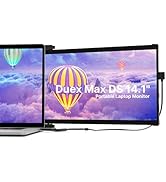
Image: A diagram illustrating the correct placement of four magnetic adhesive plates on the back of a laptop screen to securely attach the Trio Max monitor.
2. Mampifandray ny Monitor
- For USB-C Compatible Laptops: Use the provided USB-C to USB-C cable. Connect one end to the Trio Max monitor's USB-C port and the other end to your laptop's full-featured USB-C port. The monitor should power on automatically.
- For USB-A Compatible Laptops: Use the provided USB-C to USB-A cable. Connect the USB-C end to the Trio Max monitor and the USB-A end to your laptop's USB-A port. An additional power source (e.g., a USB power adapter) may be required for optimal performance if your laptop's USB-A port does not provide sufficient power.
No driver installation is typically required for most operating systems when connecting via USB-C. For specific operating systems or troubleshooting, refer to the user manual or the provided USB disk with display drivers.
Video: A demonstration of the Trio portable monitor being attached to a laptop and connected via a single cable, showcasing its dual-sliding functionality.
Torolàlana miasa
Fomba fampisehoana
The Trio Max monitor offers various display modes to suit your needs:
- Fomba fanitarana: Expands your desktop across both screens, providing more workspace.
- Fomba fitaratra: Duplicates your laptop's display on the Trio Max monitor, ideal for presentations.
- Fomba sarin-tsary: Rotate the monitor vertically for viewing documents, code, or long web pejy.
- Fomba fijery: Standard horizontal orientation for general use.
- Fihodinana 270°: Mamela ny hilefitra viewing angles and easy sharing of content.
- 180° Presentation Mode: Rotate the monitor to face an audience for collaborative work.
- Kickstand Mode: Utilize the optional kickstand to position the monitor independently on a flat surface.

Image: A visual representation of the Trio Max monitor demonstrating its 270-degree rotation, portrait, and landscape modes, as well as its use in presentation and kickstand configurations.
Video: A demonstration of the Trio monitor's 270-degree rotatable screen, highlighting its flexibility for various viewing angles and collaborative use.
Fanitsiana Settings
The Trio Max monitor features touch-sensitive buttons for easy adjustment of various settings:
- Famirapiratana: Adjust the screen brightness to your preference for optimal viewfampiononana.
- Sivana jiro manga: Activate the blue light filter to reduce eye strain during prolonged use.
- Anti-Glare Technology: The screen is designed with anti-glare properties to minimize reflections.

Sary: akaiky view of the Trio Max monitor's on-screen display, illustrating the options for activating Eye Care Mode (blue light filter) and adjusting brightness levels.
mifanentana
The Trio Max Portable Monitor is compatible with a wide range of devices and operating systems:
- Rafitra fiasana: Windows, Mac, Linux, Chrome, Android.
- Fitaovana: Laptops (13-17 inches), Nintendo Switch, Type-C phones that support full-featured output.
- Fanamarihana: Not compatible with Surface PRO devices.
Video: A demonstration showing the Trio monitor successfully working with a Nintendo Switch without requiring a separate dock, highlighting its versatile compatibility.
fikarakarana
To ensure the longevity and optimal performance of your Trio Max Portable Monitor, follow these maintenance guidelines:
- Fanadiovana: Mampiasà lamba malefaka sady tsy misy loko kely dampSasao amin'ny rano na vahaolana fanadiovana efijery. Fadio ny akora simika mahery vaika na fitaovana marokoroko.
- Fikarakarana: Always handle the monitor with care. Avoid dropping it or applying excessive pressure to the screen.
- fitahirizana: When not in use, fold the monitor securely and store it in a protective sleeve or bag to prevent scratches and damage.
- Cable Care: Avoid bending or twisting cables excessively to prevent internal damage.
Fanamboarana
If you encounter issues with your Trio Max Portable Monitor, try the following steps:
- Tsy misy fampisehoana: Ensure all cables are securely connected to both the monitor and your laptop. Try using a different USB-C port on your laptop if available.
- Ecran mitsilopilopy: Check cable connections. Ensure your laptop's graphics drivers are up to date. Adjust the refresh rate in your display settings.
- Famahanana diso: Adjust the display resolution in your laptop's operating system settings. The optimal resolution is 1920 x 1080.
- Monitor Not Detected: Restart your laptop. Ensure your laptop's USB-C port supports video output (DisplayPort Alternate Mode). Install or update display drivers if necessary (refer to the provided USB disk).
- Olana herinaratra: If the monitor is not powering on or is dim, ensure it is receiving sufficient power. If using USB-A, try connecting an external power source to the monitor's dedicated charging port.
For further assistance, refer to the detailed troubleshooting section in the included user manual or contact customer support.
fepetra arahana
| endri-javatra | famaritana |
|---|---|
| Laharana modely | max14.1 |
| Haben'ny efijery | 14.1 santimetatra |
| vahaolana | 1920 x 1080 (FHD 1080p) |
| Karazana tontonana | IPS Display |
| Aspect ratio | 16:9 |
| Famirapiratana sary | 300 cd/m² |
| Ecran Surface | malamalama |
| Total seranan-tsambo USB | 2 (USB-C) |
| Lanja entana | 2 kg |
| Ny refin'ny vokatra | 0.5 x 14 x 9.5 santimetatra |
| Daty azo alaina voalohany | 20 Novambra 2020 |
Warranty & Support
The Trio Max Portable Monitor comes with a WARRANTY IRAY TAONA manomboka amin'ny datin'ny fividianana. Azafady, tehirizo ny porofon'ny fividiananao ho an'ny fitakiana fiantohana.
For technical support, troubleshooting, or warranty inquiries, please refer to the contact information provided in your user manual or visit the official Trio website.


