Sava lalana
The Verizon G3100 Router is designed to provide high-speed internet connectivity using Wi-Fi 6 technology. It supports both 2.4GHz and 5GHz bands with 11ax 4x4 capabilities, offering extended Wi-Fi range and efficient network performance. This manual will guide you through the installation, operation, and maintenance of your G3100 router to ensure optimal performance.
Inona no ao anaty boaty
Upon unboxing your Verizon G3100 Router, verify that all components are present.
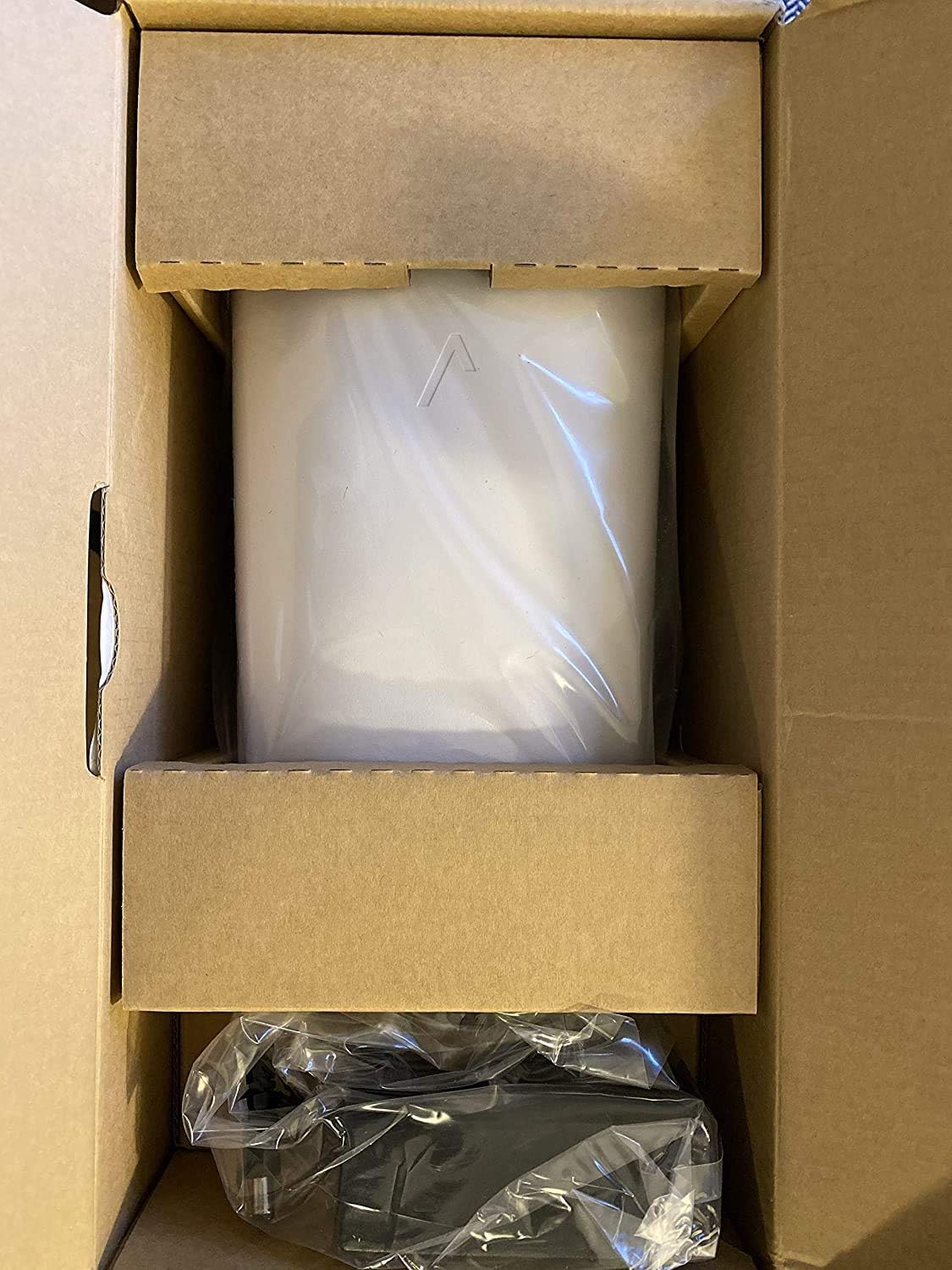
Image: The Verizon G3100 Router securely packaged in its cardboard box, wrapped in protective plastic.
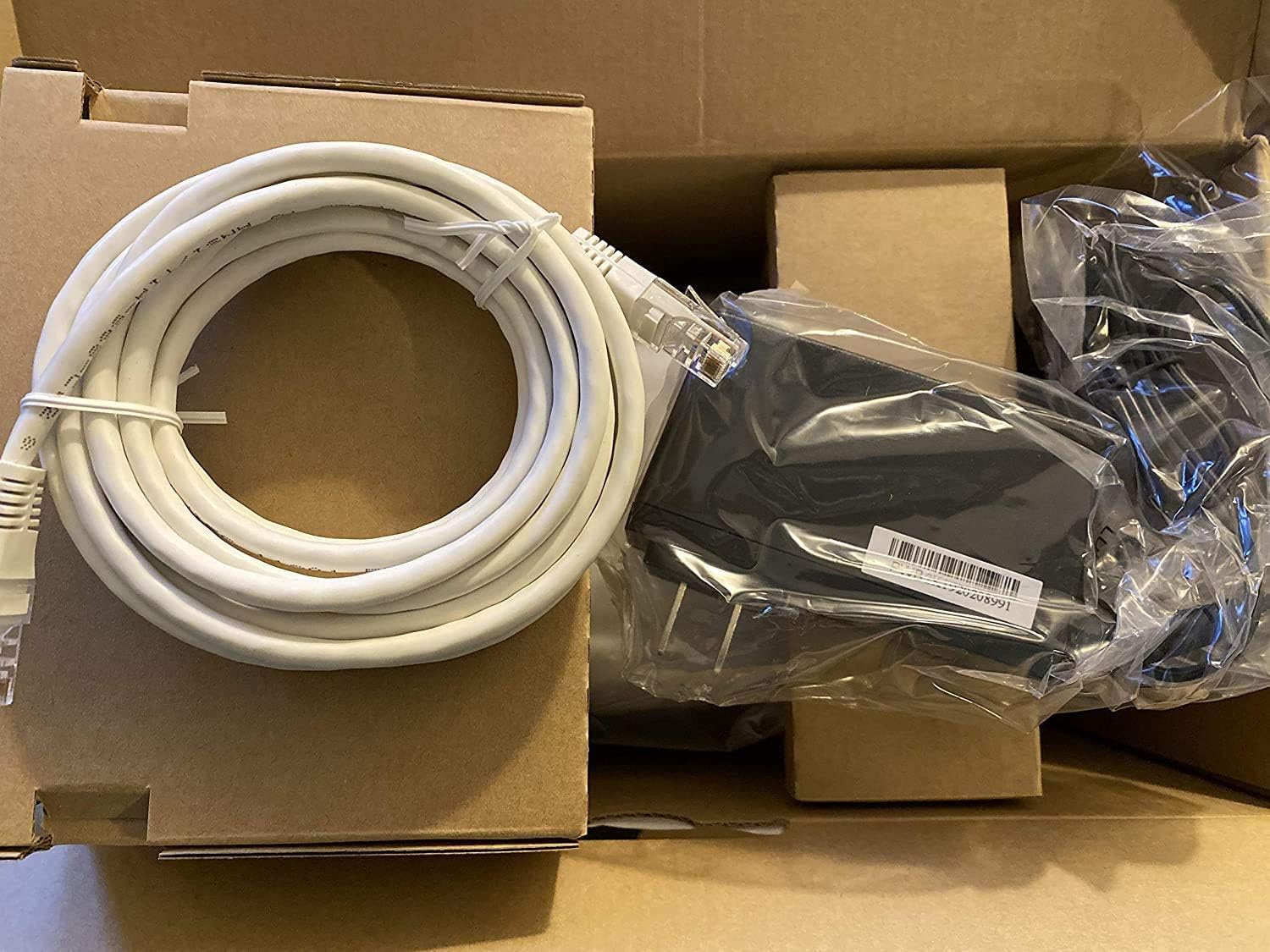
Image: The Verizon G3100 Router unboxed, showing the main unit, a coiled white Ethernet cable, and the power adapter.
- Verizon G3100 Router Unit
- Power Adapter
- Cable Ethernet
Setup Guide
Follow these steps to set up your Verizon G3100 Router:
- Fametrahana: Choose a central location in your home, away from obstructions and other electronic devices that may cause interference.
- Hery mampifandray: Ampidiro ao amin'ny seranan-jiro an'ny router ny adaptatera herinaratra ary avy eo amin'ny faladia elektrika.
- Mifandraisa amin'ny Loharano Internet:
- If using an Ethernet connection from your Optical Network Terminal (ONT) or modem, connect one end of the provided Ethernet cable to the WAN port (usually labeled "WAN" or "Internet") on the router and the other end to your ONT/modem.
- If using a Coaxial (MoCA) connection, connect a coaxial cable from your wall outlet to the MoCA port on the router.
- Connect Devices (tsy voatery): For wired connections, use Ethernet cables to connect your devices (computers, gaming consoles, etc.) to any of the four Gigabit LAN ports on the back of the router.
- Herim-batana: Wait for the router to power on and initialize. The indicator light on the front of the router will typically turn solid white or green when it's ready.
- Mifandray amin'ny Wi-Fi:
- Locate the Wi-Fi network name (SSID) and password on the label on the bottom or back of your router.
- On your device (smartphone, tablet, computer), select the Wi-Fi network name and enter the password.
- Ampidiro ny serivisy: Follow any specific activation instructions provided by Verizon, which may involve visiting a website or using a mobile app.
Torolàlana miasa
The Verizon G3100 Router is designed for ease of use and high performance.
- Automatic Band Switching: The router automatically switches between the 2.4GHz and 5GHz Wi-Fi bands to provide the best connection for your devices, optimizing speed and range.
- Wi-Fi 6 (802.11ax): This advanced Wi-Fi standard offers faster speeds, lower latency, and increased capacity for multiple devices compared to older Wi-Fi standards.
- Gigabit Ethernet Ports: Utilize the four Gigabit LAN ports for high-speed wired connections to devices requiring maximum bandwidth, such as desktop computers or network-attached storage (NAS).
- MoCA 2.5: The router supports MoCA 2.5 for high-speed data transmission over coaxial cables, which can be useful for extending network coverage in your home.
- Router Interface: Access the router's administrative interface via a web browser (usually by typing
192.168.1.1into the address bar) to customize settings, manage connected devices, and view network status. Refer to your router's label for default login credentials. - Fanaraha-maso fampiharana finday: Manage your router settings and network from your smartphone using the official Verizon Fios app.
fikarakarana
Ny fikojakojana tsy tapaka dia manampy amin'ny fiantohana ny faharetan'ny router-nao sy ny fahombiazany tsara indrindra.
- Fanavaozana ny mikirao praogramanao: The router typically receives automatic firmware updates from Verizon. Ensure your router remains connected to the internet to receive these updates, which provide security enhancements and performance improvements.
- Fanadiovana: Periodically clean the exterior of the router with a soft, dry cloth. Ensure ventilation slots are free from dust to prevent overheating. Do not use liquid cleaners or abrasive materials.
- Manomboka indray: If you experience minor network issues, a simple restart of the router can often resolve them. Unplug the power adapter, wait 30 seconds, and then plug it back in.
- Fiarovana: Regularly change your Wi-Fi password and router administration password to strong, unique combinations to protect your network from unauthorized access.
Fanamboarana
If you encounter issues with your Verizon G3100 Router, refer to the following common solutions:
- Tsy misy fifandraisana Internet:
- Check all cable connections (power, WAN/Internet, MoCA). Ensure they are securely plugged in.
- Restart your router and ONT/modem.
- Verify that your Verizon service is active.
- Haingam-pandeha Wi-Fi miadana:
- Ensure your router is placed centrally and away from interference sources.
- Confirm your devices are connected to the appropriate Wi-Fi band (5GHz generally offers faster speeds over shorter distances).
- Perform a speed test to verify your internet speed.
- Consider reducing the number of active devices or upgrading your internet plan if speeds are consistently below expectations.
- Wi-Fi Signal Drops:
- Relocate the router to improve signal coverage.
- Jereo ny fanavaozana firmware.
- If you have a large home, consider adding a Wi-Fi extender compatible with the G3100.
- Tsy afaka miditra amin'ny firafitry ny router:
- Ensure your device is connected to the router's Wi-Fi network or via an Ethernet cable.
- Hamarino tsara fa manoratra ny adiresy IP marina ianao (oh:
192.168.1.1) into your browser. - Use the correct username and password. If forgotten, a factory reset may be necessary (refer to the router's documentation for reset procedures, which will erase all custom settings).
fepetra arahana
| endri-javatra | antsipirihany |
|---|---|
| Marika | Verizon |
| Anarana modely | G3100 |
| Kilasy Band Frequency | Tariby roa sosona (2.4GHz, 5GHz) |
| Fenitra fifandraisana tsy misy tariby | 802.11ax (Wi-Fi 6) |
| LAN Ports | 4 Gigabit LAN |
| Seranana WAN | 1 Gigabit WAN |
| MoCA Support | MoCA 2.5 + LAN MoCA 1.1 WAN |
| Karazana Antenna | Internal (4 antennas) |
| Automatic Band Switching | ENY |
| Lanja entana | 3 kilao |
| Fomba fanaraha-maso | App |
| Ny tahan'ny famindrana angona | 1 Gigabits Per Second (LAN) |
| Protokol fiarovana | WPS |
| Router Firewall Security Level | fototra |
| UPC | 600164709797 |
Warranty sy fanohanana
For warranty information, technical support, or to access additional resources, please refer to the official Verizon documentation included with your product or visit the Verizon support website. Tehirizo ny tapakila fividiananao ho an'ny fitakiana fiantohana.
Afaka mitsidika ny Verizon Store on Amazon raha mila fanazavana fanampiny.


