1. Fampidirana
This manual provides essential information for the proper setup, operation, and maintenance of your LG UltraWide QHD 34-Inch Computer Monitor, Model 34GP83A-B. This monitor features a QHD (3440x1440) VA display with a 21:9 aspect ratio, offering an expansive viewing experience. It supports HDR 10 compatibility and covers 99% of the sRGB color gamut, delivering accurate and vibrant colors. For gaming, it includes AMD FreeSync Premium technology for smooth visuals and a 160Hz refresh rate.
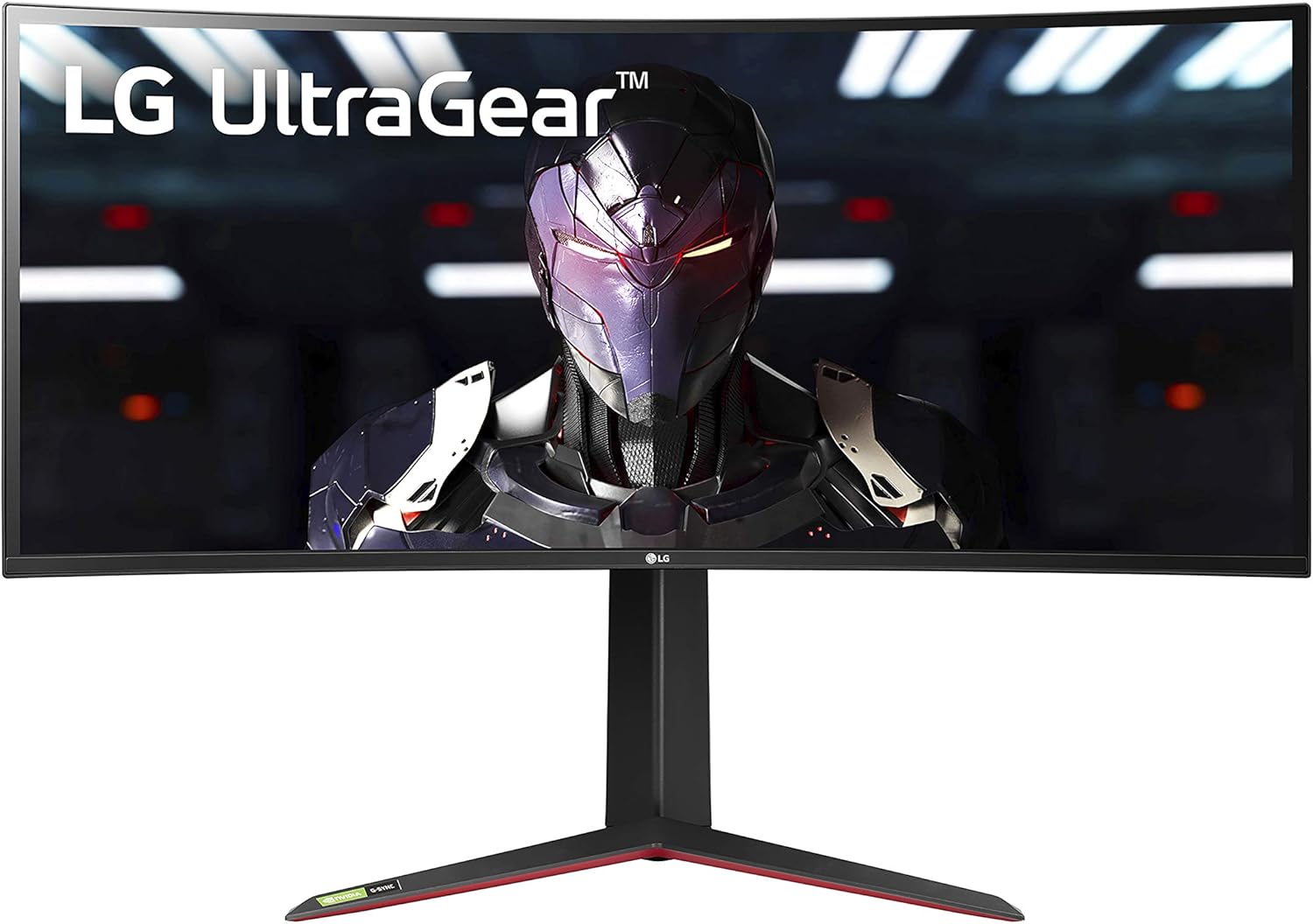
Sary 1: Eo anoloana view of the LG UltraWide QHD 34-Inch Computer Monitor 34GP83A-B.
2. Fametrahana
2.1. Ny votoatin'ny fonosana
Alohan'ny hanombohana, alaivo antoka fa eo daholo ny singa rehetra:
- LG UltraWide QHD 34-Inch Monitor (34GP83A-B)
- Monitor Stand (fototra sy vozony)
- Power Adapter sy Power Cord
- Tariby DisplayPort
- Cable HDMI
- USB Upstream Cable
- Torolàlana ho an'ny mpampiasa sy karatra fiantohana

Figure 2: Included components for the LG 34GP83A-B monitor.
2.2. Fivoriambe mijoro
- Carefully place the monitor panel face down on a soft, clean cloth to prevent scratches.
- Ampifandraiso amin'ny tontonana fanaraha-maso ny vozon'ny fijoroana amin'ny alalan'ny visy omena.
- Attach the stand base to the stand neck and secure it with the thumb screw.
- Carefully lift the assembled monitor and place it on a stable, level surface.
2.3. Mampifandray ny Monitor
Ampifandraiso amin'ny seranana ao aorian'ny efijery ireo tariby ilaina. Ataovy azo antoka fa voaaro tsara ny fifandraisana rehetra.
- Hery: Ampifandraiso amin'ny monitor ny adaptatera herinaratra ary avy eo amin'ny fivoahana herinaratra.
- Video Input: Use either the DisplayPort cable for optimal performance (up to 160Hz) or an HDMI cable (2 ports available).
- USB Upstream: Connect the USB upstream cable from your computer to the monitor to enable the monitor's USB ports.
- USB Downstream: Two USB 3.0 ports are available for connecting peripherals.
- Mivoaka ny écouteur: Ampifandraiso amin'ny jack audio 3.5mm ny headphone na ny fanamafisam-peo ivelany.

Figure 3: Rear ports of the LG 34GP83A-B monitor.
2.4. VESA Wall Mount Installation
The monitor supports a 100 x 100 mm VESA mount. If using a wall mount, ensure it is rated for the monitor's weight and size. Follow the instructions provided with your VESA mount for installation.

Figure 4: Monitor dimensions and VESA mount points.
3. Fampandehanana ny Monitor
3.1. Power On/off
Press the joystick button located at the bottom center of the monitor to power it on or off. A single press will bring up the On-Screen Display (OSD) menu.
3.2. Fikarohana Menu eo amin'ny efijery (OSD).
The OSD menu allows you to adjust various monitor settings. Use the joystick button to navigate:
- Move the joystick up/down to scroll through menu options.
- Move the joystick left/right to adjust values or enter sub-menus.
- Press the joystick to confirm a selection.
3.3. Fikirana sary
Amboary ny firafitry ny fampisehoana ho tsara indrindra viewing:
- Famirapiratana/mifanohitra: Ahitsio ny haavon'ny famirapiratana sy ny fifanoherana ankapobeny.
- Fomba loko: Select from various preset modes (e.g., Gamer, Reader, sRGB, HDR Effect) or customize your own.
- HDR 10: Enable or disable High Dynamic Range for enhanced contrast and color in compatible content.
- Color Gamut: The monitor supports 99% sRGB for accurate color reproduction.
3.4. Gaming Features
The LG 34GP83A-B is equipped with several features to enhance your gaming experience:
- Havaozina: Native 144Hz, overclockable to 160Hz for smoother motion.
- AMD FreeSync Premium: Mampifanaraka ny taham-pamelombelon'ny mpanara-maso amin'ny tahan'ny sarin'ny GPU-nao mba hanafoanana ny fahatapahan'ny efijery sy ny fahatafintohinana.
- Dynamic Action Sync (DAS): Mampihena ny fahatarana amin'ny fidirana, ahafahana mamaly haingana kokoa amin'ny lalao haingam-pandeha.
- Black Stabilizer: Automatically brightens dark areas of the screen, making it easier to spot enemies hidden in shadows.
- Crosshair: Places a fixed crosshair in the center of the screen for improved aiming accuracy in first-person shooter games.

Figure 5: Monitor in use, demonstrating gaming capabilities.
3.5. Stand Adjustments
Ny fijoroana monitor dia manolotra fanitsiana ergonomika mba hahazoana aina viewing:
- Fanitsiana ny haavony: Atsangano na ampidino amin'ny haavon'ny maso tianao ny monitor.
- Fanitsiana mitongilana: Tilt the screen forward or backward to find the optimal viewing zoro.

Sary 6: lafiny view showing stand adjustability.
4. Fikojakojana
4.1. Manadio ny Monitor
- Esory foana ny monitor alohan'ny hanadiovana.
- Mampiasà lamba malefaka sady tsy misy sosotra moramora dampvoahodina amin'ny rano na mpanadio ecran malefaka sady tsy mikoropaka.
- Aza manipy mpanadio mivantana eo amin'ny efijery.
- Fadio ny fampiasana akora simika mahery vaika, ranoka manitra, na fitaovana marokoroko.
4.2. Fikarakarana ankapobeny
- Fadio ny mametraka zavatra mavesatra eo amin'ny monitor na ny tariby.
- Arovy ny fanaraha-maso amin'ny tara-masoandro mivantana, ny loharano mafana ary ny hamandoana be loatra.
- Ataovy izay hahazoana rivotra ampy tsara manodidina ny efijery mba hisorohana ny hafanana be loatra.
5. Famahana olana
Raha sendra olana amin'ny monitor-nao ianao dia jereo ireto olana sy vahaolana mahazatra ireto:
| OLANA | Antony mety hitranga | vahaolana |
|---|---|---|
| Tsy misy hery | Cable herinaratra tsy mifandray na olana amin'ny fivoahana. | Ataovy azo antoka fa mifandray tsara ny tariby herinaratra. Andramo amin'ny fitaovana hafa ny fantson-jiro. |
| Tsy misy sary eo amin'ny efijery | Cable vidéo tsy mifandray na tsy nety ny fidirana voafantina. | Hamarino ny fifandraisan'ny tariby video. Safidio ny loharano fampidirana marina amin'ny alàlan'ny menu OSD. |
| Screen tearing/stuttering in games | AMD FreeSync Premium not enabled or incompatible GPU. | Ensure FreeSync is enabled in the OSD menu and your GPU settings. Update graphics drivers. |
| High input lag | Dynamic Action Sync (DAS) not enabled. | Enable Dynamic Action Sync in the OSD menu. |
| Dark areas are too dim | Black Stabilizer not configured. | Adjust Black Stabilizer settings in the OSD menu to brighten dark areas. |
For more complex issues or problems not listed here, please contact LG customer support.
6. Famaritana
| endri-javatra | famaritana |
|---|---|
| Marika | LG |
| Laharana modely | 34GP83A-B |
| Haben'ny efijery | 34 santimetatra |
| vahaolana | QHD Ultra Wide 1440p (3440 x 1440 Pixels) |
| Aspect ratio | 21:9 |
| Famariparitana eran'ny efijery | Miolikolika |
| Contrast Ratio | 1000:1 |
| Ny tahan'ny fanavaozana | 144 Hz (Overclockable to 160 Hz) |
| Fotoam-pamaliana | 1 Miliseconds |
| Display Technology | LED (VA Panel) |
| Viewamin'ny Angle | 178 degre |
| ny famirapiratry ny mazava | 400 candela_isan'ny_metatra_square |
| Color Gamut | 99% sRGB |
| Picture Quality Enhancement | sRGB color gamut, HDR 10, AMD FreeSync Premium |
| Teknolojia fifandraisana | USB |
| Hardware Connectivity | DisplayPort, HDMI (x2), USB 3.0 (x2) |
| Adaptive Sync | AMD FreeSync Premium, G-Sync Compatible |
| Karazana fametrahana | Wall Mount (VESA 100 x 100 mm) |
| Lanja entana | 16.8 kilao |
| Fanjifana herinaratra | 80 Watts |
7. Warranty sy fanohanana
7.1. Fampahalalana momba ny fiantohana
Ity écran LG ity dia misy... Limited: 1 Year Parts & Labor warranty. Please retain your proof of purchase for warranty claims. The warranty covers defects in materials and workmanship under normal use.
7.2. Fanohanana ny mpanjifa
For technical assistance, troubleshooting beyond this manual, or warranty service, please visit the official LG website or contact LG customer support directly. You can find contact information and additional resources on the LG support page for your region.
8. Lahatsary vokatra
LG 34GP83A-B Gaming Monitor Review
Ity horonantsary ity dia manome famerenana amin'ny antsipirianyview of the LG 34GP83A-B gaming monitor, highlighting its features and performance.