1. Fampidirana
Thank you for choosing the DELIPOP 3D LED Digital Alarm Clock. This manual provides detailed instructions for the setup, operation, and maintenance of your new clock. Please read this manual thoroughly before use to ensure proper functionality and to maximize your user experience. Keep this manual for future reference.

Image 1.1: The DELIPOP 3D LED Digital Alarm Clock displaying the time 23:57 with bright white LED digits.
2. Information momba ny fiarovana
- Ensure the clock is powered by a 5V 1A USB power source. Using an incorrect power adapter may damage the device.
- The CR2032 button cell battery (not included) is for memory backup only and does not power the clock's display. The clock requires continuous USB power to operate.
- Avoid placing the clock in direct sunlight, high temperatures, or high humidity environments.
- Do not disassemble or attempt to repair the clock yourself. Contact customer support for assistance.
- Arovy amin'ny rano sy ranon-javatra hafa ny famantaranandro.
3. Ny votoatin'ny fonosana
Azafady, jereo ny fonosana ho an'ireto zavatra manaraka ireto:
- 1 x DELIPOP 3D LED Digital Alarm Clock
- 1 x USB Power Cable (5V)
- 1 x User Manual (ity antontan-taratasy ity)

Image 3.1: The DELIPOP 3D LED Digital Alarm Clock, USB cable, and the included instruction manual.
4. Vokatra mihoatraview
The DELIPOP 3D LED Digital Alarm Clock features a large, clear LED display for easy readability. It is designed for both wall mounting and desktop placement.

Sary 4.1: Eo anoloana sy ilany view of the clock with dimensions (235mm length, 93mm height, 40mm depth) and button labels (PM, AL, SET, UP, DOWN, ALARM, TEMP).
4.1 singa
- LED fampisehoana: Large 3D LED digits for time display.
- Bokotra fanaraha-maso: SET, UP, DOWN buttons for configuration.
- Detachable Bracket: Ho an'ny fametrahana eo amin'ny birao.
- Herinaratra miditra (DC 5V): USB port for power connection.
- Memory Battery Compartment: For CR2032 button cell battery (not included) to retain settings during power loss.

Sary 4.2: aoriana view of the clock indicating the DC 5V power input and the memory battery compartment (CR2032, not included).
5. Fametrahana
5.1 Fampifandraisana herinaratra
- Connect the provided USB cable to the DC 5V input port on the back of the clock.
- Plug the other end of the USB cable into a 5V 1A USB power adapter (not included) or a compatible USB port.
- The clock display will light up.
5.2 Installing Memory Battery (Optional)
To retain time and alarm settings during a power outage, install a CR2032 button cell battery (not included) into the memory battery compartment on the back of the clock. This battery does not power the display.
5.3 Fametrahana
The clock can be placed on a table using its detachable bracket or mounted on a wall.
- Fametrahana Desktop: Attach the detachable bracket to the bottom of the clock.
- Fametrahana rindrina: Use the keyhole slots on the back of the clock to hang it on screws or hooks (not included) securely fastened to the wall.

Image 5.1: The DELIPOP 3D LED Digital Alarm Clock displayed mounted on a wall.
6. Torolàlana miasa
6.1 Fampiasa bokotra
- SET: Enter setting mode, confirm settings.
- UP: Increase value, switch modes.
- MITSY: Decrease value, switch modes.
6.2 Fametrahana fotoana
- Tsindrio ary hazòny ny SET button for 3 seconds to enter time setting mode. The hour digits will flash.
- Ampiasao ny UP or MIDINY bokotra hanitsy ny ora.
- mpanao gazety SET again to confirm the hour and move to minute setting. The minute digits will flash.
- Ampiasao ny UP or MIDINY bokotra hanitsy ny minitra.
- mpanao gazety SET again to confirm the minute and exit time setting mode.
6.3 12/24 ora format
Amin'ny fomba fampisehoana fotoana mahazatra, tsindrio ny UP button to switch between 12-hour and 24-hour formats. When 12-hour format is selected, the "PM" indicator will light up for afternoon hours.
6.4 Fametrahana fanairana
- Tsindrio ary hazòny ny fanairana bokotra (na SET button if ALARM is not a dedicated button, refer to product diagram) for 3 seconds to enter alarm setting mode. The alarm hour digits will flash.
- Ampiasao ny UP or MIDINY bokotra hanitsy ny ora fanairana.
- mpanao gazety fanairana (na SET) again to confirm the alarm hour and move to alarm minute setting. The alarm minute digits will flash.
- Ampiasao ny UP or MIDINY bokotra hanitsy ny minitra fanairana.
- mpanao gazety fanairana (na SET) again to confirm the alarm minute and exit alarm setting mode.
- To activate/deactivate the alarm, short press the fanairana button (or a specific button indicated in the product diagram, e.g., SET) during the alarm sound. The "AL" indicator will light up when the alarm is active.
6.5 Fampiasana snooze
When the alarm sounds, press any button (except the alarm off button) to activate the snooze function. The alarm will sound again after a few minutes (default snooze time is typically 5 minutes, refer to product specifics if available). To turn off the alarm completely, press the fanairana button (or a specific button indicated in the product diagram, e.g., SET) during the alarm sound.
6.6 Fanitsiana ny famirapiratana
The clock features 3 levels of brightness. In normal time display mode, short press the UP or MIDINY button to cycle through the brightness levels (High, Medium, Low). The clock also has an automatic dimming feature for night time.
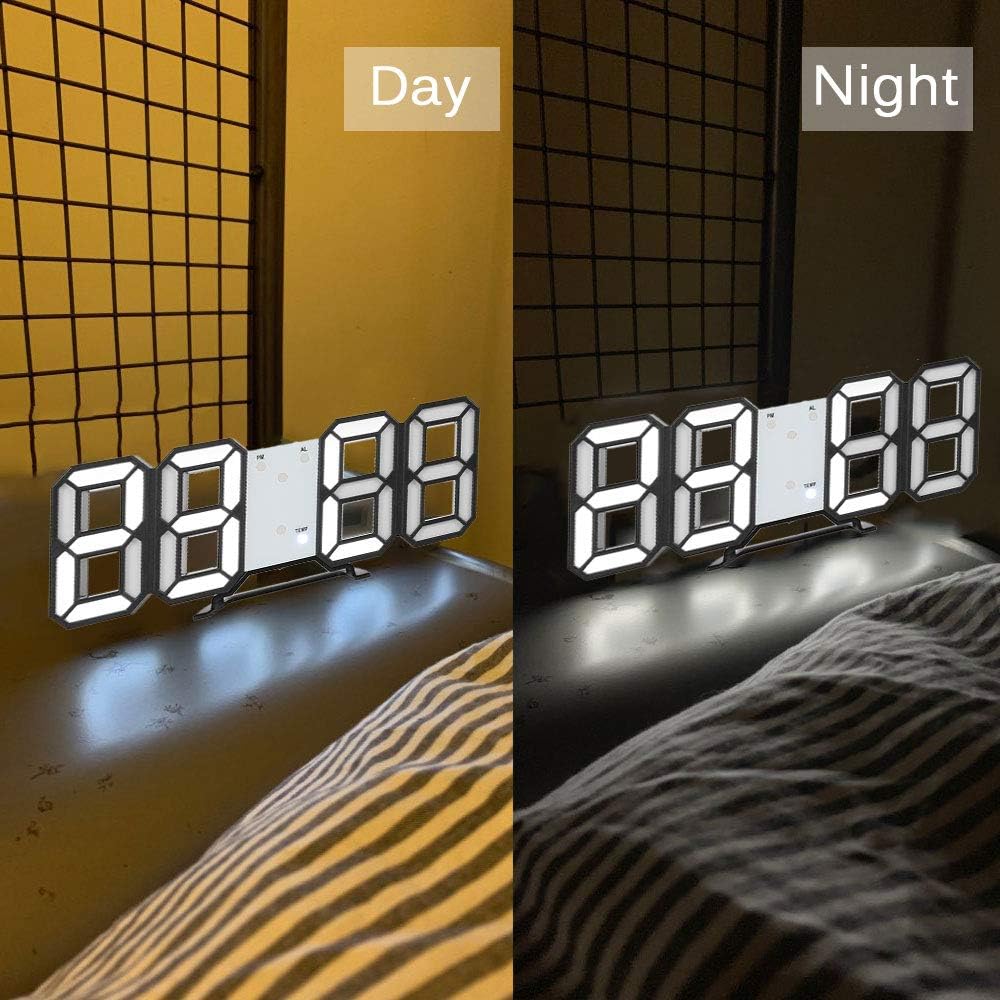
Image 6.1: The DELIPOP 3D LED Digital Alarm Clock showing its display brightness during daytime (brighter) and nighttime (dimmer).
7. Fikojakojana
- Clean the clock surface with a soft, dry cloth. Do not use abrasive cleaners or solvents.
- Ensure the USB cable and power adapter are in good condition.
- If the clock is not used for an extended period, disconnect it from power and remove the memory battery.
8. Famahana olana
| OLANA | Antony mety hitranga | vahaolana |
|---|---|---|
| Maty ny fampisehoana famantaranandro. | Tsy misy famatsiana herinaratra. | Ensure the USB cable is securely connected to a 5V 1A power source. Check if the power outlet is working. |
| Averina amin'ny laoniny ny fotoana/fikirana rehefa tapaka ny herinaratra. | Memory battery not installed or depleted. | Install a new CR2032 button cell battery in the memory compartment. |
| Tsy maneno ny fanairana. | Tsy mandeha na tsy mety ny fametrahana ny fanairana. | Verify the alarm is set and activated (check for "AL" indicator). Ensure the volume is not muted (if applicable, though this model doesn't specify volume control). |
| Display is too dim/bright. | Mila ahitsy ny haavon'ny famirapiratana. | Tsindrio fohy ny UP or MIDINY bokotra hivezivezena amin'ny haavon'ny famirapiratana. |
9. Famaritana
| Marika | DELIPOP |
| Laharana modely | 307NZH57602 |
| KEVITRA | Acrylonitrile Butadiene Styrene (ABS) |
| Loko LED | White |
| Herin'aratra | USB 5V 1A (cable included) |
| Bateria fitadidiana | 1 x CR2032 button cell (not included) |
| Karazana fampisehoana | LED nomerika |
| Time Format | 12/24 Hour selectable |
| asa | Time display, Alarm, Snooze, Brightness adjustment |
| Haben'ny vokatra (L x W x H) | 23.5 x 3.81 x 9.3 sm (9.25 x 1.5 x 3.66 santimetatra) |
| Lanja entana | 245 g (8.64 oz) |
10. Warranty sy fanohanana
DELIPOP products are designed for reliability and performance. For warranty information or technical support, please refer to the contact details provided with your purchase or visit the official DELIPOP website. Please have your model number (307NZH57602) ready when contacting support.

