1. Fampidirana
The Walfront YB26VA USB Detector is a compact and versatile device designed to measure the voltage, current, and battery capacity of USB-powered devices. It features a dual LED display for clear, simultaneous readings, making it an essential tool for monitoring the performance of mobile phones, tablet computers, power banks, and other USB devices.
2. Information momba ny fiarovana
- Read all instructions thoroughly before operating the device.
- Aza atao amin'ny hamandoana, orana, na mari-pana tafahoatra ny fitaovana.
- Do not attempt to disassemble or modify the device. This may void the warranty and pose a safety risk.
- Ataovy azo antoka fa ny voltage and current of the connected devices are within the specified operating limits of the YB26VA detector.
- Arovy amin'ny ankizy.
3. Vokatra mihoatraview
The YB26VA USB Detector features a male USB-A plug for input, a female USB-A port for output, and a dual LED display that shows real-time voltage and current measurements. The device is designed for ease of use and portability.

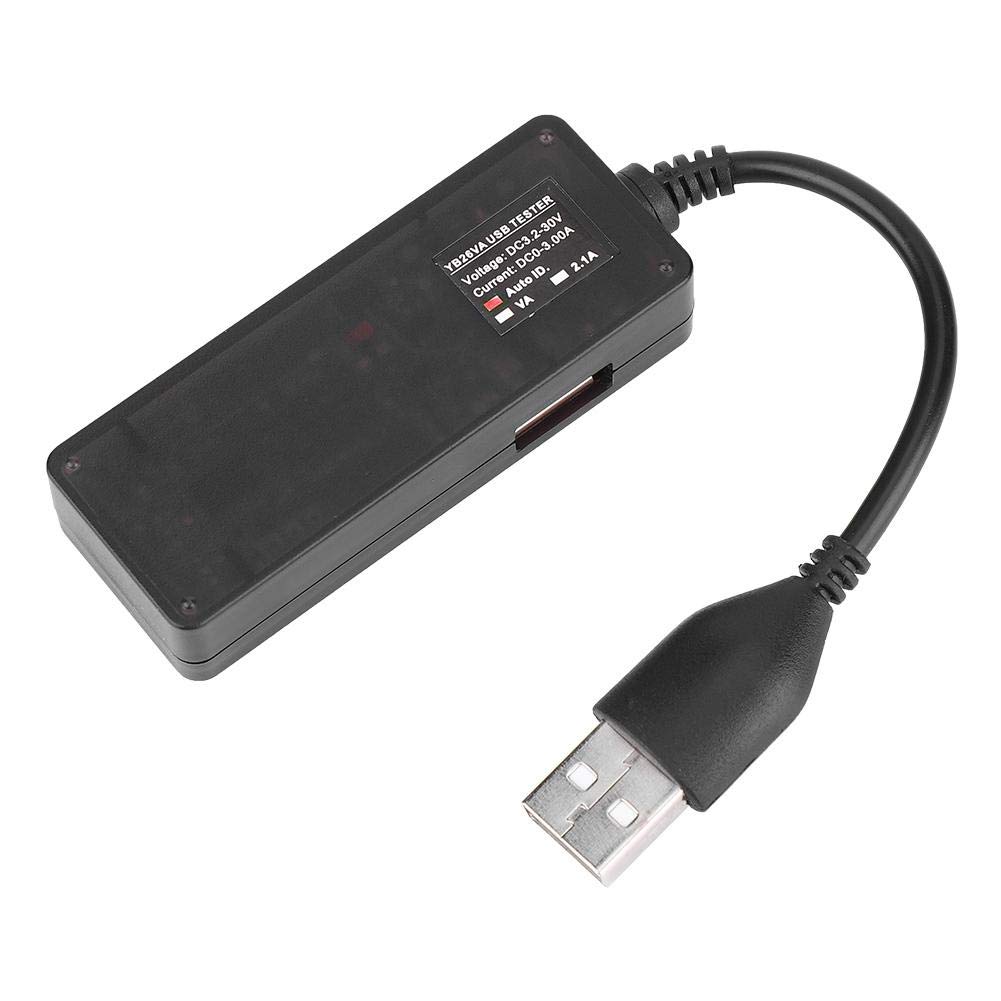
4. Famaritana
| endri-javatra | famaritana |
|---|---|
| MODELY | YB26VA |
| Famatsiana herinaratra Voltage | 3.2V - 15V |
| Fitsapana ankehitriny | 0A - 3A (Up to 10A peak) |
| Fahamarinana fandrefesana | 0.1% +/-3 Digit |
| Miasa ankehitriny | <20mA |
| Fomba fampisehoana | 0.28 santimetatra LED |
| USB Extension Cable Length | ≥120mm |
| Fatra refesina | ≥500mS/Time |
| Temperature miasa | -10°C hatramin’ny 65°C |
| Hamandoana miasa | Tsy misy condensation |
| Fanerena miasa | 80-106KPa |
| Lanja entana | 32g |
5. Fametrahana
- Mifandraisa amin'ny loharanom-pahefana: Insert the male USB-A plug of the YB26VA USB Detector into a USB power source. This can be a USB wall charger, a power bank, a computer's USB port, or any other compatible USB power output.
- Ampifandraiso ny fitaovanao: Plug the USB charging cable of your mobile phone, tablet, or other USB device into the female USB-A output port of the YB26VA USB Detector.
- Herim-batana: The detector will automatically power on and display readings once connected to a live USB power source.
6. Torolàlana miasa
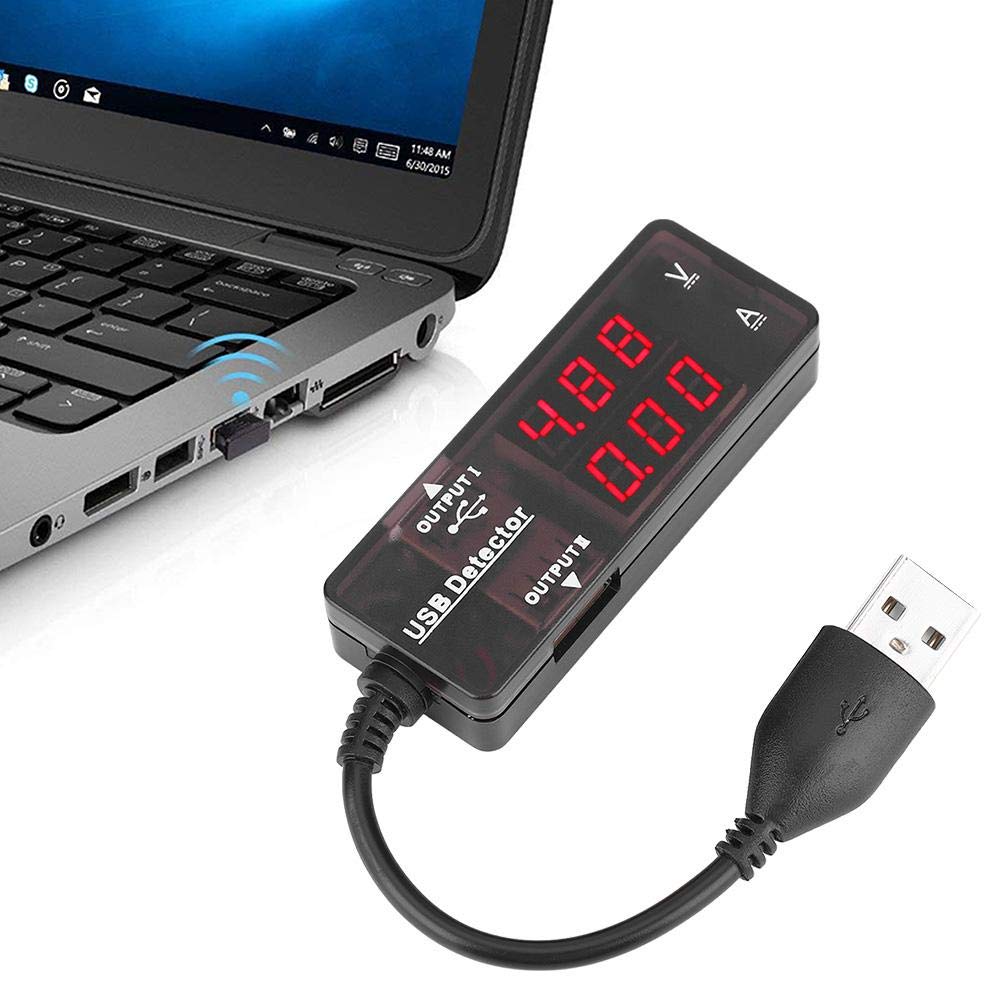
Once the YB26VA USB Detector is set up, it will immediately begin displaying real-time measurements:
- BOKYtage Aseho (V): The upper LED display shows the current voltage amin'ny Volts (V).
- Fampisehoana ankehitriny (A): The lower LED display shows the current flowing through the device in Amperes (A).
- Smart Recognition Chip: The built-in smart recognition chip automatically selects the most suitable and safe charging current for your connected mobile phone or tablet, optimizing charging efficiency.
- Fampisehoana hafa: The device can alternately display capacity and power, providing comprehensive monitoring capabilities.
- Mifanaraka amin'ny fitaovana maro: The detector can be used with most mobile phones, mobile power supplies, tablet computers, and other USB devices. It supports simultaneous monitoring of two mobile phones if the power source allows.

7. Fikojakojana
- Tazomy ho madio sy maina ny fitaovana. Ampiasao lamba malefaka sy maina mba hamafana ny velarana.
- Fadio ny fandatsahana ilay fitaovana na iharan'ny fiantraikany mahery vaika.
- Aza mampiasa mpanadio na solvents mikikisana, satria mety hanimba ny c ireoasing na fampisehoana.
- Tehirizo ao amin'ny toerana mangatsiatsiaka sy maina ny fitaovana rehefa tsy ampiasaina.
8. Famahana olana
| OLANA | Antony mety hitranga | vahaolana |
|---|---|---|
| No display/Device not powering on | No power from USB source, faulty connection, or device malfunction. | Ensure the USB detector's male plug is fully inserted into a working USB power source. Try a different USB port or power source. Check the connected device's cable. |
| Incorrect or fluctuating readings | Loose connections, faulty USB cable, or device drawing unstable power. | Verify all USB connections are secure. Try a different USB cable for the connected device. Ensure the power source is stable. |
| Device not charging through detector | Insufficient power from source, faulty cable, or device incompatibility. | Ensure the USB power source provides enough current for your device. Try a different charging cable. Some devices may have specific charging requirements. |
9. Fampahalalana momba ny fiantohana
For specific warranty details regarding your Walfront YB26VA USB Detector, please refer to the documentation provided at the time of purchase or contact the retailer directly. Warranty terms typically cover manufacturing defects under normal use conditions.
10. Fanohanana
Should you require technical assistance, have questions about the product, or need to report an issue, please contact Walfront customer support through their official website or the customer service channels of the retailer from whom you purchased the product. Please have your product model (YB26VA) and purchase details ready when contacting support.
