Sava lalana
This manual provides essential instructions for the safe and efficient use of your AKG Y100 Wireless Bluetooth Earbuds. Please read this manual thoroughly before using the product and retain it for future reference.
The AKG Y100 earbuds are designed to deliver crisp, clean sound with the convenience of wireless connectivity. They feature a lightweight, ergonomic neckband and multi-point connectivity for seamless switching between devices.
Information momba ny fiarovana
- Do not expose the earbuds to extreme temperatures, humidity, or corrosive environments.
- Fadio ny mandatsaka na ny mampidona mafy ny écouteur.
- Do not disassemble or attempt to repair the earbuds yourself. This may void the warranty and cause damage.
- Arovy amin'ny ankizy sy ny biby fiompy ny écouteur.
- Ampiasao fotsiny ny tariby famandrihana nomena na ny mitovy aminy voamarina.
- Listening at high volumes for extended periods can cause hearing damage. Adjust volume to a safe level.
Fonosana fonosana
Hamarino fa misy ny entana rehetra ao amin'ny fonosanao vokatra:
- AKG Y100 Wireless Bluetooth Earbuds
- 3 Size ear tips (Small, Medium, Large)
- Micro USB tariby famandrihana
- Raharaha fiarovana
- Torolàlana fanombohana haingana (tsy tafiditra ao anatin'ity boky torolalana nomerika ity)
Vita ny vokatraview
Familiarize yourself with the components and controls of your AKG Y100 earbuds.
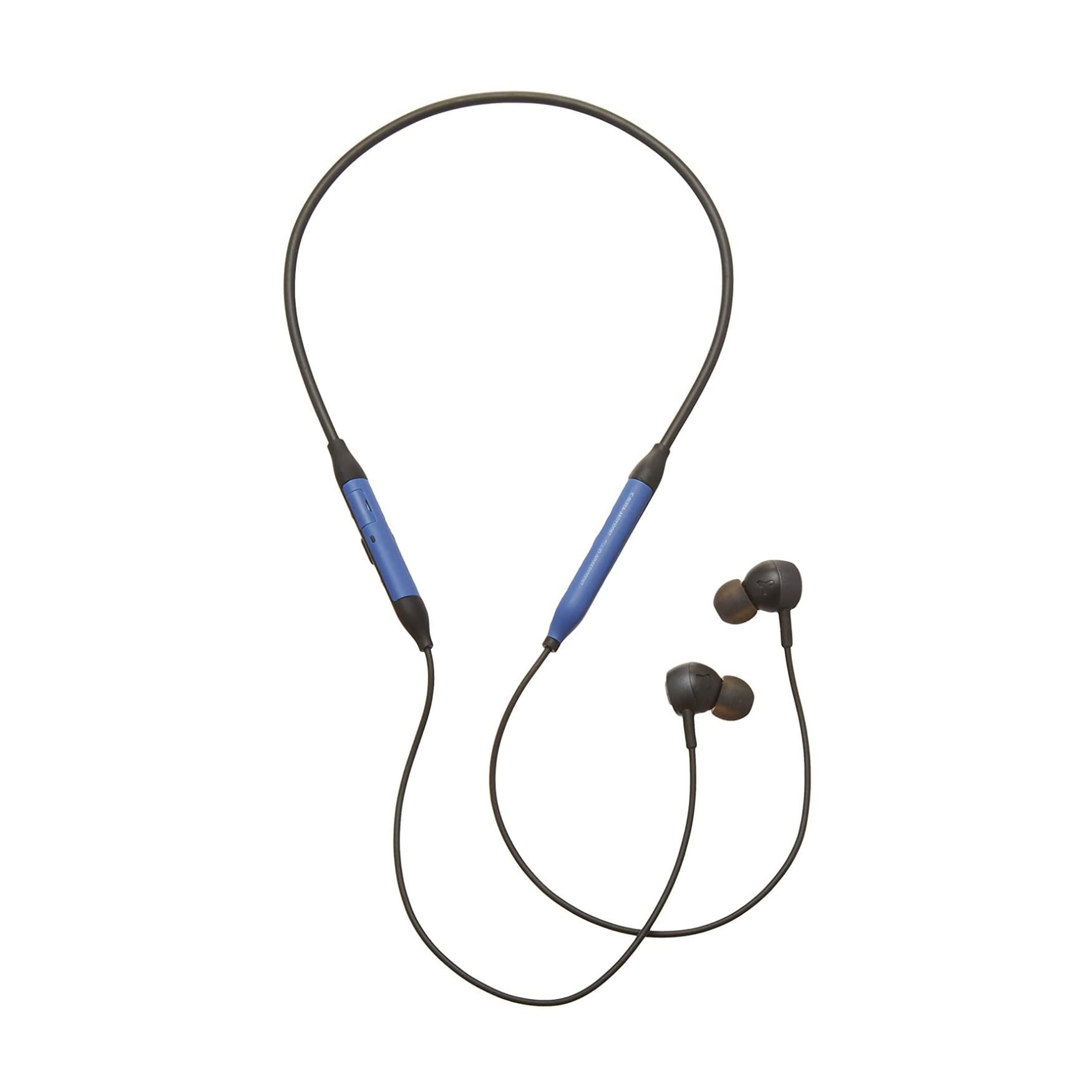
Sary: Front view of the AKG Y100 Wireless Bluetooth Earbuds, highlighting the blue AKG logo on each earbud.

Image: The AKG Y100 Wireless Bluetooth Earbuds showing the inline remote control with buttons for volume and playback.
Fanaraha-maso:
- Bokotra hery: Located on the inline remote. Used for powering on/off and Bluetooth pairing.
- Kitendry miakatra / midina: Ahitsio ny feo.
- Bokotra maro miasa: Controls music playback (play/pause, skip tracks) and call management (answer/end calls).
- Microphone: Integrated for hands-free calling and voice control.
- seranan-tsambo fiampangana: Micro USB port for charging the earbuds.
Hametraka
1. Fametrahana ny Earbuds
Before first use, fully charge your AKG Y100 earbuds.
- Connect the Micro USB charging cable to the charging port on the inline remote.
- Ampifandraiso amin'ny loharanon-jiro USB ny faran'ny tariby hafa (oh : solosaina, adaptatera rindrina).
- The LED indicator will show charging status. A full charge provides up to 8 hours of playback. A 15-minute speed charge can provide an additional hour of music.
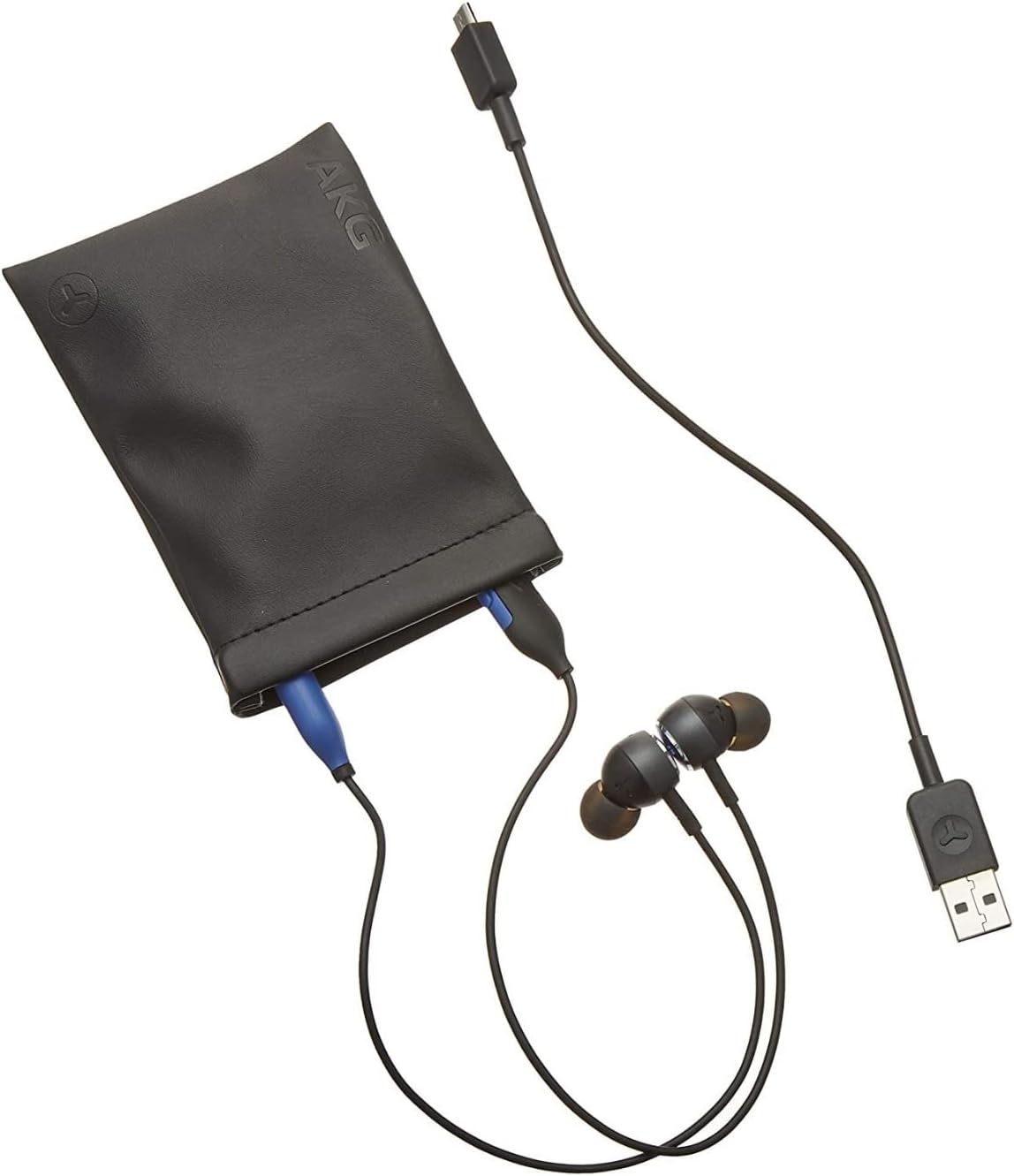
Image: The AKG Y100 Earbuds, protective case, and Micro USB charging cable, illustrating the components included.
2. Pairing Bluetooth
Mba hampifandraisana ny écouteur-nao amin'ny fitaovana iray:
- Hamarino tsara fa voafahana ny écouteur ary maty.
- Tsindrio ary hazòny ny bokotra Hery mandra-pipoitra manga sy mena ny famantarana LED, izay manondro ny fomba fampiarahana.
- Amin'ny fitaovanao (smartphone, tablette, solosaina), avelao ny Bluetooth ary tadiavo ireo fitaovana misy.
- Select "AKG Y100" from the list of found devices.
- Once connected, the LED indicator will show a solid blue light or flash blue slowly.
Fifandraisana amin'ny teboka maro: The AKG Y100 supports connecting to two Bluetooth devices simultaneously. After pairing with the first device, put the earbuds back into pairing mode and connect to the second device. The earbuds will intelligently switch between the two connected devices for audio and calls.
3. Fametrahana ny Earbuds
For optimal sound quality and comfort, choose the correct size ear tips.
- Experiment with the three provided ear tip sizes (Small, Medium, Large).
- Gently insert the earbuds into your ears, ensuring a snug fit that seals the ear canal.
- The ergonomic neckband should rest comfortably around your neck.

Image: A person wearing the AKG Y100 Wireless Bluetooth Earbuds, demonstrating the comfortable fit of the neckband and earbuds.
Fampandehanana ny Earbuds
Power On/off
- Herim-batana: Tsindrio ary hazòny mandritra ny 2 segondra eo ho eo ny bokotra Hery mandra-pirehitra manga ny jiro famantarana LED.
- Mamono hery: Tsindrio ary hazòny mandritra ny 3 segondra eo ho eo ny bokotra Hery mandra-pirehitra mena ny jiro LED ary avy eo maty.
Famerenana mozika
- Play/Pause: Tsindrio indray mandeha ny bokotra Multi-function.
- Track manaraka: Tsindrio indroa ny bokotra Multi-function.
- Làlana teo aloha: Tsindrio intelo ny bokotra Multi-function.
- Fiakaram-peo: Tsindrio ny bokotra Volume Up.
- Mihena ny feo: Tsindrio ny bokotra Midina ny feo.
Call Management
- Valio/Atsaharo ny antso: Tsindrio indray mandeha ny bokotra Multi-function.
- Mandà ny antso: Tsindrio ary mihazona ny bokotra Multi-function mandritra ny 2 segondra.
- Ampandehano ny feo Assistant: Press and hold the Multi-function button for 2 seconds when not on a call.
Ambient Aware Mode
The AKG Y100 features an Ambient Aware mode, which allows you to hear your surroundings more clearly without removing your earbuds. This is useful for situations where you need to be aware of your environment, such as during commutes or in an office setting.
- Activate/Deactivate Ambient Aware: Refer to your device's Bluetooth settings or the AKG app (if available) for specific controls, as this feature may be managed through software. On some models, a dedicated button or a specific combination of button presses on the inline remote may control this function.
fikarakarana
- Fanadiovana: Wipe the earbuds and neckband with a soft, dry cloth. Do not use harsh chemicals or abrasive materials. Remove ear tips and clean them with mild soap and water, then dry thoroughly before reattaching.
- fitahirizana: When not in use, store the earbuds in the provided protective case to prevent damage. Avoid storing in direct sunlight or extreme temperatures.
- fanoherana ny rano: The earbuds are water resistant. However, they are not waterproof. Avoid submerging them in water or exposing them to heavy rain. Dry thoroughly if they get wet.
Fanamboarana
| OLANA | Antony mety hitranga | vahaolana |
|---|---|---|
| Tsy mandeha ny écouteur. | bateria kely. | Charge the earbuds fully using the Micro USB cable. |
| Tsy afaka mifandray amin'ny fitaovana. | Tsy ao amin'ny "pair mode" ny écouteur; maty ny Bluetooth-n'ny fitaovana; lavitra loatra ny fitaovana. | Ensure earbuds are in pairing mode (flashing blue/red LED). Turn on Bluetooth on your device. Move earbuds closer to the device (within 10 meters). |
| Tsy misy feo na ratsy kalitao. | Volume too low; earbuds not properly seated; device not connected. | Increase volume on earbuds and device. Adjust earbud fit. Re-pair the earbuds with your device. |
| Olana amin'ny fifandraisana amin'ny teboka maro. | Incorrect switching; device compatibility. | Ensure both devices are paired. The earbuds prioritize active audio/calls. If issues persist, disconnect and re-pair one device at a time. |
fepetra arahana
| Anarana modely | Y100 |
| Teknolojia fifandraisana | Wireless (Bluetooth) |
| Bluetooth Version | 4.2 |
| Tohanana Bluetooth Profiles | HFP V1.7, A2DP V1.3, AVRCP V1.5 |
| Fiainana bateria | Hatramin'ny 8 ora |
| Speed Charge | 15 minitra ho an'ny famerenana adiny 1 |
| Karazana fanaraha-maso | Voice Control, Touch-based controller |
| Lanja entana | 24 Gram (0.847 ounces) |
| Ny haavon'ny fanoherana ny rano | Mahazaka rano |
| mpanamboatra | Samsung (AKG by Harman) |
| Ny refin'ny vokatra | 3.86 x 2.01 x 5.91 santimetatra |
Warranty sy fanohanana
For warranty information and technical support, please refer to the documentation included with your purchase or visit the official AKG/Samsung support website. Tehirizo ny porofon'ny fividiananao ho an'ny fitakiana fiantohana.
If you encounter issues not covered in this manual, please contact customer service for assistance.


