Sava lalana
This manual provides comprehensive instructions for the installation, operation, and maintenance of your LTS LTCMIP7342W-28M Platinum Network Vandal Dome IP Camera. Please read this manual thoroughly before using the product to ensure proper setup and functionality. Keep this manual for future reference.
The LTS LTCMIP7342W-28M is a 4MP high-definition network vandal dome IP camera designed for robust surveillance applications. It features a 2.8mm fixed lens, True WDR (120dB), Matrix IR 2.0 with up to 100 feet range, and supports H.265/H.265+/H.264/H.264+ video compression. It is rated IP67 for weather resistance and IK10 for vandal resistance, making it suitable for outdoor use. The camera also includes a MicroSD slot supporting up to 128GB for local storage and can be powered by DC 12V or Power over Ethernet (PoE).
Fonosana fonosana
Hamarino tsara fa ao anaty fonosana avokoa ny entana rehetra alohan'ny hanombohana ny fametrahana.
- LTS LTCMIP7342W-28M Platinum Network Vandal Dome IP Camera
- Boribory Template
- Fametrahana ny visy sy ny rindrina
- Hex Wrench
- Kitapo mpampitohy tsy tantera-drano
- Quick Start Guide (jereo ity boky ity ho an'ny torolalana amin'ny antsipiriany)
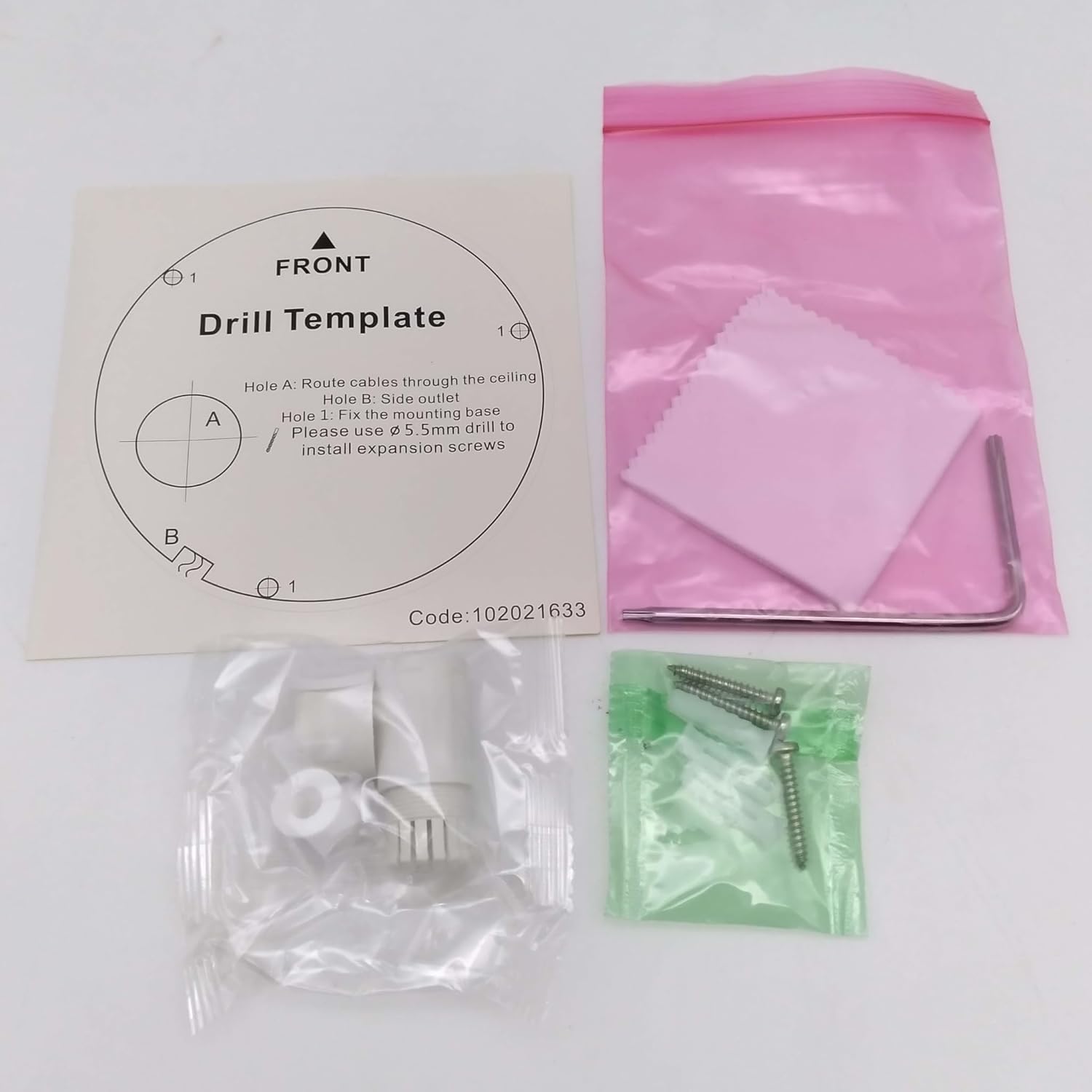
Sary: Contents of the camera package. This includes a drill template, mounting hardware (screws and wall plugs), a hex wrench for adjustments, and a waterproof connector kit for network cables. These components are essential for proper installation.
Hametraka
1. Fiarovana fiarovana
- Ataovy azo antoka fa tapaka ny herinaratra alohan'ny fametrahana na fikojakojana.
- Use only specified power adapters (DC 12V) or PoE (Power over Ethernet) compliant equipment.
- Avoid exposing the camera to extreme temperatures, humidity, or corrosive environments.
- Do not attempt to disassemble the camera. Refer all servicing to qualified personnel.
2. Over Cameraview
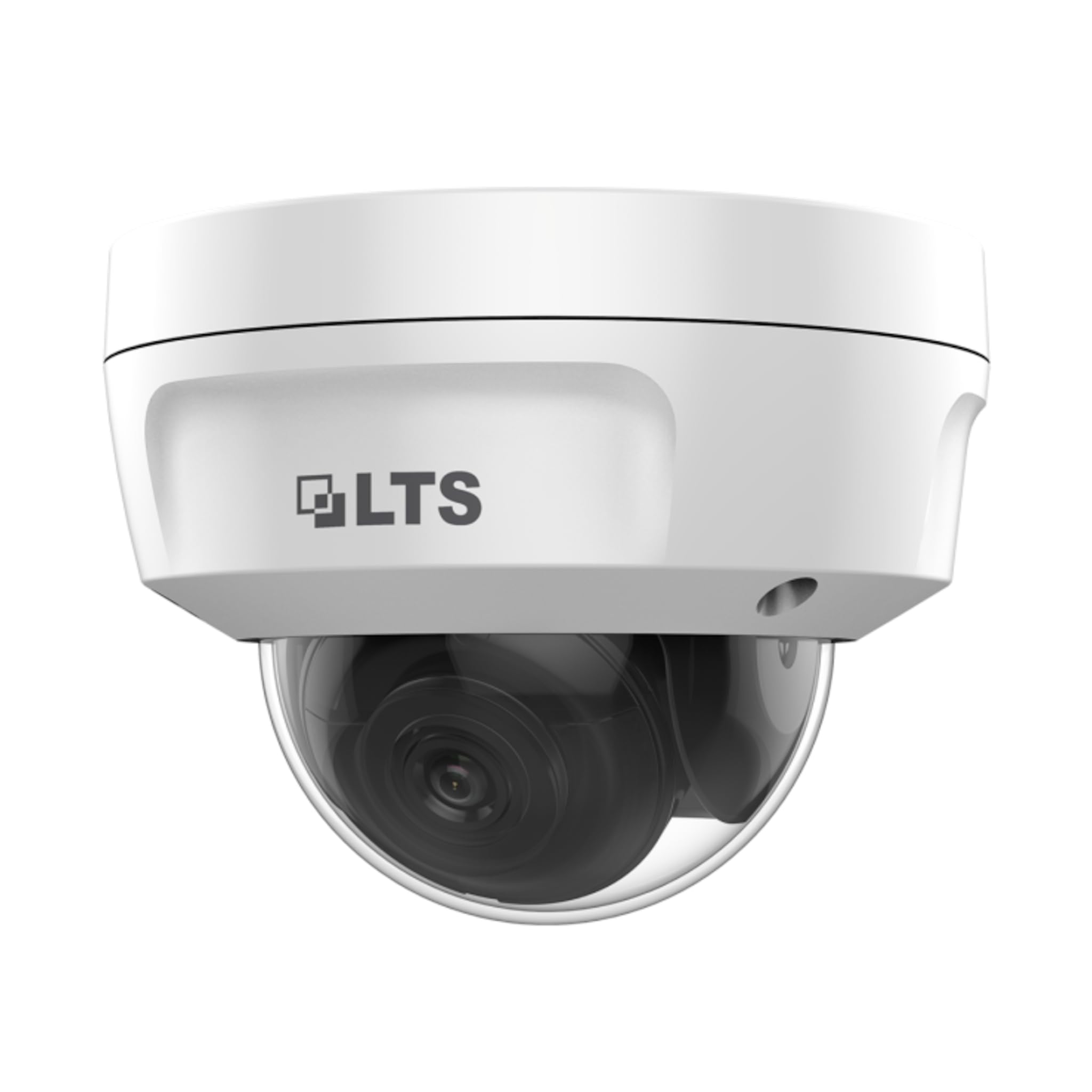
Sary: anoloana view of the LTS LTCMIP7342W-28M dome camera. This image shows the main body of the camera with its dome cover, indicating its compact and discreet design.

Sary: sisiny view of the LTS LTCMIP7342W-28M dome camera, showing the attached cables for power and network connectivity. This view highlights the integrated cable management for installation.
3. Wiring and Connectivity
The LTCMIP7342W-28M camera primarily uses a network cable for both data and power (PoE). It is not compatible with traditional DC power and BNC video connections.

Sary: This diagram illustrates the correct and incorrect wiring methods. On the left, a network cable (RJ45) is circled in green, indicating compatibility for both video and Power over Ethernet (PoE). On the right, DC power and BNC video connectors are circled in red, indicating they are not compatible with this camera model.
- Fifandraisana tambajotra: Connect a standard Ethernet cable (Cat5e or Cat6) from the camera's RJ45 port to a PoE-enabled switch or NVR. If not using PoE, connect to a standard network switch and provide 12V DC power separately.
- Hery: The camera supports Power over Ethernet (PoE) or a 12V DC power supply. Ensure the power source meets the camera's requirements.
- Mpampakatra tsy tantera-drano: Use the provided waterproof connector kit for outdoor installations to protect the RJ45 connection from moisture.
4. Mametraka ny fakan-tsary
- Omano ny tampon'ny fametrahana: Choose a suitable location, typically a ceiling or wall, ensuring it can support the camera's weight.
- Use the Drill Template: Place the provided drill template on the desired mounting surface. Mark the positions for the mounting screws and cable routing hole.
- Fandavahana lavaka (Drill holes): Drill pilot holes for the mounting screws (typically 5.5mm diameter for expansion screws) and a larger hole for cable routing, if necessary.
- Lalana tariby: Pass the network cable through the cable routing hole.
- Ataovy azo antoka ny fotony fakantsary: Align the camera base with the drilled holes and secure it using the provided mounting screws and wall plugs.
- Ahitsio Angle fakan-tsary: Loosen the adjustment screws (if applicable) to position the camera lens for the desired viewzoro. Henjano ny visy rehefa voahitsy.
fandidiana
1. Initial Power-Up and Network Configuration
- After connecting the camera to power and the network, it will boot up. This may take a few minutes.
- Use the manufacturer's IP search tool (e.g., SADP Tool) to discover the camera's IP address on your network.
- Midira amin'ny fakantsary web interface tsara amin'ny fampidirana ny adiresy IP ao amin'ny a web navigateur.
- Follow the on-screen prompts to set a strong password for the camera (if it's a new installation or reset).
- Configure network settings (IP address, subnet mask, gateway, DNS) as required by your network infrastructure.
2. Video Settings
- fanapahan-kevitra: The camera supports up to 4MP (2560x1440) resolution at 30 frames per second. Adjust as needed for bandwidth and storage considerations.
- Famoretana: Utilize H.265+ or H.265 for efficient video storage and bandwidth usage. H.264+ and H.264 are also supported.
- WDR (Range Dynamic Range): Enable True WDR (120dB) in challenging lighting conditions to balance bright and dark areas in the image.
- Fahitana alina: The camera features Matrix IR 2.0 with a range up to 100 feet. IR LEDs automatically activate in low light.
3. Firaketana sy fitahirizana
- NVR Recording: Connect the camera to a compatible Network Video Recorder (NVR) for continuous or event-based recording.
- Karatra MicroSD: Insert a MicroSD card (up to 128GB) into the camera's slot for local storage. Configure recording schedules and event triggers via the web interface tsara.
- Fikarohana hetsika: Set up motion detection zones and sensitivity to trigger recordings or alerts.
4. Fidirana lavitra
Ho an'ny lavitra viewing, configure port forwarding on your router or use a P2P/Cloud service provided by the manufacturer (if available) to access the camera feed via a mobile app or client software.
fikarakarana
- Fanadiovana Lens: Periodically clean the camera lens and dome cover with a soft, damp lamba. Fadio ny mpanadio mikikitra izay mety handratra ny velarana.
- Fanavaozana ny mikirao praogramanao: Jereo ny mpanamboatra website for firmware updates to ensure optimal performance and security. Follow update instructions carefully.
- Cable Inspection: Regularly inspect all cables and connections for signs of wear or damage, especially in outdoor installations.
- Fanamarinana ny tontolo iainana: Ataovy azo antoka fa mijanona ao anatin'ny mari-pana sy hamandoana voafaritra ny tontolon'ny fakantsary.
- Fitantanana ny tenimiafina: Change passwords regularly and use strong, unique passwords for enhanced security.
Fanamboarana
| OLANA | Antony mety hitranga | vahaolana |
|---|---|---|
| Tsy misy sary/horonan-tsary | No power; Network cable disconnected; Incorrect IP address; Camera malfunction. | Check power supply/PoE connection; Verify network cable is securely connected; Use IP search tool to find camera; Contact technical support if malfunction suspected. |
| Ratsy ny kalitaon'ny sary | Dirty lens/dome; Low light conditions; Incorrect video settings; Network bandwidth issues. | Clean lens/dome; Ensure IR is active in low light; Adjust resolution, WDR, and other image settings; Check network connection speed. |
| Tsy afaka miditra amin'ny fakantsary avy lavitra | Incorrect port forwarding; Firewall blocking access; Dynamic IP address changed; P2P/Cloud service offline. | Verify router port forwarding rules; Check firewall settings on router/NVR; Use DDNS service for dynamic IPs; Check status of P2P/Cloud service. |
| Tsy mirakitra ny karatra SD | SD card full or faulty; Incorrect recording schedule; SD card not formatted. | Check SD card status and remaining space; Format SD card via camera interface; Verify recording schedule and event triggers. |
fepetra arahana
| endri-javatra | antsipirihany |
|---|---|
| MODELY | LTCMIP7342W-28M |
| Fanapahan-dahatsary fakana sary | 4 MP (2560x1440) |
| Frame Rate | 30 fps |
| family | Lensa miorina 2.8mm |
| WDR | Tena WDR 120dB |
| IR Range | Up to 100 feet (Matrix IR 2.0) |
| Fahazavana kely indrindra | 0.018 Lux @ F1.6 |
| Video Compression | H.265, H.265+, H.264, H.264+ |
| fitahirizana | MicroSD Slot (up to 128GB) |
| Herin'aratra | DC 12V, PoE (802.3af) |
| Ingress Protection | IP67 |
| Vandal Resistance | IK10 |
| Teknolojia fifandraisana | Wired (Ethernet) |
| Karazana fametrahana | Tendrombohitra valin-drihana |
| Temperature miasa | (Refer to manufacturer's full datasheet for exact range) |
| lafiny | Approx. 7 x 7 x 7 santimetatra |
| lanja | Approx. 2.5 kilao |
Warranty sy fanohanana
For warranty information, technical support, and service inquiries, please contact your authorized TSL dealer or visit the official TSL website. Tehirizo ny tapakila fividiananao ho porofon'ny fividianana ho an'ny fitakiana fiantohana.
Mpanamboatra: LTS
marika: TSL


