Vita ny vokatraview
The LG PK7 XBOOM Go is a powerful, portable Bluetooth speaker designed for an exceptional audio experience. Featuring Meridian Audio Technology, it delivers rich bass and clear vocals. Its water-resistant design and long-lasting battery make it ideal for various environments, from outdoor parties to poolside events.
Key features include easy Bluetooth pairing, up to 22 hours of playback, enhanced bass with LED beat lighting, and an IPX5 water and weather-resistant rating.

Sary: Front view of the LG PK7 XBOOM Go speaker, showcasing its sleek black design and illuminated speaker cones.
Hametraka
1. Fiampangana ny mpiteny
Before initial use, fully charge the LG PK7 speaker using the provided AC adapter. The charging port is located on the back of the device, protected by a cover.
2. Pairing Bluetooth
- Alefaso ny fanamafisam-peo amin'ny fanindriana ny bokotra herinaratra.
- Press and hold the Bluetooth button on the speaker until the indicator light flashes, indicating pairing mode.
- On your smartphone or audio device, enable Bluetooth and select "LG PK7" from the list of available devices.
- Once connected, the Bluetooth indicator light will become solid.
3. App Installation and Firmware Update
For full control over sound effects and lighting, download the LG Music Flow Bluetooth app from your device's app store (currently available for Android, iOS app expected). After installing and connecting via Bluetooth:
- Open the app and connect to your LG PK7 speaker.
- Navigate to the settings menu within the app.
- Locate "Device version info" and check for available firmware updates. It is recommended to perform a firmware update to unlock all features, such as "Sound Boost".
- Follow the on-screen instructions to complete the update. The speaker will power off and on during this process.
Video: A user demonstrates the LG Music Flow Bluetooth app, showing how to connect the speaker, access sound and lighting effects, and perform a firmware update.
Torolàlana miasa
1. Fanaraha-maso fototra
The top panel of the speaker features intuitive buttons for power, Bluetooth pairing, volume control (+/-), play/pause/skip track, voice assistant activation, clear vocal, and enhanced bass.
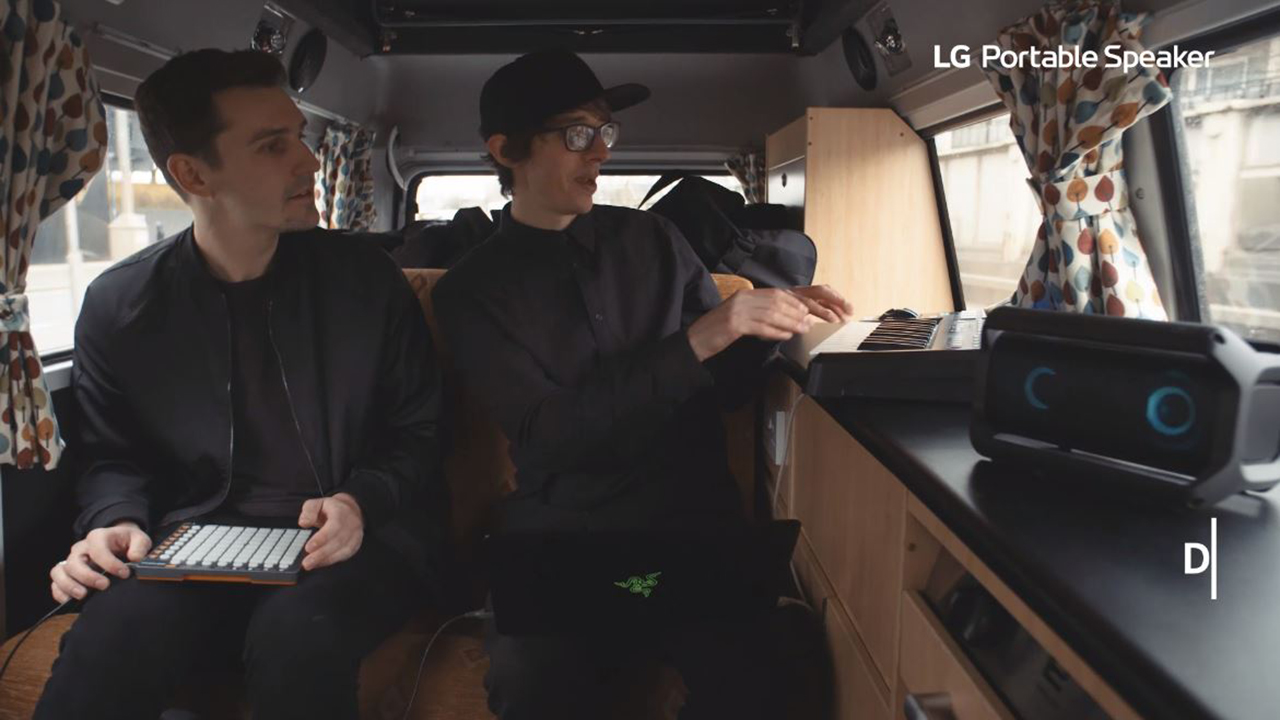
Image: Close-up of the LG PK7 speaker's top panel, showing the power, Bluetooth, volume, playback, voice assistant, Clear Vocal, and Enhanced Bass buttons.
2. Feo vokat'ny feo
- Clear Vocal: Enhances vocal clarity in music. Activate via the dedicated button on the speaker or within the app.
- Bass nohatsaraina: Boosts low-frequency sounds for a deeper bass experience. Activate via the dedicated button on the speaker or within the app.
- Sound Boost: (Requires firmware update) Increases the maximum volume output of the speaker. Activate via the LG Music Flow Bluetooth app.
3. Vokatry ny jiro
The LG PK7 features interactive, multi-colored LED lights that can dance to the beat of the music. Control lighting effects via the LG Music Flow Bluetooth app:
- Choose from preset lighting modes like "Party" (cycles through all colors), "Water" (blue tones), or "Forest" (yellow tones).
- "My Style" mode allows customization of colors and speed.
- Enable "Beat Lighting" to synchronize lights with the music.
- Lights can also be turned off completely.
4. Dual Play Connection
Connect two LG PK7 speakers wirelessly for a stereo sound experience. This feature is managed through the LG Music Flow Bluetooth app under the "Dual Play" option.
5. Fifehezana feo
When your smartphone is connected, press the voice assistant button on the speaker to activate your device's voice control for music playback (e.g., "Next track").
fikarakarana
1. Ny fanoherana ny rano
The LG PK7 has an IPX5 water-resistant rating, meaning it can withstand splashes and light rain. It is certified for outdoor use and can get wet, but it should tsy atao anaty rano.
Video: The LG PK7 speaker is shown being splashed with water, demonstrating its IPX5 water resistance.
2. Fanadiovana
Mba hanadiovana ny fanamafisam-peo dia ampiasao malefaka, damp cloth. Avoid using harsh chemicals or abrasive materials that could damage the finish. Ensure all port covers are securely closed before cleaning or exposing to water.
Fanamboarana
- Tsy misy hery: Ensure the speaker is fully charged. Connect to the AC adapter and try powering on again.
- Fanalana Bluetooth: Ensure the speaker and your device are within Bluetooth range (approx. 10 feet). Re-pair the devices if necessary.
- Fanolanana feo: Check audio source quality. Adjust sound effects (Clear Vocal, Enhanced Bass) in the app or on the speaker. Ensure firmware is updated for optimal performance.
- Jiro tsy mandeha: Check lighting effect settings in the LG Music Flow Bluetooth app. Ensure "Beat Lighting" is enabled if desired, or select a different mode.
fepetra arahana
| endri-javatra | antsipirihany |
|---|---|
| Marika | LG |
| Anarana modely | PK7 |
| Karazana mpandahateny | ivelan'ny trano |
| Teknolojia fifandraisana | Bluetooth | AUX In (3.5mm) | AC Adapter (charging) |
| Wireless Communication Technology | Bluetooth |
| Bluetooth Range | 10 Feet |
| Mpandahateny Hery Output faratampony | 40 Watts |
| Audio Output Mode | Stereo |
| Fiainana bateria | Up to 22 hours playback (features off), approx. 13 hours (features on) |
| Ny haavon'ny fanoherana ny rano | IPX5 (mahatohitra rano) |
| Ny refin'ny vokatra | 6" D x 12.6" W x 6.6" H |
| Lanja entana | 6.3 kilao |
| Fomba fanaraha-maso | App, bokotra |
Warranty sy fanohanana
The LG PK7 XBOOM Go speaker comes with a limited warranty. For detailed warranty information, please refer to the documentation included with your product or visit the official LG website.
For technical support, troubleshooting assistance, or service inquiries, please contact LG Customer Service. Contact details can be found on the LG webtranonkala na ao amin'ny boky torolalana ho an'ny mpampiasa ny vokatrao.