1. Fampidirana sy vokatra faranyview
The Hormann IT3b-1 Interior Push Button (Model 4511647) is designed for convenient and reliable operation of your garage door system from within your garage or home. This wired push button features a large, easy-to-press button with an illuminated ring for enhanced visibility and user comfort. It offers multiple functions for controlling your garage door and its associated lighting.
2. Torolàlana momba ny fiarovana
Please read and understand all safety instructions before installation and operation. Failure to follow these instructions may result in injury or damage to the product.
- Fiarovana herinaratra: Installation should only be performed by qualified personnel or under the supervision of a qualified electrician. Ensure power to the garage door operator is disconnected before beginning any installation or wiring work.
- Fampiasana natao: This device is intended for controlling Hormann garage door operators. Do not use it for purposes other than those specified.
- Ankizy: Keep children away from the push button and garage door area.
- Tontolo iainana: Do not expose the device to moisture, extreme temperatures, or corrosive substances.
3. Ny votoatin'ny fonosana
Hamarino fa misy ny singa rehetra ao anaty fonosana:
- Hormann IT3b-1 Interior Push Button
- Fametrahana fitaovana (screws, rindrina plugs)
- Connection cable (typically included)
- Multilingual instruction manual
4. Fametrahana sy fametrahana
The IT3b-1 push button is designed for surface mounting and requires a wired connection to your garage door operator's control unit.
- Mifidiana toerana: Select a suitable indoor location for the push button, typically near the garage entrance, ensuring it is easily accessible but out of reach of small children.
- Tapaka ny hery: Before proceeding, ensure the main power supply to your garage door operator is completely disconnected.
- Mametraka ny bokotra:
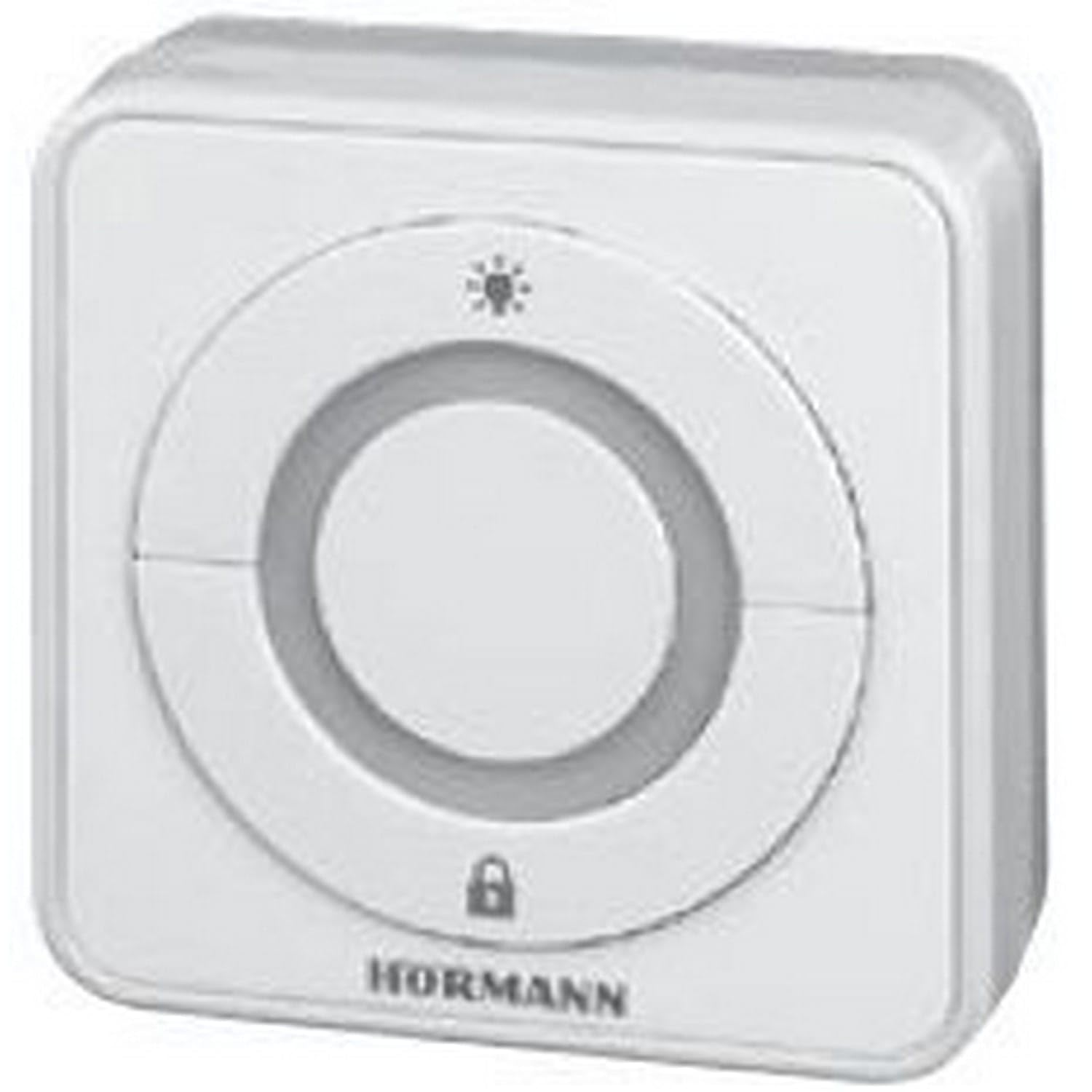
Image: The Hormann IT3b-1 Interior Push Button, showing its compact design and large central button with an illuminated ring. This image illustrates the product's appearance when mounted.
Use the provided mounting hardware to securely attach the push button housing to the wall. - Wire the Connection: Connect the provided cable from the push button to the designated terminals on your Hormann garage door operator's control unit. Refer to your garage door operator's manual for specific wiring diagrams and terminal assignments. The push button uses screw terminals for connection.
- Ampodio hery: Once wiring is complete and secure, restore power to the garage door operator.
5. Torolàlana miasa
The IT3b-1 push button offers intuitive control over your garage door system.
- Garage Door Operation: Press the large central button once to initiate the garage door movement (open or close). Pressing it again during movement will stop the door. A third press will reverse the door's direction.
- Illuminated Ring: The illuminated ring around the button provides visual feedback and makes the button easy to locate in low light conditions.
- Drive Light Control: The push button may also include a function to control the drive unit's integrated lighting. Consult your garage door operator's manual for specific instructions on activating this feature.
- Remote Control Stop Function: This button can be used to stop or deactivate remote control access, providing an added security feature. Refer to your garage door operator's manual for details on configuring and using this function.
6. Fikojakojana
The Hormann IT3b-1 Interior Push Button requires minimal maintenance.
- Fanadiovana: Clean the surface of the push button with a soft, damp lamba. Aza mampiasa mpanadio abrasive na solvents.
- Fanaraha-maso: Jereo tsindraindray ny fampifandraisana tariby mba hahazoana antoka fa azo antoka izy ireo.
- Tsy misy ampahany azo ampiasaina amin'ny mpampiasa: The device contains no user-serviceable parts. Do not attempt to open or repair the unit yourself.
7. Famahana olana
If you experience issues with your IT3b-1 Interior Push Button, consider the following:
- Bokotra tsy mamaly:
- Check if the garage door operator has power.
- Verify all wiring connections are secure at both the push button and the operator's control unit.
- Ensure there are no obstructions preventing the garage door from moving.
- Illuminated Ring Not Working:
- Confirm the push button is correctly wired and receiving power.
- If the button functions but the light does not, the internal LED may be faulty. Contact customer support.
- Fihetseham-po miato:
- Inspect wiring for any loose connections or damage.
- Ensure the push button is not exposed to excessive vibration or impact.
If problems persist, consult your garage door operator's manual or contact Hormann customer support.
8. Famaritana
| endri-javatra | famaritana |
|---|---|
| Laharana modely | 4511647 |
| refy (L x W x H) | 8 x 8 x 4.5 sm (3.15 x 3.15 x 1.77 santimetatra) |
| lanja | 200 grama (0.44 lbs) |
| KEVITRA | Acrylonitrile Butadiene Styrene (ABS) |
| loko | White |
| Karazana Switch | Push Button, 3-way |
| Karazana fametrahana | Surface Mount |
| Fomba fiasa | ON-OFF |
| Rating amin'izao fotoana izao | 1 A |
| Operating Voltage | 1 Volt (Please refer to your operator's manual for compatible voltage fepetra) |
| Karazana fifandraisana | Misokatra mahazatra |
| Karazana mpampitohy | Plug-in |
| Karazana terminal | Sokiro |
| Batterie ilaina/tafiditra | tsy misy |
9. Warranty sy fanohanana
For warranty information and technical support, please refer to the documentation provided with your Hormann garage door operator or visit the official Hormann website. Tehirizo ny porofon'ny fividiananao ho an'ny fitakiana fiantohana.
Mpanamboatra: Hormann


