Vita ny vokatraview
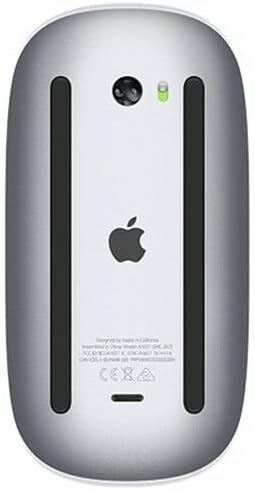
The Apple Magic Mouse 2 is a wireless, rechargeable mouse designed for seamless integration with Mac OS X. It features a multi-touch surface for intuitive gestures and an ambidextrous design for comfortable use by both left and right-handed users. Its optimized foot design allows for smooth gliding across surfaces, enhancing precision and ease of use.
Endri-javatra fototra
- Fifandraisana tsy misy tariby: Connects wirelessly via Bluetooth for convenient, clutter-free use.
- Multi-Touch Surface: Supports intuitive gestures like swiping and scrolling directly on the mouse surface.
- Batterie azo averina: Features a built-in rechargeable battery, eliminating the need for disposable batteries.
- Ambidextrous Design: Ergonomically designed for comfortable use in either hand.
- Optimized Foot Design: Ensures smooth and effortless gliding across your desk.
fikarakarana
Cleaning Your Magic Mouse 2
To keep your Magic Mouse 2 clean and functioning optimally:
- Turn off the mouse using the switch on the bottom.
- Mampiasà lamba malefaka sady tsy misy loko kely dampened with water to wipe the exterior surfaces.
- Avoid getting moisture in any openings. Do not use window cleaners, household cleaners, aerosol sprays, solvents, alcohol, ammonia, or abrasives to clean your mouse.
Fikarakarana bateria
To maximize the lifespan of your Magic Mouse 2's rechargeable battery:
- Fadio ny fanalana tanteraka ny bateria matetika.
- Store the mouse at room temperature when not in use for extended periods.
- If storing for a long time, charge the battery to about 50% before turning it off.
Warranty sy fanohanana
Garantie vokatra
Apple products typically come with a one-year limited warranty against defects in materials and workmanship. For detailed warranty information, please refer to the official Apple warranty documentation included with your product or visit the Apple Support website.
Fanohanana ny mpanjifa
For further assistance, technical support, or service inquiries, please visit the official Apple Support website or contact Apple Customer Service:
- Apple Support Webtranokala: support.apple.com
- Fanohanana an-telefaona: Refer to your region's Apple webtranonkala ho an'ny nomeraon-telefaona eo an-toerana.