1. Fampidirana
The HyperX Cloud Pro Gaming Headset is engineered for serious console and PC gamers, offering superior comfort and audio performance. Featuring a durable aluminum frame, memory foam ear cushions, and 53mm drivers, this headset delivers crystal clear highs, mids, and lows. The convenient in-line audio control provides easy access to volume adjustments and microphone muting, ensuring an immersive gaming experience.
2. Ny votoatin'ny fonosana
- HyperX Cloud Pro Gaming Headset
- Mikrôfona fanafoanana ny feo azo esorina
- In-line Audio Control Box
- PC Extension Cable (2M) with Stereo and Mic Plugs
- Mitondra Paosy

Image: All components included with the HyperX Cloud Pro Gaming Headset.
3. Vokatra mihoatraview
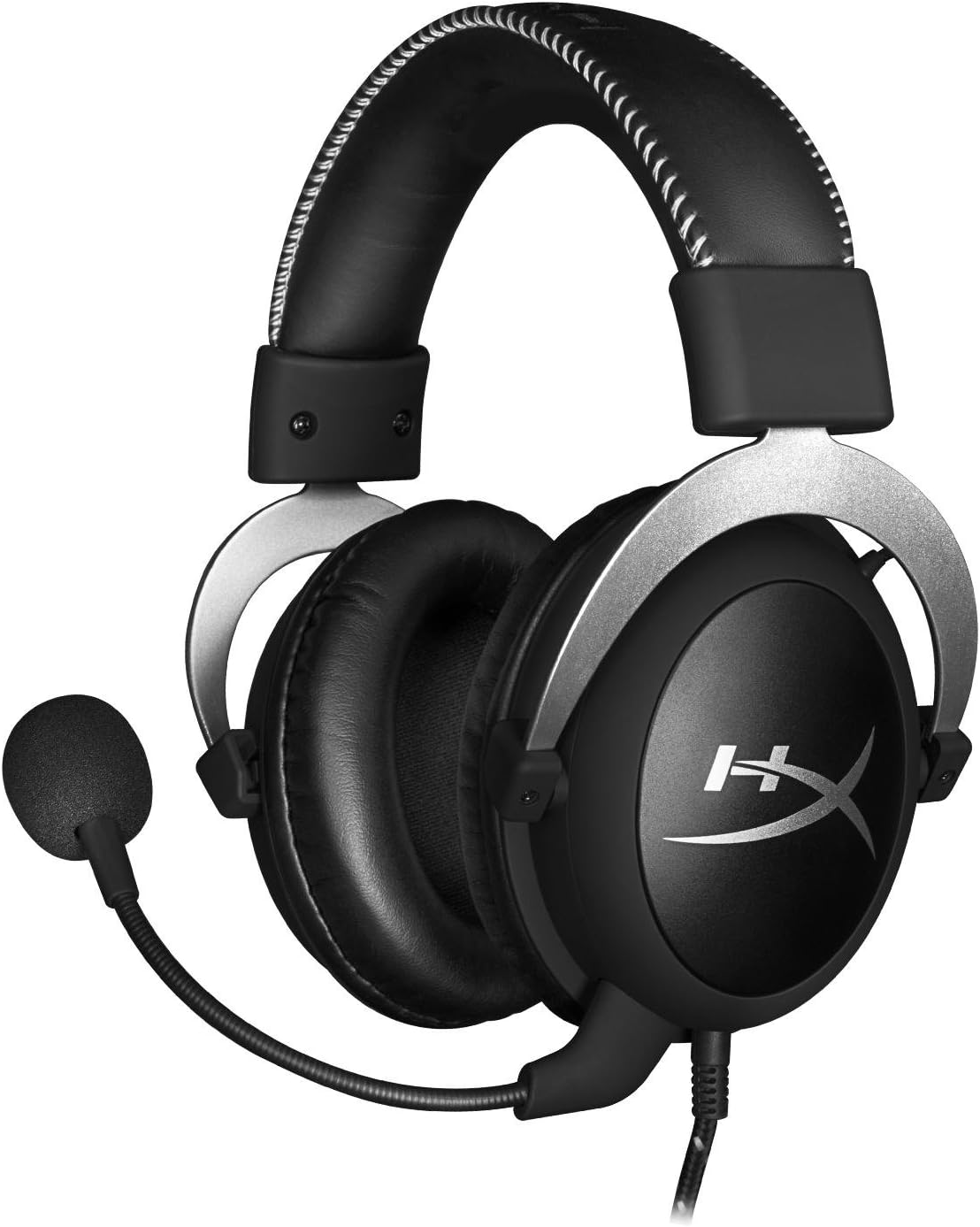
anoloana view of the headset with microphone.
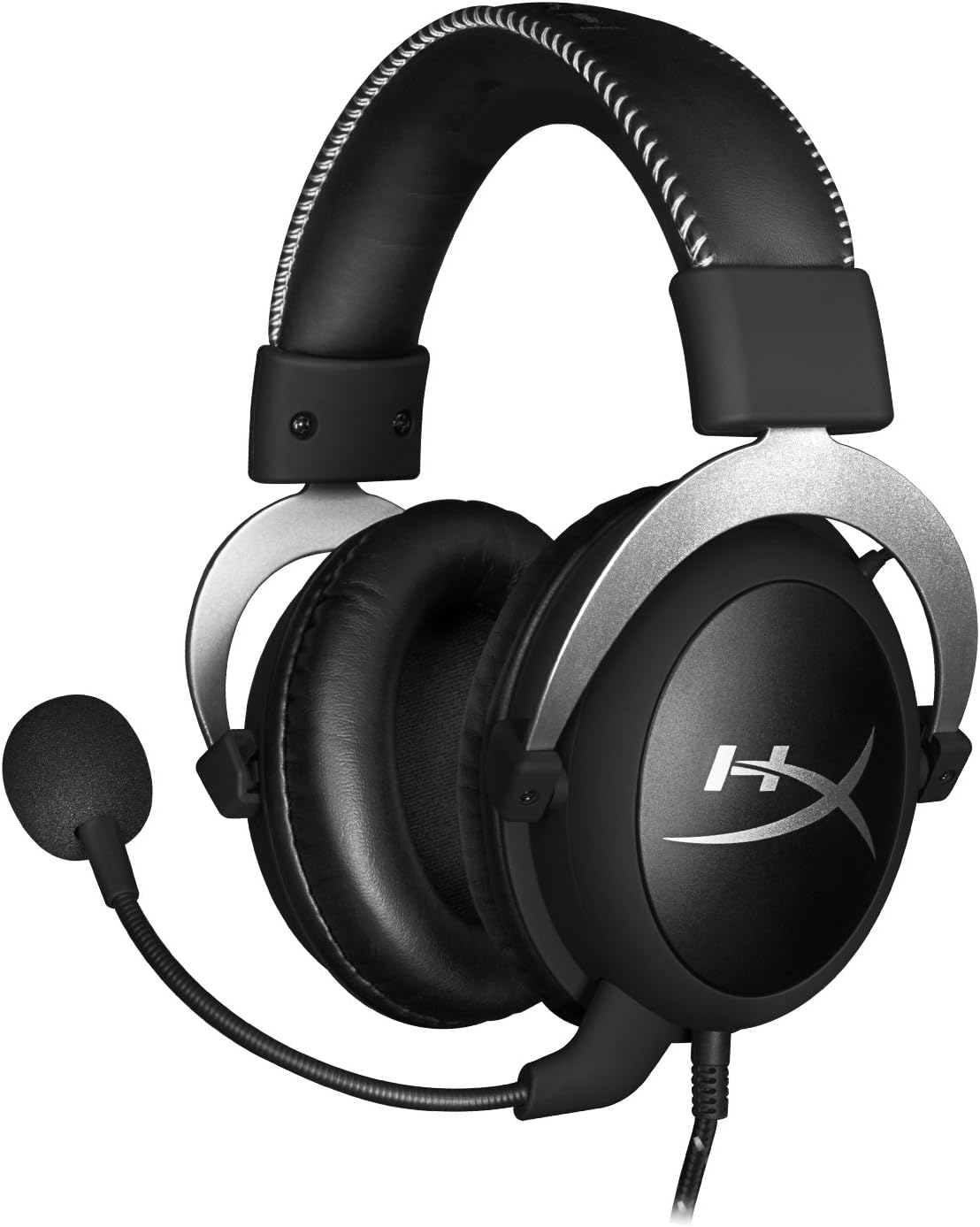
sisiny view ny headset.

Headset folded flat for storage.

Top view of the headband.
singa fototra:
- Fehin-doha: Padded with leatherette for comfort during extended use.
- Kaopy sofina: Over-ear design with memory foam cushions, providing passive noise isolation.
- Mikrofona azo esorina: Flexible, noise-cancelling microphone for clear communication.
- In-line Audio Control: Integrated unit on the cable for volume adjustment and microphone mute.
4. Fametrahana sy fifandraisana
4.1 Fifandraisana amin'ny PC
- Connect the headset's 3.5mm plug to the in-line audio control box.
- Attach the PC extension cable to the in-line audio control box.
- Plug the green audio jack of the extension cable into your PC's audio output (headphone) port.
- Plug the pink microphone jack of the extension cable into your PC's microphone input port.
- Ensure the detachable microphone is securely inserted into the headset's microphone port.
4.2 Console Connection (PS4, Xbox One, Wii U)
- Connect the headset's 3.5mm plug directly into your console controller's 3.5mm port.
- Ensure the detachable microphone is securely inserted into the headset's microphone port.
- Adjust audio settings on your console as needed to route chat and game audio through the headset.
4.3 Fifandraisana amin'ny fitaovana finday
- Connect the headset's 3.5mm plug directly into your mobile device's 3.5mm audio jack.
- The microphone can be attached for calls or detached if not needed.

Image: In-line audio control unit.
5. Torolàlana miasa
5.1 Fanaraha-maso ny volume
The in-line audio control features a rotary volume wheel. Rotate the wheel upwards to increase volume and downwards to decrease volume. This adjusts the headset's output volume independently of your device's master volume.
5.2 Tsy misy feo ny mikrôfôna
A switch on the in-line audio control allows you to quickly mute or unmute the microphone. Slide the switch to the 'Mute' position to disable the microphone, and slide it back to enable it. This is useful for privacy or when you do not wish your voice to be transmitted.
6. Fikojakojana sy fikarakarana
- Fanadiovana: Use a soft, dry cloth to wipe down the headset. For ear cushions, a slightly damp cloth can be used, but ensure they are completely dry before use. Avoid harsh chemicals or abrasive cleaners.
- fitahirizana: When not in use, store the headset in the provided carrying pouch to protect it from dust and scratches. Avoid extreme temperatures and humidity.
- Cable Care: Do not excessively bend or pull the cables. Store them neatly to prevent tangling and damage.
7. Famahana olana
| Olana | Antony mety hitranga | vahaolana |
|---|---|---|
| Tsy misy feo avy amin'ny headset | Fifandraisana diso; Ambany loatra ny feo; Fikirana feo amin'ny fitaovana. | Ensure all cables are securely connected. Increase volume using the in-line control and device settings. Verify audio output settings on your PC/console. |
| Microphone tsy mandeha | Microphone muted; Incorrect connection; Device microphone settings. | Check the microphone mute switch on the in-line control. Ensure the microphone is fully inserted. Verify microphone input settings on your PC/console. |
| Kalitao feo ratsy / Statika | Loose connection; Interference; Damaged cable. | Reconnect all cables. Test on another device to rule out interference. If issues persist, the cable may be damaged. |
| Tsy mahazo aina ny écouteur | Tsy mifanaraka tsara. | Adjust the headband for a comfortable fit. The memory foam ear cushions are designed for extended comfort. |
8. Famaritana ara-teknika
- Anaran'ny modely: HyperX Cloud Pro Gaming Headset - Silver - with In-Line Audio Control
- Laharana modely: HX-HSCL-SR/NA
- Fifandraisana: Misy tariby (Jack 3.5mm)
- mpamily: 53mm Dynamic Drivers
- Valiny matetika: 15 Hz - 25 kHz
- Fitaovana: Foam, Aluminum, Leather
- Lanja entana: 0.6 kilao (1.32 kilao)
- Fitaovana mifanentana: PS5, PS4, Xbox One, Wii U, Mac, Mobile Devices, PC
- Karazana fanaraha-maso: Volume Control, Microphone Mute
- Fanaraha-maso ny tabataba: Fanafoanana Tabataba Mavitrika (Mikrôfôna)
9. Warranty sy fanohanana
The HyperX Cloud Pro Gaming Headset is backed by a Warranty 2 taona. For technical support or warranty claims, please contact HyperX customer service. You can also refer to the official User Manual (PDF) raha mila fanazavana fanampiny.


