Biconic Bluetooth Tough Weatherproof Portable Wireless Speaker User Manual
Model: ABC-AU-BS-103-BK
Marika: Bytech
1. Vokatra mihoatraview
The Biconic Bluetooth Tough Weatherproof Portable Wireless Speaker is designed for robust outdoor and indoor use, providing enhanced bass and clear audio. Its wireless capabilities allow for easy connection to various devices, and its durable, weatherproof construction ensures reliable performance in diverse environments.

Sary 1.1: Eo anoloana view of the Biconic Bluetooth Speaker, showcasing its robust design and speaker grille.
Lafin-javatra fototra:
- Fifandraisana tsy misy tariby: Seamless Bluetooth pairing with smartphones, tablets, and other compatible devices.
- Famolavolan'ny toetr'andro: IPX6 water resistance protects against strong jets of water, making it suitable for outdoor use.
- Bass nohatsaraina: Delivers rich, deep bass for a superior audio experience.
- portable: Compact design with a durable strap for easy transport.
- Fotoana filalaovana lava: Famerenana feo mitohy hatramin'ny 4 ora amin'ny fiampangana tokana.
2. Information momba ny fiarovana
Azafady vakio tsara ny fampitandremana sy ny toromarika fiarovana rehetra alohan'ny hampiasana ity vokatra ity mba hahazoana antoka fa azo antoka ny fampiasana azy ary hisorohana ny fahasimbana.
- Aza atao amin'ny mari-pana tafahoatra (mafana na mangatsiaka) ny fanamafisam-peo.
- Do not immerse the speaker in water. While it is IPX6 water resistant, it is not designed for submersion.
- Keep the speaker away from direct heat sources, open flames, and flammable liquids.
- Use only the provided charging cable and a compatible power adapter (5V/1A recommended) to charge the device.
- Do not attempt to disassemble, repair, or modify the speaker. This will void the warranty and may cause harm.
- Arovy amin'ny ankizy.
- Diovy amin'ny lamba malefaka sy maina ny mpandahateny. Aza mampiasa mpanadio abrasive na solvents.
3. Ny votoatin'ny fonosana
Hamarino tsara fa ao anaty fonosana avokoa ny entana rehetra rehefa avy nosokafana ny boaty:
- Biconic Bluetooth Tough Weatherproof Portable Wireless Speaker
- USB Charging Cable
- User Manual (ity antontan-taratasy ity)
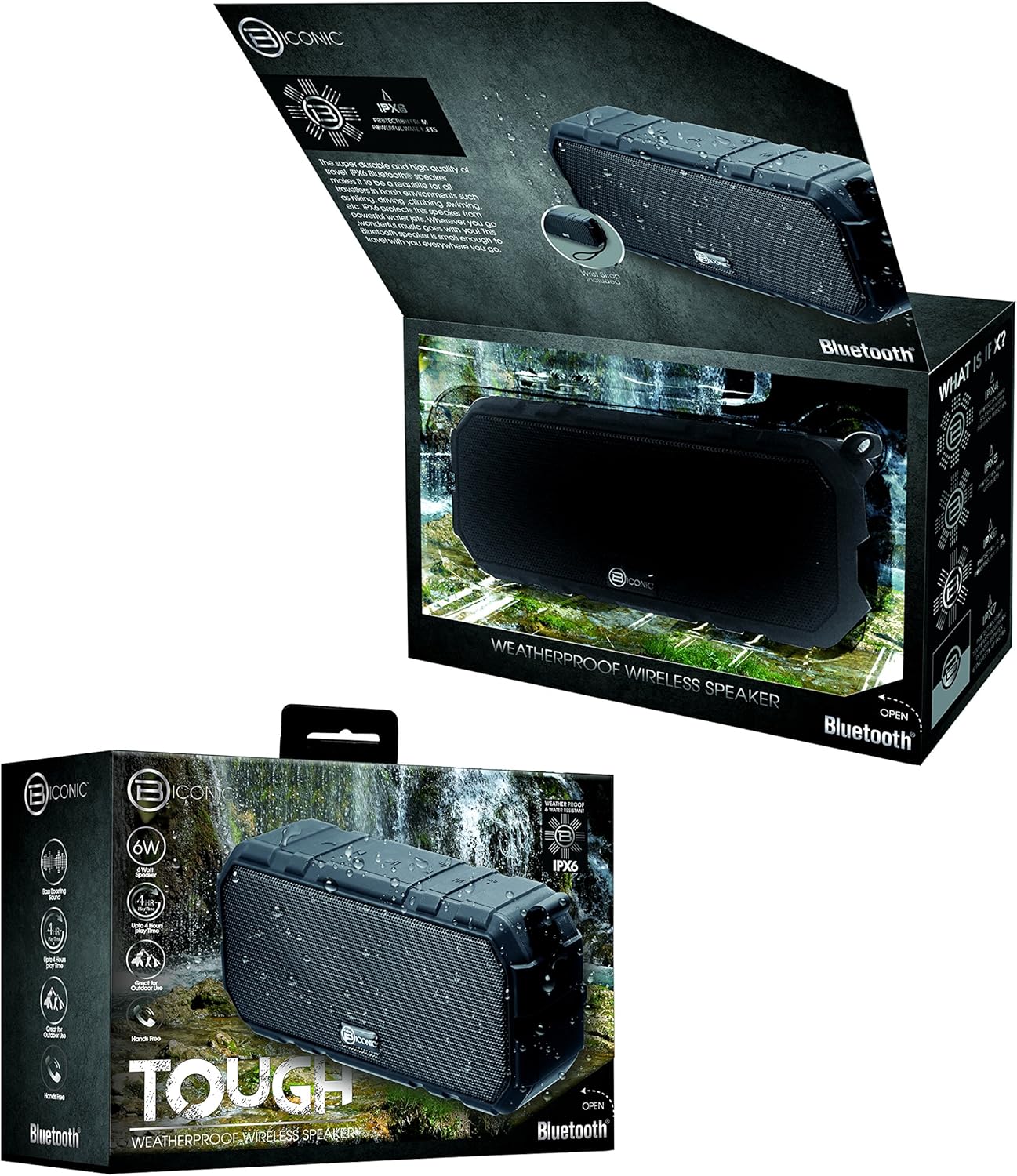
Figure 3.1: The Biconic Bluetooth Speaker shown with its retail packaging, indicating typical package contents.
4. Fametrahana
4.1 Fametrahana ny Mpandahateny
- Locate the charging port on the side of the speaker. This port is typically protected by a rubber flap to maintain water resistance.
- Sokafy ny flap fingotra.
- Ampifandraiso amin'ny seranana famandrihana an'ny fanamafisam-peo ny tendrony kely amin'ny tariby famandrihana USB omena.
- Ampifandraiso amin'ny loharanon-kery USB ny tendrony lehibe kokoa amin'ny tariby USB (oh: seranana USB ho an'ny solosaina, adaptatera USB ho an'ny rindrina).
- Hirehitra ny jiro famantarana ny famandrihana, matetika mena, mba hampisehoana fa mameno ny famandrihana ny fanamafisam-peo.
- Once fully charged (approximately 2-3 hours), the indicator light will change color (e.g., turn off or turn blue/green). Disconnect the charging cable and close the rubber flap securely to maintain water resistance.
4.2 Mamelona/Mamono
- Hamelona: Press and hold the Power button (usually marked with a power symbol) for a few seconds until you hear an audible tone or see an indicator light illuminate.
- Mamono: Press and hold the Power button again for a few seconds until you hear an audible tone or the indicator light turns off.
5. Torolàlana miasa
5.1 Fanambadiana Bluetooth
Before first use, you need to pair the speaker with your Bluetooth-enabled device.
- Ensure the speaker is fully charged and powered on. It will automatically enter pairing mode, indicated by a flashing blue LED light.
- On your smartphone, tablet, or other Bluetooth device, go to the Bluetooth settings menu.
- Ampidiro ny Bluetooth raha mbola tsy afaka.
- Scan for available devices. You should see "Biconic Speaker" or a similar name appear in the list.
- Select "Biconic Speaker" to connect. Once successfully paired, you will hear a confirmation tone, and the blue LED light on the speaker will stop flashing and remain solid.
- Raha asaina tenimiafina dia midira "0000".
- Hifandray ho azy amin'ny fitaovana farany nampiarahina ny fanamafisam-peo rehefa mandeha, raha ao anatin'ny elanelan'ny fitaovana ny fitaovana ary mandeha ny Bluetooth.
5.2 Famerenana mozika
Once paired, you can control music playback directly from your connected device or using the speaker's controls.
- Play/Pause: Press the Play/Pause button (often marked with a triangle or || symbol) once to play or pause music.
- Fiakaram-peo: Press the Volume Up button (+) to increase the volume.
- Mihena ny feo: Press the Volume Down button (-) to decrease the volume.
- Track manaraka: Press and hold the Volume Up button (+) for a few seconds to skip to the next track.
- Làlana teo aloha: Press and hold the Volume Down button (-) for a few seconds to go to the previous track.

Sary 5.1: Ambony view of the Biconic Bluetooth Speaker, highlighting the control buttons for power, volume, and playback.
5.3 Answering Calls (Hands-Free Function)
The speaker supports hands-free calling when connected to a smartphone.
- Valio ny antso: Rehefa misy antso miditra dia tsindrio indray mandeha ny bokotra Play/Pause mba hamaliana izany.
- Hamarana ny antso: During a call, press the Play/Pause button once to end the call.
- Mandà ny antso: Press and hold the Play/Pause button for a few seconds to reject an incoming call.
6. Fikojakojana
Proper maintenance ensures the longevity and optimal performance of your speaker.
- Fanadiovana: Fafao ny mpandahateny amin'ny malefaka, damp cloth. Do not use harsh chemicals, solvents, or abrasive cleaners. Ensure the charging port flap is closed before cleaning with a damp lamba.
- fitahirizana: Tehirizo ao amin'ny toerana mangatsiatsiaka sy maina lavitry ny tara-masoandro mivantana sy ny hafanana tafahoatra ny mpandahateny rehefa tsy ampiasaina mandritra ny fotoana maharitra.
- Fikarakarana bateria: To preserve battery life, fully charge the speaker before storing it for long periods. Recharge every 3-6 months if not used regularly.
- fanoherana ny rano: Always ensure the rubber flap covering the charging port is securely closed to maintain the IPX6 water resistance rating.

Figure 6.1: The Biconic Bluetooth Speaker demonstrating its water-resistant capabilities, highlighting the importance of proper sealing for maintenance.
7. Famahana olana
| OLANA | Antony mety hitranga | vahaolana |
|---|---|---|
| Tsy mandeha ny fanamafisam-peo. | Lany ny bateria. | Esory tanteraka ny fanamafisam-peo. |
| Tsy afaka mifandray amin'ny fitaovana Bluetooth. | Bluetooth is off on your device; speaker is not in pairing mode; device is too far. | Ensure Bluetooth is enabled on your device. Power off and on the speaker to re-enter pairing mode. Move device closer to the speaker (within 10 meters). Forget the device on your phone and try pairing again. |
| Tsy misy feo na feo ambany. | Ambany loatra ny feo amin'ny fanamafisam-peo na fitaovana; tsy mifandray ny fanamafisam-peo. | Increase volume on both the speaker and your connected device. Ensure the speaker is properly paired and connected. |
| Diso feo. | Volume too high; interference; low battery. | Reduce volume. Move speaker away from other electronic devices. Charge the speaker. |
8. Famaritana
| endri-javatra | antsipirihany |
|---|---|
| Laharana modely | ABC-AU-BS-103-BK |
| Marika | Bytech |
| Teknolojia fifandraisana | Bluetooth |
| Mpandahateny Hery Output faratampony | 3 Watts |
| Audio Output Mode | Stereo |
| Naoty fanoherana ny rano | IPX6 (Water resistant, not submersible) |
| Karazana bateria | 1 Lithium Ion bateria (ilaina) |
| Lalao Time | Hatramin'ny 4 ora |
| Ny refin'ny vokatra | 2.54 x 2.54 x 2.54 cm |
| Lanja entana | 522 g |
| Karazana fametrahana | Tabletop |
9. Warranty sy fanohanana
For warranty information and technical support, please contact Bytech customer service. Details are typically provided on the product packaging or the official Bytech website.
Azafady, tehirizo ny porofon'ny fividiananao raha misy fitakiana fiantohana.
Fanamarihana: Mety miovaova arakaraka ny faritra ny fe-potoana fiantohana.