1. Fampidirana
This manual provides detailed instructions for the installation, operation, and maintenance of the Urmet Atlantico 1132/53 Adjustable Call Volume Kit. Please read this manual thoroughly before attempting to install or operate the device to ensure safe and correct usage. Keep this manual for future reference.
2. Information momba ny fiarovana
- Tapaho foana ny herinaratra alohan'ny hanaovana izay fametrahana na fikojakojana.
- Ny fametrahana dia tokony ho ataon'ny mpiasa mahafeno fepetra mifanaraka amin'ny fehezan-dalàna sy fitsipika elektrika eo an-toerana.
- Aza apetraka amin'ny hamandoana, ny hafanana tafahoatra, na ny tara-masoandro mivantana ny fitaovana.
- Use only original Urmet replacement parts and accessories.
- Avoid placing the unit near sources of strong electromagnetic interference.
3. Ny votoatin'ny fonosana
Hamarino tsara fa eo daholo ny singa rehetra ary tsy simba rehefa sokafana ny fonosana:
- Urmet Atlantico 1132/53 Intercom Unit
- Fametahana bracket
- Fametrahana ny visy sy ny rindrina
- Connection Cables (if included in kit)
- User Manual (ity antontan-taratasy ity)
Raha misy zavatra tsy hita na simba dia mifandraisa avy hatrany amin'ny mpamatsy anao.
4. Vokatra mihoatraview
The Urmet Atlantico 1132/53 is an adjustable call volume kit designed for intercom systems. It allows users to customize the loudness of the incoming call signal.
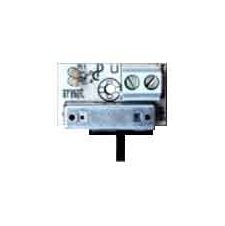
Sary 1: anoloana view of the Urmet Atlantico 1132/53 Intercom Unit. This image displays the main body of the intercom unit, typically showing the speaker, microphone, and call button area.
Ireo singa fototra dia mazàna ahitana:
- bokotra antso: Initiates communication with the outdoor unit.
- Mpandahateny: For listening to the outdoor unit and incoming calls.
- Microphone: For speaking to the outdoor unit.
- Fanaraha-maso ny feo: A rotary knob or switch to adjust the call volume.
5. Fametrahana sy fametrahana
Follow these general steps for installation. Refer to the specific wiring diagram provided with your complete intercom system for detailed connections.
- Omano ny faritra fametrahana: Choose a suitable indoor location, typically near the entrance, ensuring it is free from moisture and extreme temperatures.
- Tendrombohitra ny bracket: Secure the mounting bracket to the wall using the provided screws and wall plugs. Ensure it is level and firmly attached.
- Wiring fifandraisana: Connect the intercom unit to the main intercom system wiring. Pay close attention to the polarity and terminal designations (e.g., power, audio in, audio out, call signal). Ensure all connections are secure.
- Attach the Unit: Carefully attach the Urmet Atlantico 1132/53 unit to the mounted bracket. Ensure it clicks into place or is securely fastened.
- Mamelona sy andrana: Restore power to the intercom system. Test the call function and audio clarity.
6. Fampandehanana
The Urmet Atlantico 1132/53 is designed for straightforward operation:
- Mandray antso: When someone presses the call button on the outdoor unit, your Atlantico 1132/53 unit will emit a call tone.
- Mamaly antso: Press the designated call answer button (if present on your specific model or system) to establish communication.
- Adjusting Call Volume: Locate the volume control knob or switch on the unit. Rotate the knob clockwise to increase the call volume and counter-clockwise to decrease it. Adjust to a comfortable listening level.
- Miteny: Speak clearly into the microphone area of the unit.
- Famaranana antso: Replace the handset (if applicable) or press the call end button.
7. Fikojakojana
To ensure optimal performance and longevity of your Urmet Atlantico 1132/53 unit, follow these maintenance guidelines:
- Fanadiovana: Use a soft, dry cloth to clean the exterior of the unit. Do not use abrasive cleaners, solvents, or harsh chemicals, as these can damage the surface.
- Fanaraha-maso: Periodically check the unit for any visible damage or loose connections.
- Tontolo iainana: Ensure the unit remains in a dry, well-ventilated area, away from direct heat sources or excessive dust.
8. Famahana olana
If you encounter issues with your Urmet Atlantico 1132/53, refer to the following common problems and solutions:
- No Call Tone:
- Check if the system has power.
- Ataovy azo antoka fa azo antoka sy marina ny fifandraisana tariby rehetra.
- Verify the call volume is not set to minimum.
- Low or Distorted Audio:
- Adjust the call volume control.
- Check for loose or corroded wiring connections.
- Ensure the microphone and speaker are not obstructed.
- Unit tsy mamaly:
- Cycle the power to the entire intercom system (turn off, wait 30 seconds, turn on).
- Inspect for any visible damage to the unit or wiring.
If the problem persists after attempting these solutions, contact a qualified technician or Urmet customer support.
9. Famaritana
| Marika | Urmet |
| Laharana modely | 1132/53 |
| ASIN | B017XZKAWW |
| Daty azo alaina voalohany | 1 Oktobra 2015 |
10. Warranty sy fanohanana
For information regarding warranty coverage, technical support, or service, please refer to the warranty card included with your product or visit the official Urmet website. Tehirizo ny porofon'ny fividiananao ho an'ny fitakiana fiantohana.
Urmet Official Webtranokala: www.urmet.com