Sava lalana
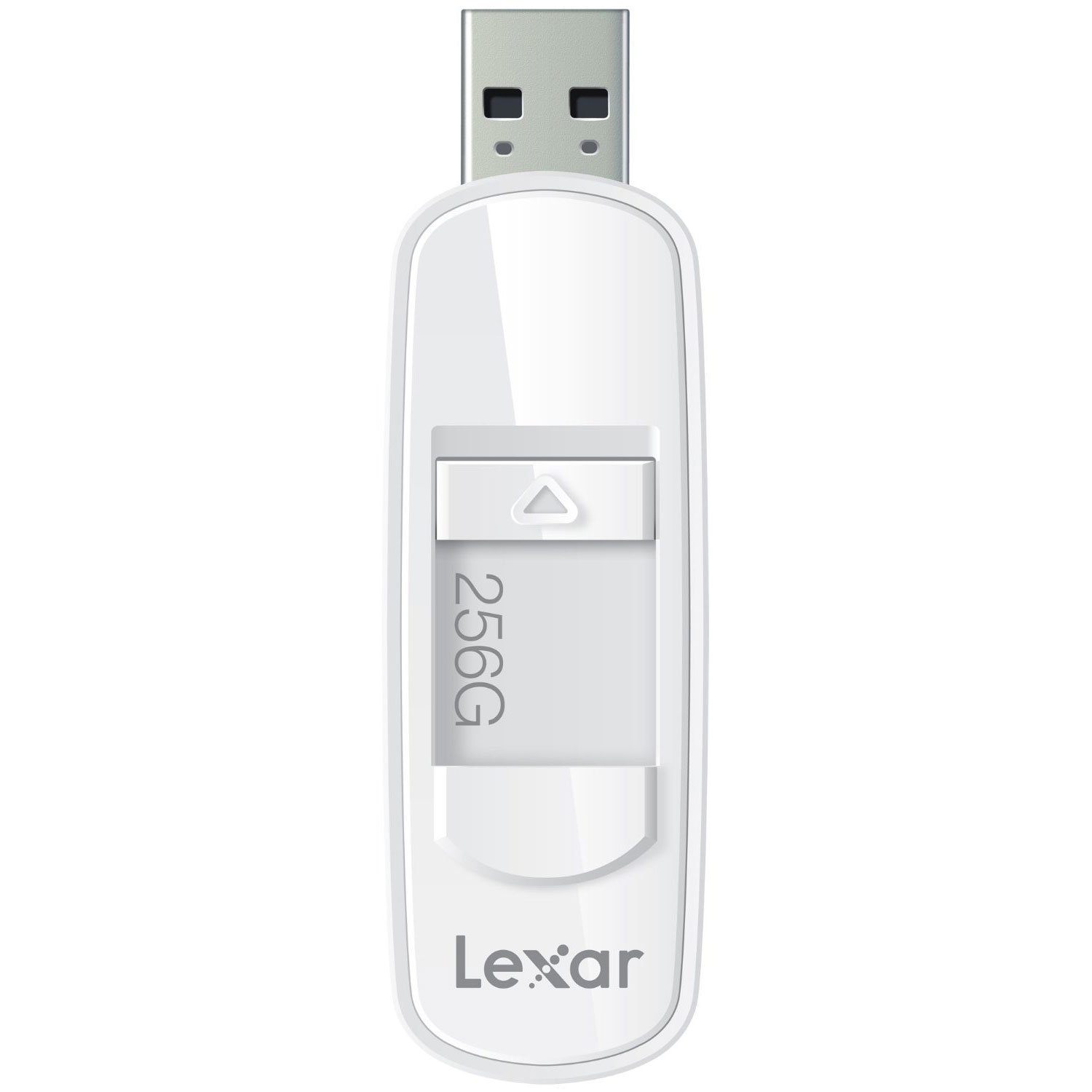
The Lexar JumpDrive S75 is a high-performance USB 3.1 flash drive designed for efficient storage and transfer of photos, videos, and files. It offers fast read and write speeds, making it suitable for various data management tasks. The drive features a retractable connector for protection and is compatible with both PC and Mac systems.
This manual provides essential information for setting up, operating, maintaining, and troubleshooting your Lexar JumpDrive S75.
Vita ny vokatraview
This image shows the Lexar JumpDrive S75 USB 3.1 Flash Drive, highlighting its compact design and retractable connector. The drive is being held in a hand, positioned near a laptop and a notebook, illustrating its portability and ease of use in a typical work or study environment.
The Lexar JumpDrive S75 features a sleek design with a retractable USB connector, which protects the connector when not in use. It is equipped with SuperSpeed USB 3.1 technology for rapid data transfer.
- SuperSpeed USB 3.1 Technology: Enables fast content transfer with speeds up to 150MB/s read and 60MB/s write for 64GB-256GB capacities.
- Mpampitohy azo averina: A convenient thumb slide mechanism extends and retracts the USB connector.
- Fifanarahana malalaka: Works with both PC and Mac operating systems.
- LED Activity Indicator: A small light indicates when the drive is actively reading or writing data.
Hametraka
The Lexar JumpDrive S75 is a plug-and-play device, requiring no special driver installation for most modern operating systems.
- Extend the Connector: Use the thumb slide to extend the USB connector from the drive casing.
- Mifandray amin'ny solosaina: Insert the USB connector into an available USB port on your computer. For optimal performance, use a USB 3.0 or USB 3.1 port. The drive is also backward compatible with USB 2.0 ports, though speeds will be limited to USB 2.0 specifications.
- fankatoavana: Your computer's operating system should automatically detect the drive and make it accessible. It will typically appear as a removable disk drive in 'My Computer' (Windows) or on the desktop/Finder (Mac).
Torolàlana miasa
nafindrany Files
- Open the Drive: Double-click the drive icon on your computer to open its contents.
- dika mitovy Files: Tariho ary ampidino files or folders from your computer to the JumpDrive S75, or vice versa. Alternatively, use the copy and paste functions.
- Monitor Transfer: Observe the LED activity indicator on the drive. A flashing light indicates that data is being read from or written to the drive.
Fanalana azo antoka
To prevent data corruption, always safely eject the flash drive before physically removing it from your computer.
- Windows: Click the 'Safely Remove Hardware and Eject Media' icon in the system tray, then select the Lexar JumpDrive S75. Wait for the 'Safe to Remove Hardware' message before unplugging.
- Mac: Drag the drive icon to the Trash, or right-click (Control-click) the drive icon and select 'Eject'. Wait for the icon to disappear before unplugging.
fikarakarana
- Arovy ny mpampitohy: Always retract the USB connector into the drive casing when not in use to prevent damage to the connector pins.
- Mitantana amin'ny fikarakarana: Avoid dropping the drive or subjecting it to excessive force, as this can cause internal damage.
- Tohizo ho maina: Protect the drive from moisture and extreme temperatures.
- Backup tsy tapaka: While flash drives are reliable, it is good practice to back up important data to multiple locations to prevent data loss.
Fanamboarana
Tsy hita ny fiara
- Ataovy azo antoka fa tafiditra tanteraka ao amin'ny seranana USB ny kapila mafy.
- Manandrama seranan-tsambo USB hafa amin'ny solosainao.
- Test the drive on another computer to determine if the issue is with the drive or the computer's USB port.
- Avereno indray ny solosainao.
Hafainganam-pandeha miadana
- Verify that you are connected to a USB 3.0 or USB 3.1 port. USB 2.0 ports will operate at significantly lower speeds.
- Famindrana kely maro files can be slower than transferring a single large file mitovy habe manontolo.
- Hamarino tsara fa havaozina ny mpamily (driver) an'ny solosainao.
Data Corruption or Inaccessible Files
- Always safely eject the drive before removal. Unexpected removal can lead to data corruption.
- If files become inaccessible, you may consider using data recovery software (third-party) or reformatting the drive if data is not critical. Reformatting will erase all data.
Reported Capacity Discrepancy
- The actual usable storage capacity may be less than the stated capacity due to formatting, operating system files, and other functions. This is normal for all storage devices.
fepetra arahana
| Anarana modely | S75 |
| Laharana modely | LJDS75-256ABNL |
| Fahaizana fitahirizana fahatsiarovana | 256 GB |
| Hardware Interface | USB 3.0 (mifanaraka amin'ny USB 3.1) |
| Mamaky Haingana | Hatramin'ny 150 MB/s |
| Haingana hanoratana | Hatramin'ny 60 MB/s |
| Teknolojia fifandraisana | USB |
| Hardware Platform | PC, Mac |
| Rafitra fikirakirana | PC; Mac |
| loko | White |
| Lanja entana | 0.768 oz |
| Ny refin'ny vokatra | 4 x 0.54 x 5.5 santimetatra |
| mpanamboatra | Lexar International |
Warranty Information
For detailed warranty information regarding your Lexar JumpDrive S75, please refer to the official Lexar website or the warranty card included with your product at the time of purchase. Warranty terms and conditions may vary by region and product.
MANAMPY
If you encounter any issues or have questions not covered in this manual, please visit the official Lexar support website for further assistance, FAQs, and contact options.
Lexar Official Webtranokala: www.lexar.com


