1. Fampidirana
This manual provides essential instructions for the installation, operation, maintenance, and troubleshooting of your Antec TruePower Classic TP-750C 750W 80 PLUS GOLD Certified Power Supply. Please read this manual thoroughly before installation and retain it for future reference. This power supply is designed to provide stable and efficient power to your personal computer system.
2. Information momba ny fiarovana
- Ensure the power supply is disconnected from the AC power outlet before installation or handling.
- Aza sokafana ny famatsiana herinaratra casing. Volo ambonytage components inside pose a risk of electric shock.
- Apetraho ao amin'ny toerana mahazo rivotra tsara ny famatsiana herinaratra mba hisorohana ny hafanana be loatra.
- Ireo tariby miaraka amin'ny famatsiana herinaratra ihany no ampiasao.
- Avoid exposing the power supply to moisture or extreme temperatures.
- This product is intended for use in personal computer systems only.
3. Ny votoatin'ny fonosana
Hamarino tsara fa ao anaty fonosana avokoa ny entana rehetra alohan'ny hanombohana ny fametrahana.
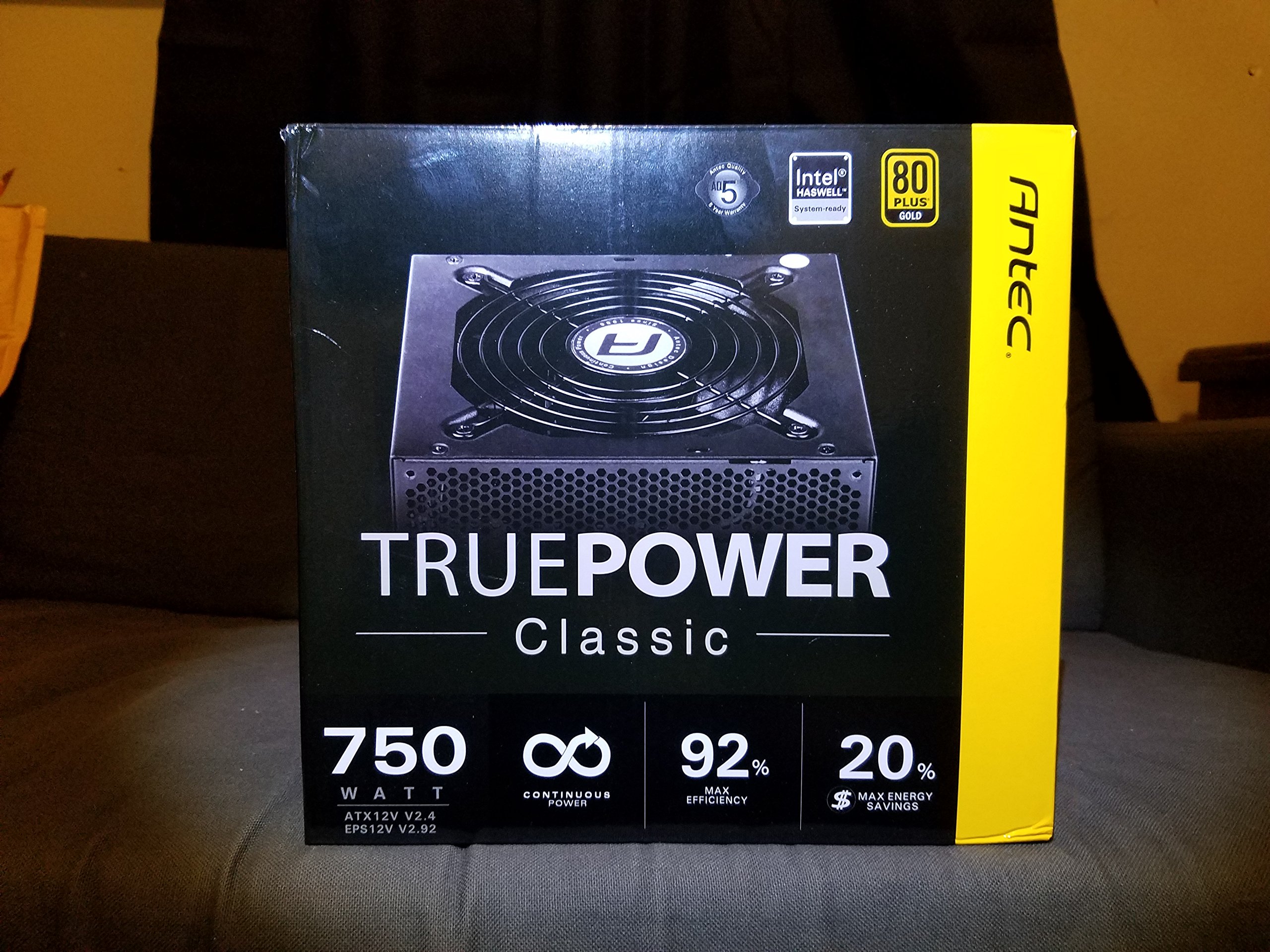
Image 1: Contents of the Antec TruePower Classic TP-750C package. The image displays the power supply unit, various power cables (including a main AC power cable), and user documentation neatly packed within a cardboard box.
- Antec TruePower Classic TP-750C Power Supply Unit
- Modular Cable Set (PCI-E, SATA, Molex, etc.)
- Tady herinaratra AC
- Fametrahana screws
- User Manual / Documentation
4. Fametrahana sy fametrahana
Follow these steps to properly install your power supply into your computer chassis.
- Omano ny Chassis: Ensure your computer chassis is powered off and disconnected from all power sources. Open the side panel of your computer case.
- Apetraho ny famatsiana herinaratra: Carefully slide the Antec TP-750C power supply into the designated power supply bay in your chassis. Align the screw holes on the power supply with those on the chassis. Secure the power supply using the provided mounting screws.
- Ampifandraiso amin'ny herin'ny motherboard ny herinaratra: Connect the 24-pin ATX main power connector from the power supply to the corresponding port on your motherboard. Ensure it clicks into place.
- Ampifandraiso ny herin'ny CPU: Connect the 4+4-pin (or 8-pin) EPS12V CPU power connector to the CPU power socket on your motherboard.
- Connect Graphics Card Power (PCI-E): If your graphics card requires external power, connect the appropriate 6+2-pin PCI-E power cables from the power supply to your graphics card.
- Connect Peripheral Power (SATA/Molex): Connect SATA power cables to your storage drives (SSDs, HDDs) and optical drives. Use Molex connectors for other peripherals as needed.
- Fitantanana tariby: Route cables neatly to improve airflow and aesthetics within your chassis.
- Fanamarinana farany: Double-check all connections to ensure they are secure. Close the chassis side panel.
- Connect AC Power: Ampifandraiso amin'ny famatsian-jiro ny tariby herinaratra AC ary avy eo amin'ny faladia rindrina na fiarovana amin'ny fiakaran'ny herinaratra.
5. Torolàlana miasa
The Antec TP-750C power supply operates automatically once correctly installed and connected to an AC power source. It provides stable DC power to all connected components.
- Herim-batana: After connecting the AC power cord, flip the power switch on the back of the power supply to the "ON" (I) position.
- System Boot: Press the power button on your computer chassis to start your system.
- Mamono hery: Shut down your computer through the operating system. For complete power disconnection, flip the power switch on the power supply to the "OFF" (O) position and unplug the AC power cord.
6. Fikojakojana
Ny fikojakojana araka ny tokony ho izy dia miantoka ny faharetan'ny fampiasana sy ny fahombiazan'ny famatsiana herinaratra anao.
- Fanadiovana vovoka: Periodically clean dust from the power supply's fan and ventilation grilles using compressed air. Ensure the power supply is disconnected from AC power before cleaning.
- rivotra: Ensure adequate airflow around the power supply. Do not block the intake or exhaust vents.
- Cable Integrity: Regularly check power cables for any signs of damage or fraying. Replace damaged cables immediately.
- Tontolo iainana miasa: Operate the power supply within recommended temperature and humidity ranges.
7. Famahana olana
If you encounter issues with your power supply, refer to the following common problems and solutions.
| OLANA | Antony mety hitranga | vahaolana |
|---|---|---|
| Tsy mandeha ny rafitra. | AC power cord not connected, power switch off, loose internal connections, faulty components. |
|
| Mandeha ny rafitra saingy mihidy avy hatrany. | Overload, overheating, short circuit, faulty component. |
|
| Unusual noise from the power supply. | Fan obstruction, faulty fan bearing, coil whine. |
|
If troubleshooting steps do not resolve the issue, contact Antec customer support for further assistance.
8. Famaritana
| Anarana modely | TruePower Classic TP-750C |
| Marika | Antec |
| Wattage | 750 Watts |
| 80 PLUS Certification | volamena |
| Form Factor | ATX |
| Karazana mpampitohy | ATX |
| Fampidirana kely indrindra Voltage | 100 Volts |
| Fitaovana mifanentana | Solosaina manokana |
| Lanja entana | 6.24 kilao (2.83 kg) |
| Ny haben'ny fonosana | 9.7 x 9 x 5.5 santimetatra (24.6 x 22.9 x 14 cm) |
| ASIN | B00JOFALL0 |
| UPC | 132018316306 |
9. Warranty sy fanohanana
The Antec TruePower Classic TP-750C Power Supply comes with a Garantie 3 taona amin'ny mpanamboatra. Ity fiantohana ity dia manarona ny lesoka amin'ny fitaovana sy ny asa amin'ny fampiasana mahazatra.
For technical support, warranty claims, or further inquiries, please visit the official Antec webtranokala na mifandray amin'ny departemantan'ny serivisy mpanjifany. Tehirizo ny porofon'ny fividiananao ho an'ny fanamarinana antoka.
Please note: Opening the power supply casinHanafoana ny garantie ny g.


