1. Fampidirana
This manual provides essential information for the safe and effective installation, operation, and maintenance of the IDEC ALW-0600 Illuminated Momentary Operator Pushbutton. Please read this manual thoroughly before using the product and retain it for future reference. Adherence to these instructions will help ensure proper function and longevity of the device.
2. Vokatra mihoatraview
The IDEC ALW-0600 is an illuminated momentary operator pushbutton designed for various industrial control applications. It functions as a pilot device, providing a temporary electrical contact when pressed and returning to its original state upon release. The integrated illumination provides visual feedback on its status.
- Modely: ALW-0600
- Karazana: Illuminated Momentary Operator
- Sokajy: Pilot Devices, Pushbutton
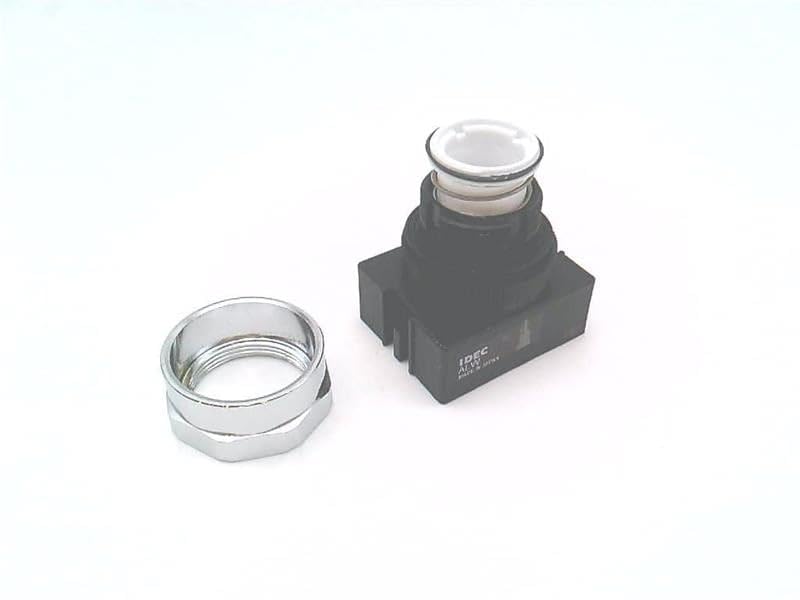
Sary 2.1: Eo anoloana view of the IDEC ALW-0600 illuminated momentary pushbutton, showing the operator head and the separate mounting nut.
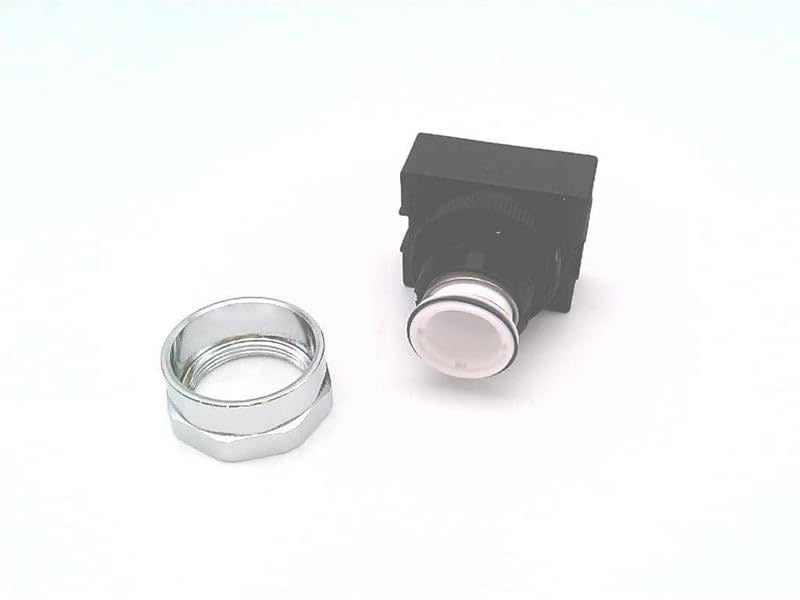
Sary 2.2: Angled view of the IDEC ALW-0600 pushbutton, highlighting the operator and the separate mounting hardware.
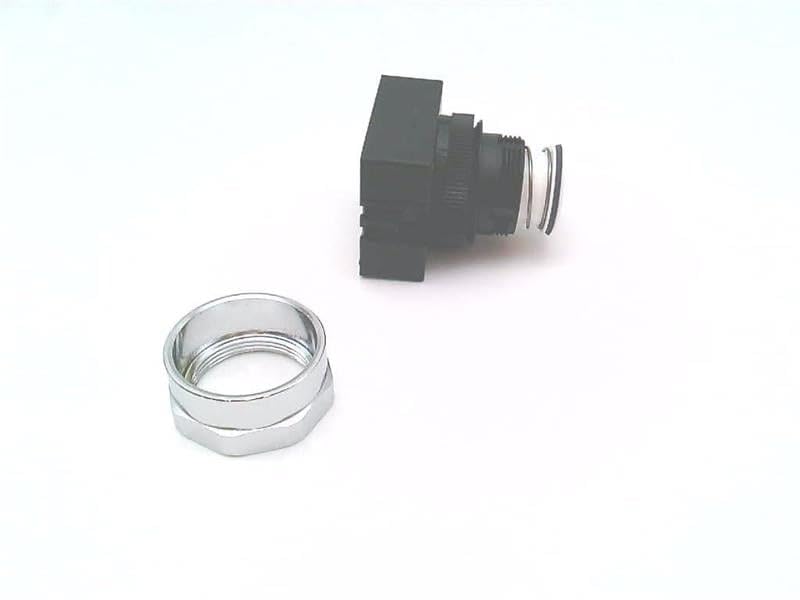
Sary 2.3: lafiny view of the IDEC ALW-0600 pushbutton, illustrating the full depth of the component and its mounting mechanism.
3. Famaritana
Key technical specifications for the IDEC ALW-0600:
| endri-javatra | antsipirihany |
|---|---|
| Laharana modely | ALW-0600 |
| mpanamboatra | IDEC |
| Karazana asa | vetivety |
| hazavana | ENY |
| Sokajy vokatra | Pilot Devices, Pushbutton |
| ASIN | B00FV21HCW |
| Voalohany azo | 13 Oktobra 2013 |
4. Fametrahana sy fametrahana
Proper installation is crucial for the reliable operation of the ALW-0600 pushbutton. Always ensure power is disconnected before beginning any installation work.
- Fanomanana tontonana: Drill a mounting hole of the appropriate diameter in the control panel. Refer to the product's technical drawings for exact dimensions.
- Mounting the Operator: Insert the pushbutton operator through the prepared hole from the front of the panel.
- Fiarovana: Place the mounting nut (provided) over the threaded portion of the operator from the rear of the panel and tighten it securely. Do not overtighten.
- Contact Block Installation: Attach the appropriate contact block(s) and lamp holder (if applicable) to the rear of the operator assembly. Ensure they are correctly aligned and locked into place.
- Wiring: Connect the control wiring to the contact block terminals and the illumination circuit wiring to the lamp holder terminals. Follow all relevant electrical codes and wiring diagrams. Ensure all connections are secure and properly insulated.
- Fanamarinana: After installation, visually inspect all connections and ensure the pushbutton operates smoothly without obstruction.
fampitandremana: Installation should only be performed by qualified personnel. Failure to follow proper electrical safety procedures can result in injury or damage to equipment.
5. Torolàlana miasa
The IDEC ALW-0600 is a momentary pushbutton. Its operation is straightforward:
- Fampahavitrihana: Press the pushbutton operator to activate the associated electrical circuit. The illumination will typically indicate the active state or system status, depending on how it is wired.
- Famonoana: Release the pushbutton operator. The button will return to its original position, and the electrical contact will open, deactivating the circuit.
This momentary action is suitable for applications requiring a temporary signal, such as starting a motor, initiating a process, or acknowledging an alarm.
6. Fikojakojana
The ALW-0600 pushbutton is designed for durability and requires minimal maintenance. Regular inspections can help ensure continued reliable operation.
- Fanadiovana: Periodically clean the surface of the pushbutton with a soft, damp cloth. Avoid using abrasive cleaners or solvents that could damage the material.
- Fanaraha-maso: Check for any signs of physical damage, loose connections, or excessive wear. Ensure the button operates smoothly without sticking.
- Lamp Fanoloana: If the illumination fails, replace the lamp (if applicable and replaceable) according to the manufacturer's specifications. Ensure power is disconnected before attempting lamp fanoloana.
- Fepetra ara-tontolo iainana: Ensure the operating environment remains within the specified temperature and humidity ranges to prevent premature failure.
Tandremo: Always disconnect power to the circuit before performing any maintenance or inspection to prevent electrical shock.
7. Famahana olana
If you encounter issues with your ALW-0600 pushbutton, consider the following troubleshooting steps:
- Button Not Actuating:
- Check for physical obstructions preventing the button from being fully pressed.
- Inspect the contact block for proper attachment and alignment.
- Verify that the contact block is functioning correctly (e.g., using a multimeter to check continuity when pressed).
- Tsy miasa ny jiro:
- Ensure power is supplied to the illumination circuit.
- Jereo ny lamp for burnout and replace if necessary.
- Verify wiring connections to the lamp mpihazona.
- Fihetseham-po miato:
- Jereo raha misy mivaha na harafesina ny fifandraisan'ny tariby rehetra.
- Check for damage to the contact block or operator mechanism.
If problems persist after attempting these steps, contact a qualified electrician or IDEC technical support for further assistance.
8. Fampahalalana momba ny fiantohana
Specific warranty details for the IDEC ALW-0600 are not provided in the available product information. For warranty terms and conditions, please refer to the official IDEC website or contact your authorized IDEC distributor.
9. Fanohanana ara-teknika
For technical assistance, product inquiries, or further support regarding the IDEC ALW-0600, please visit the official IDEC website or contact their customer service department. Contact information can typically be found on the manufacturer's official website.


