1. Fampidirana
This manual provides essential instructions for the safe operation and maintenance of your VTech VM333 Safe & Sound Video Baby Monitor. Please read this manual thoroughly before using the product to ensure proper setup and functionality. The VTech VM333 is designed to help you monitor your baby with a high-resolution color LCD screen, automatic night vision, and two-way audio communication.
2. Vokatra mihoatraview
The VTech VM333 system includes a Parent Unit (monitor) and a Baby Unit (camera). Familiarize yourself with the components and controls of each unit.
2.1. Parent Unit
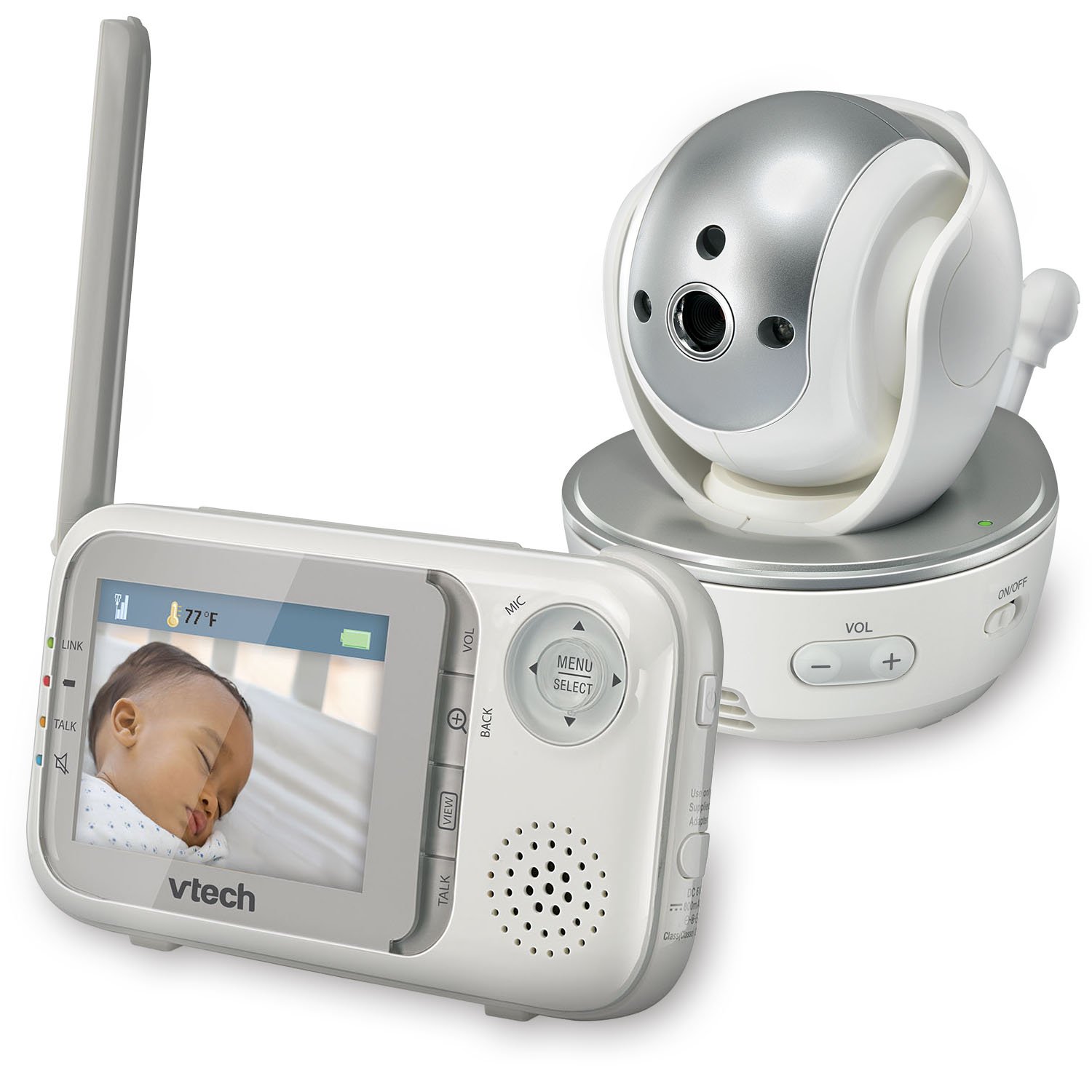
Sary: Front view of the VTech VM333 Parent Unit.
- 2.8-mirefy loko LCD efijery: Displays live video feed from the Baby Unit.
- MENU/SELECT Button: Accesses menu options and confirms selections.
- Zana-tsipìka mitarika (Miakatra/Midina/Havia/Ankavanana): Navigates menus and controls camera pan/tilt.
- ZOOM Button (+/-): Magnifies the video image.
- Bokotra resaka: Activates two-way audio communication.
- VOLUME Buttons (+/-): Adjusts the Parent Unit speaker volume.
- LINK famantarana: Shows connection status between units.
- Tondro bateria: Mampiseho ny haavon'ny bateria ankehitriny.
- Fampisehoana maripana: Shows the temperature detected by the Baby Unit.
2.2. Fitaovana ho an'ny zazakely (Fakan-tsary)

Sary: Front view of the VTech VM333 Baby Unit camera.
- Lens fakan-tsary: Maka video.
- LED infrarouge: Provide night vision in low light conditions.
- Microphone: Detects sound from the baby's room.
- Mpandahateny: Ho an'ny fifandraisana feo roa.
- Temperature Sensor: Monitors room temperature.
- Power ON / OFF switch: Turns the Baby Unit on or off.
- Power Jack: Mifandray amin'ny adaptatera herinaratra.

Sary: Side view of the VTech VM333 Baby Unit, illustrating the wall-mount bracket.
3. Fametrahana
3.1. Powering On the Units
- Ampifandraiso amin'ny Baby Unit: Plug the small end of the power adapter into the power jack on the back of the Baby Unit. Plug the large end into a wall outlet.
- Connect the Parent Unit: Plug the small end of the power adapter into the power jack on the side of the Parent Unit. Plug the large end into a wall outlet. The Parent Unit battery will begin charging.
- Alefaso: Slide the ON/OFF switch on the Baby Unit to the ON position. Press and hold the POWER button on the Parent Unit until the screen turns on.
The units are pre-linked. If they do not link automatically, refer to the "Troubleshooting" section for re-pairing instructions.
3.2. Positioning the Baby Unit (Camera)
Place the Baby Unit at least 3 feet (1 meter) away from your baby to avoid potential hazards. Ensure the camera is positioned to capture the desired viewing area. Avoid placing the Baby Unit where it can be easily reached by children.
- For optimal performance, place the Baby Unit on a flat surface or mount it to a wall using the included wall-mount bracket.
- Keep the Baby Unit and Parent Unit within range (up to 1,000 feet / 300 meters in open space). Obstacles like walls and furniture can reduce the range.
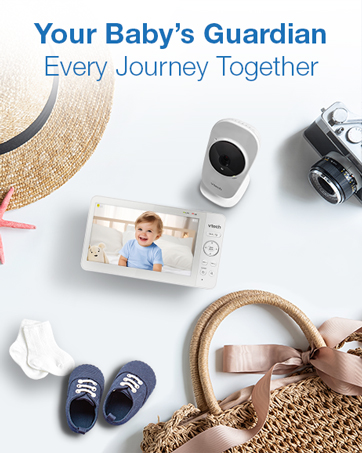
Image: Proper placement of the Baby Unit near a crib.
4. Fampandehanana
4.1. Fanaraha-maso fototra
Once both units are powered on and linked, the Parent Unit will display live video from the Baby Unit. Adjust the volume using the VOL+ SY BOKY - buttons on the Parent Unit.
4.2. Pan, Tilt, and Zoom
The Baby Unit camera can be remotely controlled from the Parent Unit to adjust its viewzoro fijerena sy ny haavon'ny zoom.
- Pan/tilt: Ampiasao ny Zana-tsipìka fitarihana (Up, Down, Left, Right) on the Parent Unit to move the camera lens horizontally (up to 270 degrees) and vertically (up to 124 degrees).
- Zoom: Tsindrio ny ZOOM + button to zoom in (2x magnification) and ZOOM - mba zoom out.
Video: Demonstration of the VTech VM333's pan, tilt, and zoom features, showing remote camera control from the Parent Unit.
4.3. Lahateny roa
You can speak to your baby through the Baby Unit's speaker.
- Tsindrio ary hazòny ny LAHATENY button on the Parent Unit.
- Speak clearly into the microphone on the Parent Unit.
- Alefaso ny LAHATENY button to stop speaking and hear your baby again.

Image: Using the two-way talk feature on the Parent Unit.
4.4. Automatic IR Night Vision
The Baby Unit is equipped with infrared LEDs that automatically activate in low light conditions, providing a clear black and white video image of your baby in the dark.
Image: The Baby Unit operating in night vision mode.
4.5. Sound Activation Mode
This mode allows the Parent Unit screen to turn off automatically to save power and reduce light disturbance, and then turn back on when sounds are detected from the Baby Unit.
- Tsindrio ny MENU / SELECT button on the Parent Unit.
- Mandehana mankany amin'ny Fahatsapana VOX or Sound Activation fametrahana.
- Select your desired sound sensitivity level. A higher sensitivity will activate the screen with softer sounds.
Image: Parent Unit displaying the sound activation icon.
4.6. Temperature Monitoring and Alerts
The Baby Unit monitors the room temperature and displays it on the Parent Unit screen. You can set alerts for temperature deviations.
- Tsindrio ny MENU / SELECT bokotra.
- Mandehana mankany amin'ny Fanairana ny maripana Settings.
- Set your desired minimum and maximum temperature thresholds. The Parent Unit will beep if the temperature goes outside this range.
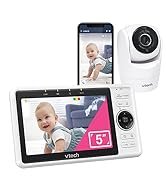
Image: Parent Unit displaying room temperature.
4.7. Multiple Camera Monitoring (Expandable System)
The VM333 system supports up to four cameras (additional cameras sold separately). You can view multiple cameras in different modes.
- MITAIZA IRERY NY View: Displays video from one camera at a time. Use the VIEW button to cycle through connected cameras.
- Saraho View: Displays video from multiple cameras simultaneously on a split screen.
- Fomba fisafoana: Automatically cycles through all connected cameras, displaying each for a few seconds.
Video: Demonstration of multi-camera viewing modes, including single view, Saraho view, and patrol mode.
5. Fikojakojana
- Fanadiovana: Clean the surfaces of the Parent Unit and Baby Unit with a soft, damp cloth. Do not use cleaning sprays or liquid cleaners.
- Fikarakarana bateria: The Parent Unit uses a rechargeable Lithium-Ion battery. For optimal battery life, fully charge the unit before first use. Avoid extreme temperatures. If storing the unit for an extended period, remove the battery.
- Fikarakarana Lens: Keep the camera lens clean to ensure clear video quality. Use a soft, lint-free cloth to gently wipe the lens if needed.
6. Famahana olana
| OLANA | vahaolana |
|---|---|
| No video/audio on Parent Unit. |
|
| Ratsy ny kalitaon'ny horonan-tsary. |
|
| Parent Unit beeps (low battery, out of range, temperature). |
|
| Interference with other devices. |
|
7. Famaritana
| endri-javatra | antsipirihany |
|---|---|
| Laharana modely | VM333 |
| Haben'ny efijery | 2.8 santimetatra (LCD) |
| Teknolojia Wireless | 2.4 GHz FHSS digital transmission |
| isan-karazany | Up to 1,000 feet (300 meters) in open space |
| Pan Angle | Up to 270 degrees horizontal |
| Tilt Angle | Up to 124 degrees vertical |
| Zoom | 2x nomerika zoom |
| Fahitana alina | Automatic infrared (IR) |
| Audio roa-lalana | ENY |
| Sound Activation | Eny (VOX) |
| Temperature Sensor | Eny, miaraka amin'ny fampandrenesana |
| azo itarina | Up to 4 cameras (additional cameras sold separately) |
| Fiainana bateria an'ny ray aman-dreny | Up to 3.5 hours (video streaming) |
| Loharanon-kery | Rechargeable Lithium-Ion battery (Parent Unit), AC power (Baby Unit) |
| loko | Fotsy/Volafotsy |
| Lanja entana | 2 kg |
8. Warranty sy fanohanana
For warranty information and technical support, please contact VTech customer service.
- Laharan'ny fanohanan'ny mpanjifa: (800) 595-9511
- Webtranokala: www.vtechbabycare.com
- mailaka: support@vtechbabycare.com
Azafady, tehirizo ny tapakila fividiananao ho porofon'ny fividianana ho an'ny fiantohana.


