Sava lalana
This manual provides essential instructions for setting up, operating, and maintaining your Alcatel 392G Big Easy Flip Phone. Designed for simplicity, this Tracfone device features large, easy-to-read keys and a clear display, making communication straightforward.
Key features include a 2 MP camera, Bluetooth connectivity, FM radio, and mobile web access. Please read this manual thoroughly to ensure proper use and to maximize the functionality of your phone.
Hametraka
1. Unboxing and Included Items
Rehefa voasokatra ny fonosana dia jereo tsara fa tafiditra ao anatin'izany ireto entana manaraka ireto:
- Alcatel 392G Big Easy Flip Phone
- Batterie
- dovia
- Karatra fampahavitrihana
- Torolàlana momba ny serivisy
2. Fametrahana bateria
Carefully remove the back cover of the phone. Align the battery contacts with the terminals inside the battery compartment and gently press the battery into place. Ensure it is securely seated. Replace the back cover.
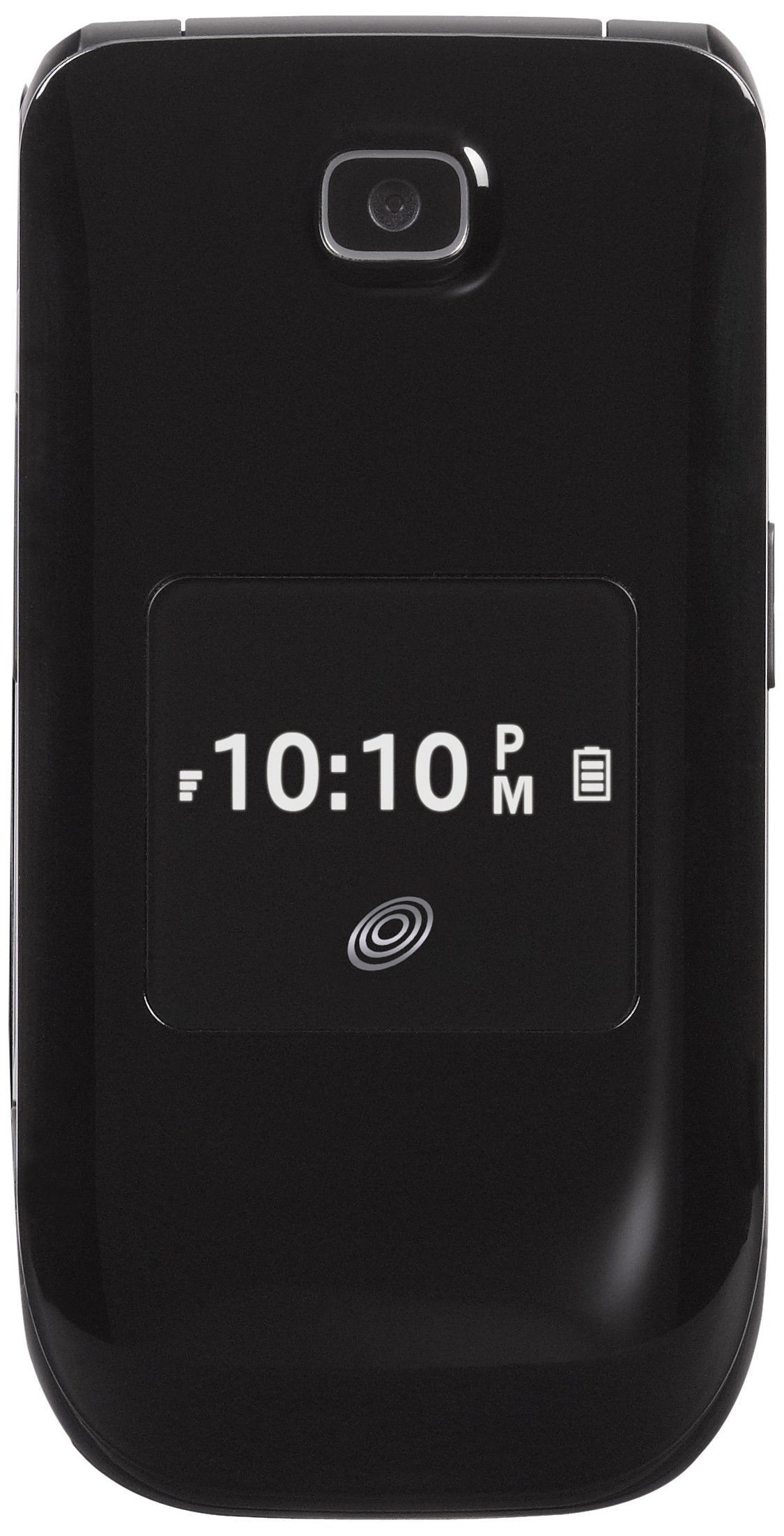
Image: The Alcatel 392G Big Easy Flip Phone in an open position, showing the main display, keypad, and navigation buttons. The screen displays "Home", "10 Minutes", "60 Service Days", "11:19 AM", "May 20 Mon", "Menu", and "Web".
3. Famandrihana ny finday
Before first use, fully charge the phone's battery. Connect the charger to the charging port on the phone and plug it into a power outlet. The charging indicator will show the charging status. A full charge typically takes approximately 3 hours.
4. Phone Activation
To activate your Tracfone service, follow the instructions provided on the Activation Card included in your package. This typically involves calling Tracfone customer service or visiting their website.
5. Fametrahana karatra MicroSD (tsy voatery)
The phone supports a microSD card up to 32GB (not included) for additional storage. Locate the microSD card slot, usually near the battery compartment, and insert the card gently until it clicks into place.
Fampiasana ny finday
1. Power On/off
- Mba hampandeha: Tsindrio ary hazòny ny Famaranana/Hery tsindrio ny bokotra mandra-pahazavan'ny efijery.
- Mba hamonoana ny herinaratra: Tsindrio ary hazòny ny Famaranana/Hery key, then confirm power off on the screen.
2. Manao sy mamaly antso
- To make a call: Enter the phone number using the keypad and press the Alefaso fanalahidy.
- To answer a call: Open the flip or press the Alefaso lakile rehefa maneno ny telefaona.
- To end a call: Close the flip or press the Famaranana/Hery fanalahidy.
3. Text and Picture Messaging
Navigate to the Messaging menu to compose and send text (SMS) or picture (MMS) messages. The large lighted keys facilitate easy typing.
4. Fakan-tsary Functionality
The phone is equipped with a 2 MP camera. Access the camera from the main menu to take photos. Images can be stored on the phone's internal memory or an installed microSD card.
5. Bluetooth Connectivity
To pair with a Bluetooth device (e.g., headset, car kit):
- Mandehana any sakafo > Fikirana > Bluetooth.
- Turn Bluetooth On.
- Select Hitady ny fitaovana vaovao ary fidio ny fitaovanao amin'ny lisitra.
- Enter the passkey if prompted.
6. FM Radio and MP3 Player
- Radio Radio: Access the FM Radio application from the menu. A wired headset (not included) may be required to act as an antenna.
- Mpilalao MP3: The phone includes an MP3 player. Music files can be stored on a microSD card. A USB cable (not included) is required to transfer music from a computer.
7. Phonebook
Store up to 1,000 entries in the phonebook. Navigate to the Contacts or Phonebook menu to add, edit, or delete entries.
8. Toetran'ny fidirana
The Alcatel 392G is Hearing Aid Compatible (HAC) with a rating of M3/T4, designed to reduce interference with hearing aids.
fikarakarana
1. Fanadiovana ny findainao
Use a soft, lint-free cloth to clean the phone's screen and body. Avoid using harsh chemicals or abrasive materials, which can damage the surface.
2. Fikarakarana bateria
- Fadio ny mametraka ny bateria amin'ny hafanana tafahoatra.
- Aza puncture na disassemble ny bateria.
- Raha tsy hampiasaina mandritra ny fotoana maharitra ny finday dia tehirizo miaraka amin'ny famandrihana ampahany.

Sary: A side profile view of the Alcatel 392G Big Easy Flip Phone, highlighting its compact, folded design and the textured surface for better grip.
Fanamboarana
Olana iraisana sy vahaolana
- Tsy mandeha ny finday:
Ensure the battery is correctly installed and fully charged. Try removing and reinserting the battery, then attempt to power on again.
- Poor call quality or low volume:
Check the volume settings during a call. Ensure you are in an area with good network coverage. If issues persist, contact Tracfone customer service.
- Batterie tsy mi-charge:
Verify that the charger is properly connected to both the phone and the power outlet. Try using a different outlet. Ensure you are using the correct battery type for the phone; some users have reported receiving incorrect batteries initially.
- Cannot send/receive messages:
Check your service plan and network coverage. Ensure message center settings are correct (these are usually configured automatically by the carrier).
- Mijanona na tsy mamaly ny finday:
Remove the battery, wait a few seconds, and then reinsert it and power on the phone. This performs a soft reset.
For further assistance with service-related issues, please contact Tracfone customer support. For hardware malfunctions, refer to the warranty information.
fepetra arahana
| Anarana modely | Big Easy Flip (392G) |
| Marika | Alcatel |
| Form Factor | Flip Phone |
| refy (L x W x H) | 4.09 x 2.05 x 0.68 santimetatra |
| Lanja entana | 3.67 oz |
| miseho | 2.4 Inches TFT LCD |
| Camera | 2 MP |
| Fahaizana fitahirizana fahatsiarovana | Supports microSD up to 32 GB |
| Wireless Technologies | Bluetooth 2.1, Cellular (2G), Wi-Fi |
| Rafitra fikirakirana | Other (Feature Phone OS) |
| Karazana bateria | 1 Lithium Ion bateria (ilaina) |
| Time Talk | Hatramin'ny 3 ora (228 minitra) |
| Fotoana mijoro | Up to 10 days (264 minutes with data) |
| Endri-javatra manokana | MP3 Player, FM Radio, Large Lighted Keys, External Caller ID, HAC (M3/T4) |
| Wireless Carrier | Tracfone |
Warranty Information
Your Alcatel 392G Big Easy Flip Phone is covered by a limited manufacturer's warranty. Please refer to the Service Guide included in your product package for specific terms, conditions, and duration of the warranty. Keep your proof of purchase for warranty claims.
MANAMPY
For technical support, service inquiries, or additional tutorials, please contact Tracfone customer service or visit their official website.
- Tracfone Customer Service: Refer to your Service Guide or the Tracfone webtranokala ho an'ny antsipiriany momba ny fifandraisana.
- Loharano an-tserasera: Visit the Tracfone website for FAQs, troubleshooting guides, and video tutorials specific to your device.


