Sava lalana
This manual provides comprehensive instructions for the operation and maintenance of your new Sharp Aquos LCD TV Remote Control, model RRMCGA535WJSA. This genuine Sharp remote transmitter is designed to provide seamless control over your compatible Sharp Aquos LCD TV models. Please read this manual thoroughly before use to ensure proper functionality and to maximize your viewamin'ny traikefa.
Information momba ny fiarovana
Tandremo azafady ireto fepetra fiarovana manaraka ireto:
- Do not expose the remote control to direct sunlight, high humidity, or extreme temperatures.
- Fadio ny manary ny fanaraha-maso lavitra na mamely azy amin'ny fiantraikany mahery vaika.
- Do not attempt to disassemble or modify the remote control. This may void the warranty and cause damage.
- Arovy tsy ho azon'ny ankizy ny bateria. Raha voatelina dia mitadiava fitsaboana haingana.
- Ario araka ny lalàna eo an-toerana ny bateria efa nampiasaina. Aza dorana.
Fonosana fonosana
Hamarino fa misy ny entana rehetra ao anaty fonosana:
- Sharp Aquos LCD TV Remote Control (Model: RRMCGA535WJSA)
- Boky torolàlana (torolàlana ity)
Fanamarihana: Mazàna tsy tafiditra ao anatin'izany ny bateria ary tsy maintsy vidiana mitokana.
Vita ny vokatraview
Familiarize yourself with the buttons and features of your remote control.

Sary 1: Eo anoloana View an'ny Remote Control
This image displays the front of the Sharp Aquos remote control, showing all primary buttons including power, input selection, channel, volume, numeric keypad, and navigation controls. The Sharp and Aquos logos are visible at the bottom.
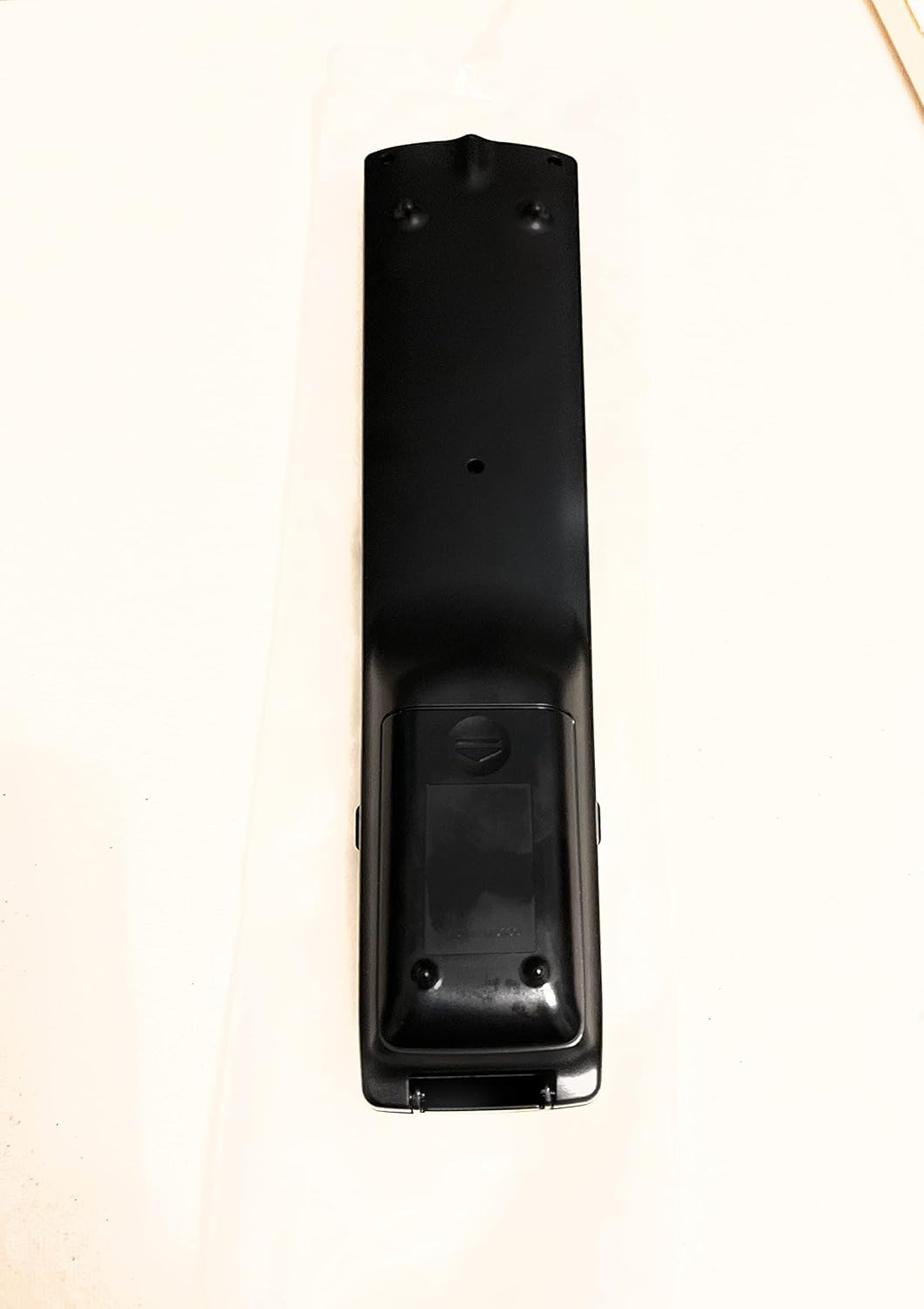
Sary 2: Miverina View an'ny Remote Control
This image shows the rear side of the Sharp Aquos remote control, highlighting the smooth, ergonomic design and the battery compartment cover.

Figure 3: Remote Control with Battery Compartment Open
This image illustrates the Sharp Aquos remote control with its battery compartment cover slid open, revealing the space for battery insertion.

Figure 4: Close-up of Hidden Panel
This close-up image shows the lower section of the Sharp Aquos remote control with its hinged panel opened, revealing additional function buttons such as SLEEP, AUDIO, AV MODE, and CC (Closed Caption).
Button Functions:
| bokotra | asa |
|---|---|
| fahefana | Mandeha na mamono ny fahitalavitra. |
| FIDIRANA / LOHARANO | Mifidy ny loharano fampidirana (oh: HDMI, AV, Component). |
| CH +/- | Manova ny fantsona fahitalavitra miakatra na midina. |
| VOL +/- | Manitsy ny haavon'ny feo. |
| Mute | Mampangina na manala ny feon'ny TV. |
| sakafo | Opens the TV's on-screen menu. |
| Ampidiro | Confirms selections within the menu. |
| Zana-tsipìka Fitetezana (Miakatra/Midina/Havia/Ankavanana) | Mivezivezy amin'ny alalan'ny safidy ao amin'ny menio. |
| EXIT / RETURN | Mivoaka ny menio ankehitriny na miverina amin'ny efijery teo aloha. |
| Keypad nomerika (0-9) | Miditra mivantana ny laharan'ny fantsona. |
| torimaso (under hidden panel) | Mametraka ny fahitalavitra mba ho faty ho azy rehefa afaka fe-potoana voafaritra. |
| teny (under hidden panel) | Selects audio modes or tracks. |
| AV MODE (under hidden panel) | Adjusts picture and sound settings for different content types. |
| CC (Tipiteny mihidy) (under hidden panel) | Turns closed captions on or off. |
Hametraka
Fametrahana bateria:
- Locate the battery compartment on the back of the remote control (refer to Figure 2).
- Slide the battery compartment cover downwards to open it (refer to Figure 3).
- Ampidiro bateria AAA roa (2) (tsy tafiditra), ary ataovy izay hahazoana antoka fa mifanaraka tsara amin'ny famantarana ao anatin'ny fitoerany ny terminal tsara (+) sy ratsy (-).
- Atsofohy amin'ny toerany ny fonon'ny efitry ny bateria mandra-pikitika tsara.
Note: Always use new batteries of the same type. Do not mix old and new batteries, or different types of batteries.
Torolàlana miasa
Fampandehanana fototra:
- Herim-batana / maty: Tsindrio ny fahefana button to turn your Sharp Aquos TV on or off.
- Fanaraha-maso ny feo: Tsindrio ny VOL+ bokotra hampitomboana ny volume sy BOKY - hampihena ny volume.
- Fantenana fantsona: Ampiasao ny CH + or CH - buttons to change channels sequentially. Alternatively, use the numeric keypad to directly enter a channel number.
- Fantenana loharano fidirana: Tsindrio ny fahan'ny or SOURCE button to cycle through available input sources (e.g., HDMI 1, HDMI 2, AV, Component).
- Mangina: Tsindrio ny Mute button to temporarily silence the TV audio. Press again to restore sound.
Menu Navigation:
- Tsindrio ny sakafo button to display the TV's on-screen menu.
- Ampiasao ny Fanaterana zana-tsipìka (Up, Down, Left, Right) to move through menu options.
- Tsindrio ny Ampidiro bokotra hisafidianana safidy nasongadina na hanamafisana fikirana iray.
- Tsindrio ny FIVOAHANA or FIVERENANA button to close the menu or go back to the previous menu level.
Advanced Functions (Hidden Panel):
Some advanced functions are located under a hinged panel at the bottom of the remote control (refer to Figure 4). Gently open this panel to access buttons such as:
- MATORY: Sets a timer for the TV to automatically turn off.
- AUDIO: Adjusts audio settings or selects audio tracks.
- FOMBA AV: Cycles through preset picture and sound modes (e.g., Standard, Movie, Game).
- CC (Fanazavana fohy): Mamelona na mamono ny dikanteny mihidy.
fikarakarana
Fanadiovana:
Mba hanadiovana ny fanaraha-maso lavitra dia fafao moramora amin'ny lamba malefaka sy maina. Aza mampiasa ranoka fanadiovana, ranoka fanadiovana mikikisana, na ranoka solvent simika, satria mety hanimba ny ety ambonin'ny fitaovana na ny singa anatiny izany.
Fanoloana bateria:
Replace batteries when the remote control's response becomes sluggish or stops working. Follow the battery installation steps outlined in the "Setup" section. Always replace both batteries at the same time.
Fanamboarana
| OLANA | Antony mety hitranga | vahaolana |
|---|---|---|
| Tsy mandeha ny fanaraha-maso lavitra. | Batterie maty na tsy tafiditra tsara. | Soloy vaovao ny bateria, ary ataovy izay hahazoana antoka fa marina ny polarity (+/-). |
| Tsy dia azo ampiasaina tsara ny fanaraha-maso lavitra. | Weak batteries; obstruction between remote and TV; infrared sensor on TV is blocked. | Replace batteries. Ensure no objects are blocking the line of sight between the remote and the TV's IR sensor. |
| Specific buttons not responding. | Dirt or debris under the button; internal malfunction. | Clean the remote control. If the issue persists, the remote may require replacement. |
| TV not responding to any remote commands. | TV is unplugged or turned off; TV's IR sensor is faulty. | Ensure the TV is powered on and plugged in. Test with another remote if available. Consult TV's manual for IR sensor location. |
fepetra arahana
| endri-javatra | antsipirihany |
|---|---|
| Laharana modely | Sary RRMCGA535WJSA |
| Marika | Sharp |
| Fitaovana mifanentana | Sharp Aquos LCD Televisions (various models, see product title for list) |
| Teknolojia fifandraisana | Infrarouge (IR) |
| Loharanon-kery | 2 x AAA Batterie (tsy tafiditra) |
| Dimensions (eo ho eo) | 8.8 x 2.4 x 0.9 santimetatra (Reben'ny fonosana) |
| Lanja (eo ho eo) | 4 oz |
| Endri-javatra manokana | Ergonomic design, Hidden function panel |
Warranty sy fanohanana
Disclaimer ara-dalàna:
This item is provided in new condition. Please note that this item is offered "as is" as it is past its original manufacturer's warranty period. Any implied warranties are disclaimed to the fullest extent permitted by law.
Fanohanana ny mpanjifa:
For further assistance or inquiries regarding your Sharp Aquos LCD TV, please refer to your television's original instruction manual or visit the official Sharp support website. For issues specifically with this replacement remote control, please contact the seller from whom it was purchased.


