1. Fampidirana
This manual provides essential information for the safe and effective use of your Kodak Easyshare M530 Digital Camera. Please read it thoroughly before operating the device and retain it for future reference. The Kodak Easyshare M530 is a compact digital camera featuring a 12-megapixel sensor, 3x optical zoom, and a 2.7-inch LCD screen, designed for capturing high-quality photos and videos with ease.
2. Inona no ao anaty boaty
- Fakan-tsary nomerika Kodak Easyshare M530
- USB Cable
- Batterie Lithium-Ion Rechargeable
- Fehin-tanana
- Boky torolàlana (torolàlana ity)
3. Over Cameraview
Familiarize yourself with the main components of your camera.

Sary 1: anoloana view of the Kodak Easyshare M530 Digital Camera, showing the lens, flash, and brand logo.

Sary 2: indray view of the Kodak Easyshare M530 Digital Camera, displaying the 2.7-inch LCD screen and control buttons.

Sary 3: Top view of the Kodak Easyshare M530 Digital Camera, highlighting the power button and shutter release.

Sary 4: sisiny view of the Kodak Easyshare M530 Digital Camera, illustrating the USB port for connectivity.
4. Fametrahana
4.1. Fametrahana ny bateria
- Sokafy ny fonon'ny fitoeran-bateria izay eo amin'ny farany ambanin'ny fakantsary.
- Insert the rechargeable Lithium-Ion battery with the contacts facing the correct direction, as indicated inside the compartment.
- Akatona tsara ny fonon'ny efitry ny bateria mandra-pikitika azy amin'ny toerany.
4.2. Fametrahana karatra fitadidiana
The camera supports SD/SDHC memory cards (not included).
- Sokafy ny fonon'ny toerana misy ny karatra fahatsiarovana, izay mazàna hita eo akaikin'ny toerana misy ny bateria.
- Insert the SD/SDHC card with the label facing the front of the camera until it clicks into place.
- Akatona ny fonon'ny slot karatra fitadidiana.
4.3. Fametrahana ny bateria
- Ensure the battery is correctly installed in the camera.
- Connect the supplied USB cable to the camera's USB port.
- Ampifandraiso amin'ny adaptatera herinaratra USB mifanaraka amin'ny seranan-tsambo USB ny faran'ny tariby USB iray hafa.
- The charging indicator light will illuminate. Charging is complete when the light turns off or changes color (refer to camera display for exact status).
5. Fampandehanana ny fakan-tsary
5.1. Power On/off
- Mba hampandeha: Tsindrio ny fahefana bokotra hita eo an-tampon'ny fakantsary.
- Mba hamonoana ny herinaratra: Tsindrio ary hazòny ny fahefana button until the camera shuts down.
5.2. Maka sary
- Alefaso ny fakantsary.
- Ampiasao ny efijery LCD 2.7-inch mba hamoronana ny sarinao.
- Tsindrio ny Shutter button halfway down to focus. The focus frame will turn green when focus is achieved.
- Tsindrio ny Shutter button all the way down to capture the photo.
5.3. Fandraketana horonan-tsary
- Switch the camera to video mode (refer to your camera's specific mode dial or menu for this option).
- Tsindrio ny Shutter button to start recording. A red indicator will typically appear on the screen.
- Tsindrio ny Shutter bokotra indray mba hampitsahatra ny firaketana.
5.4. Fampiasa Zoom
Use the zoom lever (often labeled W for Wide and T for Telephoto) to adjust the 3x optical zoom.
- Push the lever towards T to zoom in (telephoto).
- Push the lever towards W to zoom out (wide-angle).
5.5. Fomba Flash
Tsindrio ny Flash button (often indicated by a lightning bolt icon) to cycle through available flash modes:
- Auto Flash: Camera automatically determines if flash is needed.
- Fenoy ny Flash: Flash fires for every shot.
- Fampihenana ny maso mena: Mandefa pre-flash mba hampihenana ny vokatry ny maso mena.
- Mirehitra ny tselatra: Flash is disabled.
5.6. Apviewamin'ny sary sy horonan-tsary
- Tsindrio ny Review bokotra (matetika aseho amin'ny kisary filalaovana).
- Use the directional pad to navigate through your captured images and videos.
- Tsindrio ny OK or Select bokotra to view singa voafantina.
5.7. Smart Capture and Face Recognition
The Kodak Easyshare M530 features Smart Capture, which automatically adjusts camera settings for optimal results, and Face Recognition, which detects and optimizes settings for faces in your shots.
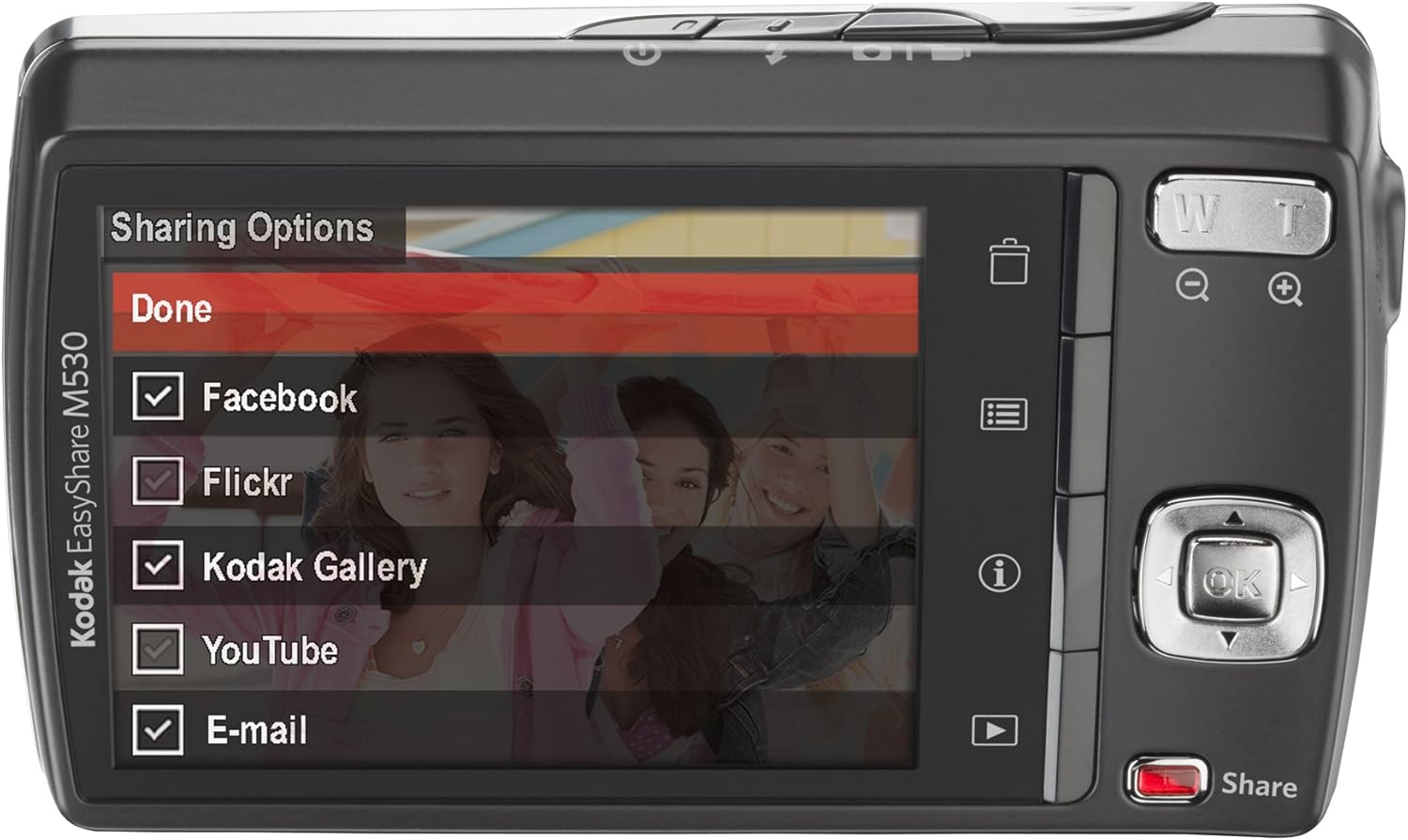
Sary 5: The camera's LCD screen displaying sharing options, including Facebook, Flickr, Kodak Gallery, YouTube, and Email.
5.8. Sharing Your Content
Utilize the dedicated Share button for easy uploading of your photos and videos to various platforms when connected to a computer with Kodak's EasyShare software.
6. Fikojakojana
6.1. Manadio ny fakan-tsary
- Mampiasà lamba malefaka sady tsy misy loko mba hanadiovana ny vatan'ny fakantsary.
- For the lens and LCD screen, use a specialized lens cleaning cloth and solution. Avoid harsh chemicals.
6.2. Fikarakarana bateria
- Tehirizo ao amin'ny toerana mangatsiatsiaka sy maina ny bateria rehefa tsy ampiasaina.
- Fadio ny mametraka ny bateria amin'ny hafanana tafahoatra.
- Fenoy tanteraka ny bateria alohan'ny hampiasana azy mandritra ny fotoana maharitra.
6.3. fitahirizana
When storing the camera for long periods, remove the battery and memory card. Store the camera in a dry, dust-free environment, preferably in a camera bag.
7. Famahana olana
| OLANA | Antony mety hitranga | vahaolana |
|---|---|---|
| Tsy mandeha ny fakan-tsary | Bateria kely na lany | Aloavy feno ny batterie. |
| Nampidirina tsy araka ny tokony ho izy ny bateria | Reinsert the battery correctly. | |
| Sary manjavozavo | Mihozongozona ny fakan-tsary | Tazony tsy mihetsika ny fakantsary na ampiasao ny tripod. |
| Subject out of focus | Ensure the camera focuses before fully pressing the shutter. | |
| Fahadisoana karatra fitadidiana | Card not inserted correctly or corrupted | Reinsert the card. If the problem persists, try formatting the card (this will erase all data) or use a different card. |
| Tsy mirehitra ny flash | Flash mode set to 'Off' | Change the flash mode to Auto or Fill Flash. |
8. Famaritana
- Fanapahan-tsary sensor: 12 MP
- Optical Zoom: 3x
- Haben'ny efijery: 2.7 santimetatra (LCD)
- Fanapahan-dahatsary: 640 x 480 (30 fps)
- Karazana bateria: Lithium Ion
- Fanamafisana sary: tsy misy
- Tohanana File endrika: manta
- Teknolojia fifandraisana: USB
- Lanja entana: 0.33 kilao
- loko: Blue (for this specific model variant)
9. Warranty sy fanohanana
Your Kodak Easyshare M530 Digital Camera comes with a 30-day warranty from the manufacturer, Eastman Kodak Company. This warranty covers defects in materials and workmanship under normal use. For warranty claims or technical support, please refer to the contact information provided with your purchase documentation or visit the official Kodak support website.
Raha mila fanampiana sy loharano fanampiny, azonao tsidihina ny KODAK Store on Amazon.


