1. Fampidirana
This instruction manual provides detailed guidance for the Raymarine Smart Controller Wireless Remote, Model E15023. This device is designed to offer wireless control of your SeaTalk autopilot and enable monitoring of essential instrument and navigation data from various locations on your vessel. Please read this manual thoroughly before operating the device.
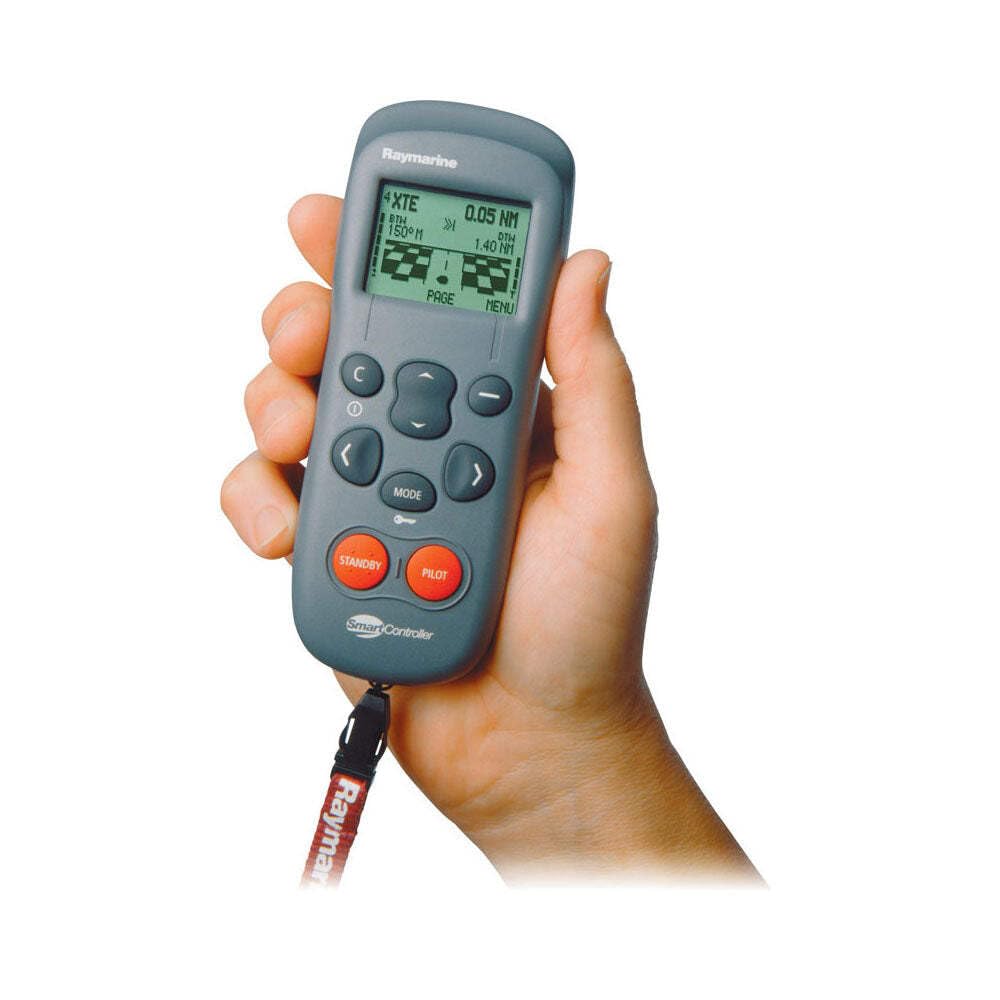
Image 1: Raymarine Smart Controller Wireless Remote. This image shows the compact, handheld remote control unit with its display screen and keypad.
2. Endri-javatra fototra
- A crisp, high contrast 64 x 127 dot matrix display for clear information viewing.
- Backlit display and keypad for enhanced visibility in various lighting conditions.
- Up to eight user-definable data pages for customized information display.
- Single, dual, or four-line data displays for flexible data presentation.
- Up to 32 feet (10 meters) wireless operating range from the base station.
3. Fametrahana sy fametrahana
3.1 Famoahana
- Esory tsara ny singa rehetra amin'ny fonosana.
- Verify that all items listed in the product contents are present.
3.2 Connecting to SeaTalk System
- The Smart Controller requires connection to your vessel's SeaTalk system.
- Ensure all Raymarine units intended for use with the remote are linked via cable into the SeaTalk network. This connection is crucial for data transmission and autopilot control.
- Refer to your vessel's SeaTalk network diagram for proper integration.
3.3 Fametrahana toby toby
- Position the wireless base station in a location that provides optimal signal coverage throughout your vessel.
- Avoid obstructions that may interfere with the wireless signal.
3.4 Famelomana sy fampiarahana voalohany
- Follow the on-screen prompts on the Smart Controller to pair it with its base station.
- This process typically involves activating a pairing mode on both devices.
4. Operating the Smart Controller
4.1 Fikarohana fototra
- Use the keypad to navigate through menus and data pages.
- The backlit display ensures readability in low light conditions.
4.2 Autopilot Control
- The remote allows for setting a new course or engaging/disengaging the autopilot.
- Specific functions will depend on your connected autopilot model and its integration with the SeaTalk system.
4.3 Data Display Pages
- Utilize the user-definable data pages to view instrument and navigation data.
- You can configure these pages to show single, dual, or four lines of data, such as depth, speed, wind, and GPS information.
5. Fikojakojana sy fikarakarana
- Fanadiovana: Clean the Smart Controller and base station with a soft, damp lamba. Halaviro ny mpanadio na solvents.
- Fikarakarana bateria: The Smart Controller contains an internal battery. For optimal battery life, avoid extreme temperatures and fully charge the unit regularly. If the battery life significantly diminishes, contact Raymarine support for service.
- fitahirizana: Rehefa tsy ampiasaina mandritra ny fotoana maharitra dia tehirizo ao amin'ny toerana mangatsiatsiaka sy maina ilay fitaovana.
6. Famahana olana
- No Power/Short Battery Life: Ensure the unit is fully charged. If the battery drains quickly, the internal battery may require service.
- No Wireless Connection: Verify the base station is powered on and within range (up to 32 feet/10 meters). Check for physical obstructions or interference. Re-attempt the pairing process as described in Section 3.4.
- Display Not Legible: Adjust the display backlight settings. If using four-line data displays, some users may find the text small; consider switching to single or dual-line displays for improved readability.
- No Data Displayed/Autopilot Not Responding: Confirm that all Raymarine units are correctly linked to the SeaTalk system via cable. Check all cable connections for security and proper functioning.
7. Famaritana
| endri-javatra | antsipirihany |
|---|---|
| Ny haben'ny fonosana L x W x H | 12.2 x 6.77 x 2.2 santimetatra |
| Lanja fonosana | 2.38 kilao |
| Ny refin'ny entana LxWxH | 12 x 7 x 2 santimetatra |
| Lanja entana | 2 kilao |
| Anarana marika | Raymarine |
| Anarana modely | E15023 |
| loko | Gray |
| Isan'ny singa | 1 |
| mpanamboatra | Raymarine |
| Laharan'ny ampahany | E15023 |
| Taona modely | 2016 |
| Style | ANKEHITRINY |
| Anisan'ny singa | SmartController Wireless Remote |
| Daty misy voalohany | 1 Oktobra 2001 |
| Endri-javatra manokana | Fampisehoana Backlit |
| Max isan'ny fitaovana tohanana | 1 |
| Fitaovana mifanentana | T1000, ST2000, ST3000, ST4000, ST5000 SmartPilot, ST6001 SmartPilot, ST7001 SmartPilot, ST8001 SmartPilot, S1000 |
8. Warranty sy fanohanana
For detailed warranty information, technical assistance, or service inquiries, please refer to the official Raymarine website or contact Raymarine customer service directly. It is recommended to keep your purchase receipt as proof of purchase for any warranty claims.