Sava lalana
Welcome to the KODAK EasyShare Z7590 Digital Camera user manual. This guide provides detailed instructions for setting up, operating, and maintaining your camera. The EasyShare Z7590 is a 5.0-megapixel digital camera featuring a 10x optical zoom Schneider-Kreuznach Variogon lens, designed to capture high-quality images and videos. Its intuitive design and advanced features make it suitable for various photography needs.
The camera is equipped with a 2.2-inch high-resolution indoor/outdoor display, capable of recording continuous VGA (640 x 480) video with audio. It supports SD/MMC memory cards for expanded storage and includes a 32MB internal memory.
Inona no ao anaty boaty
Hamarino tsara fa ao anaty fonosan'ny fakantsarinao avokoa ny entana rehetra:
- KODAK EasyShare Z7590 Zoom Digital Camera
- High-capacity KODAK EasyShare Li-Ion Rechargeable Battery (1700mAh)
- Rapid Battery Charger Kit
- Audio-Video Cable
- USB Cable
- Fehin-tenda
- Lens Cap with Strap
- Getting Started Kit (with KODAK EasyShare Software)
- Custom Camera Insert (for optional KODAK EasyShare camera and printer docks)
Hametraka
1. Fametrahana ny bateria
Before initial use, fully charge the provided Li-Ion rechargeable battery using the rapid battery charger.
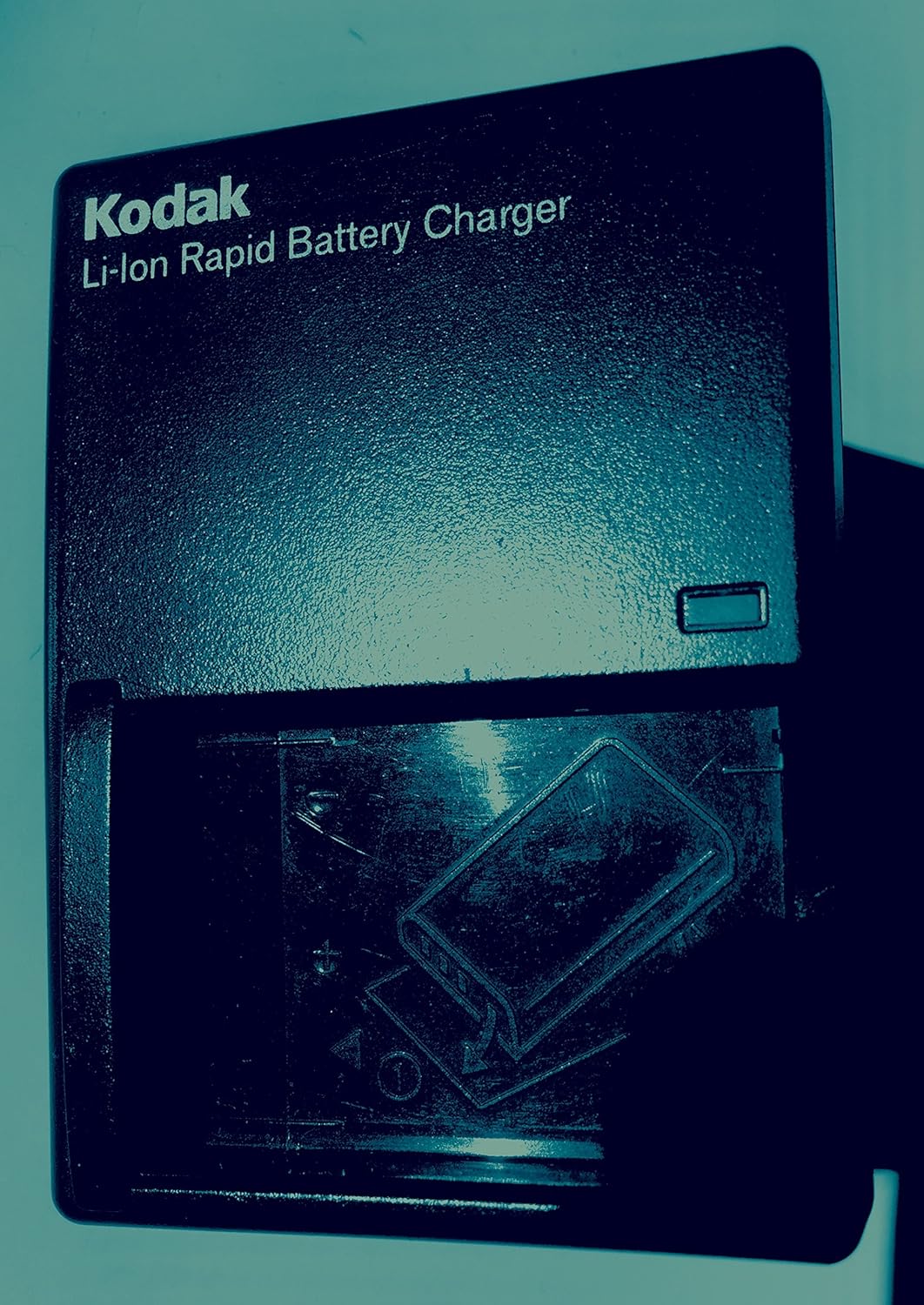
Sary: KODAK Li-Ion Rapid Battery Charger. Insert the battery into the charger as indicated by the diagram on the charger.
- Insert the KODAK Li-Ion battery into the rapid battery charger.
- Ampidiro amin'ny fivoahan'ny herinaratra ny charger.
- Ny jiro famantarana ny famandrihana dia hampiseho ny satan'ny famandrihana. Jereo ny toromarika manokan'ny charger mba hahitana ny famantarana ny jiro.
- Once fully charged, remove the battery and insert it into the camera.
2. Mampiditra karatra fitadidiana
The camera has 32MB of internal memory. For extended shooting, insert an SD or MMC memory card.

Sary: SD and MMC Memory Cards. The camera supports both SD and MMC card types.
- Locate the memory card slot on the camera (typically on the side or bottom).
- Insert the SD or MMC card with the metal contacts facing the correct direction, as indicated by a diagram near the slot.
- Atsofohy ao ny karatra mandra-pikitika amin'ny toerany.
3. Attaching the Neck Strap and Lens Cap
Attach the neck strap for secure handling and the lens cap to protect the lens when not in use.

Sary: KODAK EasyShare Z7590 Digital Camera. The camera is shown with the neck strap attached and the lens cap covering the lens.
Fampandehanana ny fakan-tsary
Camera Controls Overview
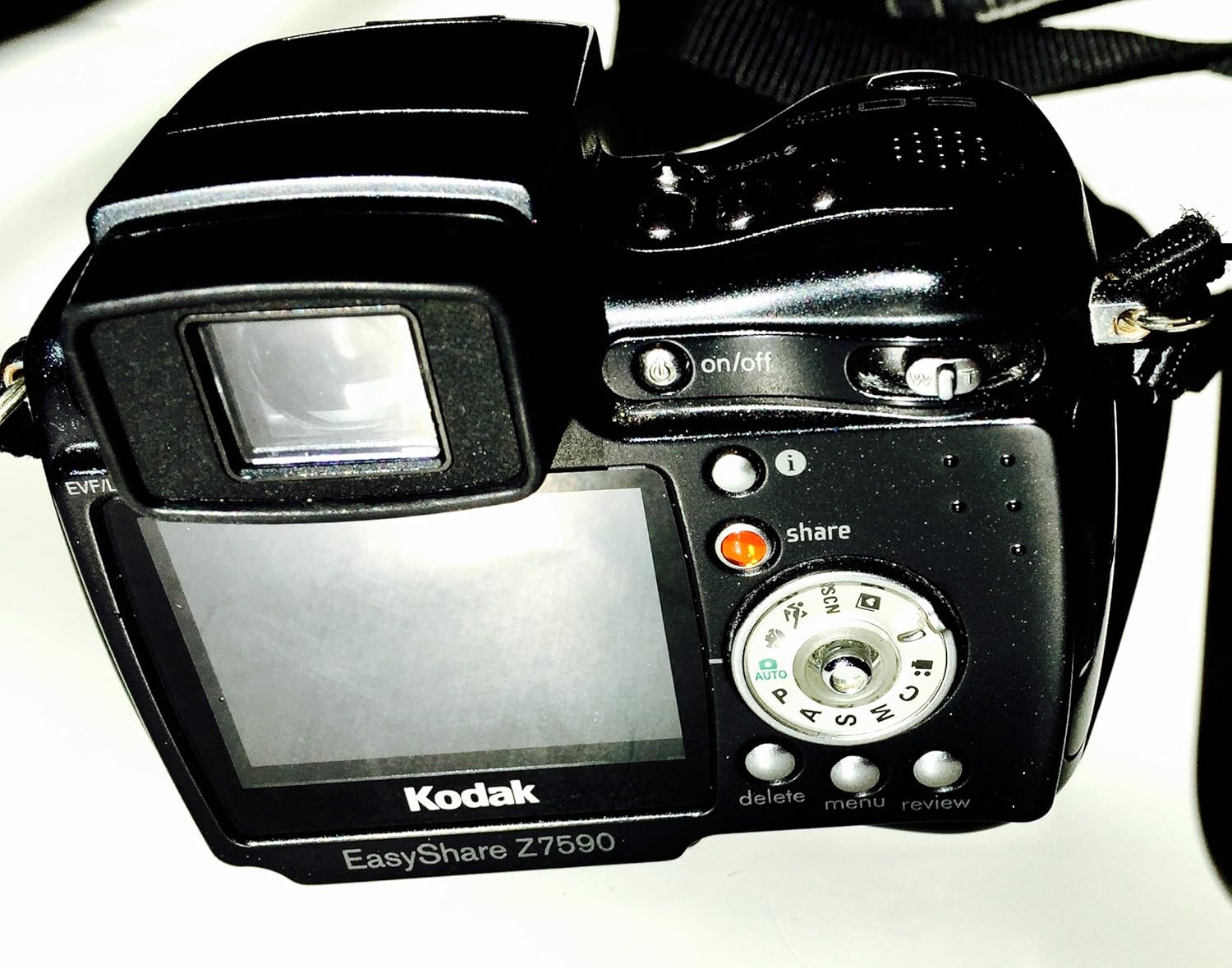
Sary: aoriana view of the KODAK EasyShare Z7590 Digital Camera. This image highlights the LCD screen, control dial, and various buttons such as 'on/off', 'share', 'delete', 'menu', and 'review'.
- Bokotra hery: Located on the top of the camera, used to turn the camera on or off.
- Button Shutter: Press halfway to focus, fully to take a picture.
- Fanalahidy Zoom: Controls the 10x optical zoom and 3x advanced digital zoom.
- Fomba antso: Selects shooting modes (Auto, Program, Aperture Priority, Shutter Priority, Manual, Scene, Movie).
- LCD Display: 2.2-inch high-resolution screen for composing shots and reviewsary.
- bokotra fizarana: HO AN'NY tagging photos for printing or emailing.
- bokotra Menu: Accesses camera settings and options.
- bokotra fafao: Removes unwanted photos or videos.
- Review bokotra: Enters playback mode to view media voasambotra.
Mitifitra Modes
The mode dial allows selection of various shooting modes to suit different photographic situations.
- Fomba mandeha ho azy (AUTO): Mametraka ho azy ny hazavana tsara indrindra ny fakantsary.
- Program Mode (P): Camera sets optimal shutter speed and aperture combination.
- Aperture Priority Mode (A): You choose the aperture, and the camera sets the shutter speed.
- Shutter Priority Mode (S): You choose the shutter speed, and the camera sets the aperture.
- Fomba tànana (M): Full control over aperture and shutter speed.
- Fomba mahazatra: Allows you to create and save your own capture settings.
- Fomba fijerena sehatra (SCN): Pre-programmed settings for specific scenarios (e.g., Portrait, Landscape, Sport, Night).
- Sarimihetsika fomba: For recording video with audio.
Maka sary
- Alefaso ny fakantsary amin'ny fampiasana ny bokotra herinaratra.
- Fidio ny fomba fitifirana tianao amin'ny alalan'ny bokotra fanindriana ny bokotra fitifirana.
- Frame your shot using the LCD display or electronic viewizay nahita.
- Use the zoom lever to adjust the focal length.

Sary: anoloana view of the KODAK EasyShare Z7590 Digital Camera, highlighting the Schneider-Kreuznach Variogon lens with 10x optical zoom.
- Press the shutter button halfway to focus. The focus indicator will confirm focus.
- Tsindrio tanteraka ny bokotra "shutter" mba haka ny sary.
Fandraketana horonan-tsary
- Turn the mode dial to Movie Mode.
- Tsindrio ny bokotra shutter hanombohana ny fandraisam-peo.
- Tsindrio indray ny bokotra shutter mba hampitsahatra ny fandraisam-peo.
- Videos are recorded in VGA (640 x 480) at 12 frames per second or QVGA (320 x 240) at 20 frames per second, with audio.
Advanced Features
Fanaraha-maso manual
For experienced users, the Z7590 offers extensive manual controls:
- Fandoavana onitra: +/- 2.0 EV in 0.3 EV steps.
- Aperture: Wide (f2.8-8.0) and Tele (f3.7-8.0).
- Hafainganam-pamonoana: Automatic: 1/8-1/1700 sec.; Manual: 16-1/1000 sec.
- ISO Equivalents: Automatic: 80-160; Selectable: 80, 100, 200, 400, 800.
- Autofocus: Multi-zone, center weighted, selectable: left, center, right.
- Exposure Metering Type: Auto: TTL-AE matrix metering; Selectable: multi-pattern, center-weighted, center spot.
- White Balance: Auto, daylight, tungsten, fluorescent, open shade.
- Flash Compensation: 1.0 EV in 1/2 EV steps.
- Fomba tselatra: Auto, red-eye, fill, off.
Continuous Shooting and Bracketing
- First Burst Mode: Captures up to 5 frames in rapid succession at 2 frames per second.
- Last Burst Mode: Captures up to 30 frames at 2 frames per second, saving the last 4 frames.
- Autoexposure Bracketing: 3 images with user-selectable brackets (+/-0.3, +/-0.7 or +/-1.0 EV).
Scene Modes
The camera includes 16 programmed scene modes for optimized shooting in various conditions:
- Portrait Modes: Portrait, Self-portrait, Night Portrait, Backlight.
- Landscape Modes: Landscape, Night Landscape, Fireworks.
- Bright Scene Modes: Beach and Snow.
- Action Modes: Sport and Children.
- Close-up Modes: Macro and Flower.
- Fomba fety: For indoor settings with lower light.
- Text/Documents Mode: Ensures sharp text when photographing documents.
- Manner/Museum Mode: Use when sound or flash are not desired.
Fomba loko
Adjust the color output of your images with 5 available color modes:
- High Color
- Low Color
- Loko voajanahary
- Sepia
- Mainty sy Fotsy
Mifandray sy mizara
The KODAK EasyShare Z7590 is designed for easy sharing of your photos and videos.
Mampiasa ny bokotra Share
The exclusive Share button on the camera allows you to tag favorite pictures for later printing or emailing directly from the camera when connected to a computer with KODAK EasyShare Software.
KODAK EasyShare Software
The included KODAK EasyShare Software works seamlessly with your camera to enable one-button transferring and sharing. It provides tools to view, edit, organize, print, or create slide shows from your computer. The "One Touch to Better Pictures" feature automatically adjusts inkjet printer settings for optimal photo quality on KODAK Inkjet Photo Papers.
Mampifandray amin'ny solosaina
Use the provided USB cable to connect your camera to a computer for transferring files.
Mifandray amin'ny fahitalavitra
Use the provided Audio-Video cable to connect your camera to a television for viewing photos and videos on a larger screen.
fikarakarana
Proper care and maintenance will ensure the longevity and optimal performance of your KODAK EasyShare Z7590 Digital Camera.
- Fanadiovana ny Lens: Use a soft, lint-free cloth specifically designed for camera lenses. Avoid using abrasive materials or harsh chemicals. Gently wipe the lens in a circular motion.
- Fanadiovana ny vatan'ny fakantsary: Fafao amin'ny lamba malefaka sy maina ny vatan'ny fakantsary. Ho an'ny loto mafy loha, dia asio kelyampen the cloth with water. Do not use solvents or alcohol.
- Fikarakarana bateria: Store batteries in a cool, dry place. Do not expose them to extreme temperatures. Remove the battery if the camera will not be used for an extended period.
- fitahirizana: Store the camera in a dry, dust-free environment, preferably in a camera bag or case. Avoid direct sunlight and high humidity. Ensure the lens cap is on when storing.
- Fikarakarana karatra fitadidiana: Handle memory cards carefully. Avoid bending or exposing them to static electricity. Format memory cards periodically within the camera to maintain performance.
Fanamboarana
This section addresses common issues you might encounter with your KODAK EasyShare Z7590 Digital Camera.
| OLANA | Antony mety / Vahaolana |
|---|---|
| Tsy mandeha ny fakan-tsary. |
|
| Manjavozavo ny sary. |
|
| Tsy mirehitra ny flash. |
|
| Fahadisoana amin'ny karatra fitadidiana. |
|
| Tsy afaka mifandray amin'ny solosaina. |
|
fepetra arahana
Key technical specifications for the KODAK EasyShare Z7590 Digital Camera:
| endri-javatra | antsipirihany |
|---|---|
| Anarana modely | Kodak Easyshare Z7590 |
| Marika | KODAK |
| Fanapahan-kevitra mbola mahomby | 5 MP |
| Photo Sensor Technology | CCD |
| Optical Zoom | 10x |
| Zoom nomerika | 3x |
| Karazana Lens | Schneider-Kreuznach Variogon Lens |
| Halavan'ny Focal farany ambany | 38 milimetatra |
| Halavan'ny fifantohana ambony indrindra | 380 milimetatra |
| Haben'ny efijery | 2.2 santimetatra |
| Karazana fampisehoana | High-resolution Indoor/Outdoor LCD |
| Fanamafisana sary | Digital, Optical |
| Tohanana File endrika | JPEG (Still), MPEG-4 (Video) |
| Video Resolution | VGA (640 x 480) at 12 fps, QVGA (320 x 240) at 20 fps |
| Fahatsiarovana anatiny | 32 mb |
| Flash Memory Type | SD/MMC card expansion slot |
| Hafainganam-pandeha farany ambany | 16 segondra |
| Hafainganam-pandeha ambony indrindra | 1/1700 Seconds (Auto), 1/1000 Seconds (Manual) |
| ISO Range | Auto (80-160), Selectable (80, 100, 200, 400, 800) |
| Teknolojia fifandraisana | USB |
| Loharanon-kery | Li-Ion Rechargeable Battery (1700mAh) |
| Lanja entana | 0.88 kilao |
Warranty sy fanohanana
For information regarding warranty coverage, please refer to the warranty card included with your product or visit the official KODAK support website.
For technical assistance, troubleshooting beyond this manual, or service inquiries, please contact KODAK customer support.
- Mpanamboatra: Kodak Digital
- fivarotana marika: Visit the KODAK Store on Amazon


