1. Torolàlana fananganana
Follow these steps to begin playing Harvest Moon: Back To Nature on your PlayStation console.
- Ampidiro kapila lalao: Gently insert the Harvest Moon: Back To Nature game disc into your PlayStation console's disc tray. Ensure the disc is clean and free of scratches.
- Ampifandraiso ny Console: Ensure your PlayStation console is properly connected to your television or display unit according to your console's instruction manual.
- Herim-batana: Turn on your television and PlayStation console. Select the correct input source on your television.
- Fanaraha-maso: Connect your PlayStation controller. This game supports Fanaraha-maso Analog.
- Karatra fitadidiana: Insert a PlayStation Memory Card into slot 1. This game requires 4 boky of memory for saving game progress.

2. Operating Instructions (Gameplay)
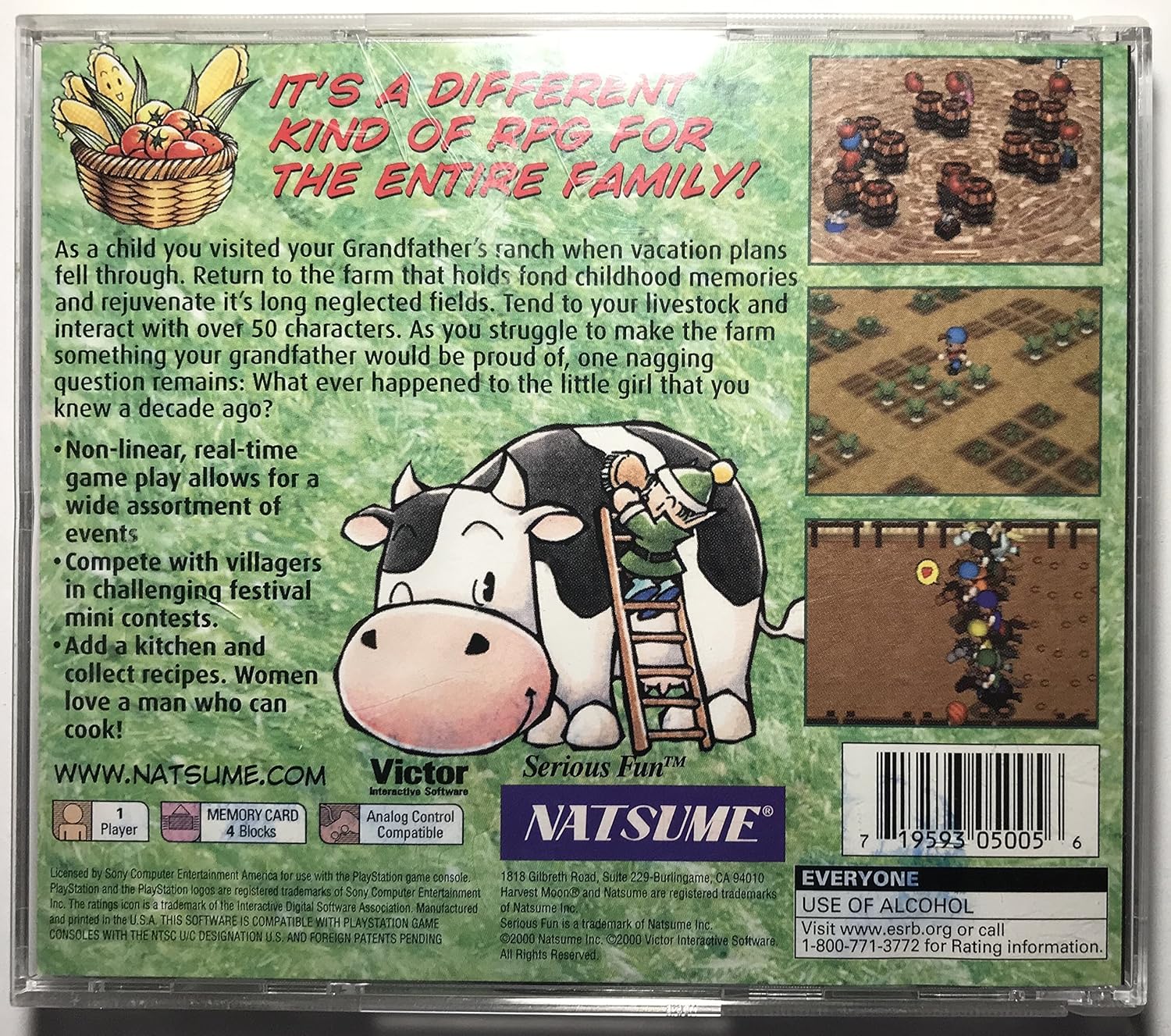
Harvest Moon: Back To Nature is a farming simulation role-playing game where you restore your grandfather's farm.
- Tanjona lalao: Return to your grandfather's neglected farm and rejuvenate its fields. Your goal is to make the farm successful within a three-year period.
- Core Activities: Tend to livestock, plant and harvest crops, and interact with over 50 unique characters in Mineral Town.
- Non-linear Gameplay: The game features non-linear, real-time gameplay, allowing for a wide variety of events and activities throughout the seasons.
- Festival Participation: Compete in challenging festival mini-contests such as Chicken Sumo, the annual Town Tomato Fight, swim races, dog races, and horse races. You can also participate in recipe tests.
- Rafitra nahandro: Collect and cook various recipes. You can also create your own dishes to impress other characters.
- Fifandraisana amin'ny toetra: Build relationships with villagers, including potential marriage candidates. Your interactions and choices can affect your relationships.
- Harvest Sprites: Befriend the Harvest Sprites to assist you with farm tasks.
- Television Programs: Utilize the in-game television for entertainment, information, and to learn new recipes or acquire kitchen utensils.
3. Fikojakojana
Proper care of your game disc and console ensures optimal performance and longevity.
- Fikarakarana kapila: Keep the game disc clean and free from dust, fingerprints, and scratches. Hold the disc by its edges. Use a soft, dry cloth to wipe the disc from the center outwards if cleaning is necessary.
- Console Care: Ensure your PlayStation console is placed in a well-ventilated area to prevent overheating. Refer to your console's manual for specific cleaning and maintenance instructions.
- Fikarakarana karatra fitadidiana: Always ensure your memory card is properly inserted before saving or loading game data. Avoid removing the memory card while the console is saving or accessing data to prevent corruption.

4. Famahana olana
If you encounter issues while playing, try the following solutions:
- Lalao Tsy Loading:
- Ensure the game disc is clean and correctly inserted into the console.
- Verify that your PlayStation console is properly connected to your television and powered on.
- Avereno indray ny console.
- Game Freezes or Glitches:
- Diovy tsara ny kapila lalao.
- Restart your PlayStation console.
- Ensure the console has adequate ventilation.
- Save Data Issues:
- Check if the memory card is securely inserted into the correct slot.
- Ensure the memory card has sufficient free blocks (4 blocks required for this game).
- Avoid removing the memory card during saving or loading operations.
- No Sound or Picture:
- Check all audio/video cables connecting the console to the television.
- Ensure your television is on the correct input source.
5. Famaritana
| endri-javatra | antsipirihany |
|---|---|
| ASIN | B00004WKHO |
| Laharana modely | SLUS-01115 |
| naoty | Everyone (ESRB) |
| Karazana entana | Lalao Video |
| Ny haben'ny fonosana | 5.5 x 4.9 x 0.4 santimetatra |
| Lanja entana | 2.4 oz |
| mpanamboatra | Natsume Entertainment |
| Daty misy voalohany | 28 Jolay 2000 |
| Mpilalao | 1 mpilalao |
| Memory Card Required | 4 Blocks |
| Fanaraha-maso Analog | mifanaraka |
6. Warranty & Fanohanana
For specific warranty information regarding Harvest Moon: Back To Nature, please refer to the documentation included with your game purchase or contact the manufacturer directly.
Fifandraisana fanohanana:
- Mpanamboatra: Natsume Entertainment
- ESRB Rating Information:
- Webtranokala: www.esrb.org
- Telefaonina: 1-800-771-3772
- PlayStation Console Support: For issues related to your PlayStation console, please consult your console's instruction manual or the official PlayStation support website.


