
Sava lalana
The Redmi Buds 8 Lite are advanced wireless earbuds designed to deliver an immersive audio experience with hybrid active noise cancellation, powerful sound, and extended battery life. This manual provides essential information for setting up, operating, and maintaining your earbuds.
Inona no ao anaty boaty
- Redmi Buds 8 Lite Earbuds (Left and Right)
- Charging Case
- Cable USB Type-C Charging
- Tendron-tsofina vita amin'ny silikônina (habe samihafa)
- User Manual

Image: Redmi Buds 8 Lite earbuds in their open charging case, showcasing ny endrika mainty kanto.
Hametraka
1. Fametrahana ny Earbuds sy Case
Before first use, fully charge the earbuds and the charging case. Place the earbuds into the charging case and connect the USB Type-C cable to the charging port on the case and a power source. The indicator light on the case will show charging status.

Image: The Redmi Buds 8 Lite charging case with earbuds, illustrating the extended battery life of up to 36 hours with the case.
2. Fampiarahana voalohany
- Sokafy ny vata fampangatsiahana. Ny sofina dia hiditra ho azy amin'ny fomba fampiarahana.
- Amin'ny fitaovanao (smartphone, tablette, sns.), avelao ny Bluetooth.
- Hitady ny "Redmi Buds 8 Lite" in the list of available Bluetooth devices and select it to connect.
- For Android devices, Google Fast Pair will simplify the connection process by displaying a pop-up notification.
Fampandehanana ny Earbuds
Touch Controls
The Redmi Buds 8 Lite feature intuitive touch controls on each earbud. The functions can be customized via the Xiaomi Earbuds app.
- Play/Pause: Tsindrio tokana amin'ny sofina roa.
- Track manaraka: Tsindrio indroa ny sofina havanana.
- Làlana teo aloha: Tsindrio indroa ny sofina ankavia.
- Valio/Atsaharo ny antso: Tsindrio tokana amin'ny sofina roa.
- Mandà ny antso: Tsindrio ary hazòny ny sofina roa.
- Ampandehano ny feo Assistant: Tsindrio intelo amin'ny sofina roa.
- Ampifamadiho ny ANC/Mangarahara: Press and hold either earbud (customizable).
Fanafoanana ny tabataba mavitrika (ANC)
The earbuds feature 42dB Hybrid Active Noise Cancellation to reduce ambient noise, allowing for a more focused listening experience. You can switch between ANC, Transparency, and Standard modes using the touch controls or the Xiaomi Earbuds app.
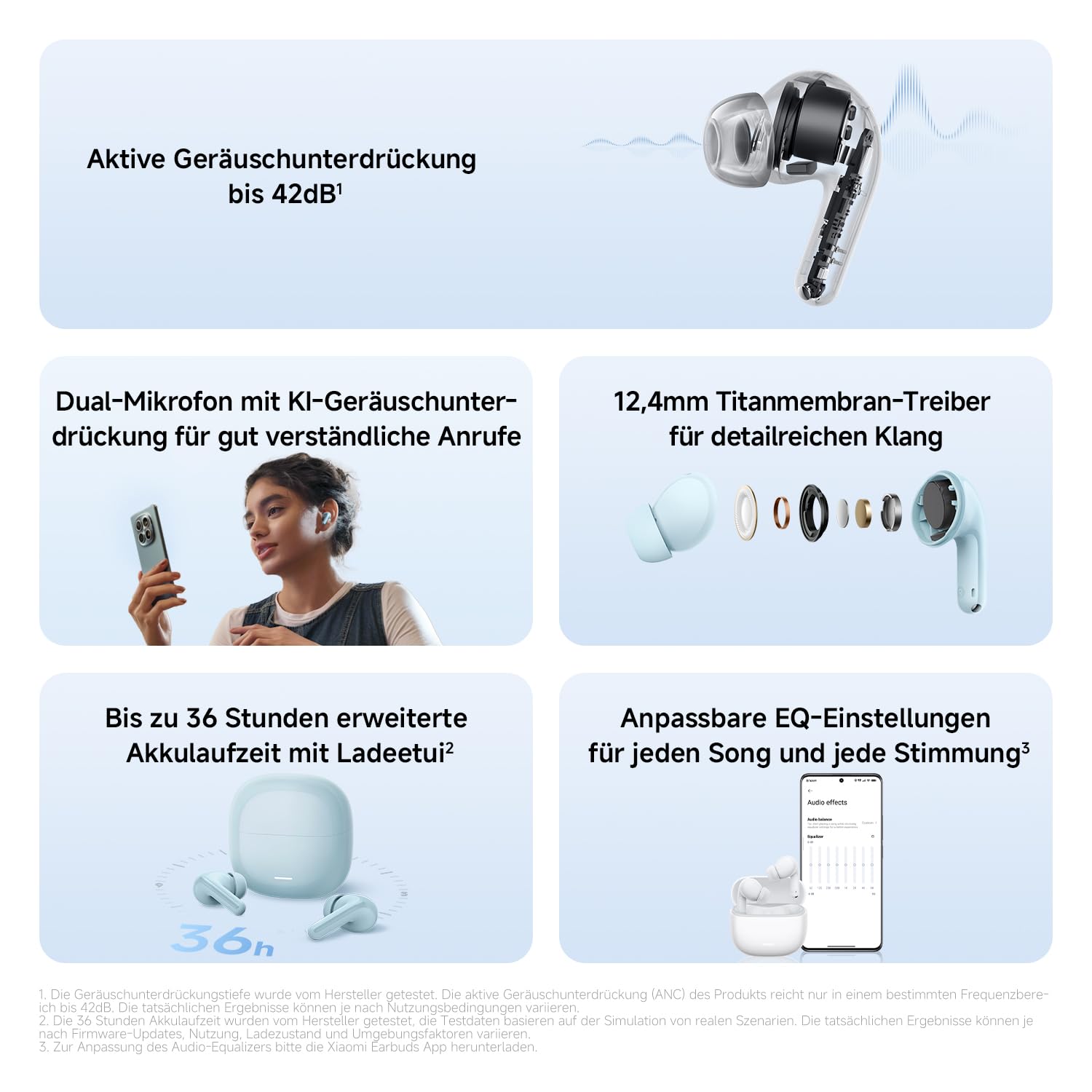
Sary: A antsipirihany view of the Redmi Buds 8 Lite earbud highlighting its active noise cancellation capability of up to 42dB.
Crystal-Clear Calls with AI Dual-Microphone
Equipped with an AI dual-microphone system, the earbuds effectively reduce background noise and wind interference during calls, ensuring your voice is transmitted clearly.

Image: A user wearing Redmi Buds 8 Lite earbuds while on a call, demonstrating the effectiveness of the AI dual-microphone system for clear communication.
Xiaomi Earbuds App
Download the Xiaomi Earbuds app to unlock full customization options, including personalized EQ settings, firmware updates, and touch control adjustments.
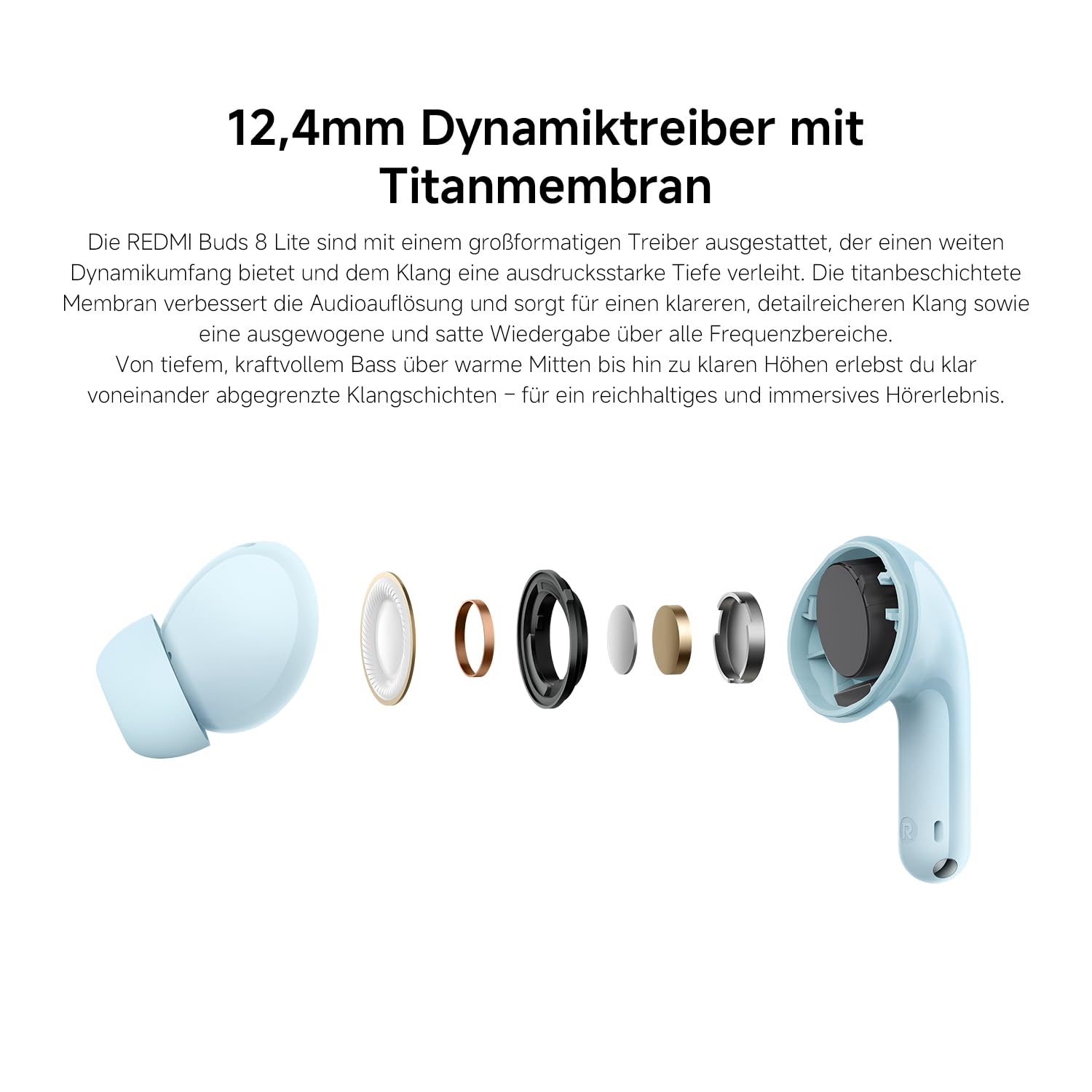
Image: A smartphone screen displaying the Xiaomi Earbuds app interface with various customizable EQ settings for audio personalization.
Endri-javatra fototra
- Fanafoanana Tabataba Mavitrika Hibrida 42dB: Provides deep quiet by blocking out ambient noise for immersive sound.
- Powerful 12.4mm Dynamic Driver: Delivers rich, detailed sound with strong bass and clear treble.
- AI Dual-Microphone System: Ensures crystal-clear calls by reducing background noise and wind interference.
- 8/36-Hour Ultra-Long Battery: Hatramin'ny 8 ora amin'ny famandrihana indray mandeha, ary 36 ora amin'ny fitambarany miaraka amin'ny boaty famandrihana.
- Fametrahana haingana be (Super Fast Charging): Get 2 hours of music from just a 10-minute charge.
- Feo azo amboarina: Fine-tune audio via the Xiaomi Earbuds app with EQ settings.
- Fifandraisana Bluetooth 5.4: Manolotra fifandraisana tsy misy tariby maharitra sy mahomby.
- IP54 fanoherana ny rano: Protects against splashes and sweat, suitable for workouts and outdoor activities.
- Google Fast Pair: Enables quick and seamless pairing with Android devices.
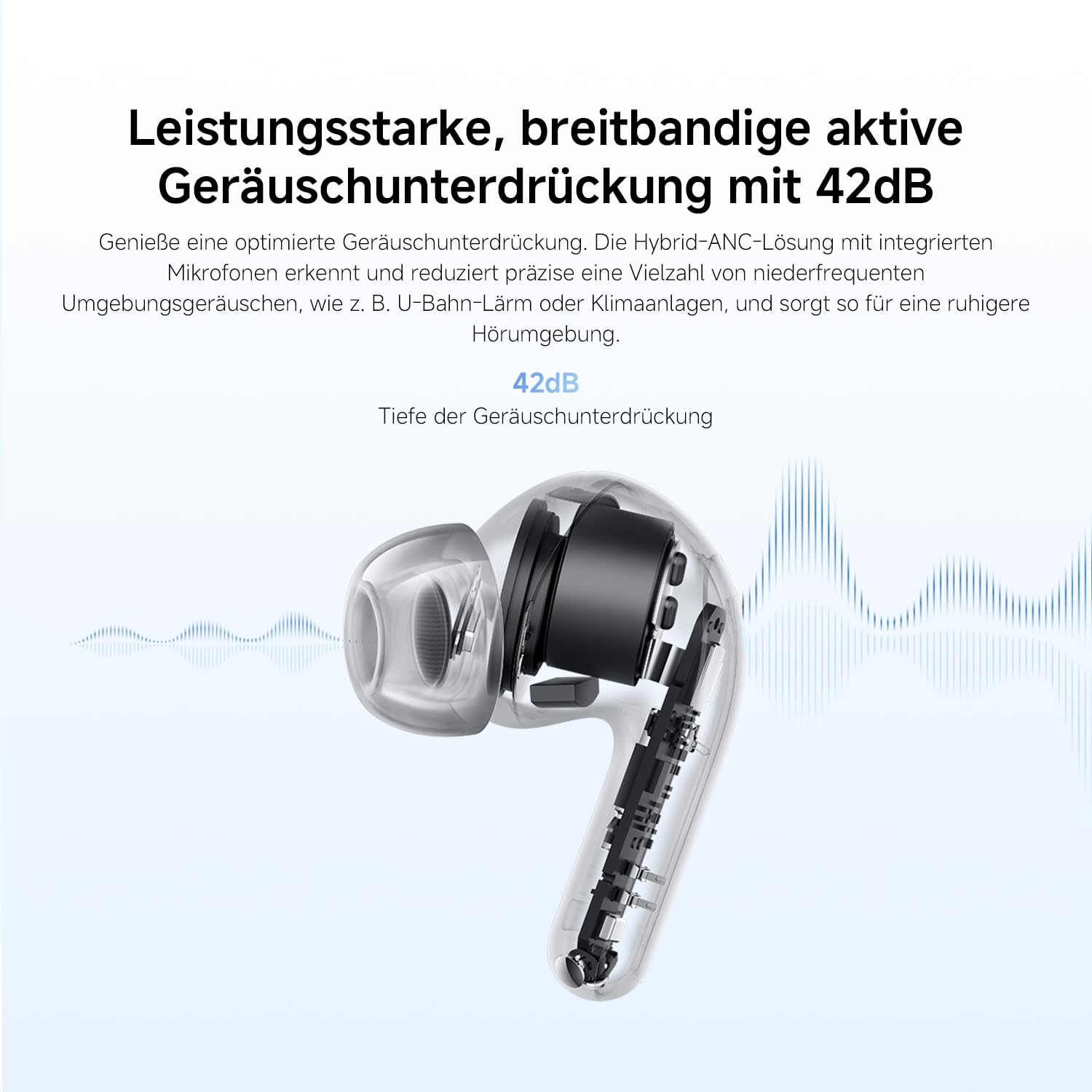
Image: An exploded diagram of the Redmi Buds 8 Lite earbud, highlighting its 12.4mm dynamic driver for detailed audio.
fikarakarana
To ensure the longevity and optimal performance of your Redmi Buds 8 Lite, follow these maintenance guidelines:
- Fanadiovana: Diovy tsy tapaka amin'ny lamba malefaka sy maina ary tsy misy loko ny fonon-tsofina sy ny vata fampangatsiahana. Aza mampiasa akora simika mahery vaika na akora abrasive.
- Sofina sofina: Esory ary diovy tsy tapaka amin'ny rano sy savony malefaka ny tendron-tsofina vita amin'ny silikônina. Ataovy azo antoka fa maina tanteraka izy ireo alohan'ny hamerenana azy.
- fanoherana ny rano: The earbuds are IP54 water-resistant, meaning they are protected against splashes and sweat. Do not submerge them in water or expose them to heavy rain. Dry them thoroughly if they get wet.
- fitahirizana: Rehefa tsy ampiasaina dia tehirizo ao anaty vata fampangatsiahana ny sofina mba hiarovana azy amin'ny vovoka sy ny fahasimbana.
Fanamboarana
If you encounter any issues with your Redmi Buds 8 Lite, refer to the following common solutions:
- Earbuds tsy mampiaraka: Ataovy azo antoka fa ao anaty boaty famandrihana ireo écouteur roa, dia sokafy ny sarony mba hanombohana ny fomba fampiarahana. Jereo ny fikirana Bluetooth-n'ny fitaovanao ary andramo averina ampifandraisina.
- Tsy misy feo avy amin'ny sofina iray: Place both earbuds back into the case, close the lid, wait a few seconds, then open it again. This often re-syncs them.
- Olana momba ny fiampangana: Verify the charging cable is securely connected to both the case and the power source. Clean the charging contacts on the earbuds and inside the case.
- Ratsy kalitaon'ny feo: Ensure the ear tips provide a snug fit to your ear canal. Try different sized ear tips for better seal. Check for any debris blocking the earbud speakers.
- Mifehy ny mikasika tsy mamaly: Ensure your fingers are clean and dry. A firmware update via the Xiaomi Earbuds app might resolve the issue.
- Famerenana amin'ny orinasa: If problems persist, perform a factory reset (refer to the Xiaomi Earbuds app or official support for specific instructions).
fepetra arahana
| endri-javatra | famaritana |
|---|---|
| Marika | XIAOMI |
| Anarana modely | redmi buds 8 lite ny |
| Laharana modely | BHR08OMGL |
| loko | Mainty |
| Fametrahana sofina | Ao amin'ny sofina |
| Form Factor | Ao amin'ny sofina |
| Impedance | 32 ohm |
| Teknolojia fifandraisana | Wireless |
| Teknolojia Wireless | Bluetooth |
| Bluetooth Version | 5.4 |
| Bluetooth Range | 10 metatra |
| Karazana fanaraha-maso | Touch Control |
| Fomba fanaraha-maso | App |
| Fiainana antonony ny bateria | 38 ora (miaraka amin'ny vata fampangatsiahana) |
| Fotoana fiampangana bateria | 1 ora |
| Fanaraha-maso ny tabataba | Hybrid Noise Cancellation (42 dB) |
| Salan'ny Frequency | 20 Hz - 20,000 Hz |
| Karazana mpamily Audio | Driver Dynamic (12.4mm) |
| Ny haavon'ny fanoherana ny rano | Mahazaka rano (IP54) |
| Lanja entana | 39g ny |
Warranty sy fanohanana
The Redmi Buds 8 Lite are covered by a Garantie mpanamboatra 1 taona manomboka amin'ny datin'ny fividianana. Ity antoka ity dia mandrakotra ny lesoka amin'ny fitaovana sy ny asa tanana amin'ny fampiasana mahazatra. Tsy mandrakotra ny fahasimbana vokatry ny fampiasana diso, ny lozam-pifamoivoizana, ny fanovana tsy nahazoana alalana, na ny fikikisana sy ny rovitra mahazatra.
For warranty claims, technical support, or further assistance, please visit the official XIAOMI support webtranokala na mifandray amin'ny serivisy mpanjifany. Tehirizo ny porofon'ny fividiananao ho an'ny fanamarinana antoka.
Official XIAOMI Support: https://www.mi.com/global/support