1. Fampidirana
This manual provides instructions for the KODAK 10.1-inch Digital Photo Frame, Model 1028c. Please read this manual thoroughly before using the device to ensure proper operation and to maximize your experience. This digital photo frame is designed to display photos and videos without requiring a Wi-Fi connection, offering a simple and direct way to enjoy your digital memories.
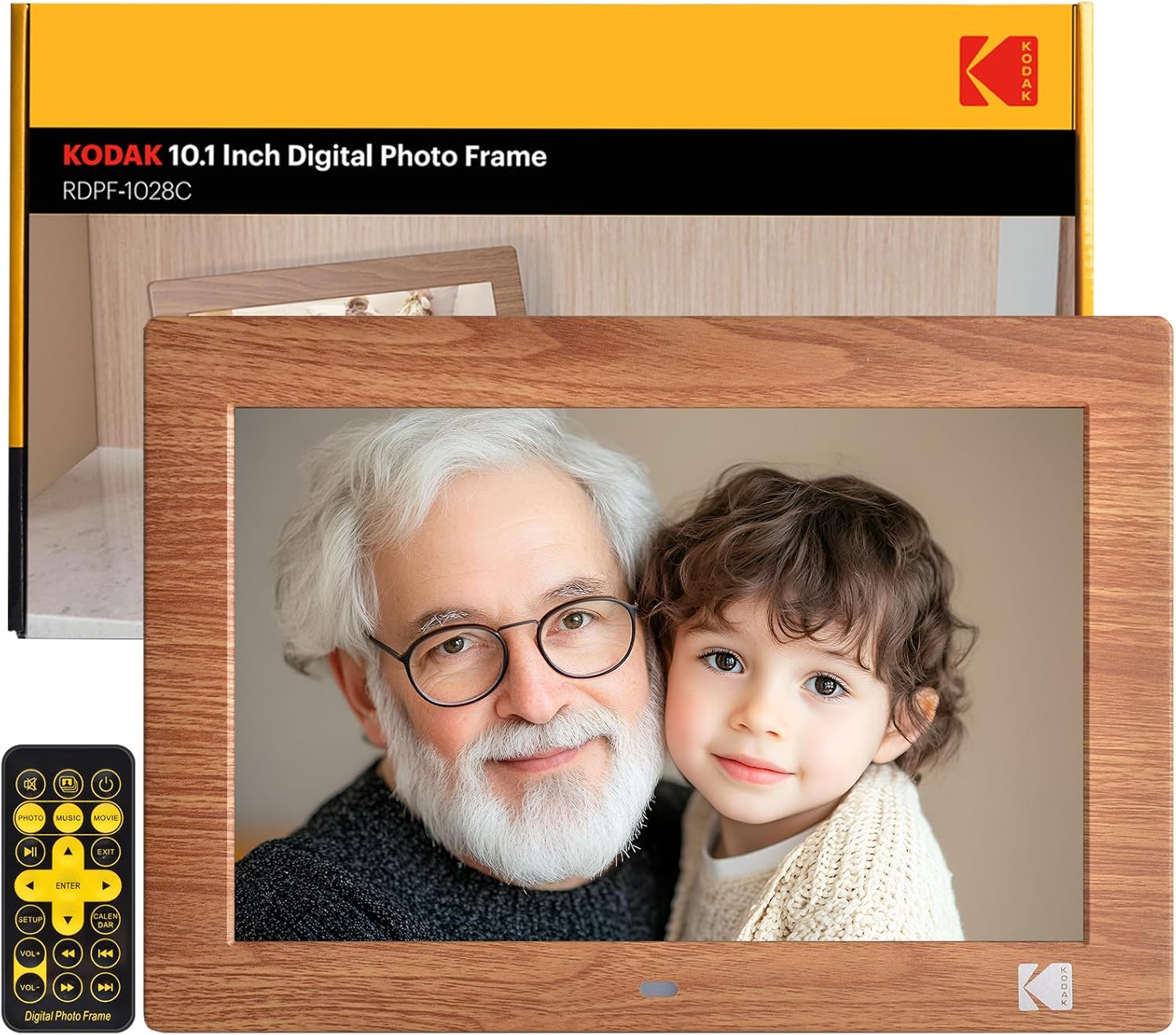
Image: The KODAK 10.1-inch Digital Photo Frame showcasing its vibrant display with a family photo.
2. Vokatra mihoatraview
2.1 Lafin-javatra fototra
- 10.1-inch HD IPS Display: Features a 1280x800 resolution screen with a 16:10 aspect ratio and 178° ultra-wide viewing angle for clear images.
- No Wi-Fi Required: Operates independently without internet connection or app downloads.
- Fampiasana mora ampiasaina: Simple plug-and-play functionality with USB drives or SD cards (up to 256GB). Includes a remote control for easy navigation.
- Multifunctional: Supports photo, video, and music playback. Includes calendar, clock, and alarm functions.
- Mandeha / miala mandeha ho azy: Programmable power schedule for convenience.
- Fametrahana flexible: Supports horizontal or vertical orientation with auto-rotation, and can be wall-mounted.

Image: Visual representation of the frame's display specifications.
2.2 Ny votoatin'ny fonosana
Hamarino fa misy ny entana rehetra ao anaty fonosana:
- KODAK 10.1-inch Digital Photo Frame
- Fanaraha-maso lavitra
- Photo Frame Stand
- User Manual (ity antontan-taratasy ity)
- DC Power Cable

Sary: Tafiditra ao anatin'ny fonosan'ny vokatra ny singa rehetra.
2.3 Fifandraisana amin'ny fitaovana
The frame is equipped with multiple ports for connectivity:
- Slot karatra SD: Manohana karatra SD hatramin'ny 256GB.
- Port USB: For connecting USB flash drives up to 256GB.
- Jack headphone 3.5mm: Ho an'ny famoahana feo.
- DC Power Connector: Mba hampifandray ny power adapter.

Sary: Detailed view of the various ports and interfaces on the back of the digital photo frame.
3. Fametrahana
3.1 Fahefana voalohany
- Connect the DC power cable to the DC power connector on the back of the frame.
- Ampidiro amin'ny fivoahan'ny rindrina ny adaptatera herinaratra.
- The frame will automatically power on. If not, press the power button on the back of the frame or on the remote control.
3.2 Fampidirana fitaovana fitahirizana
To display photos and videos:
- Insert a USB flash drive or SD card (pre-loaded with your media files) into the corresponding port on the frame.
- Ensure the storage device is formatted to a compatible file system (e.g., FAT32, exFAT).
- The frame will automatically detect the device and begin playing media.
Image: Demonstrating the simple process of inserting an SD card and USB drive into the frame.
3.3 Frame Placement
The frame can be placed horizontally or vertically, and supports wall mounting:
- Fametrahana Desktop: Attach the included photo frame stand to the designated slot on the back for stable desktop use.
- Fametrahana rindrina: Use the wall hanging hole on the back of the frame. Ensure appropriate wall anchors and screws are used (not included). The frame features auto-rotation to adjust orientation based on gravity sensing.

Image: Details of the frame's stand and wall mounting options, with examples of display orientation.
4. Torolàlana miasa
4.1 Mampiasa ny Remote Control
The included remote control provides full functionality for navigating menus and controlling playback.

Image: Illustrating the use of the remote control for convenient operation.
4.2 Famerenana ny Media
- Sary: The frame supports JPG, BMP, PNG, GIF, and WEBP formats. Photos will display in a slideshow format.
- Lahatsary: The frame supports MP4, MKV, MOV, and AVI formats.
- Mozika: The frame supports MP3, WMA, OGG, AAC, and FLAC formats. Music can be played as background audio during photo slideshows.
Use the remote control to navigate through files, adjust volume, and control playback (play, pause, next, previous).
4.3 Multifunction Features
Beyond media display, the frame offers additional utilities:
- Calendar & Clock: Asehoy ny daty sy ora ankehitriny.
- Fanairana: Mametraha fanairana ho fampahatsiahivana.
Image: The frame's versatility, showing calendar, automatic on/off, and media playback.
4.4 Automatic On/Off
You can program the frame to turn on and off at specific times:
- Midira ao amin'ny menio firafitry amin'ny alalan'ny fanaraha-maso lavitra.
- Navigate to the 'Auto On/Off' option.
- Set your desired power-on and power-off times.
Image: Demonstrating the automatic on/off scheduling feature for convenient use.
5. Fikojakojana
- Manadio ny efijery: Mampiasà lamba malefaka tsy misy volo mba hamafa moramora ny efijery. Ho an'ny tasy mafy loha, dia asio kelyampen ilay lamba misy rano na vahaolana fanadiovana ecran. Fadio ny zavatra simika mahery vaika.
- Fanadiovana ny Frame: Fafao amin'ny lamba maina sy malefaka ny ivelany amin'ny rindrina.
- fitahirizana: When not in use for extended periods, disconnect the power adapter and store the frame in a cool, dry place.
- Avoid Liquids: Aza atao rano na hamandoana be loatra ny frame.
6. Famahana olana
| OLANA | Antony mety hitranga | vahaolana |
|---|---|---|
| Tsy mandeha ny frame. | tariby herinaratra tsy mifandray tsara; olana amin'ny fivoahan'ny herinaratra. | Ensure power cable is securely connected to both the frame and the outlet. Test the outlet with another device. |
| No pictures or videos displayed. | Storage device not inserted; incompatible file endrika; simba files. | Ensure SD card or USB drive is correctly inserted. Verify media files are in supported formats (JPG, MP4, etc.). Try another storage device or reformat the current one. |
| Frame shuts off unexpectedly. | Automatic On/Off schedule enabled; power supply issue. | Check the 'Automatic On/Off' settings in the menu. Ensure the power adapter is functioning correctly and providing stable power. |
| Tsy mandeha ny fanaraha-maso lavitra. | Batteries depleted; obstruction; remote out of range. | Replace remote control batteries. Ensure no obstructions between the remote and the frame's IR receiver. Operate within a reasonable range. |
| Some photos not displaying. | Ilana file format (e.g., PNG not recognized); file kolikoly. | Ensure all photos are in supported formats like JPG. Convert problematic files raha ilaina. |
7. Famaritana
- Haben'ny vokatra: 8 x 10 x 0.99 santimetatra
- Lanja entana: 2.12 kg
- Laharana modely: 1028c
- marika: KODAK
- Haben'ny efijery: 10.1 santimetatra
- fanapahan-kevitra: 1280 x 800 (WXGA)
- Aspect ratio: 16:10
- Viewangle: 178° IPS
- Fitaovana mifanentana: Personal Computer, SD Card, USB Flash Drive
- Endri-tsary tohanana: JPG, BMP, PNG, GIF, WEBP
- Format Video tohanana: MP4, MKV, MOV, AVI
- Mozika tohanana endrika: MP3, WMA, OGG, AAC, FLAC
- Storage Support: SD Card (up to 256GB), USB Flash Drive (up to 256GB)
8. Warranty sy fanohanana
KODAK provides professional technical support and after-sales service for this product. For assistance, please refer to the contact information provided with your purchase or visit the official KODAK support website.
8.1 Lahatsary momba ny vokatra
For visual guidance on setup and features, please refer to the following official product videos:
Lahatsary: Tafavoaka ny Jeneralyview and features of the KODAK Digital Photo Frame.
Video: Detailed demonstration of the frame's functionalities.
Video: Vertical orientation display and usage examples.
Video: Quick guide to setting up and using the frame.
Video: Exploring the various display modes and settings.
Video: Tips for optimizing your photo and video display.
Video: Comprehensive guide to all features and controls.
Video: Extended tutorial on advanced settings and customization.
Video: Short demonstration of key features in vertical mode.
Video: Quick overview of the frame's user interface.


