
1. Fampidirana
This instruction manual provides detailed guidance for using your Techkey USB 3.0 MFi Certified 3-in-1 Flash Drive. This versatile external memory device is designed to expand storage and facilitate data transfer across various platforms, including iOS devices (iPhone/iPad), Android phones, and personal computers (PC/Mac). Please read this manual thoroughly to ensure optimal performance and data security.

Figure 1: Techkey 3-in-1 Flash Drive with USB-A, USB-C, and Lightning connectors.
2. Vokatra mihoatraview
The Techkey 3-in-1 Flash Drive features a compact and durable design, offering 256GB of storage capacity. It integrates three primary connectors to ensure broad compatibility:
- Mpampitohy USB-A: For traditional PC and Mac computers.
- USB-C mpampitohy: For modern Android phones, iPads, and Mac devices.
- Lightning Connector: Specifically for iPhone and older iPad models.
The device is MFi certified, ensuring compatibility and reliability with Apple products. Its metal construction provides enhanced durability against dust, drops, and magnetic interference.

Sary 2: antsipirihany view of the USB, Type-C, and Lightning connectors on the flash drive.
3. Torolàlana fananganana
3.1. App Installation (for iOS Devices)
For iOS devices (iPhone/iPad), you must download and install the "U-Disk" application from the App Store. This app is essential for managing files and utilizing the flash drive's full functionality.
- Connect the flash drive to your iPhone or iPad using the Lightning connector.
- A prompt will appear, asking you to download the "U-Disk" app. Follow the on-screen instructions to install it.
- Alternatively, you can manually search for "U-Disk" in the App Store and install it.
Android and PC devices typically do not require a dedicated app for basic file transfer, functioning as standard external storage.
3.2. Connecting the Flash Drive
Ensure the correct connector is used for your device:
- Ho an'ny iPhone/iPad: Use the Lightning connector.
- For Android/USB-C iPad: Use the USB-C connector.
- Ho an'ny PC/Mac: Use the USB-A connector.
Once connected, your device should recognize the flash drive. For iOS, open the "U-Disk" app and grant necessary permissions when prompted.
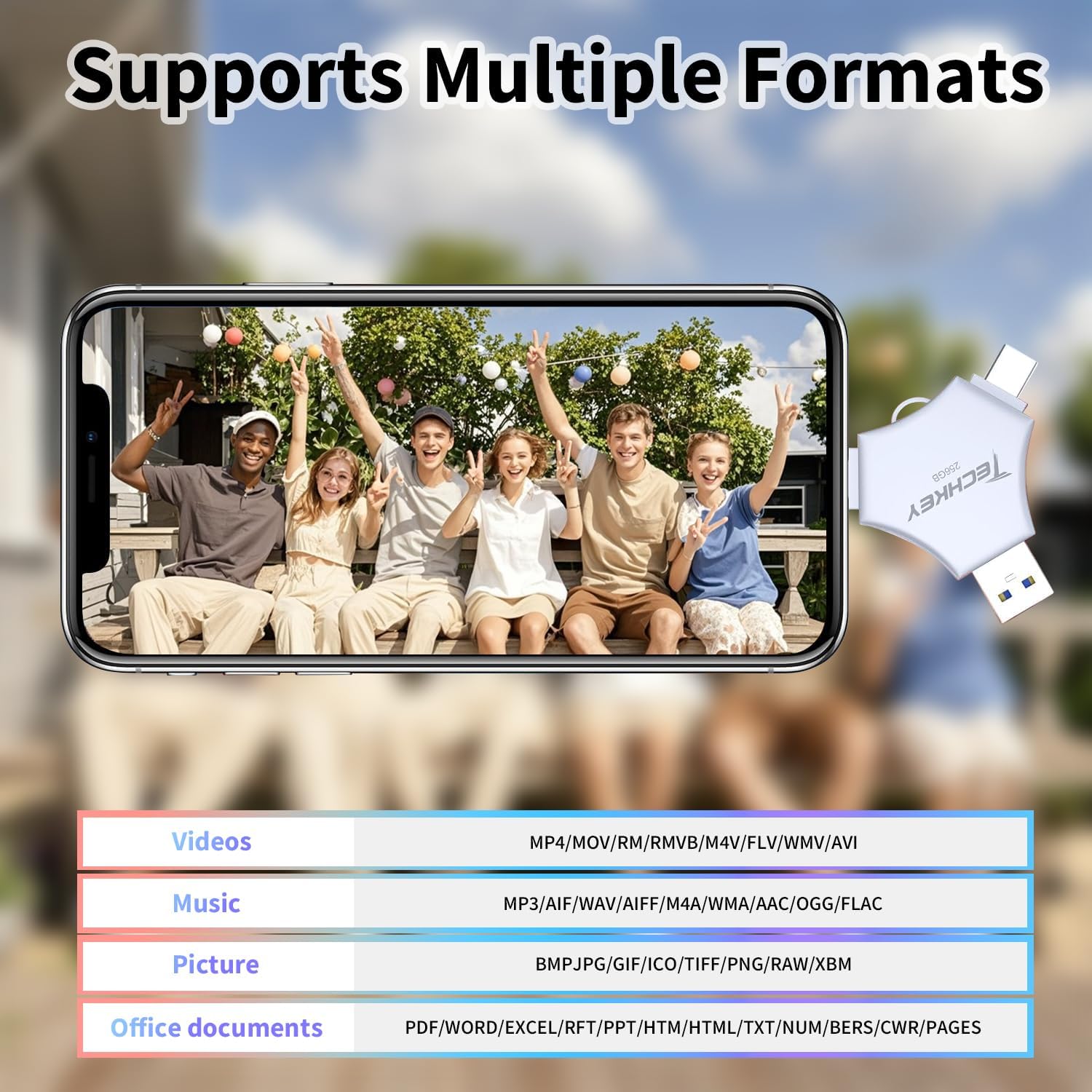
Figure 3: iPhone connected to the Techkey Flash Drive, displaying the U-Disk application interface.
4. Torolàlana miasa
4.1. Backing Up Photos and Videos (iOS)
The "U-Disk" app allows for easy one-click backup of your media files.
- Connect the flash drive and open the "U-Disk" app.
- Navigate to the "External Storage" section within the app.
- Select "Photo" or "Video" to access your device's media library.
- Choose the photos or videos you wish to back up. You can select multiple items.
- Confirm the transfer. The app will copy the selected files to the flash drive, freeing up space on your iOS device.
4.2. Famindrana Files (Android/PC)
For Android and PC, the flash drive operates as a standard plug-and-play storage device.
- Android: Connect the USB-C connector to your Android phone. Access the files through your phone's file mpitantana.
- PC/Mac: Connect the USB-A or USB-C connector to your computer. The drive will appear as a removable disk. You can drag and drop files mankany sy avy amin'ny fiara.
4.3. Automatic Storage and On-the-Go Playback
The "U-Disk" app allows photos and videos captured using its in-app camera to be automatically saved directly to the flash drive. You can also store movies and music on the drive for playback anytime, anywhere, without needing an internet connection.

Figure 4: Illustrates diverse applications of the flash drive, such as storing files, transferring data, and media playback.
5. Endri-javatra fototra
- MFi Certified: Ensures full compatibility and safe operation with Apple devices, providing secure data storage.
- 3-in-1 Multi-Interface Design: Equipped with USB-A, USB-C, and Lightning connectors for universal compatibility across iOS, Android, PC, and Mac devices.
- Famindrana Haingam-pandeha: Features USB 3.0 technology for fast read and write speeds, significantly reducing transfer times for large files. Read speeds up to 40MB/s (USB), 30MB/s (Lightning/Type-C). Write speeds up to 20MB/s (USB), 25MB/s (Lightning/Type-C).
- One-Click Backup & Sharing: The "U-Disk" app simplifies backing up photos, videos, and contacts from your phone. It also supports direct sharing to social media platforms.
- Fanafenana angona: Offers robust security options, including Touch ID/Passcode encryption for the entire drive or specific files, protecting your sensitive data.
- Wide Format Support: Compatible with various video (MP4, MOV, RMVB, M4V, FLV, WMV, AVI), music (MP3, AIF, WAV, AIFF, M4A, WMA, AAC, OGG, FLAC), picture (BMP, JPG, GIF, ICO, TIFF, PNG, RAW, XBM), and office document (PDF, WORD, EXCEL, RFT, PPT, HTM, HTML, TXT, NUM, BERS, CWR, PAGES) formats.
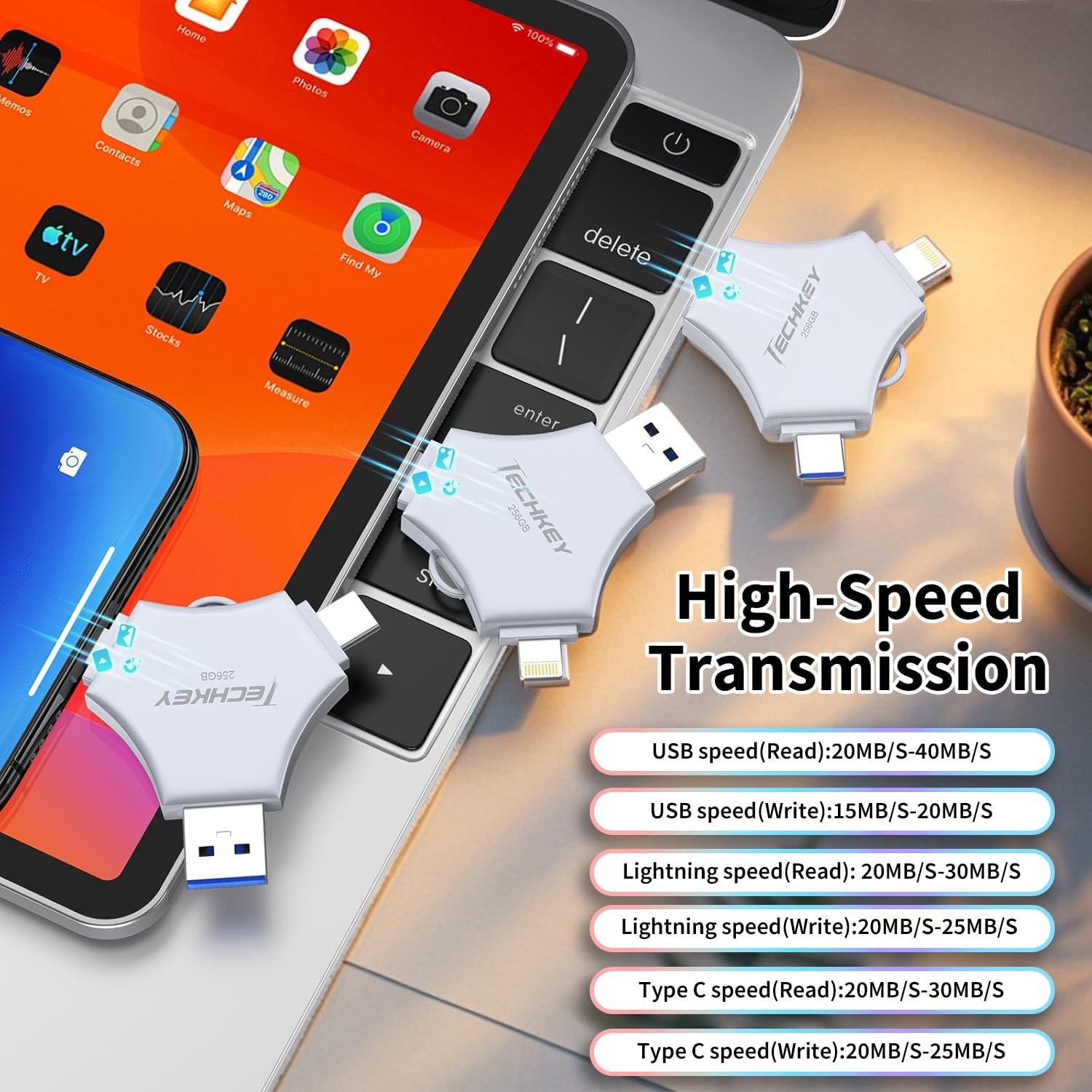
Figure 5: High-speed data transfer capabilities across different interfaces.

Figure 6: Illustrates the Touch ID unlocking mode for enhanced data security.
6. Fikojakojana
To ensure the longevity and optimal performance of your Techkey Flash Drive, follow these maintenance guidelines:
- Tazony ho maina sy lavitry ny hamandoana ilay fitaovana.
- Avoid exposing the drive to extreme temperatures.
- Handle the connectors with care to prevent damage.
- Always safely eject the drive from your computer before unplugging it.
- Keep the protective caps on the connectors when not in use to prevent dust and debris accumulation.
7. Famahana olana
- Fiara tsy fantatra:
- Ensure the drive is fully inserted into the correct port.
- For iOS, check if the "U-Disk" app has permissions to access the drive. Try restarting the app or your device.
- For PC/Mac, try connecting to a different USB port.
- Haingam-pandeha miadana:
- Ataovy azo antoka fa mampiasa seranana USB 3.0 amin'ny solosainao ianao mba hahazoana hafainganam-pandeha tsara indrindra.
- ankamaroan'ireo file ho azy fa maharitra ela kokoa ny famindrana.
- Files Not Appearing After Transfer:
- Verify that the transfer process completed successfully.
- Check the correct folder within the "External Storage" section of the "U-Disk" app or your computer's file mpikaroka.
- Encryption Issues:
- Double-check your Touch ID or passcode settings within the "U-Disk" app.
- Ensure your device's biometric authentication is properly configured.
8. Famaritana
| Marika | Techkey |
| Laharana modely | 641837950580 |
| Fahaizana fitahirizana fahatsiarovana | 256 GB |
| Hardware Interface | USB |
| Flash Memory Type | Lightning/Type-C/USB |
| Mamaky Haingana | Up to 40 Megabytes Per Second |
| Fitaovana mifanentana | Android, PC, Smartphone, iPad, iPhone |
| Endri-javatra manokana | Wear Resistant |
| loko | Gray |
| Haben'ny singa (D x W x H) | 0.07" D x 3.94" W x 0.07" H |
9. Warranty sy fanohanana
This Techkey Flash Drive comes with a standard manufacturer's warranty. For specific warranty details, please refer to the product packaging or contact Techkey customer support. If you encounter any issues not covered in this manual, please reach out to our support team for assistance.
Fanohanana ny mpanjifa: Please visit the official Techkey webtranonkala hahazoana fampahalalana momba ny fifandraisana sy loharano fanohanana fanampiny.