
Sava lalana
This manual provides essential instructions for the proper installation, use, and maintenance of your Plimpton Tablet Case for the PlimPad P2 10.1 inch tablet. This protective case is designed to offer comprehensive protection and enhance the functionality of your device with its folding stand feature.
Lafin-javatra fototra:
- Designed specifically for PlimPad P2 10.1 inch tablets.
- Precise cutouts for buttons, cameras, speakers, and charging ports.
- Durable PU leather cover and anti-slip interior for full protection.
- Lightweight and slim design.
- Folding stand for multiple viewamin'ny angles.
Fonosana fonosana
Hamarino azafady fa ao anatin'ny fonosanao ny entana rehetra:
- One (1) Plimpton Tablet Case for PlimPad P2 10.1 inch
Setup: Installing Your Tablet
Follow these steps to correctly install your PlimPad P2 tablet into the case:
- Prepare Your Tablet: Ensure your PlimPad P2 tablet is clean and free of debris before installation.
- Align the Tablet: Gently align your PlimPad P2 tablet with the hard shell frame of the case. Ensure the camera, ports, and buttons are correctly positioned relative to the case's cutouts.
- Insert the Tablet: Starting from one side, gently press the tablet into the flexible frame of the case until it is securely seated. The flexible material allows for easy insertion and removal while providing a snug fit.
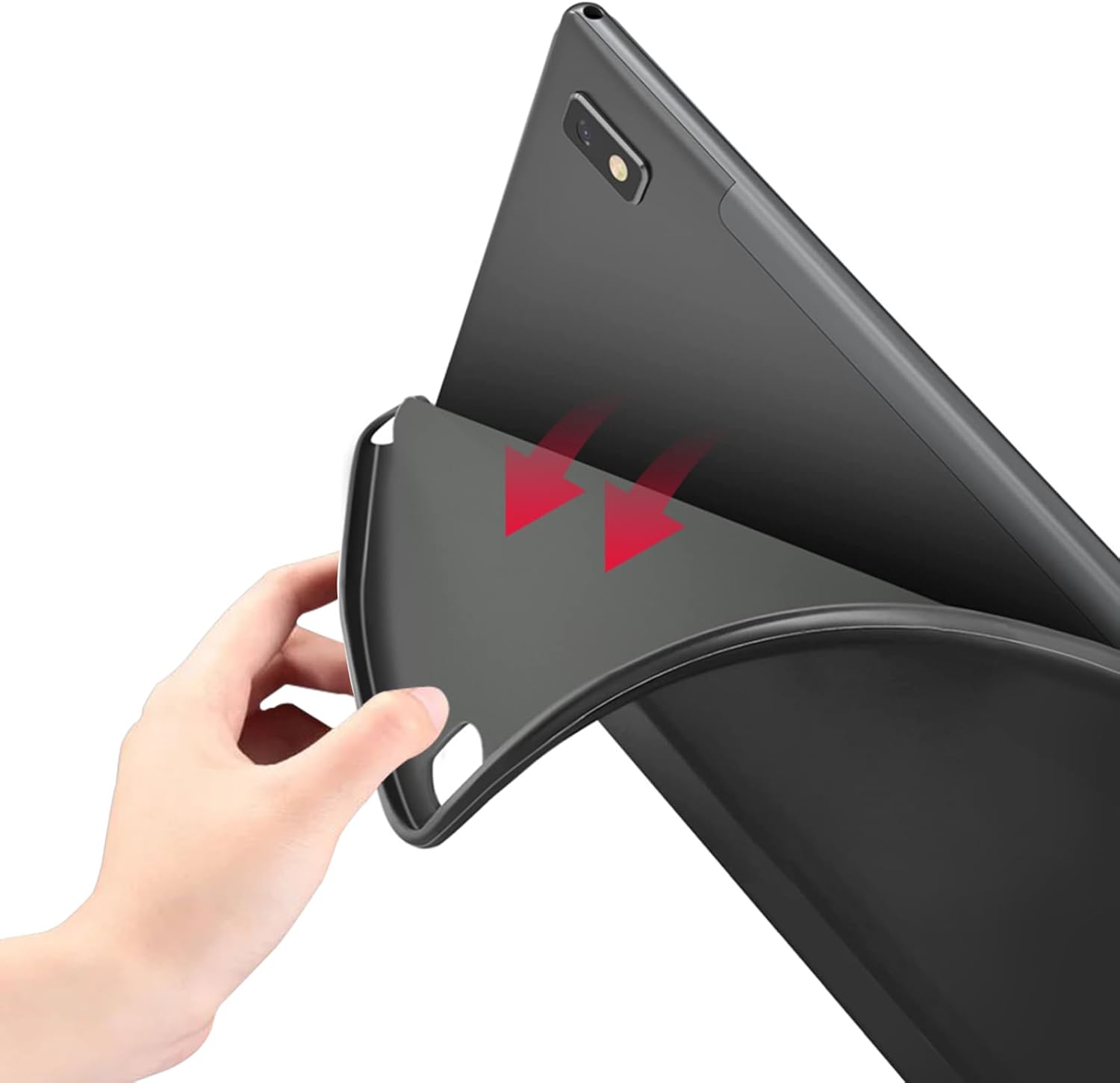
Image: Illustrates the process of inserting the tablet into the case.
Operating: Using the Folding Stand
The Plimpton Tablet Case features a versatile folding stand that allows for multiple viewing angles. This functionality is achieved by folding the front cover into a triangular support structure.
- Malagasy Viewing Angle (e.g., 65°): Fold the front cover back to form a stable triangle, allowing the tablet to stand upright for viewamin'ny votoaty.
- Typing Angle (e.g., 165°): Fold the front cover to create a lower, more reclined angle, ideal for typing or drawing.
- Additional Angles (45°, 50°): Experiment with different folds of the front cover to achieve intermediate viewing angles as desired. The anti-slip interior helps maintain stability.

Image: Demonstrates the tablet case supporting 45-degree and 50-degree viewamin'ny angles.

Image: Demonstrates the tablet case supporting 60-degree and 165-degree viewamin'ny angles.
fikarakarana
To ensure the longevity and appearance of your Plimpton Tablet Case, follow these maintenance guidelines:
- Fanadiovana: Ampiasao malefaka, kely damp cloth to wipe the exterior and interior surfaces. Avoid using harsh chemicals, abrasive cleaners, or solvents, as these can damage the material.
- fitahirizana: Tehirizo ao amin'ny toerana mangatsiatsiaka sy maina ny boaty, lavitry ny tara-masoandro mivantana sy ny mari-pana tafahoatra rehefa tsy ampiasaina.
- Fiarovana: While the case offers significant protection, avoid exposing it to sharp objects or excessive force to prevent scratches or damage.

Image: Highlights the protective features of the case, such as anti-scratch and anti-fingerprint properties.
Fanamboarana
If you encounter any issues with your Plimpton Tablet Case, please refer to the following common solutions:
- Case does not fit my tablet: Verify that your tablet is a PlimPad P2 10.1 inch model. This case is precisely designed for this specific model. Check the model number on your tablet's settings.
- Tsy marin-toerana ny fijoroana: Ensure the folding cover is correctly configured into a stable triangular shape. The anti-slip interior is designed to provide grip, but uneven surfaces may affect stability.
- Access to ports/buttons is obstructed: Double-check that the tablet is fully seated and correctly aligned within the case. The precise cutouts should allow full access to all functions.
fepetra arahana
| toetra | antsipirihany |
|---|---|
| Marika | Plimpton |
| Fitaovana mifanentana | PlimPad P2 10.1 inch Tablets |
| Form Factor | Raharaha |
| Karazana akorandriaka | Sarotra |
| KEVITRA | Durable PU Leather, Plastic |
| Endri-javatra fanampiny | Anti-Fingerprint, Anti-Scratch, Resistant to dirt, Anti-Fall, Anti-Slip |
| loko | Mainty |
Warranty sy fanohanana ny mpanjifa
Plimpton stands behind the quality of its products. Your Plimpton Tablet Case comes with a commitment to customer satisfaction.
- antoka: Free replacement is offered if the item is damaged, soiled, or purchased incorrectly.
- Fanohanana ny mpanjifa: For any problems or inquiries, please contact our customer support team. Refer to your purchase documentation for contact details or visit the official Plimpton website.