1. Fampidirana
This manual provides essential information for the proper use and understanding of the Generic NUCLEO-F103RB STM32 Nucleo-64 Development Board. This board is designed to facilitate the evaluation and development of embedded applications using the STM32 F1 series microcontrollers, specifically the STM32F103RB MCU.
The NUCLEO-F103RB offers a flexible platform for prototyping, featuring Arduino connectivity support and access to all MCU I/Os via ST Connector Morpho headers. It integrates an ST-Link/V2-1 debugger/programmer, simplifying the development process.
2. Vokatra mihoatraview
The NUCLEO-F103RB development board is built around the STM32F103RB microcontroller, which utilizes the ARM Cortex-M3 kernel. This architecture is optimized for embedded applications, offering high performance, efficient power consumption, and a rich set of peripherals.
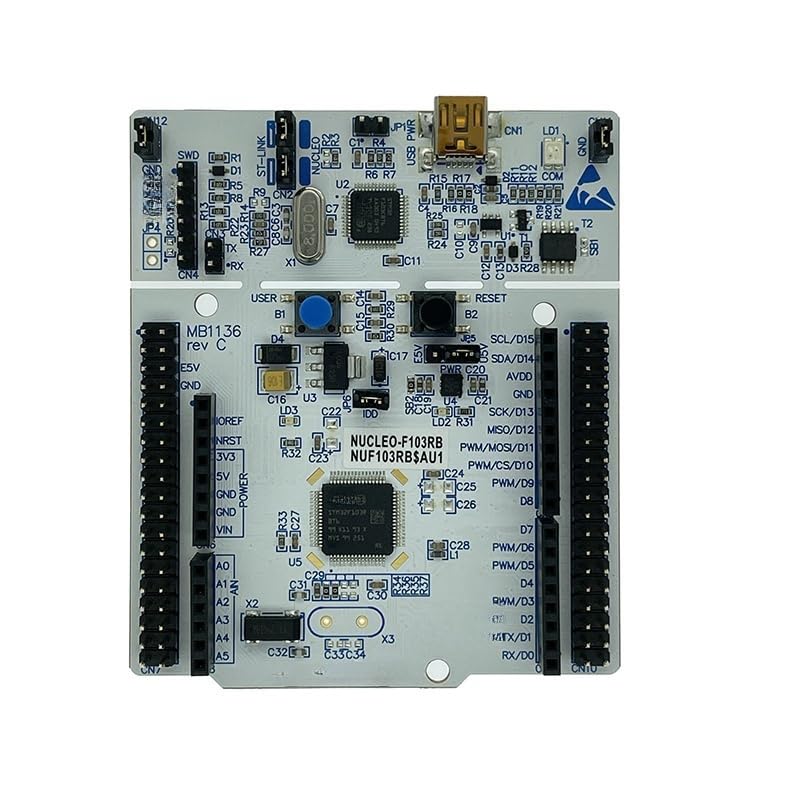
Sary 1: NUCLEO-F103RB STM32 Nucleo-64 Development Board.
This image displays the NUCLEO-F103RB development board from a top-down perspective. Key features visible include the STM32F103RB microcontroller, various pin headers for expansion (including Arduino and ST Morpho connectors), a USB port for debugging and power, and other integrated components like buttons and LEDs.
2.1 Lafin-javatra fototra
- Microcontroller: STM32F103RB (ARM Cortex-M3, 32-bit flash microcontroller in LQFP64 package).
- Fifandraisana: Supports Arduino Uno V3 and ST Morpho extension headers for full access to MCU I/Os.
- Debugger/Programmer: Integrated ST-Link/V2-1 for in-circuit debugging and programming.
- Herin'aratra: Flexible power supply options via USB VBUS or external source.
- tontolo iainana fampandrosoana: Compatible with various IDEs including IAR, Keil, GCC-based IDEs, and ARM mbed online compiler.
- Fampisehoana: Excellent real-time performance and ultra-high energy efficiency.
3. Fametrahana
Follow these steps to set up your NUCLEO-F103RB development board:
- Esory ny birao: Carefully remove the NUCLEO-F103RB board from its packaging. Inspect for any visible damage.
- Mifandray amin'ny PC: Connect the NUCLEO-F103RB board to your computer using a standard USB cable (Type-A to Mini-B, typically). The board will be powered via the USB connection.
- Fametrahana mpamily: Your operating system may automatically install necessary drivers for the ST-Link/V2-1. If not, download and install the latest ST-Link drivers from the official STMicroelectronics website.
- Fametrahana rindrambaiko: Install your preferred Integrated Development Environment (IDE) such as STM32CubeIDE, Keil MDK-ARM, IAR Embedded Workbench, or configure your environment for ARM mbed.
- Hamarino ny fifandraisana: Once drivers and software are installed, verify that your IDE recognizes the ST-Link debugger and the STM32F103RB microcontroller.
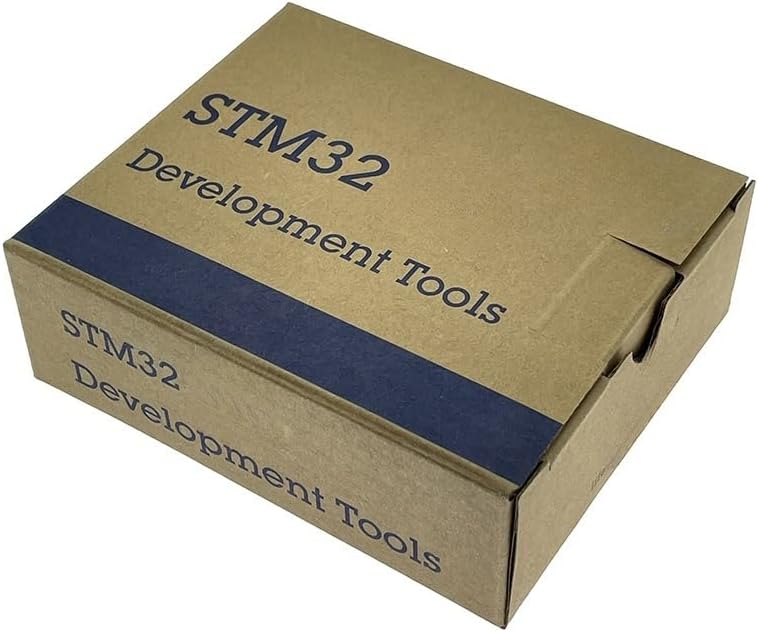
Sary 2: Product Packaging.
This image shows the brown cardboard box in which the STM32 development tools, including the NUCLEO-F103RB board, are typically packaged. The box is labeled "STM32 Development Tools".
4. Torolàlana miasa
The NUCLEO-F103RB board is designed for flexible operation in various embedded development scenarios.
4.1 Fandaharana fototra
- Famoronana tetikasa: Start a new project in your chosen IDE, selecting the STM32F103RB microcontroller.
- Code Development: Write your embedded C/C++ code. Utilize the STM32CubeMX tool for easy configuration of peripherals and clock settings.
- Compilation: Compile your code within the IDE.
- Mitselatra: Use the integrated ST-Link/V2-1 debugger to flash your compiled firmware onto the STM32F103RB microcontroller.
- Debugging: Utilize the debugging features of your IDE to step through code, set breakpoints, and monitor variables.
4.2 Using Expansion Headers
The board features Arduino Uno V3 compatible headers and ST Morpho headers, allowing for easy expansion with shields and custom circuitry.
- Arduino Shields: Connect compatible Arduino shields directly to the Arduino headers. Ensure voltage compatibility.
- ST Morpho: The ST Morpho headers provide access to all GPIOs of the STM32F103RB MCU, enabling advanced prototyping and custom peripheral connections. Refer to the board's schematic for pin assignments.
5. Fikojakojana
To ensure the longevity and reliable operation of your NUCLEO-F103RB development board, follow these maintenance guidelines:
- Mitantana amin'ny fikarakarana: Always handle the board by its edges to avoid touching components, especially the pins, which can be sensitive to electrostatic discharge (ESD).
- fitahirizana: Store the board in an anti-static bag when not in use, in a dry, dust-free environment.
- Fanadiovana: If necessary, gently clean the board with a soft, dry brush or compressed air to remove dust. Avoid using liquids or harsh chemicals.
- Mamono hery: Always disconnect power before making any physical changes to the board, such as connecting or disconnecting shields or wires.
6. Famahana olana
If you encounter issues with your NUCLEO-F103RB board, consider the following troubleshooting steps:
- Tondro hery: Check if the power LED on the board is illuminated when connected to USB. If not, try a different USB cable or port.
- Olan'ny mpamily: Ensure that the ST-Link drivers are correctly installed. Reinstall them if necessary.
- IDE Connection: Verify that your IDE can detect the ST-Link debugger. Check the debugger settings in your IDE.
- Firmware Upload Failure: If firmware upload fails, ensure the board is correctly connected, the correct target microcontroller is selected in your IDE, and there are no short circuits on the board.
- singa ivelany: If using external components or shields, disconnect them and test the bare board to rule out external interference.
- Documentation: Refer to the official STMicroelectronics documentation and community forums for specific error codes or complex issues.
7. Famaritana
Key technical specifications for the NUCLEO-F103RB Development Board:
| endri-javatra | antsipirihany |
|---|---|
| Anarana modely | Sary NUCLEO-F103RB |
| Microcontroller | STM32F103RB (ARM Cortex-M3) |
| Teknolojia fifandraisana | USB |
| Anisan'ny singa | On-board ST-LINK/V2-1 debugger/programmer |
| Fenitra fifandraisana tsy misy tariby | 802.11b (Note: This refers to potential wireless module compatibility, not built-in Wi-Fi on the board itself) |
| Isan'ny processeurs | 1 |
| Lanja entana | 1.76 oz |
| Ny haben'ny fonosana | 4.45 x 3.74 x 1.57 santimetatra |

Sary 3: Product Label with Compliance Information.
This image shows a product label affixed to the packaging. It details the product's FG (Finished Goods) number NUF103RB$AU1, CPN (Customer Part Number) NUCLEO-F103RB, QA number, and indicates it is assembled in China. Various compliance logos such as RoHS, CE, UK CA, and FCC are also visible, along with a statement regarding FCC compliance.
8. Warranty sy fanohanana
This product is manufactured by Generic. For specific warranty information, please refer to the retailer's return policy or contact the seller directly. General support for STM32 products can be found on the official STMicroelectronics website, which provides extensive documentation, application notes, and community forums.
For technical assistance, it is recommended to consult the comprehensive resources available from STMicroelectronics, including:
- Official STM32 documentation and datasheets.
- STM32Cube software and firmware packages.
- STMicroelectronics community and support forums.


