
Sava lalana
Welcome to the GUHUAVMI GT4 Pro Smartwatch user manual. This guide provides detailed instructions on how to set up, operate, and maintain your new smartwatch. The GT4 Pro combines advanced health monitoring, comprehensive fitness tracking, and smart connectivity features in a durable, stylish design. Please read this manual carefully to ensure optimal performance and longevity of your device.
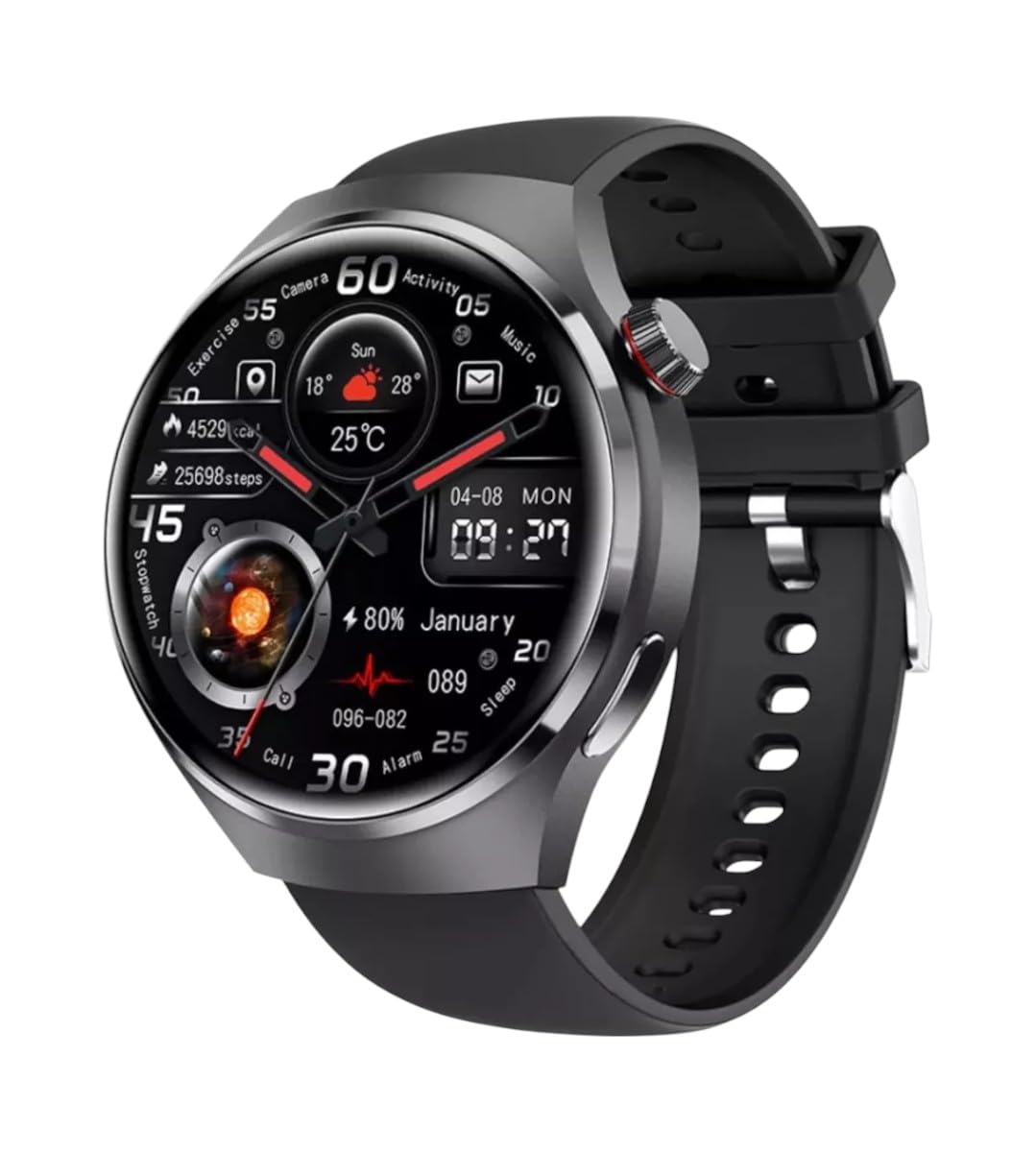
Sary: Front view of the GUHUAVMI GT4 Pro Smartwatch, showcasing ny famolavolana sy ny fampisehoana azy tsara tarehy.
Hametraka
1. Unboxing sy ny singa
Alohan'ny hanombohanao dia ataovy izay hahazoana antoka fa misy ny singa rehetra ao anaty fonosana:
- GUHUAVMI GT4 Pro Smartwatch
- Wireless Charger
- User Manual (ity antontan-taratasy ity)
2. Fametrahana ny Smartwatch
For first-time use, fully charge your GT4 Pro Smartwatch. Connect the wireless charger to a USB power adapter (not included) and place the smartwatch onto the magnetic charging base. The watch will indicate charging status on its screen.
- Ora famandrihana: Manodidina ny 3 ora ho an'ny fiampangana feno.
- Fiainana bateria: Typical usage provides 5-7 days of battery life.

Image: The GUHUAVMI GT4 Pro Smartwatch placed on its magnetic wireless charger, displaying battery life and charging time information.
3. Power On/off
- Herim-batana: Press and hold the side button until the screen lights up.
- Mamono hery: Press and hold the side button, then select the 'Power Off' option on the screen.
4. Fampidinana sy fampiarahana ny fampiharana
To unlock the full potential of your GT4 Pro, download the companion app on your smartphone. Scan the QR code provided in the watch's initial setup screen or search for the app name (usually indicated on the watch or packaging) in your phone's app store.
- Alefaso ny Bluetooth amin'ny findainao.
- Sokafy ny fampiharana mpiara-miasa ary araho ny toromarika eo amin'ny efijery mba hamoronana kaonty na hidirana.
- In the app, select 'Add Device' or 'Pair Device' and choose 'GT4 Pro' from the list of available devices.
- Hamafiso ny fangatahana fampiarahana amin'ny findainao sy ny famantaranandro maranitra.
Torolàlana miasa
1. Fikarohana fototra
The GT4 Pro features a 1.6-inch HD AMOLED touchscreen and a side crown button for navigation.
- Swipe miakatra/midina: Mandehana amin'ny menus sy fampahafantarana.
- Swipe ankavia/ankavanana: Midira amin'ny widgets haingana na endrika famantaranandro samihafa.
- Peho: Misafidiana singa iray na manokatra fampiharana.
- Tsindrio ny bokotra sisiny: Return to the home screen or access the app list.
2. Mpanampy amin'ny feo AI
Your GT4 Pro is equipped with an integrated AI voice assistant for hands-free operation.
- Fampahavitrihana: Tap the voice assistant icon on the watch face or use a designated gesture/button press (refer to watch settings).
- baiko: Speak clearly to ask questions, set reminders, make calls, or control music.
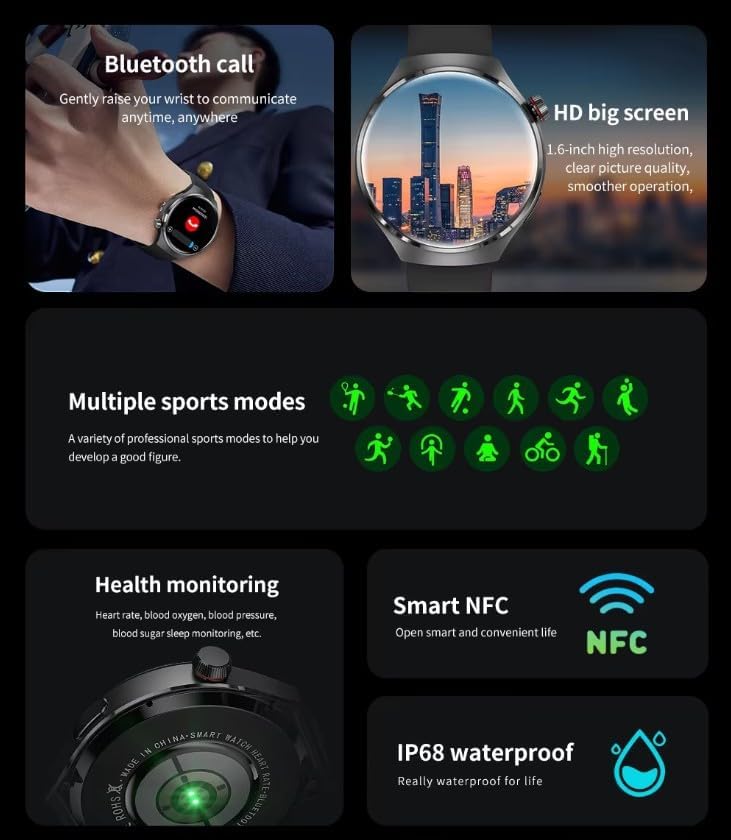
Image: The GUHUAVMI GT4 Pro Smartwatch displaying the AI voice assistant interface, showing examples of voice commands.
3. Antso amin'ny alalan'ny Bluetooth
Once paired with your smartphone, you can make and receive calls directly from your smartwatch.
- Fiantsoana: Access the dialer or contacts list on your watch.
- Mandray antso: Answer or reject incoming calls directly from the watch screen.
4. Fanaraha-maso ara-pahasalamana
The GT4 Pro provides real-time health data to help you monitor your well-being.
- Ny tahan'ny fo: Continuous monitoring throughout the day.
- Ra oksizenina (SpO2): Fandrefesana ny haavon'ny saturation oksizenina ao amin'ny ra.
- Blood Sugar: Provides estimated blood sugar readings.
- Fanaraha-maso torimaso: Fanaraha-maso torimaso stages sy kalitao.
View detailed health reports in the companion app.
5. Fanaraha-maso ara-batana
Araho tsara ny fiasanao sy ny asanao isan'andro.
- Fomba fanatanjahan-tena maro: Select from various activities like running, cycling, swimming, and more for accurate data.
- GPS voaorina: Records your route, distance, and pace during outdoor activities.
- Kompas: Provides directional guidance for outdoor adventures.

Image: The GUHUAVMI GT4 Pro Smartwatch showcasing icons for NFC, GPS, compass, heart rate, and Bluetooth call, highlighting its comprehensive features.
6. NFC Features
The GT4 Pro supports NFC for convenient interactions.
- Fanaraha-maso fidirana: Use your watch for compatible access systems.
- Find My iPhone: Utilize NFC to locate your paired iPhone.
7. Dynamic Island Function
Experience enhanced interactive displays for notifications, music, and charging status.
- Interactive Displays: Smart displays adapt to show relevant information dynamically.
- OTA fanavaozana: New functional interactive displays may be added through future over-the-air updates.
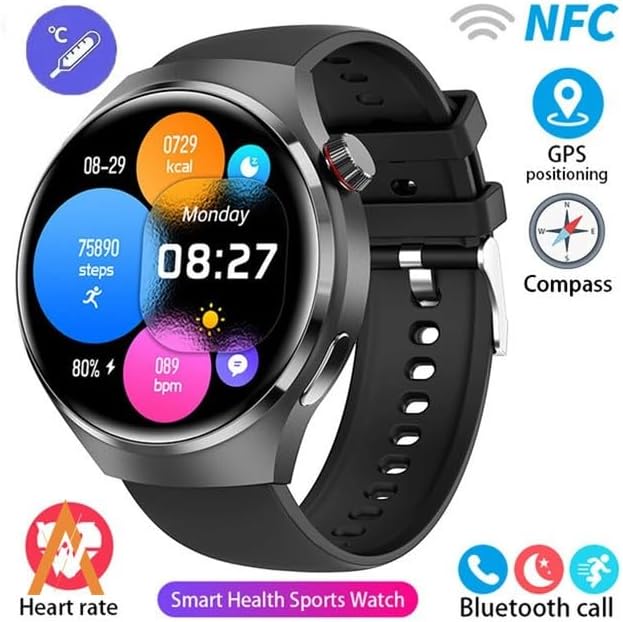
Image: The GUHUAVMI GT4 Pro Smartwatch screen demonstrating the Dynamic Island function, showing notifications and active processes.
8. Other Utility Features
The smartwatch includes several convenient tools:
- Fakan-tsary lavitra: Fehezo lavitra ny fakantsarin'ny findainao.
- Famantaranandro: Apetraho mivantana avy eo amin'ny hato-tananao ny fanairana.
- Famantaranandro & fameram-potoana: For precise timekeeping.
- Fandrefesana mari-pana: Monitor ambient temperature.
- Multi-Time Zone Settings: Keep track of different time zones.
- Fanaraha-maso ny famerenan'ny mozika: Manage music on your paired smartphone.
fikarakarana
1. Fanoherana ny rano (IP68)
The GT4 Pro has an IP68 waterproof rating, meaning it is resistant to dust and can withstand immersion in water up to 1.5 meters for 30 minutes. It is suitable for swimming and use in rainy conditions.
- Do not use in hot water, saunas, or steam rooms.
- Avoid exposure to high-velocity water.
- After exposure to water, wipe the watch dry with a soft cloth.
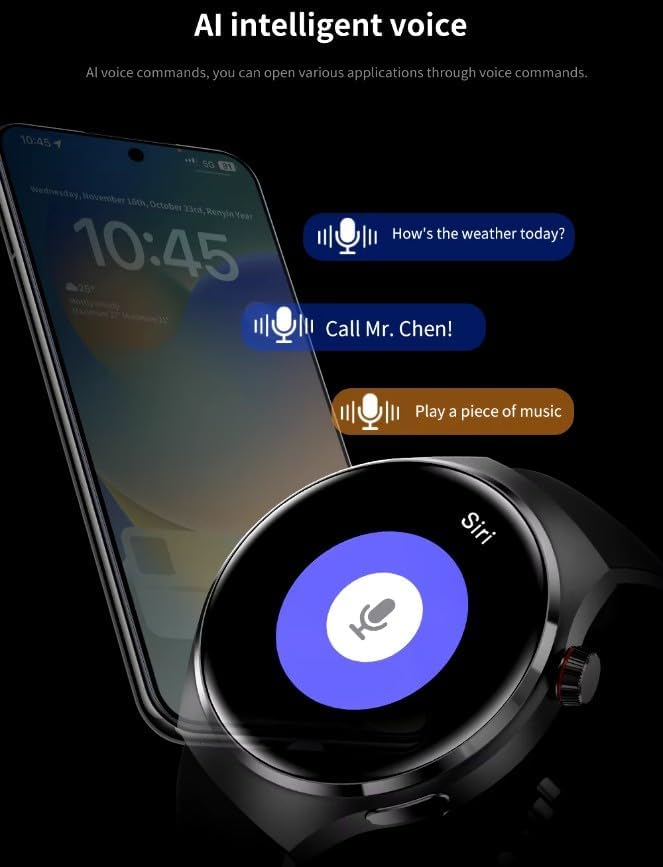
Image: Two GUHUAVMI GT4 Pro Smartwatches shown with water droplets, illustrating their IP68 waterproof capability.
2. Fanadiovana
Regularly clean your smartwatch to maintain its appearance and sensor accuracy.
- Fafao ny ecran sy ny vatana amin'ny malefaka, damp, lamba tsy misy lint.
- Clean the charging contacts and heart rate sensor on the back of the watch to ensure proper function.
- Fadio ny mampiasa akora simika mahery vaika na akora abrasive.
3. Fanavaozana rindrambaiko
Periodically check for software updates through the companion app. Updates can provide new features, performance improvements, and bug fixes.
Fanamboarana
- Jereo tsy mandeha: Ataovy azo antoka fa feno ny famantaranandro. Ampifandraiso amin'ny charger mandritra ny 30 minitra farafahakeliny.
- Tsy azo ampiarahana amin'ny smartphone:
- Ataovy azo antoka fa mandeha ny Bluetooth amin'ny findainao sy ny famantaranandro.
- Ataovy azo antoka fa ao anatin'ny elanelan'ny findainao ny famantaranandro.
- Avereno indray ny famantaranandro sy ny findainao.
- Hamarino raha nohavaozina ho amin'ny dikan-teny farany indrindra ny fampiharana mpiara-miasa.
- Data momba ny fahasalamana tsy marina:
- Ataovy azo antoka fa tazonina tsara eo amin'ny hatotananao ny famantaranandro, tsy tery loatra na tsy mivaha loatra.
- Diovy ny sensor ao ambadiky ny famantaranandro.
- Fadio ny fihetsehana tafahoatra mandritra ny fandrefesana.
- Fiainana fohy bateria:
- Ahena ny famirapiratry ny efijery.
- Disable unnecessary notifications or features.
- Ahena ny fanaraha-maso tsy tapaka ny tahan'ny fo raha tsy ilaina.
fepetra arahana
| endri-javatra | Description |
|---|---|
| Laharana modely | GT4 Pro |
| miseho | 1.6-inch HD AMOLED, 360x360 resolution |
| fifandraisana | Bluetooth 5.0 |
| Rating tsy tantera-drano | IP68 |
| Fanaraha-maso ara-pahasalamana | Heart Rate, Blood Oxygen, Blood Sugar, Sleep Tracking |
| Fanaraha-maso ara-batana | Built-in GPS, Compass, Multiple Sports Modes |
| Voice Assistant | AI Voice Assistant Integrated |
| NFC | Supported (e.g., Find My iPhone, Access Control) |
| Karazana famandrihana | Famandrihana Wireless Wireless |
| Ny fiainana bateria mahazatra | 5-7 andro |
| Time Charging | Approx. 3 ora |
| Anisan'ny singa | Smartwatch, User Manual, Wireless Charger |
Warranty sy fanohanana
Warranty Information
The GUHUAVMI GT4 Pro Smartwatch comes with a Garantie 6 volana manomboka amin'ny datin'ny fividianana. Ity antoka ity dia mandrakotra ny lesoka amin'ny famokarana mandritra ny fampiasana mahazatra. Tsy mandrakotra ny fahasimbana vokatry ny fampiasana diso, ny lozam-pifamoivoizana, ny fanovana tsy nahazoana alalana, na ny fikikisana sy ny rovitra mahazatra.
Fanohanana ny mpanjifa
If you encounter any issues or have questions regarding your GUHUAVMI GT4 Pro Smartwatch, please refer to the troubleshooting section of this manual. For further assistance, contact your retailer or the manufacturer's customer support channel. Please have your purchase receipt and product model number (GT4 Pro) ready when contacting support.