
1. Fampidirana
Misaotra anao nividyasing the Salange HY300Pro Mini Projector. This manual provides essential information for setting up, operating, and maintaining your projector. Please read it thoroughly before use to ensure optimal performance and longevity of your device.
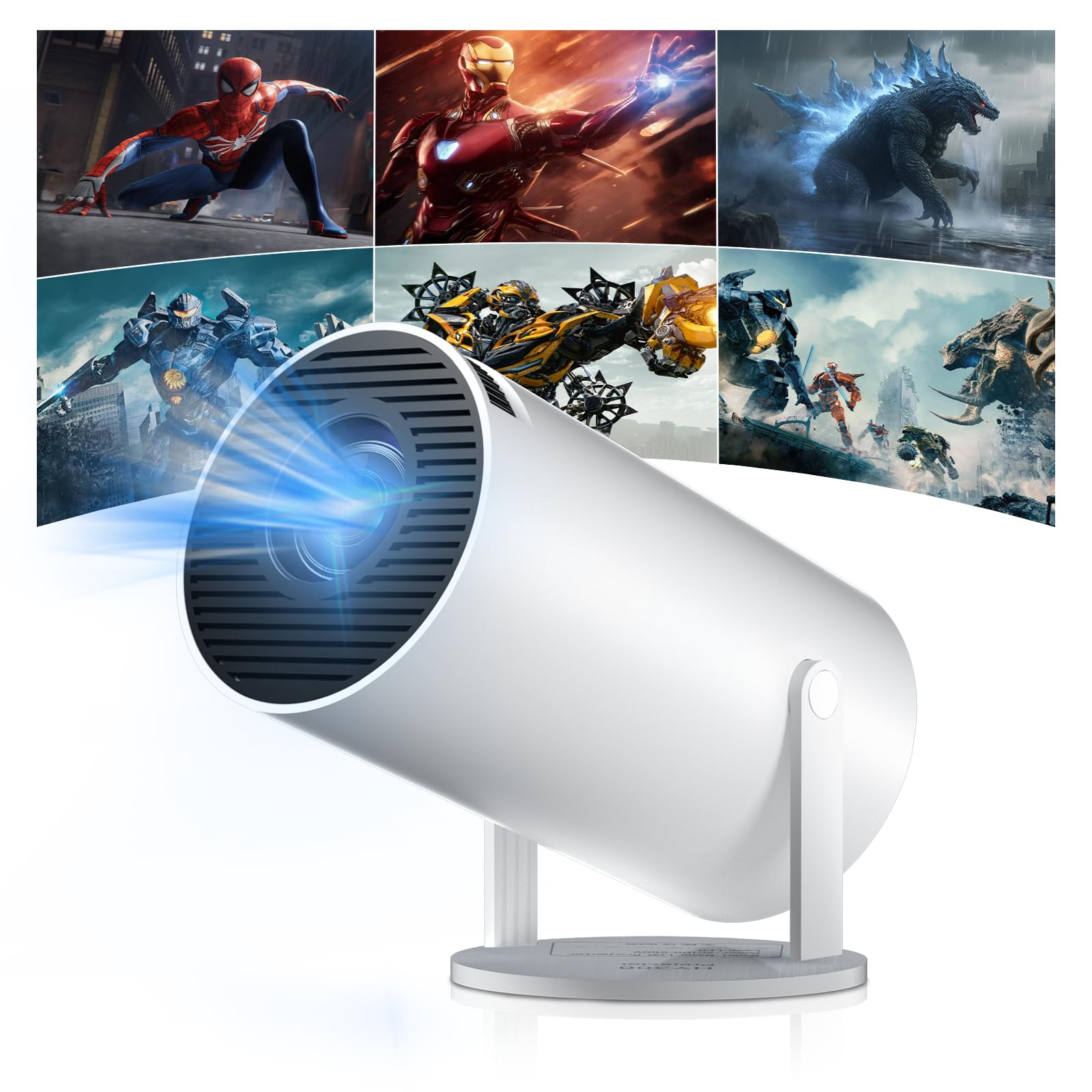
Figure 1: Salange HY300Pro Mini Projector
2. Vokatra mihoatraview
Endri-javatra fototra
- WiFi 6 sy Bluetooth 5.4 misy tarika roa: Ensures fast and stable network connectivity and seamless audio pairing with external speakers or headphones.
- Rafitra fiasan'ny Android 11.0: Supports installation of various applications directly on the projector for versatile entertainment and productivity.
- 4K Support & Native 720P Resolution: Delivers clear and vibrant images, supporting 1080P and 4K video playback.
- Fihodinana 180°: Flexible projection angles for various setups, including ceiling, wall, or angled surfaces.
- Automatic Keystone Correction & Manual Focus: Intelligently corrects image distortion and allows for fine-tuning clarity.
- Compact sy portable Design: Weighs only 700g, making it easy to transport for outdoor activities or different rooms.

Sary 2: Tapitraview of Salange HY300Pro features including 8K support, WiFi 6, Bluetooth 5.4, 180° rotation, and auto keystone correction.
Inona no ao anaty boaty
- 1 x Salange HY300Pro Projector
- 1 x User Manual
- 1 x Power Cable
- 1 x Fanaraha-maso lavitra

Figure 3: Contents of the Salange HY300Pro package.
3. Fametrahana
3.1 Famoahana sy fametrahana
- Esory tsara ny singa rehetra amin'ny fonosana.
- Apetraho eo amin'ny toerana milamina sy fisaka ny projecteur. Ataovy izay hahazoana rivotra ampy tsara manodidina ny fitaovana.
- The projector's 180° rotation feature allows flexible placement. Adjust the projector's angle to project onto a wall, ceiling, or screen as desired.

Figure 4: Projector demonstrating 180-degree rotation for various projection surfaces.
3.2 Fampifandraisana herinaratra
Ampifandraiso amin'ny fidirana herinaratra an'ny projecteur ny tariby herinaratra omena ary avy eo amin'ny faladiany.
3.3 Fanitsiana ny Famelomana sy ny Fifantohana Voalohany
- Tsindrio ny bokotra herinaratra eo amin'ny projector na ny fanaraha-maso lavitra mba hampandeha ny fitaovana.
- The projector features automatic keystone correction. It will intelligently detect and correct image distortion to ensure a square image.
- For fine-tuning the image clarity, use the manual focus adjustment ring on the projector.

Figure 5: Illustration of automatic keystone correction and manual focus adjustment.
3.4 Fifandraisana amin'ny tambajotra (WiFi)
- Navigate to the 'Settings' menu on the projector's home screen.
- Select 'Network & Internet' and enable Wi-Fi.
- Choose your desired Wi-Fi network from the list and enter the password if prompted. The projector supports dual-band 2.4G + 5G WiFi 6 for fast and stable connections.

Figure 6: Visual representation of the projector's WiFi 6 capabilities for ultra-fast streaming.
3.5 Fanambadiana Bluetooth
- From the 'Settings' menu, select 'Connected Devices' or 'Bluetooth'.
- Alefaso ny Bluetooth ary tadiavo ireo fitaovana misy.
- Fidio ny fanamafisam-peo na écouteur Bluetooth-nao avy amin'ny lisitra hampiarahina.

Figure 7: Projector connected to various Bluetooth audio devices.
3.6 Fampifandraisana ireo fitaovana ivelany
The projector supports HDMI and USB connections.
- HDMI: Connect your laptop, game console, Blu-ray player, or TV stick using an HDMI cable. Select the corresponding HDMI input source from the projector's input menu.
- USB: Ampidiro kapila USB mba handefasana media files directly. Access the files through the media player application on the Android OS.
4. Torolàlana miasa
4.1 Fitetezana ny rafitra fiasan'ny Android
The Salange HY300Pro runs on Android 11.0, providing a smart TV experience.
- Ampiasao ny fanaraha-maso lavitra mba hivezivezena ao amin'ny efijery fandraisana, ny fampiharana ary ny fikirana.
- The interface is intuitive, similar to an Android smartphone or tablet.

Figure 8: Projector displaying the Android OS home screen with various streaming apps.
4.2 Fitantanana ny fampiharana
You can install and manage applications directly on the projector.
- Access the app store (e.g., Google Play Store) to download streaming services, games, and productivity tools.
- To uninstall an app, go to 'Settings' > 'Apps' and select the desired app.
4.3 Fijery fitaratra
Mirror your smartphone or tablet screen to the projector wirelessly.
- Ensure both your device and the projector are connected to the same Wi-Fi network.
- On the projector, select the screen mirroring function (e.g., 'Miracast', 'AirPlay', or 'Screen Share').
- On your smartphone/tablet, enable screen mirroring and select the projector from the list of available devices.
4.4 Fikirana sary sy feo
Adjust various settings to optimize your viewamin'ny traikefa.
- Fikirana sary: Access 'Settings' > 'Display' to adjust brightness, contrast, color, and aspect ratio.
- Fikirana feo: Access 'Settings' > 'Sound' to adjust volume, sound mode, and output device.

Figure 9: Projector displaying a large image, illustrating its ability to create a home cinema experience.
5. Fikojakojana
5.1 Fanadiovana ny Lens
Mampiasà lamba malefaka sady tsy misy loko natao manokana ho an'ny lantihy optique mba hamafa moramora ny fakan-tsary. Aza mampiasa mpanadio abrasive na hery be loatra.
5.2 Ny rivotra
Ensure the projector's ventilation vents are clear of dust and obstructions. Blocked vents can lead to overheating and reduced performance. Periodically clean the vents with a soft brush or compressed air.
5.3 Fitehirizana
When not in use for extended periods, store the projector in a cool, dry place, away from direct sunlight and extreme temperatures. Use the original packaging or a protective case to prevent dust accumulation and damage.
6. Famahana olana
| OLANA | Antony mety hitranga | vahaolana |
|---|---|---|
| Tsy misy sary naseho | Power cable disconnected; Incorrect input source; Projector in standby mode. | Check power connection; Select correct HDMI/USB input; Press power button to wake up. |
| Manjavozavo ny sary | Focus not adjusted; Projector too far/close to screen. | Adjust manual focus ring; Ensure projector is within optimal projection distance. |
| Tsy misy feo | Volume too low; Muted; Incorrect audio output selected; Bluetooth device not paired. | Increase volume; Unmute; Check audio settings; Re-pair Bluetooth device. |
| Wi-Fi/Bluetooth connection issues | Incorrect password; Out of range; Interference. | Verify password; Move closer to router/device; Reduce interference from other electronics. |
| Tsy mandeha ny fanaraha-maso lavitra | Dead batteries; Obstruction; Not paired. | Soloy ny bateria; Esory ny sakana; Avereno ampiarahina lavitra raha ilaina. |
7. Famaritana
| endri-javatra | antsipirihany |
|---|---|
| Marika | Salange |
| Laharana modely | X-HY300PRO |
| ANDIAN-DAHATSORATRA | Salange Mini Beamer |
| loko | White |
| Karazana fampisehoana | LCD |
| Native Resolution | 1280 x 720P |
| Max Display Resolution | 3840 x 2160 (4K Supported) |
| Teknolojia fifandraisana | Bluetooth, Wi-Fi (WiFi 6) |
| Hardware Interface | Bluetooth, HDMI, USB |
| Fitaovana mifanentana | Smartphones, Laptops, Game Consoles, Blu-ray Players, Media Players |
| Ny refin'ny entana (L x W x H) | 9.5 x 9.5 x 15.7 santimetatra |
| Endri-javatra manokana | Wi-Fi Compatible, Digital Keystone Correction, Lightweight, Portable, 180° Rotation |
| Fampiasana soso-kevitra | Business, Home Cinema, Gaming, Education |
| Form Factor | portable |
| Karazana fametrahana | Tendrombohitra latabatra |
8. Warranty sy fanohanana
For warranty information and technical support, please refer to the documentation included with your purchase or visit the official Salange website. Tehirizo ny porofon'ny fividiananao ho an'ny fitakiana fiantohana.