Sava lalana
This manual provides instructions for the Generic Protective Wallet Phone Case, designed specifically for the Honor X9a 5G (model RMO-NX1). This case offers comprehensive protection, a convenient card slot, and compatibility with magnetic car mounts. Please read this manual thoroughly to ensure proper use and care of your new phone case.
Hametraka
Installing the Phone Case
- Ensure your Honor X9a 5G phone is clean and free of dust or debris.
- Align the phone with the case, starting with one side.
- Gently press the phone into the case, ensuring all corners and edges are securely seated. The flexible TPU material allows for easy installation while providing a snug fit.
- Verify that all ports, buttons, and camera lenses are correctly aligned with the case's cutouts.

Image: The phone case with the Honor X9a 5G inserted, showcasing the card slots and overall design.
Fomba fiasa
Card Slot Functionality
The integrated card slot allows you to carry essential cards such as ID, credit cards, or transit passes directly with your phone. This eliminates the need for a separate wallet.
- To insert a card: Gently slide the card into the designated slot on the back of the case.
- To remove a card: Push the card out from the bottom opening of the slot.

Sary: A antsipirihany view of the card slot with two cards securely held.
Magnetic Car Mount Compatibility
This case features a magnetic design that allows it to be securely attached to compatible magnetic car mounts. This provides a hands-free solution for navigation or calls while driving.
- Ensure your car mount is magnetic and properly installed in your vehicle.
- Simply place the back of the phone case onto the magnetic surface of the car mount. The case will adhere securely.
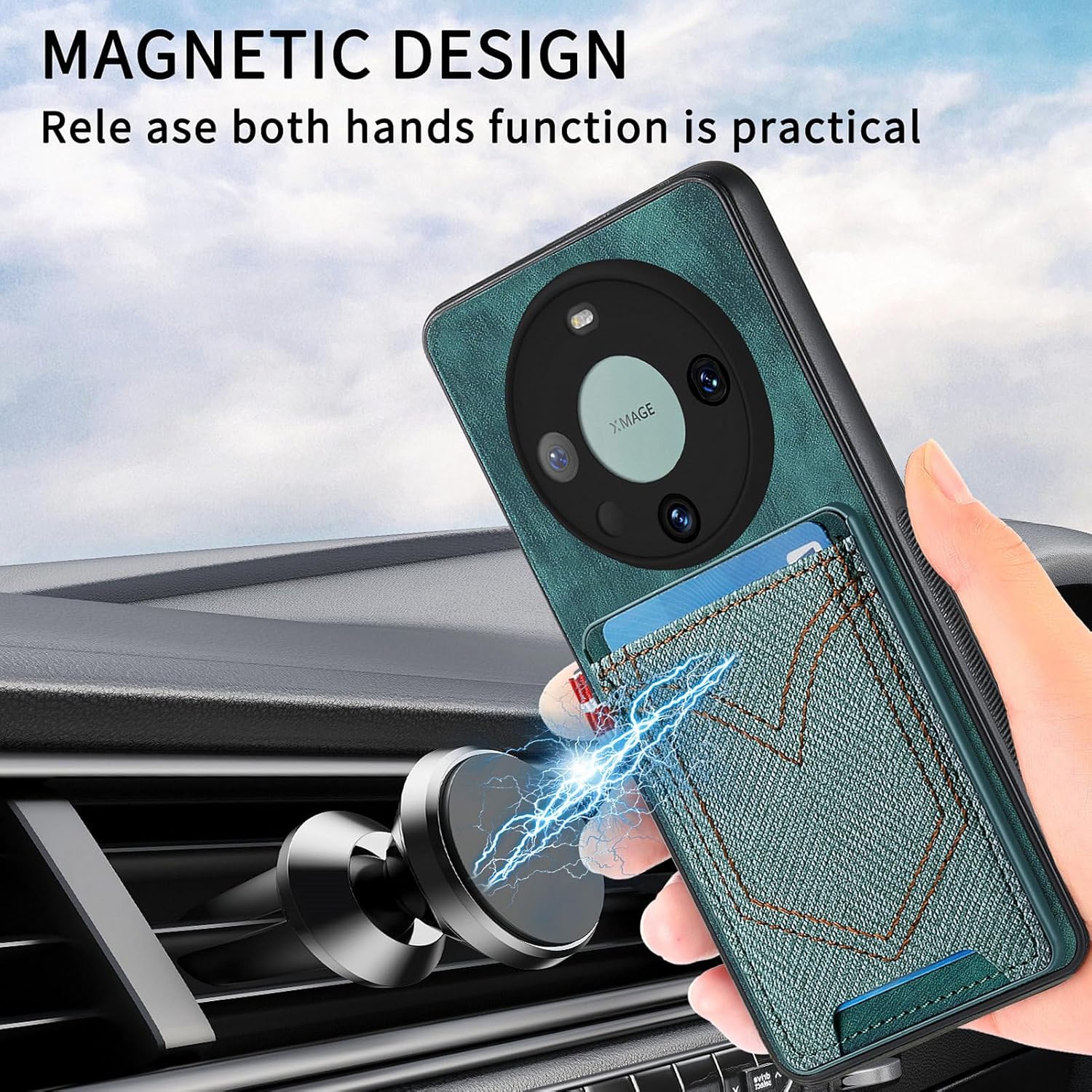
Image: The phone case demonstrating its magnetic attachment to a car mount.
Toetra fiarovana
The case is constructed from a 3-in-1 combination of PC (Polycarbonate), TPU (Thermoplastic Polyurethane), and PU (Polyurethane) materials, providing robust protection against drops and impacts. It features full edge protection and raised bezels to safeguard the screen and camera.
- Anti-Fall Shockproof: The multi-layer construction absorbs shock from accidental drops, protecting your device from damage.
- Fiarovana amin'ny efijery: The front edges of the case are raised higher than the screen surface, preventing direct contact when placed face down.
- Fiarovana fakan-tsary: A raised bezel around the camera module protects the lenses from scratches and impacts.

Image: Visual representation of the case's anti-drop and full edge protection.

Image: Illustration highlighting the raised bezels for screen and camera protection.
fikarakarana
To maintain the appearance and functionality of your phone case, follow these simple guidelines:
- Fanadiovana: Fafao tsy tapaka amin'ny lamba malefaka, damp cloth to remove dust and fingerprints. For tougher stains, a mild soap solution can be used, followed by rinsing and air-drying. Avoid harsh chemicals or abrasive cleaners.
- Avoid Conditions Extreme: Do not expose the case to extreme temperatures, direct sunlight for prolonged periods, or sharp objects, as this may cause discoloration or damage to the material.
- Card Slot Care: Avoid overfilling the card slot, as this can stretch the material and reduce its ability to securely hold cards over time.
Fanamboarana
Most issues with a phone case are related to installation or general wear. If you encounter problems, consider the following:
- Tsy mety: If the case does not fit snugly or ports are misaligned, remove the phone and re-install it carefully, ensuring all edges snap into place.
- Cards Falling Out: If cards are not held securely, check if the slot is overfilled or if the material has stretched due to prolonged overstuffing. Consider reducing the number of cards.
- Magnetic Mount Issues: Ensure your car mount is functioning correctly and that no foreign objects are interfering with the magnetic connection between the case and the mount.
fepetra arahana
| endri-javatra | antsipirihany |
|---|---|
| Modely finday mifanentana | Honor X9a 5G |
| KEVITRA | PC + TPU + PU |
| loko | Gr (Grey/Green) |
| Form Factor | Basic Case with Wallet Feature |
| Endri-javatra manokana | Card Slot, Magnetic Car Mount Compatible, Anti-Fall Shockproof, Screen & Camera Protection |
| Lanja entana | 2.46 oz |
| Ny refin'ny vokatra | 0.39 x 0.39 x 0.39 santimetatra |
| mpanamboatra | levitra |
Warranty sy fanohanana
For warranty information or technical support regarding this product, please refer to the seller or manufacturer's official website. Tehirizo ny tapakila fividiananao ho porofon'ny fividianana.


