
Babelio Palm-Sized Portable White Noise Machine with Night Light
Modely: BEBDB07
User Manual
1. Vokatra mihoatraview
The Babelio Palm-Sized Portable White Noise Machine with Night Light is designed to create a relaxing atmosphere for sleep, naps, meditation, yoga, or office use. It features 15 non-looping sounds, multiple lighting modes, adjustable brightness, and a timer function, all in a compact, portable design.

Image: The Babelio Portable White Noise Machine with Night Light, showcasing ny endriny mirindra.
2. Ny votoatin'ny fonosana
- Babelio Palm-Sized Portable White Noise Machine
- Tariby fametahana Type-C
- Torolàlana ho an'ny mpampiasa
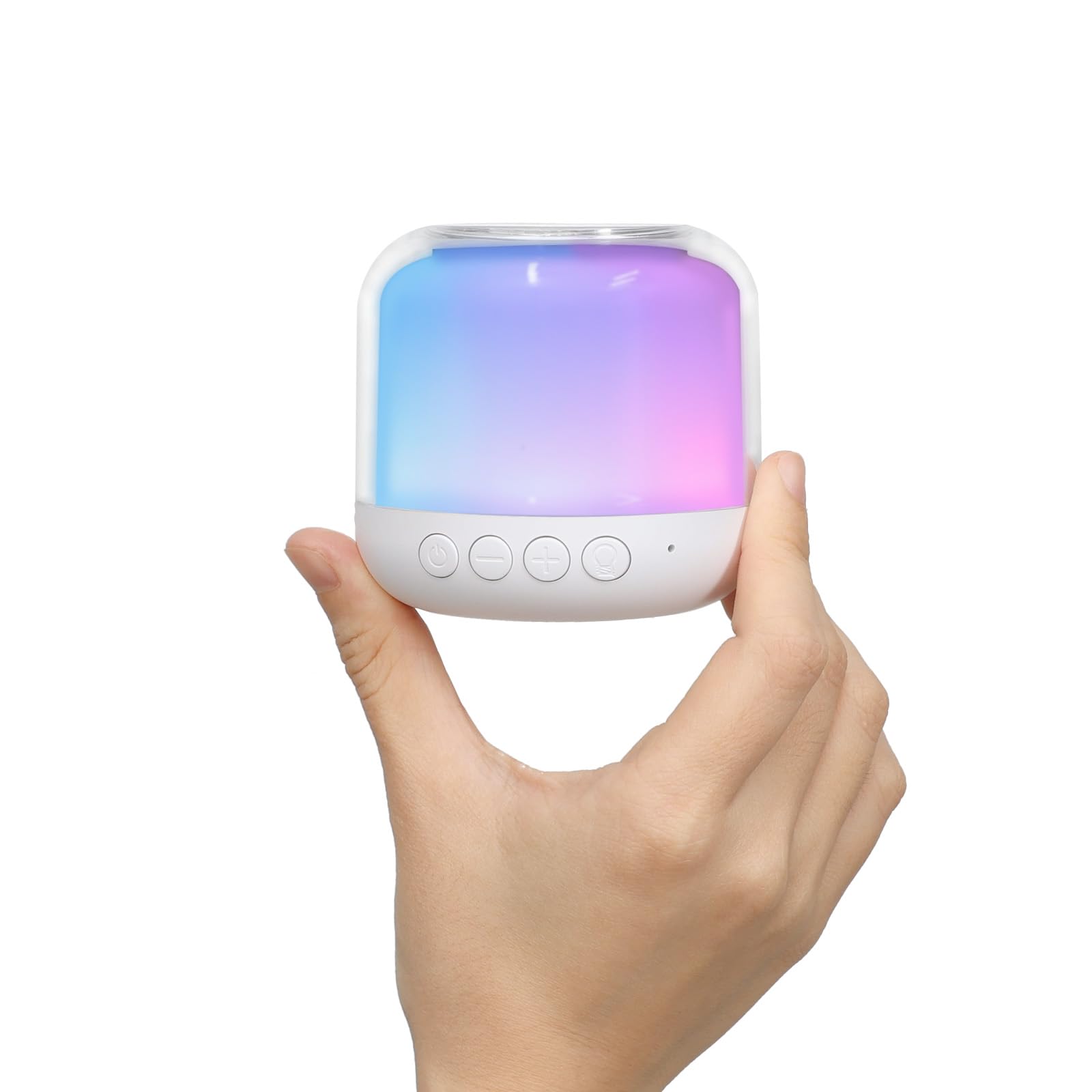
Image: The Babelio White Noise Machine in its retail packaging.
3. Information momba ny fiarovana
Azafady vakio tsara ny torolàlana rehetra alohan'ny hampiasana azy ary tehirizo ho an'ny fanondroana ho avy.
- Arovy tsy ho azon'ny ankizy ny bateria.
- Aza atao kilalao.
- Avoid excessive noise exposure.
- Aza atsoboka anaty rano.
- Do not use while sleeping if it causes discomfort or irritation.
4. Fametrahana
4.1 Famandrihana ny fitaovana
Before first use, fully charge the device using the provided Type-C charging cable. Connect the cable to the device and a compatible USB power source (e.g., power bank, laptop, or adapter). The device is rechargeable for wireless use.
4.2 Herin'ny voalohany
Tsindrio ary tazomy mandritra ny 3 segondra ny bokotra herinaratra mba hamelomana ilay fitaovana.
5. Torolàlana miasa

Image: An illustration detailing the functions of each button on the Babelio Sound Machine.
5.1 Power On/off
- To turn on: Short press the power button.
- To turn off: Press and hold the power button for 3 seconds.
5.2 Fanaraha-maso ny feo
The device offers 15 non-looping sounds, including white noise, pink noise, brown noise, fan sounds, rain, waves, insects, campfire, birds, and streams.
- To select a sound: Short press the sound button.
- To switch to the previous sound: Long press the '-' button for 2 seconds.
- To switch to the next sound: Long press the '+' button for 2 seconds.
- To adjust volume: Short press the '-' button for volume down, or the '+' button for volume up.
Video: Demonstration of how to control the sounds on the Babelio White Noise Machine.
Lahatsary: Fialohavanaview of the various sounds available on the Babelio White Noise Machine.
5.3 Night Light Control
The device features 4 lighting modes (warm, RGB, rainbow, or single-color) with over 15 light effects.
- To change light mode: Short press the light button.
- To adjust brightness: Long press the light button to increase/decrease brightness.
Video: Instructions on how to control the light modes and brightness of the Babelio White Noise Machine.

Image: The Babelio Sound Machine demonstrating various brightness levels of its night light.
5.4 Famantarana asa
The sound machine offers three timer modes:
- Lalao mitohy
- 30 minitra
- 60 minitra
To set the timer: Short press the timer button to cycle through the options.

Image: The Babelio Sound Machine displaying its auto time-off options (30 min, 60 min, continuous).
5.5 Fahatsiarovana
The device remembers the last sound and volume setting used for quick and easy setup upon next use.
6. Fikojakojana
- Diovina amin'ny lamba malemy sy maina ilay fitaovana.
- Aza mampiasa akora simika mahery vaika na fanadiovana maloto.
- Ensure the device is completely dry before charging or storing.
- Aza atsoboka ao anaty rano ilay fitaovana.
7. Famahana olana
If you encounter any issues with your Babelio White Noise Machine, please try the following:
- Ataovy azo antoka fa feno ny fitaovana.
- Verify that buttons are being pressed correctly (short press vs. long press).
- If the device is unresponsive, try connecting it to a power source to see if it powers on.
- For persistent issues, refer to the warranty and support section.
8. Famaritana
| endri-javatra | antsipirihany |
|---|---|
| Laharana modely | BEBDB07 |
| Ny refin'ny vokatra | 2.75 x 2.75 x 2.75 santimetatra |
| lanja | 7.05 oz |
| Loharanon-kery | Battery Powered |
| Karazana bateria | 1 Lithium Polymer bateria ilaina |
| Karazana mpampitohy | USB Type-C |
| Isan'ny Feo | 15 (Non-looping) |
| Light Modes | Warm, RGB, Rainbow, Single-color (15+ effects) |
| Safidy Timer | Continuous, 30 min, 60 min |
| loko | White |
| KEVITRA | plastika |
| mpanamboatra | BABELIO |
9. Warranty sy fanohanana
The Babelio Palm-Sized Portable White Noise Machine comes with a lifetime warranty. For any questions, concerns, or support needs, please contact Babelio customer service. Our friendly customer service team is ready to assist you.
For more information or to contact support, please visit the official Babelio Store: Babelio Store on Amazon