
1. Fampahalalana manan-danja momba ny fiarovana
Please read all safety instructions carefully before using the BYINTEK P70 Smart WiFi Projector. Keep this manual for future reference.
- Loharano herinaratra: Ampiasao ihany ny adaptatera herinaratra nomena. Ataovy azo antoka ny voltagmifanaraka amin'ny fepetra takian'ny projecteur e.
- Fiarovana ny bateria: The projector contains a built-in lithium-ion battery. Do not expose to extreme temperatures, puncture, or disassemble.
- rivotra: Ataovy izay hahazoana rivotra tsara manodidina ny projecteur mba hisorohana ny hafanana be loatra. Aza sakanana ny fisokafan'ny rivotra.
- hafanana: The projector may become warm during operation. This is normal. Avoid touching the lens or vents immediately after use.
- Fahazavana mazava: Aza mijery mivantana amin'ny family projector rehefa mandeha ny lamp is on, as the bright light can cause eye strain or damage.
- Rano sy hamandoana: Keep the projector away from water, rain, and excessive humidity. Do not operate with wet hands.
- Fanadiovana: Tapaho ny herinaratra alohan'ny hanadiovana. Mampiasà lamba malefaka sy maina. Aza mampiasa mpanadio ranon-javatra na aerosol.
- Ankizy: Keep the projector and its accessories out of reach of children.
2. Vokatra mihoatraview
The BYINTEK P70 is a portable smart DLP projector designed for versatile entertainment and presentation needs. It features an 8000mAh built-in battery, Android 9.0 operating system, auto-focus, and 3D support.
2.1 Ny votoatin'ny fonosana
- BYINTEK P70 Projector x 1
- Fanaraha-maso lavitra x 1
- Power adaptatera x 1
- Mini Tripod x 1
- Kitapo fitahirizana x 1
- Torolàlana ho an'ny mpampiasa x 1
2.2 Lafin-javatra fototra
- Famolavolana portable: Compact sy maivana ho mora entina.
- Batterie anatiny: 8000mAh battery provides 1.5 to 3 hours of playback.
- Rafitra fiasan'ny Android marani-tsaina: Android 9.0 for app downloads, online streaming, and gaming.
- Mifantoka mandeha ho azy: Automatic focus adjustment for clear images.
- Fanitsiana 6D Keystone: Advanced keystone correction for flexible placement.
- Fanohanana 3D: Enjoy immersive 3D content.
- Fifandraisana tsy misy tariby: Supports wireless screen mirroring from Android, iOS, and PC devices.
- Fifandraisana an-tariby: USB data cable sync for iOS and select Android devices.
- Large Projection Size: Up to 200 inches.
- 4K Playback: Supports up to 4K video input.
- Long LED Lamp fiainana: 30,000 ora.
- Fanamafisam-peo Stereo Roa Sosona: Integrated 2x5W speakers for clear audio.

Image: Infographic detailing the BYINTEK P70's features including 4K support, DLP display, 6D keystone, 8000mAh battery, 3D, Type-C charge, 2G+32G memory, Android OS, and stereo speakers.
3. Fametrahana
3.1 Famandrihana ny Projector
Before first use, fully charge the projector. Connect the provided power adapter to the projector's Type-C port and plug it into a power outlet. The charging indicator will show the charging status.

Image: The BYINTEK P70 projector connected to a power bank via a Type-C cable, illustrating its portable charging capability.
3.2 Fametrahana voalohany
Apetraho eo amin'ny toerana marin-toerana sy fisaka ny projector. Ho an'ny optimum viewing, position it directly in front of your projection screen or wall. The included mini tripod can be used for angle adjustments.
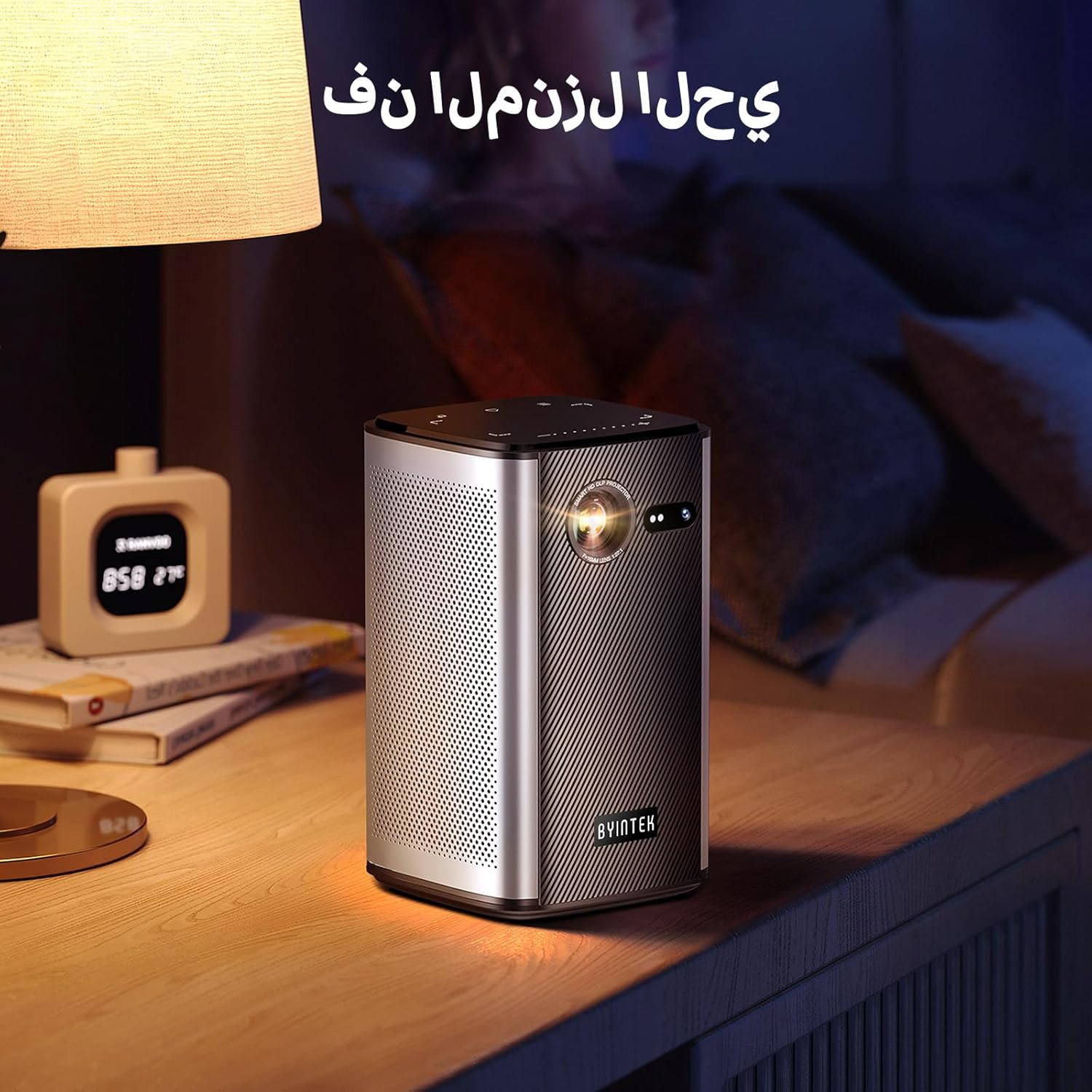
Image: The BYINTEK P70 projector placed on a bedside table, ready for indoor use.
3.3 Mamelona/Mamono
Press and hold the power button on the projector or remote control to turn the device on or off.
3.4 Fanitsiana ny fifantohana sy ny vato fototra
The BYINTEK P70 features automatic focus. For keystone correction, navigate to the settings menu using the remote control. The 6D keystone correction allows for precise image adjustment, even with side projection.

Image: A visual representation of the projector's auto-focus feature, showing a clear image projected onto a wall.
4. Torolàlana miasa
4.1 Fitetezana ny rafitra fiasan'ny Android
Use the remote control to navigate the Android 9.0 interface. The home screen provides access to pre-installed apps and settings. You can download additional applications from the app store.

Image: The projector displaying its Android operating system interface with various application icons like Miracast, Settings, AirPlay, Market, File Explorer, YouTube, and Netflix.
4.2 Wireless Screen Mirroring
The projector supports wireless screen mirroring for Android, iOS, and PC devices. Access the 'Miracast' or 'AirPlay' app on the projector's home screen and follow the on-screen instructions to connect your device.
4.3 Wired Screen Mirroring
For iOS devices and some Android devices, you can use a USB data cable for wired screen synchronization. Connect your device to the projector's USB port using its original data cable.
4.4 Playback 3D
The BYINTEK P70 supports 3D content. To enjoy 3D movies, ensure your media file is in a compatible 3D format (e.g., Blu-ray 3D, SBS, TNB) and use active shutter 3D glasses (sold separately).

Image: A family wearing 3D glasses, enjoying a 3D movie projected by the BYINTEK P70, showcasing its 3D capability.
4.5 Zoom nomerika
Adjust the image size from 50% to 100% using the digital zoom function on the remote control. This allows you to fit the image perfectly to your screen without moving the projector.
5. Fikojakojana
5.1 Fanadiovana ny Lens
Mampiasà lamba malefaka sy tsy misy volo natao manokana ho an'ny lantihy optika mba hamafa moramora ny lantihy projecteur. Fadio ny mampiasa fitaovana mikikitra na akora simika mahery vaika.
5.2 Fanadiovana ny ivelany
Fafao amin'ny lamba malefaka sy maina ny ivelan'ny projecteur. Aza mampiasa ranoka fanadiovana na famafazana mivantana amin'ny fitaovana.
5.3 Fitehirizana
When not in use, store the projector in a cool, dry place, away from direct sunlight and extreme temperatures. Use the provided storage bag to protect it from dust and scratches.
5.4 Fikarakarana bateria
Mba hanalavana ny androm-piainan'ny bateria dia aza ampiasaina matetika ny bateria mba tsy ho very tanteraka ny bateria. Raha tehirizina mandritra ny fotoana maharitra dia fenoy hatramin'ny 50% eo ho eo ny bateria ary fenoy isaky ny volana vitsivitsy.
6. Famahana olana
| OLANA | Antony mety hitranga | vahaolana |
|---|---|---|
| Tsy misy sary navoaka | Projector not powered on; input source not selected; cable not connected. | Ensure projector is on. Select correct input source (HDMI, USB, Wireless). Check cable connections. |
| Manjavozavo ny sary | Out of focus; projector too close/far from screen; lens dirty. | Allow auto-focus to adjust. Adjust projector distance. Clean the lens. |
| Tsy mandeha ny fanaraha-maso lavitra | Batteries low/dead; remote not paired; obstruction. | Replace remote batteries. Ensure line of sight to projector's IR receiver. Re-pair remote if necessary (refer to specific pairing instructions in the full manual). |
| Tsy misy feo | Volume too low; external audio device connected; audio format not supported. | Increase projector volume. Disconnect external audio devices. Check audio format compatibility. |
| Wireless mirroring issues | Poor Wi-Fi signal; device compatibility; firewall settings. | Ensure strong Wi-Fi signal. Check device compatibility with Miracast/AirPlay. Disable firewalls temporarily for testing. |
| Mihoatra ny hafanana ny projector | Blocked ventilation; prolonged use in hot environment. | Ensure vents are clear. Operate in a well-ventilated area. Allow projector to cool down. |
7. Famaritana
| endri-javatra | famaritana |
|---|---|
| Marika | BYINTEK |
| Laharana modely | P70 |
| Ny refin'ny vokatra | 8.2 x 8.2 x 14.2 cm |
| Lanja entana | 1.58 kg |
| Batterie | 1 Lithium Ion battery (included), 8000mAh, 29.6 Wh |
| Rafitra fikirakirana | Android |
| Asehoy ny fanapahan-kevitra | 960x540 |
| Max Display Resolution | 4K Ultra HD Megapixel |
| Teknolojia fifandraisana | Wifi |
| Endri-javatra manokana | Auto-focus, 3D Ready, Built-in Wi-Fi Receiver |
| Fampiasana soso-kevitra | Home Cinema |
| Karazana fampisehoana | DLP |
| Form Factor | portable |
| Karazana fametrahana | Tendrombohitra tripod |
| USB 3.0 Ports | 1 |
| Ports HDMI | 1 |
| BOKYtage | 12 Volts |
| Wattage | 25 Watts |
| Loharanon-kery | AC & Batterie |
8. Warranty sy fanohanana
The BYINTEK P70 Smart WiFi Projector comes with a standard manufacturer's warranty. For specific warranty details, please refer to the warranty card included in your product packaging or contact BYINTEK customer support.
If you encounter any issues or have questions regarding your projector, please contact BYINTEK customer support through their official website or the contact information provided in your product documentation. Please have your model number (P70) and purchase details ready when contacting support.