
1. Fampidirana
This manual provides instructions for the ALLIMITY remote control, designed for seamless operation with Xbox One, Xbox One S, and Xbox One X series consoles. This remote requires no complex setup or programming; simply install the batteries, and it is ready for use.
2. Ny votoatin'ny fonosana
- 1 x ALLIMITY Remote Control
Note: 2 x AAA Alkaline Batteries are not included and must be purchased separately.
3. Fametrahana
3.1 Fametrahana bateria
The remote control operates on two (2) AAA alkaline batteries. Follow these steps to install them:
- Tadiavo eo an-damosin'ny fanaraha-maso lavitra ny fonon'ny efitrefitra bateria.
- Atsofohy midina ny fonony na tsindrio ny famohana (raha misy) mba hanokafana ny efitrano.
- Ampidiro bateria AAA roa, ary ataovy izay hahazoana antoka fa mifanaraka tsara amin'ny marika ao anatin'ilay fitoeran-javatra ny terminal tsara (+) sy ratsy (-).
- Avereno apetraka ny fonon'ny fitoeran-bateria, ary avereno amin'ny toerany mandra-pikitsoka tsara.

Image: Back of the remote control with the battery compartment open for AAA battery insertion.
4. Torolàlana miasa
4.1 Fampandehanana fototra
Once the batteries are correctly installed, the remote control is ready for immediate use. No additional pairing or programming is required.
- Point the remote control directly towards your Xbox console or the device's infrared receiver.
- Press the desired buttons for navigation, media playback, or system control functions.
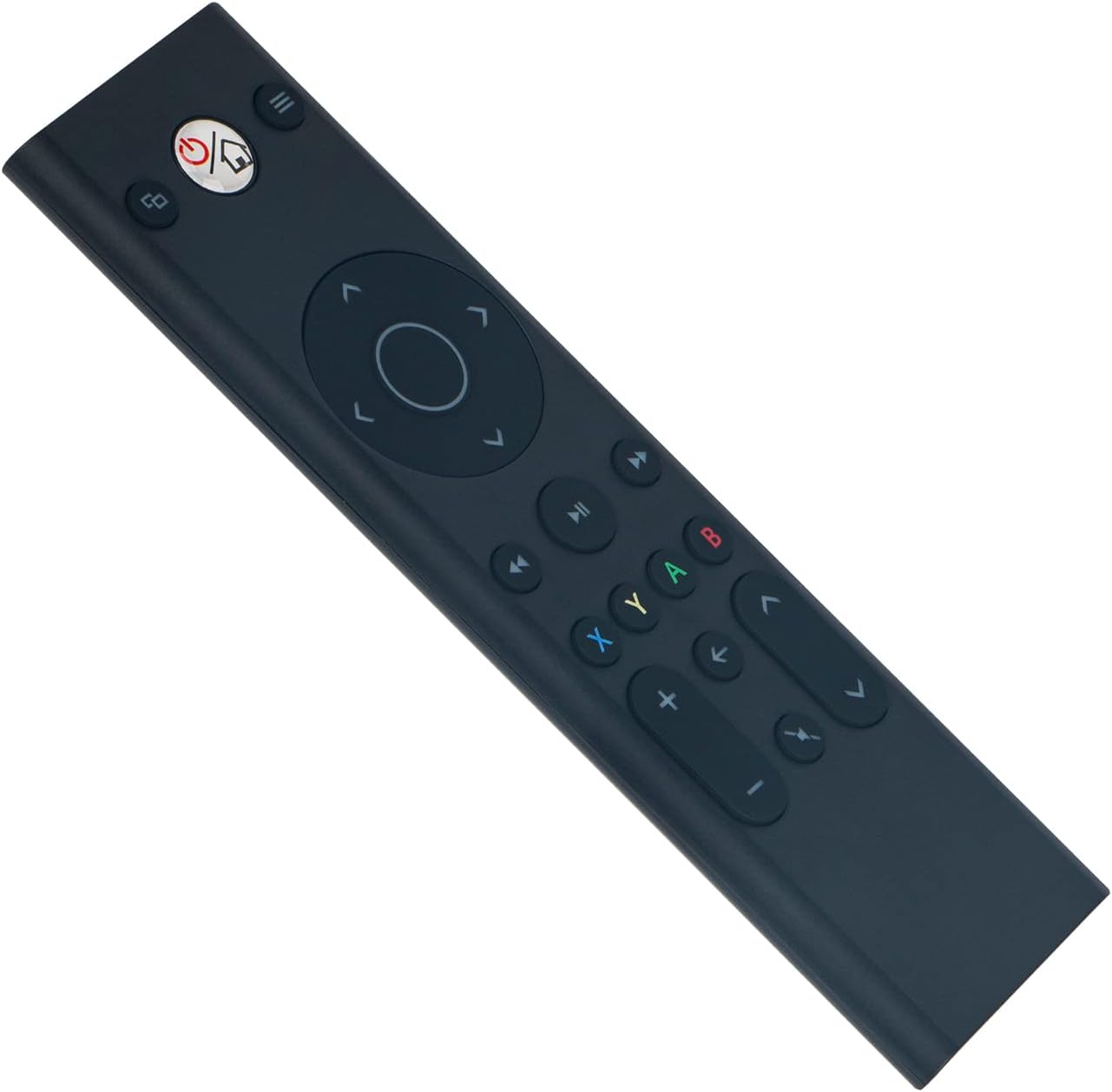
Sary: Front view of the ALLIMITY remote control, illustrating button layout.
4.2 Mifanaraka
This remote control is fully compatible with the following Microsoft Xbox console models:
- Xbox One
- Xbox One S
- Xbox One X
5. Fikojakojana
- Fanadiovana: Use a soft, dry cloth to clean the remote control. Do not use liquid cleaners, abrasive materials, or solvents, as these may damage the surface or internal components.
- fitahirizana: Tehirizo ao amin'ny toerana mangatsiaka sy maina ny fanaraha-maso lavitra, lavitry ny tara-masoandro mivantana, ny mari-pana tafahoatra ary ny hamandoana avo.
- Fikarakarana bateria: If the remote will not be used for an extended period (e.g., one month or more), remove the batteries to prevent potential leakage and damage to the device.
6. Famahana olana
6.1 Lavitra tsy mamaly
- Jereo ny bateria: Ensure the batteries are inserted with the correct polarity (+/-). Replace old batteries with fresh AAA alkaline batteries.
- sakana: Verify there are no objects blocking the line of sight between the remote control and the Xbox console's infrared (IR) receiver.
- Sarona: Ensure you are within the maximum operating range of 33 feet (10 meters) from the console.
6.2 Fiasa miatoana
- Ambaratonga bateria: Low battery power can cause inconsistent performance. Replace batteries if necessary.
- fitsabahana: Strong light sources, such as direct sunlight or certain types of fluorescent lighting, can interfere with the remote's infrared signal. Try operating the remote in a different lighting environment.
7. Famaritana
| Marika | ALLIMITY |
| Laharana modely | YK33-MB1356-BK3-RC |
| Teknolojia fifandraisana | Infrared |
| Herin'aratra | Batterie Alkaline AAA 2 x (tsy tafiditra) |
| Maximum Number of Supported Devices | 1 |
| Karazana Controller | Fanaraha-maso bokotra |
| Isan'ny bokotra | 21 |
| Faritra faratampony | 33 Feet (10 metatra) |
| Lanja entana | 55g ny |
| Endri-javatra manokana | Tsy mila fandaharana |
| Fitaovana mifanentana | Xbox One, Xbox One S, Xbox One X series |
8. Warranty sy fanohanana
For product support, warranty information, or any inquiries regarding your ALLIMITY remote control, please contact the retailer from whom you purchased the product or refer to the manufacturer's official support channels. Please retain your proof of purchase for warranty claims.