
TECWARE TWKB-P87PZT-WBR
Boky Torolalana ho an'ny Mpampiasa ny Klavier Mekanika TECWARE Phantom+ 87 Keys
Model: TWKB-P87PZT-WBR
Sava lalana
This manual provides detailed instructions for the setup, operation, maintenance, and troubleshooting of your TECWARE Phantom+ 87 Key Mechanical Gaming Keyboard. Designed for a premium typing experience, this keyboard features customizable RGB lighting, durable PBT keycaps, and hot-swappable switches.

Inona no tafiditra
Verify that all the following items are present in your package:
- TECWARE Phantom+ 87 Key Mechanical Gaming Keyboard
- Detachable 1.8m Braided USB-C Cable
- Switch Puller Tool
- Fitaovana Puller Keycap
- 4 Spare Switches

Hametraka
Follow these steps to set up your TECWARE Phantom+ keyboard:
- Ampifandraiso amin'ny tariby USB-C: Insert the USB-C end of the braided cable into the port located on the back of the keyboard.
- Mifandray amin'ny solosaina: Ampidiro amin'ny seranana USB misy eo amin'ny solosainao ny faran'ny USB-A amin'ny tariby.
- Ahitsio Kitendry tongotra: Flip out the adjustable feet on the underside of the keyboard to achieve your preferred typing angle.
- Fametrahana mpamily: The keyboard is plug-and-play. Your operating system (Windows 10 or later recommended) will automatically detect and install the necessary drivers.

Torolàlana miasa
Fampandehanana fototra
The TECWARE Phantom+ functions as a standard 87-key keyboard for typing and gaming. It features N-Key Rollover, ensuring all keystrokes are registered accurately, even during rapid input.
Fanaraha-maso jiro RGB
The keyboard features 16.8 million color RGB lighting with 18 pre-set lighting modes. These modes can be cycled through directly on the keyboard using function key combinations (refer to the keyboard's printed legends for specific shortcuts). You can also adjust brightness and speed.

Software Features
For advanced customization, the Phantom+ supports dedicated software. This software allows for:
- Macro Recording and Assignment
- Hatramin'ny mpampiasa 3 Profiles
- Customizable Per-Key RGB Lighting
- Adjustable USB Report Rate (up to 1000Hz)

Endri-javatra fototra Overview
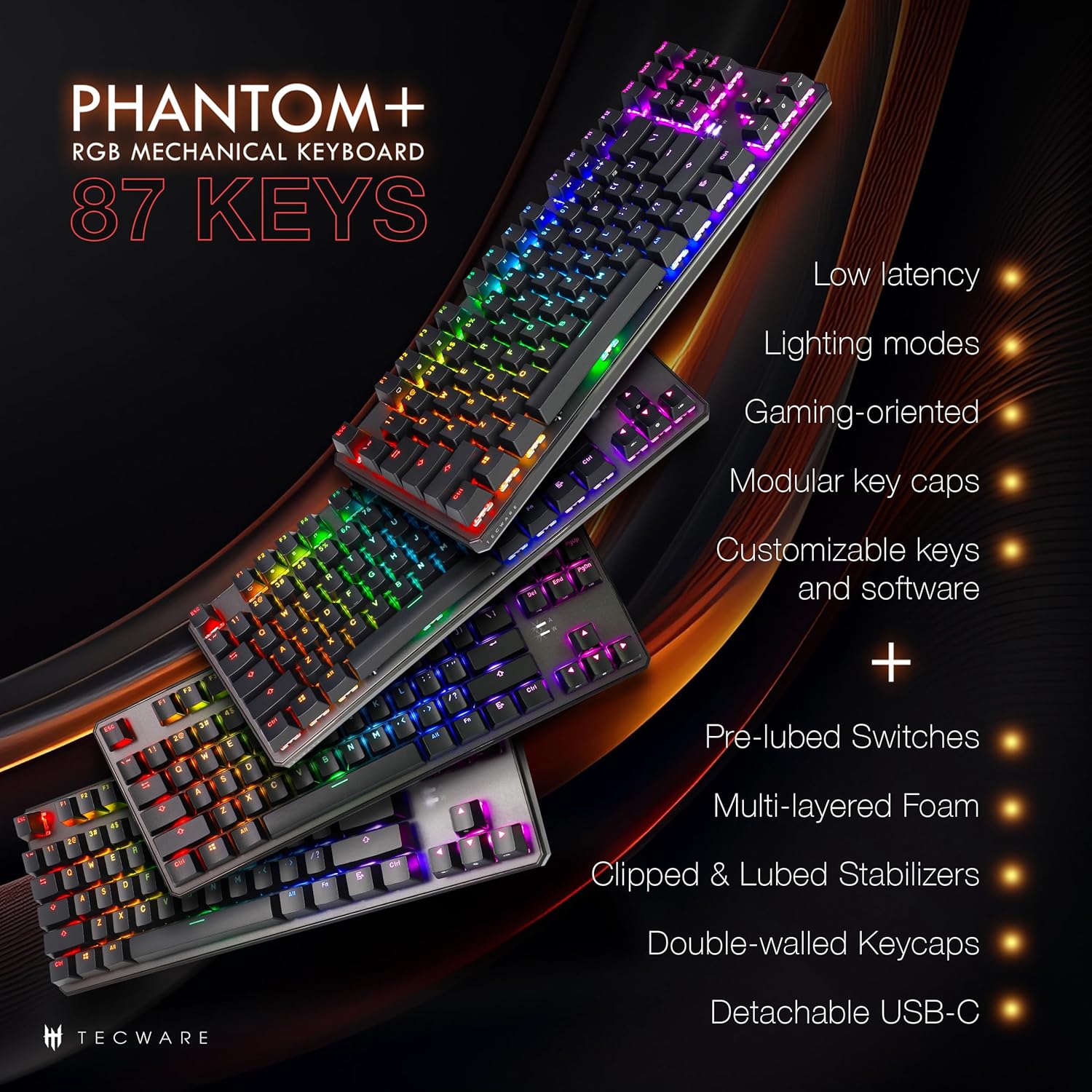
The Phantom+ keyboard incorporates several design and engineering features for enhanced performance and durability:
- Kitendry PBT Double-Shot: Resistant to wear and fading, providing long-lasting legends.
- V3 Stabilizers: Clipped and lubed for enhanced stability and smoother keystrokes on larger keys.
- Feo Dampening Technology: Reduces keyboard noise for a more pleasant typing experience.
- Hafainganam-pandehan'ny fandrefesana 1000Hz: Ensures rapid response times for gaming.
- Endri-javatra amin'ny Windows Lock: Prevents accidental presses of the Windows key during gaming.

fikarakarana
FANADIOVANA
To clean your keyboard, disconnect it from your computer. Use a soft, dry cloth to wipe down the keycaps and chassis. For deeper cleaning, you may carefully remove keycaps using the provided keycap puller and use compressed air to clear debris from underneath.
Fanoloana Switch (Azo soloina haingana)
The TECWARE Phantom+ features hot-swappable switches, allowing you to replace individual switches without soldering. This is useful for customizing your typing feel or replacing a faulty switch.
- Esory ny satroka fanalahidy: Use the keycap puller to gently remove the keycap from the switch you wish to replace.
- Esory ny Switch: Use the switch puller tool to grasp the top and bottom clips of the switch. Apply gentle pressure and pull the switch straight up to remove it from the PCB.
- Ampidiro ny Switch vaovao: Align the pins of the new switch with the holes on the PCB. Gently push the switch down until it clicks into place. Ensure the pins are not bent.
- Soloy ny satroka fanalahidy: Press the keycap onto the new switch until it is firmly seated.

Fanamboarana
If you encounter issues with your TECWARE Phantom+ keyboard, refer to the table below for common problems and solutions:
| OLANA | Antony mety hitranga | vahaolana |
|---|---|---|
| Keyboard tsy mamaly | Fifandraisana USB mivaha, tariby tsy mandeha tsara, olana amin'ny mpamily. | Ataovy azo antoka fa mifandray tsara ny tariby USB. Andramo seranana na tariby USB hafa. Avereno indray ny solosainao. |
| Tsy mandeha na tsy mifanaraka ny jiro RGB | Lighting mode disabled, software conflict, power issue. | Check keyboard lighting controls (Fn + keys). Ensure software is running correctly. Try reconnecting the keyboard. |
| Tsy miasa ny fanalahidy manokana | Misy olana ny bokotra, misy poti-javatra eo ambanin'ny sarom-panalahidy. | Remove keycap and check for debris. If hot-swappable, try replacing the switch with a spare. |
| Tsy mahita ny fitendry ny rindrambaiko | Software not installed correctly, USB connection issue. | Reinstall the TECWARE software. Ensure the keyboard is directly connected to a USB port (avoiding hubs if possible). Run software as administrator. |
fepetra arahana
| endri-javatra | antsipirihany |
|---|---|
| MODELY | TWKB-P87PZT-WBR |
| LAKILEN'ILAY | 87-Key (Tenkeyless) |
| Karazana Switch | Wraith Brown (Tactile) - Hot-swappable |
| Keycaps | Double-Shot PBT |
| Fanazavana | RGB (Loko 16.8 tapitrisa, Fomba efa voafaritra mialoha 18) |
| fifandraisana | Detachable USB-C |
| Taham-pifidianana | Hatramin'ny 1000Hz |
| N-Key Rollover | Tohanana |
| Stabilizers | V3 (Clipped & Lubed) |
| refy (LxWxH) | 14.21 x 5.2 x 1.65 santimetatra |
| lanja | 2.71 kg |
| OS mifanentana | Windows 10 (PC, Laptop, Tablet) |
Wraith Switch Specifications
The Phantom+ keyboard comes pre-installed with TECWARE Wraith switches. The specifications for various Wraith switch types are detailed below:

Warranty sy fanohanana
For warranty information, technical support, or to access the latest software and drivers for your TECWARE Phantom+ keyboard, please visit the official TECWARE webtranokala na mifandray amin'ny serivisy mpanjifany.
Afaka mahita fampahalalana bebe kokoa sy loharano fanohanana ianao amin'ny fitsidihana ny Official TECWARE Store on Amazon.
Ask a question about this manual
Ask about setup, troubleshooting, compatibility, parts, safety, or missing instructions. Manuals+ will review the question and use this page’s manual context to help answer it.