
1. Fampidirana
Misaotra anao nividyasing the BYINTEK R17 Pro Portable Smart 3D DLP Projector. This manual provides essential information for safe and effective use of your device. Please read it thoroughly before operation and retain it for future reference.
The BYINTEK R17 Pro is a versatile portable projector featuring Android 9.0 OS, 4K decoding support, 3D capabilities, and a built-in battery, making it ideal for various entertainment and presentation needs. It also supports multiple languages including English, Russian, Arabic, Korean, Japanese, French, German, Italian, Spanish, Chinese, Vietnamese, Polish, and Traditional Chinese.
2. Information momba ny fiarovana
- Aza mijery mivantana amin'ny family projector rehefa mandeha ny lamp mandeha.
- Keep the projector away from water or other liquids to prevent electric shock.
- Aza sakanana ny fisokafan'ny rivotra mba hisorohana ny hafanana be loatra.
- Ny adaptatera herinaratra nomen'ny mpanamboatra ihany no ampiasaina.
- Fadio ny mametraka ny projector amin'ny toerana tsy milamina.
- Aza manandrana manala na manamboatra ny projecteur samirery. Mifandraisa amin'ny mpiasan'ny fanamboarana mahafeno fepetra.
- Tehirizo ao amin'ny toerana mangatsiatsiaka sy maina ny projector rehefa tsy ampiasaina.
3. Ny votoatin'ny fonosana
Azafady, jereo ny votoatin'ny fonosana rehefa mivoaka ny boaty mba hahazoana antoka fa misy ny entana rehetra:
- BYINTEK R17 Pro Projector
- Power Adapter
- Fanaraha-maso lavitra
- User Manual (ity antontan-taratasy ity)
- Cable HDMI (mety miovaova arakaraka ny faritra)

Sary: lafiny iray amin'ny antsipiriany view of the BYINTEK R17 Pro projector, highlighting its compact and portable design.
4. Torolàlana fananganana
4.1 Mamelona/Mamono
- Hery mampifandray: Plug the power adapter into the projector's DC input port and then into a power outlet.
- Herim-batana: Tsindrio ny bokotra herinaratra amin'ny projecteur na ny fanaraha-maso lavitra. Hirehitra ny jiro famantarana.
- Mamono hery: Tsindrio indray ny bokotra herinaratra. Hamarino ny fanakatonana raha asaina ianao.
4.2 Fametrahana sy Faminavinana
Position the projector on a stable, flat surface. Ensure there are no obstructions in front of the lens. The ideal projection distance ranges from 1 to 8 meters, producing a screen size of 30 to 300 inches.
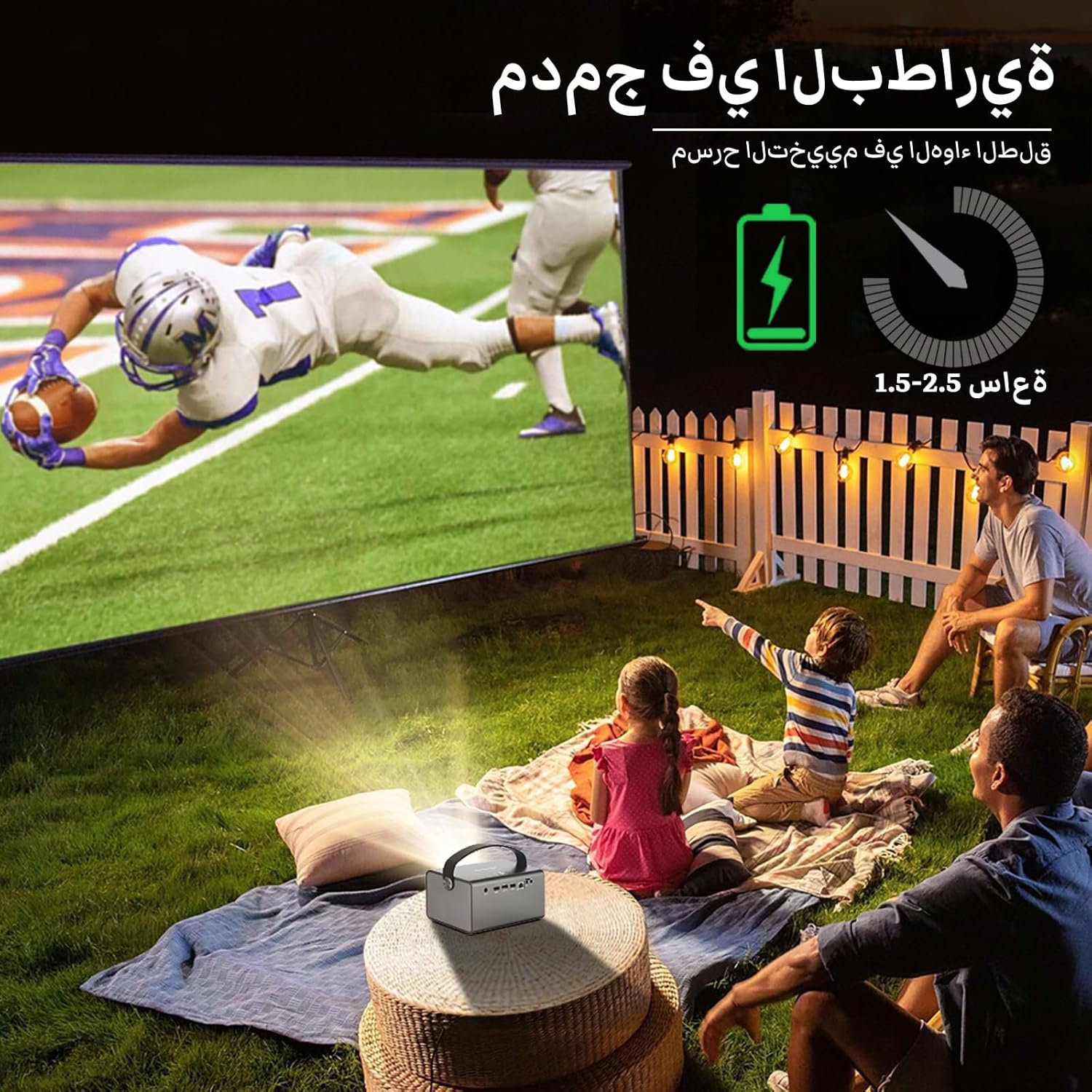
Image: The BYINTEK R17 Pro projector in an outdoor setting, demonstrating its portable use for entertainment. The image shows a football game projected onto a large screen, with people watching comfortably. This highlights the projector's battery life and suitability for outdoor events.
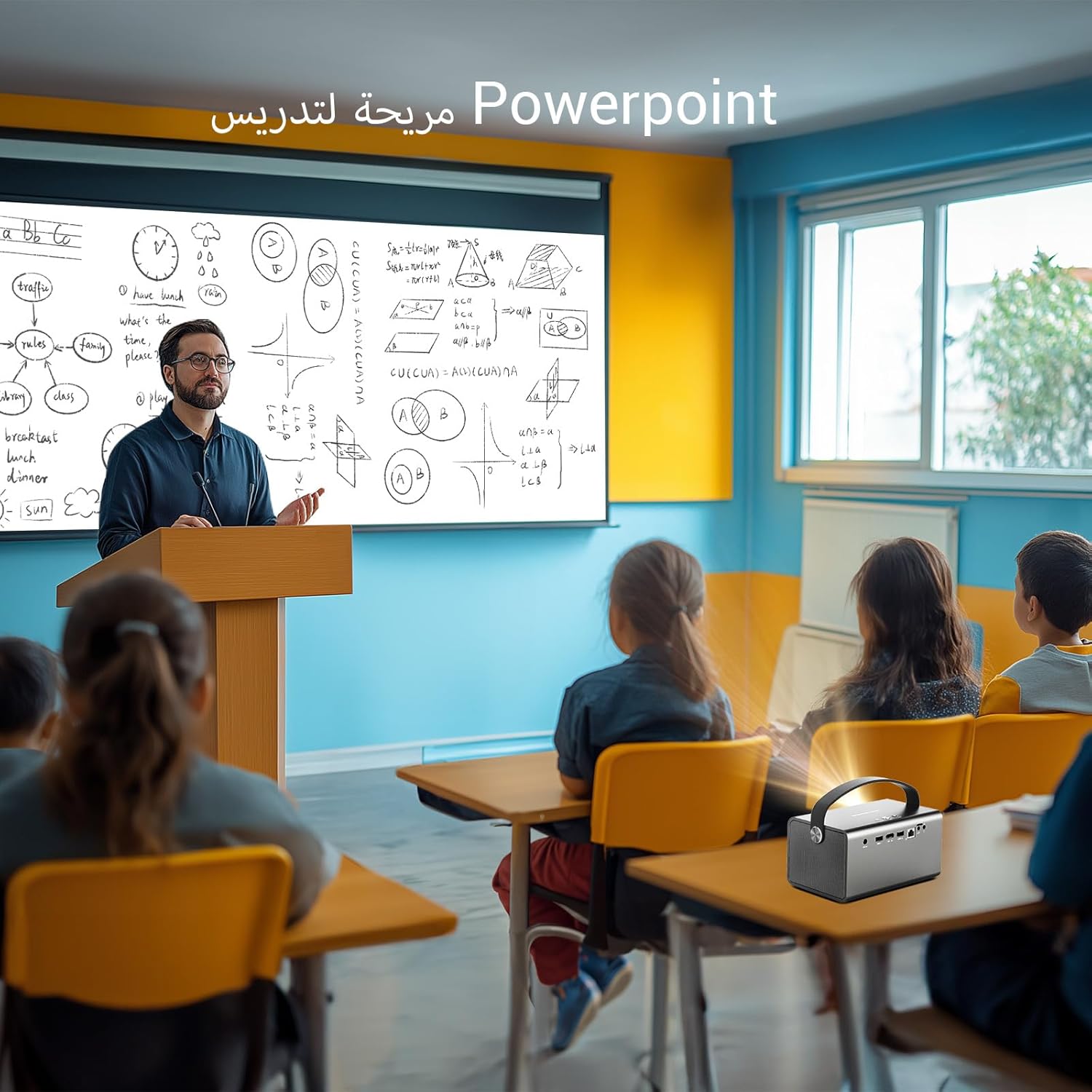
Image: The BYINTEK R17 Pro projector being used in a classroom to display a PowerPoint presentation. This illustrates its utility for educational purposes and presentations in various environments.
4.3 Fanitsiana ny fifantohana sy ny vato fototra
- Fifantohana herinaratra: Use the remote control to adjust the focus until the image is clear.
- Fanitsiana Keystone mandeha ho azy: The projector supports automatic vertical keystone correction.
- Fanitsiana Keystone Manual: For side projections or specific adjustments, use the manual keystone correction feature via the settings menu. This includes corner keystone correction.
5. Fampandehanana
5.1 Navigating the Android 9.0 System
The BYINTEK R17 Pro runs on Android 9.0, providing a smart interface. Use the remote control or a connected air mouse to navigate through menus, launch applications, and adjust settings.
- Efijery voalohany: Access pre-installed apps and system settings.
- App Store: Download additional applications for streaming, productivity, or gaming.
- Fikirana: Configure Wi-Fi, Bluetooth, display, sound, and other system preferences.
5.2 Famerenana ny Media
The projector supports various media formats and sources:
- USB fitahirizana: Connect a USB drive or SSD (up to 32GB) to play videos, music, or view sary.
- Mandehana an-tserasera: Use pre-installed or downloaded streaming apps via Wi-Fi.
- Votoaty 3D: The projector supports Blu-ray 3D. Ensure your 3D content and glasses are compatible.

Image: A couple enjoying a Blu-ray 3D movie projected by the BYINTEK R17 Pro. The image showcases the projector's ability to display immersive 3D content with vivid colors.
5.3 Screen Mirroring (Wi-Fi Display)
Mirror your smartphone, tablet, or computer screen wirelessly to the projector using Airplay, Miracast, or DLNA (Eshare app is pre-installed).
- Ensure both your device and the projector are connected to the same Wi-Fi network.
- Open the Eshare app on the projector.
- On your mobile device, activate screen mirroring (e.g., Airplay for iOS, Smart View/Screen Cast for Android).
- Fidio ny projecteur avy amin'ny lisitry ny fitaovana misy.

Image: The BYINTEK R17 Pro projector wirelessly displaying a racing game from a smartphone. This demonstrates the screen mirroring feature for gaming and mobile content.
6. fifandraisana
The BYINTEK R17 Pro offers multiple connectivity options:
- HDMI 2.0: Connect external devices like game consoles (e.g., PS4), computers, Blu-ray players, or TV boxes. Supports up to 4K input.
- USB 2.0 / USB 3.0: For connecting USB storage devices, external mice, game controllers, or 2.4GHz air mice.
- Audio mivoaka: Ampifandraiso ny fanamafisam-peo ivelany na headphone ho an'ny feo nohatsaraina.
- Wi-Fi (2.4GHz/5GHz): For internet access and wireless screen mirroring.
- Bluetooth 5.0: For connecting Bluetooth speakers, headphones, or other compatible accessories.
7. Fikojakojana
7.1 Fanadiovana ny Lens
Mampiasà lamba malefaka sy tsy misy volo natao manokana ho an'ny lantihy optika. Aza mampiasa mpanadio mikikitra na mampiasa hery be loatra, satria mety handratra ny lantihy izany.
7.2 Fanadiovana ny vatan'ny projecteur
Wipe the exterior of the projector with a soft, dry cloth. Avoid using chemical cleaners that may damage the finish.
7.3 Fitehirizana
When not in use for extended periods, store the projector in its original packaging or a protective case in a cool, dry, dust-free environment.
8. Famahana olana
| OLANA | Antony mety hitranga | vahaolana |
|---|---|---|
| Tsy misy sary naseho | Power not connected; input source incorrect; lens cap on. | Check power connection; select correct input source (HDMI, USB, etc.); remove lens cap. |
| Manjavozavo ny sary | Focus not adjusted; projector too far/close. | Adjust electric focus using the remote; reposition the projector within optimal distance. |
| Mivadika ny sary (endrika trapezoïde) | Ilaina ny fanitsiana ny Keystone. | Use auto or manual keystone correction in settings. |
| Tsy misy feo | Volume too low; external speakers not connected/configured; audio output muted. | Increase volume; check external speaker connection; unmute audio. |
| Olana amin'ny fifandraisana Wi-Fi | Tenimiafina diso; ivelan'ny faritra azo aleha; olana amin'ny router. | Verify password; move closer to router; restart router and projector. |
| Mijanona tampoka ny projecteur | Hafanana tafahoatra; bateria kely. | Ensure ventilation is clear; charge the battery or connect to power. |
9. Famaritana
| endri-javatra | antsipirihany |
|---|---|
| Marika | BYINTEK |
| MODELY | R17 Pro |
| Motera maivana | TI 0.47 inch DMD WVGA |
| Loharanon-jiro | OSRAM RGB 3LED |
| Fiainana maivana | 50,000 ora |
| ny famirapiratry ny mazava | 750 XNUMX ANSI Lumens |
| Contrast Ratio | 10,000:1 |
| Native Resolution | 1280 x 800 (supports up to 4K input) |
| Aspect ratio | 16:10 / 16:9 / 4:3 |
| Off-axis | 100% |
| Tora-bato | 1.2:1 |
| Haben'ny projection | 30-300 santimetatra |
| Distance projection | 1 - 8 metatra |
| Focus Mode | Electric Motor Focus |
| Zoom | Remote Electric Zoom |
| Fanitsiana vato ifaharana | Auto/Manual Vertical, Manual Corner |
| Rafitra fikirakirana | Android 9.0 |
| Unité centrale | MTK Contex A53 Quad-core |
| GPU | Mali-G52 |
| ram | 2GB DDR3 |
| Rom | 32GB EMMC |
| Wifi | Tarika roa 2.4GHz / 5GHz |
| Bluetooth | Bluetooth 5.0 |
| Wi-Fi Display | Airplay, Miracast, DLNA (Eshare pre-installed) |
| Batterie | Built-in 11.1V 5200mAh (15600mAh equivalent) Lithium-ion, 1.5-2.5 hours life |
| mpandahateny | 2 x 5W Stereo Speakers |
| Ports fampidirana | HDMI 2.0 (supports 4K input), USB 2.0, USB 3.0 |
| Ports Output | Audio Out |
| Ny refin'ny vokatra | 19.3 x 12.3 x 10 cm |
| Lanja entana | 2.34 kg |
| Endri-javatra manokana | Auto Focus, Built-in Wi-Fi Receiver, Built-in 3D Display, Portable, Built-in Speaker |
10. Warranty & Fanohanana
BYINTEK products come with a standard manufacturer's warranty. Please refer to the warranty card included in your package for specific terms and conditions. For technical support, service, or warranty claims, please contact BYINTEK customer service or visit the official BYINTEK website.
BYINTEK has a service center in Saudi Arabia to provide professional after-sales service. For more information, please visit the BYINTEK Store on Amazon.