
1. Mihoatraview
The Nubwo N1 Pro Gaming Headphones are designed to provide an immersive audio experience for gaming and multimedia. Featuring a comfortable on-ear design, a noise-reduction microphone, and versatile connectivity, these headphones are suitable for extended use.

Image 1.1: Nubwo N1 Pro Gaming Headphones with their 3.5mm audio jack, microphone jack, and USB connector for LED lighting.
2. Ny votoatin'ny fonosana
Hamarino azafady fa misy ny entana rehetra ao anaty fonosana:
- Nubwo N1 Pro Gaming Headphones
- Koron-tsofina (voapetraka mialoha)
- Fehin-doha (voapetraka mialoha)
- User Manual (ity antontan-taratasy ity)
3. Torolàlana fananganana
3.1 Fampifandraisana ny écouteur
- Fifandraisana audio: Locate the 3.5mm audio jack (green connector) on your headphones. Plug this into the audio output port (usually green) on your computer, gaming console controller, or other audio device.
- Fifandraisana mikrofona: Locate the 3.5mm microphone jack (orange connector) on your headphones. Plug this into the microphone input port (usually pink) on your computer or device.
- USB Power for LED Lighting: Plug the USB connector into an available USB port on your computer or gaming console to power the headphone's LED lighting feature. The headphones will function for audio and microphone without the USB connection, but the lights will not illuminate.
3.2 System Configuration (Windows Example)
After connecting, you may need to configure your operating system's sound settings:
- Right-click the speaker icon in your taskbar and select 'Sound Settings' or 'Playback devices'.
- Under 'Output', select 'Speakers (Realtek High Definition Audio)' or similar entry corresponding to your 3.5mm jack.
- Under 'Input', select 'Microphone (Realtek High Definition Audio)' or similar entry.
- Adjust volume levels as needed.
4. Torolàlana miasa
4.1 Fanaraha-maso ny volume
The headphones feature an integrated volume knob for convenient audio adjustment.
- Ampitomboy ny volanao: Rotate the volume knob upwards.
- Ahena ny volume: Rotate the volume knob downwards.
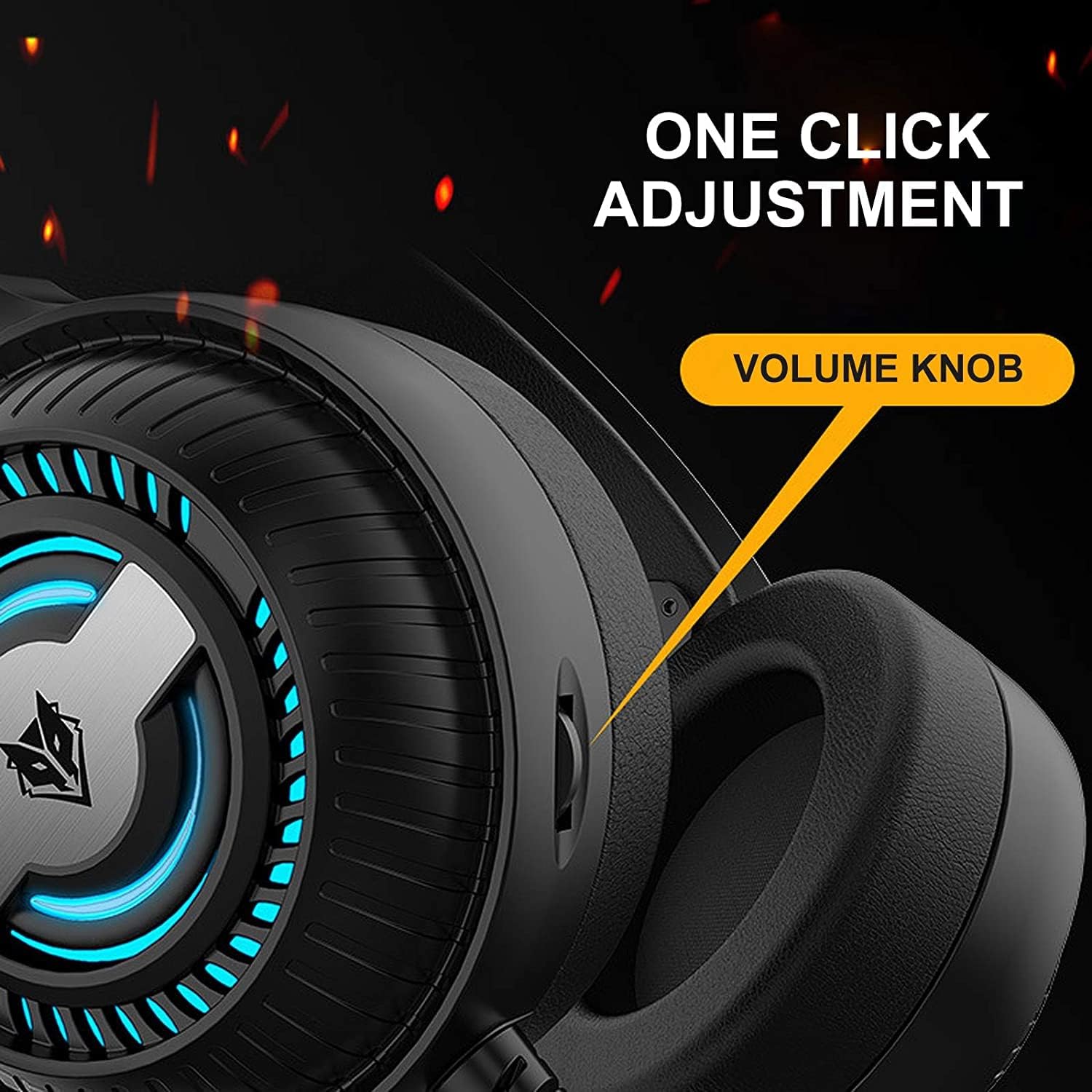
Image 4.1: The volume knob located on the left ear cup for quick audio adjustments.
4.2 Fampiasana mikrôfôna
The flexible microphone is equipped with noise reduction technology for clear communication.
- Fametrahana: Adjust the flexible microphone boom to a comfortable position near your mouth for optimal voice pickup.
- Fampihenana ny tabataba: The integrated sponge on the microphone helps to reduce ambient noise, ensuring your voice is transmitted clearly.

Image 4.2: The flexible microphone with noise reduction capabilities, shown in various positions.
4.3 jiro LED
The headphones feature a breathing lamp effect with 7 different colors, powered via the USB connection.
- The LED lights will automatically cycle through 7 colors when the USB connector is plugged into a powered USB port.
- There is no manual control for changing or turning off the LED colors; they operate in a continuous breathing cycle.

Image 4.3: The ear cup illuminated with the 7-color breathing lamp vokany.
5. Fikojakojana
5.1 Fanadiovana
- Mampiasà lamba malefaka sy maina hamafa ny ety ivelany amin'ny écouteur.
- For ear cushions, gently wipe with a slightly damp lamba ary avela ho maina tanteraka amin'ny rivotra alohan'ny hampiasana azy.
- Aza mampiasa akora simika mahery vaika, solvents, na fanadiovana maloto.
5.2 Fitehirizana
- Tehirizo ao amin'ny toerana mangatsiatsiaka sy maina ny écouteur lavitry ny tara-masoandro mivantana sy ny hafanana tafahoatra.
- Fadio ny mametraka zavatra mavesatra eo amin'ny écouteur.
5.3 Fikarakarana Tariby
- Halaviro ny fiolahana maranitra na fisintonana be loatra ny tariby mba hisorohana ny fahasimbana.
- Always grasp the plug, not the cable, when disconnecting.
6. Famahana olana
6.1 No Sound from Headphones
- Ensure the 3.5mm audio jack is fully inserted into the correct audio output port.
- Check the volume knob on the headphones and your device's system volume.
- Verify that the headphones are selected as the default playback device in your sound settings.
- Test the headphones with another device to rule out a device-specific issue.
6.2 Microphone tsy mandeha
- Hamarino tsara fa tafiditra tsara ao amin'ny seranana fidirana mikrô ny jack mikrô 3.5mm.
- Verify that the microphone is selected as the default recording device in your sound settings.
- Jereo ny fikirana momba ny fiainana manokana momba ny mikrôfôna ao amin'ny rafitra fiasanao.
- Andramo amin'ny fitaovana na fampiharana hafa ny mikrô.
6.3 LED Lights Not Illuminating
- Hamarino tsara fa tafiditra tsara ao amin'ny seranana USB mandeha amin'ny herinaratra ny connecteur USB.
- Manandrama seranan-tsambo USB hafa.
7. Famaritana
Key technical specifications for the Nubwo N1 Pro Gaming Headphones:
| endri-javatra | famaritana |
|---|---|
| Anarana modely | N1 Pro |
| Anarana marika | Generic (Nubwo) |
| Teknolojia fifandraisana | Wired (3.5mm Audio, 3.5mm Mic, USB for LED) |
| Efitrano endrika endrika | Amin'ny sofina |
| Fametrahana ny sofina headphone | Amin'ny sofina |
| Headphone Jack | Jack 3.5 mm |
| fahatsapana | 96 dB |
| Fanaraha-maso ny tabataba | None (Microphone features noise reduction) |
| loko | Mainty |
| Anisan'ny singa | Ear Cushions, Headband |
| Ny haben'ny fonosana | 25.2 x 19.9 x 12.6 cm |
| lanja | 450 g |
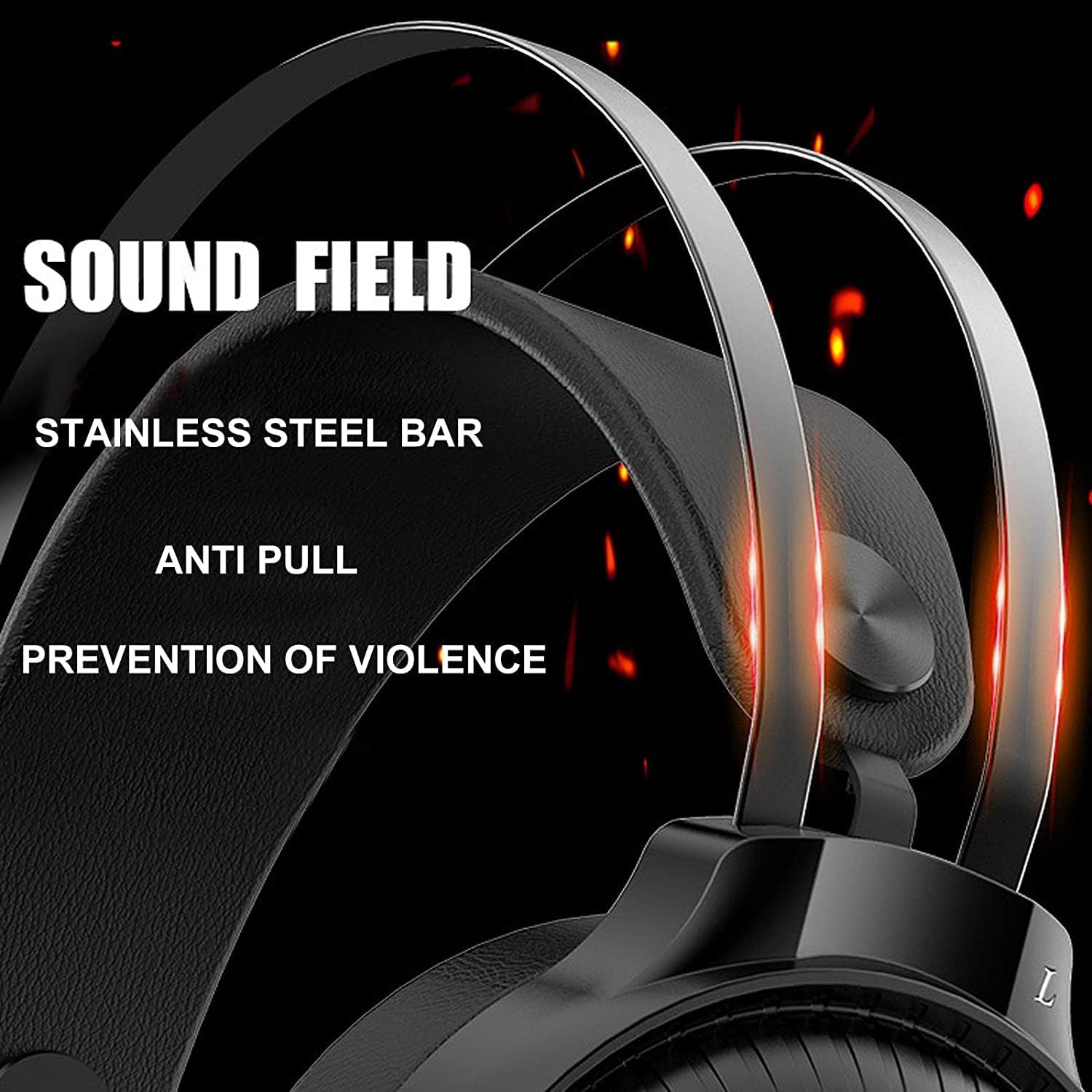
Image 7.1: Illustration of the 50mm horn for sound field and the durable stainless steel bar construction.
8. Warranty sy fanohanana
For information regarding warranty coverage and technical support, please refer to the retailer or the official Nubwo webtoerana nividianana ny vokatra. Tazomy ny porofon'ny fividiananao mba hahazoana antoka.
If you encounter issues not covered in this manual, please contact customer support for assistance.