
1. Fampidirana
Welcome to your new Smart Tech 40FN10T2 Full HD LED TV. This manual provides essential information for the safe and efficient setup, operation, and maintenance of your television. Please read this manual thoroughly before using your TV and retain it for future reference.
2. Torolàlana manan-danja momba ny fiarovana
Mba hahazoana antoka ny fampiasana azo antoka sy hisorohana ny fahasimbana, araho ireto fepetra fiarovana manaraka ireto:
- Loharano herinaratra: Ampifandraiso amin'ny fivoahana herinaratra AC amin'ny voltage.
- rivotra: Ataovy azo antoka tsara ny rivotra manodidina ny fahitalavitra. Aza sakanana ny fisokafan'ny rivotra.
- Rano sy hamandoana: Do not expose the TV to rain, moisture, or place objects filled with liquids on or near the TV.
- Fanadiovana: Esory ny herinaratra amin'ny fahitalavitra alohan'ny hanadiovana azy. Mampiasà lamba malefaka sy maina. Aza mampiasa ranoka fanadiovana na aerosol.
- Serivisy: Aza manandrana manolo-tena ny TV. Alefaso amin'ny mpiasan'ny serivisy mahafeno fepetra ny serivisy rehetra.
- Fametrahana: Apetraho eo amin'ny toerana ambony miorim-paka ny fahitalavitra na apetaho tsara amin'ny rindrina.
3. Ny votoatin'ny fonosana
Hamarino fa misy ny entana rehetra ao anaty fonosana:
- Smart Tech 40FN10T2 Full HD LED TV
- Fanaraha-maso lavitra
- Batterie AAA (2x)
- TV Stand (2 sekely)
- Visy ho an'ny fitoeran'ny fahitalavitra
- User Manual
4. Vokatra mihoatraview
4.1 Eo aloha View
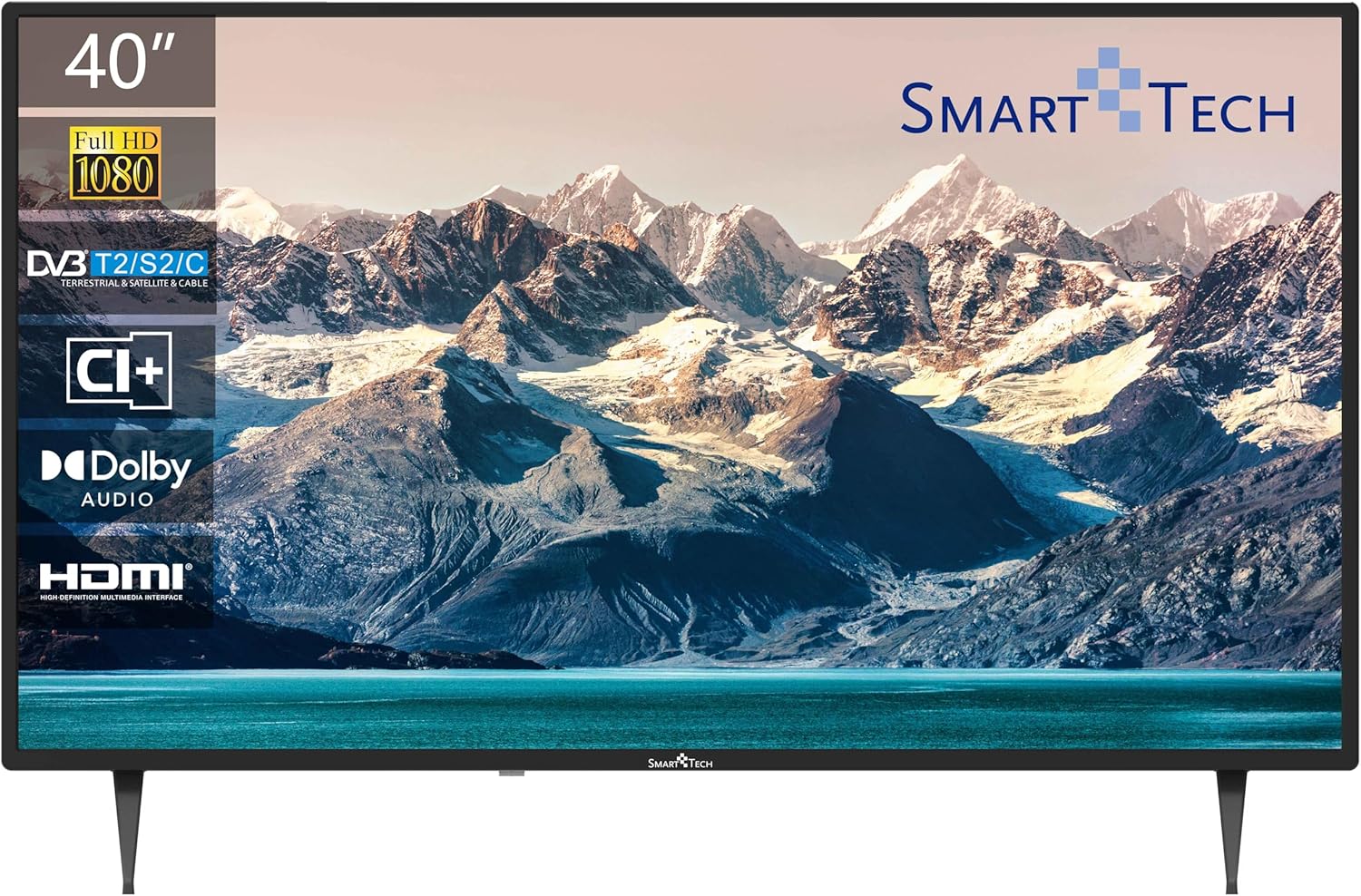
The front of the television features the 40-inch Full HD LED display with a frameless design, providing an immersive viewing experience. The Smart Tech logo is located at the bottom center.
4.2 Fifandraisana amin'ny tontonana aoriana

The back panel provides various input and output ports for connecting external devices:
- USB 1 sy USB 2: Ho an'ny fampifandraisana ireo fitaovana fitahirizana USB ho an'ny fijerena ny rakitra multimedia.
- DVB-T/T2: Antenna input for terrestrial digital television.
- DVB-S/S2: Satellite input for satellite digital television.
- HDMI 1, HDMI 2, HDMI 3: High-Definition Multimedia Interface inputs for connecting devices like Blu-ray players, game consoles, or set-top boxes.
- AV IN: Horonantsary analoga sy fampidiran-peo ho an'ny fitaovana tranainy.
- COAXIAL: Output feo nomerika.
- CI+: Common Interface Plus slot for conditional access modules.
4.3 refy

The television measures approximately 905mm (width) x 515mm (height without stand) x 275mm (depth with stand). The VESA mounting pattern is 200mm x 200mm.
4.4 Fanaraha-maso lavitra
The remote control allows you to access all TV functions. Key buttons include Power, Channel Up/Down, Volume Up/Down, Input Source, Menu, Navigation, and Number buttons.
5. Fametrahana
5.1 Fametrahana ny Stand
- Apetraho amin'ny toerana malefaka sy madio ny fahitalavitra mba hisorohana ny fahasimban'ny efijery.
- Ampifanaraho amin'ireo slot mifanaraka amin'izany eo amin'ny farany ambany amin'ny fahitalavitra ireo tapa-joro.
- Arovy ireo tapa-joro amin'ny fampiasana ireo visy nomena. Ataovy azo antoka fa mafy orina izy ireo.
5.2 Fametrahana rindrina (tsy voatery)
This TV supports VESA standard wall mounts with a 200mm x 200mm pattern. Wall mount brackets are sold separately. Follow the instructions provided with your wall mount for proper installation.
5.3 Mampifandray ny fahitalavitrao
- Antenna/Cable: Connect an antenna or cable TV signal to the DVB-T/T2 input.
- satelita: Connect a satellite dish cable to the DVB-S/S2 input.
- Fitaovana HDMI: Connect devices like a Blu-ray player, game console, or set-top box to any of the HDMI ports.
- Fitaovana USB: Insert a USB flash drive or external hard drive into a USB port for media playback.
- Hery: Ampidiro amin'ny fahitalavitra ny tariby herinaratra ary avy eo amin'ny fivoahan'ny rindrina.
5.4 First-Time Power On
- Tsindrio ny bokotra Power eo amin'ny fanaraha-maso lavitra na ny fahitalavitra.
- Follow the on-screen prompts to select your preferred language and country.
- Initiate the automatic channel scan to find available terrestrial, cable, or satellite channels.
6. Fampandehanana ny fahitalavitrao
6.1 Power On/off
Tsindrio ny fahefana bokotra eo amin'ny fanaraha-maso lavitra mba hampandeha na hamonoana ny fahitalavitra.
6.2 Fantenana fantsona
Ampiasao ny CH + / CH- buttons to change channels sequentially, or enter the channel number directly using the number buttons.
6.3 Fanaraha-maso ny volume
Ahitsio ny feo amin'ny fampiasana ny VOL + / VOL- bokotra. Tsindrio ny Mute bokotra hampanginana vonjimaika ny feo.
6.4 Fantenana Loharano fampidirana
Tsindrio ny SOURCE button on the remote to cycle through available input sources (HDMI 1, HDMI 2, HDMI 3, AV, DVB-T/T2, DVB-S/S2).
6.5 Fikarohana Menu
Tsindrio ny sakafo button to access the main menu. Use the arrow buttons to navigate and OK hanamarina ny safidy. mpanao gazety FIVOAHANA handao ny menio.
6.6 Fampiasana Triple Tuner
Your TV is equipped with a triple tuner supporting DVB-T/T2 (terrestrial), DVB-C (cable), and DVB-S/S2 (satellite) signals. You can select the desired tuner mode during the initial setup or via the TV's menu settings.
6.7 USB Media Playback
Insert a USB storage device into one of the USB ports. The TV will typically detect the device and prompt you to open the media browser. You can then navigate and play supported video, audio, or image files.
7. Fikojakojana
7.1 Fikarakarana sy fanadiovana
- Ecran: Fafao moramora amin'ny lamba malefaka tsy misy loko ny efijery. Ho an'ny marika mafy loha, moramora dampen the cloth with water or a specialized screen cleaner (ensure it's TV-safe). Do not spray liquid directly onto the screen.
- Casing: Fafao ny TV casing misy lamba malefaka sy maina. Fadio ny mampiasa fitaovana fanadiovana na solvents.
- vovoka: Atsofohy tsy tapaka ny varavarankelin'ny rivotra mba hisorohana ny hafanana be loatra.
8. Famahana olana
Jereo ny tabilao etsy ambany ho an'ny olana mahazatra sy ny vahaolana:
| OLANA | Vahaolana mety |
|---|---|
| Tsy misy hery | Check if the power cord is securely plugged into the TV and the wall outlet. Ensure the outlet has power. |
| Tsy misy sary, fa misy feo | Hamarino fa voafantina ny loharano fampidirana marina. Jereo ny fifandraisana tariby amin'ny fitaovana ivelany. |
| Tsy misy feo fa misy sary | Jereo ny haavon'ny feo ary ataovy azo antoka fa tsy mangina ny fahitalavitra. Hamarino ny fifandraisana amin'ny tariby audio ho an'ny fitaovana ivelany. |
| Tsy mandeha ny fanaraha-maso lavitra | Soloy ny bateria. Ataovy azo antoka fa tsy misy sakana eo anelanelan'ny lavitr'ezaka sy ny sensor IR an'ny fahitalavitra. |
| Kalitaon'ny sary ratsy | Check antenna or cable connections. Adjust picture settings in the TV menu. If using an external device, check its output resolution. |
9. Famaritana ara-teknika
Detailed specifications for the Smart Tech 40FN10T2 Full HD LED TV:
| endri-javatra | famaritana |
|---|---|
| Laharana modely | 40FN10T2 |
| Haben'ny efijery | 40 santimetatra (101 sm) |
| Display Technology | LED |
| vahaolana | 1080p (Full HD, 1920 x 1080 pixels) |
| Ny tahan'ny fanavaozana | 120 hertz (60 Hz native) |
| Karazana Tuner | DVB-T/T2/C/S/S2 (Triple Tuner) |
| Teknolojia Audio | Dolby Audio |
| fifandraisana | 3x HDMI, 2x USB 2.0, CI+, AV In, Coaxial Out |
| Endri-javatra manokana | Famolavolana tsy misy endriny |
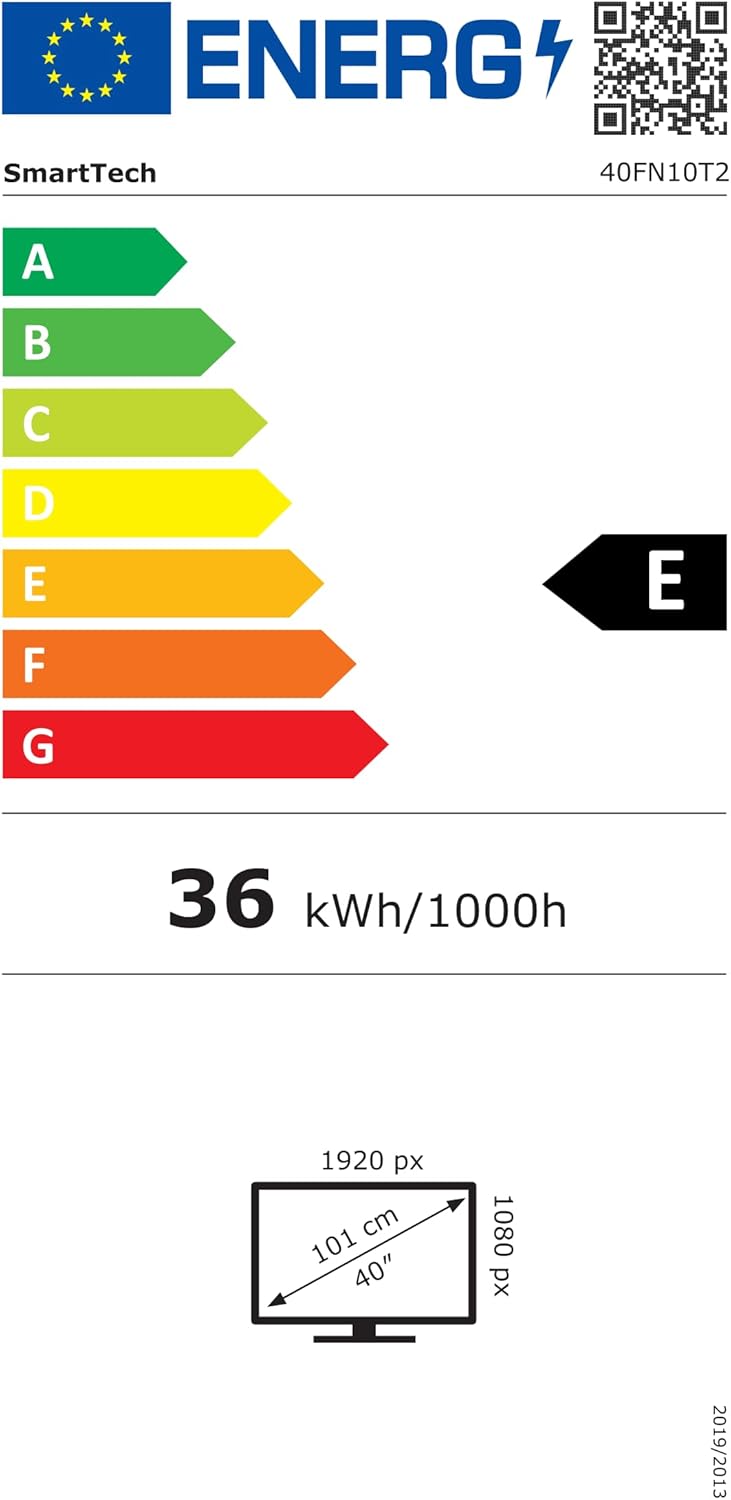
| Fanjifana herinaratra (SDR) | 36 kWh/1000h |
| Kilasy fahavitan'ny angovo (SDR) | E |
| refy (WxHxD) | 90.5 x 51.5 x 27.5 cm (miaraka amin'ny fijoroana) |
| VESA Wall Mount | 200 x 200 mm |
| Anisan'ny singa | Remote Control, 2x AAA Batteries |
Raha mila fanazavana amin'ny antsipiriany momba ny angovo, jereo azafady ny tahiry ofisialin'ny EPREL: https://eprel.ec.europa.eu/qr/964704
10. Warranty sy fanohanana
Your Smart Tech 40FN10T2 TV comes with a standard manufacturer's warranty. Please refer to the warranty card included in your package for specific terms and conditions. For technical support, service inquiries, or to obtain replacement parts, please contact your retailer or the Smart Tech customer service department.