
FASDUNT HV1
FASDUNT Handheld Vacuum User Manual
Modely: HV1
Brand: FASDUNT
1. Fampidirana
Thank you for choosing the FASDUNT Handheld Vacuum. This powerful and versatile cordless vacuum is designed to provide efficient cleaning for your home, office, and car. Featuring an 8000Pa ultra-strong suction, wet and dry capabilities, a 3-layer filtration system with HEPA filters, rapid charging, and an innovative LCD display, it offers a smarter and more convenient cleaning experience.
2. Ny votoatin'ny fonosana
Ataovy azo antoka fa ao anatin'ny fonosanao ny entana rehetra:
- 1 × Handheld Vacuum Cordless
- 1 × Crevice Tool
- 1 × Brush Tool
- 1 × Liquid Nozzle
- 2 × HEPA Filters (one pre-installed, one extra)
- 1 × Fametrahana fototra
- 1 × Tool Storage Stand
- 1 × Borosy fanadiovana
- 1 × User Manual
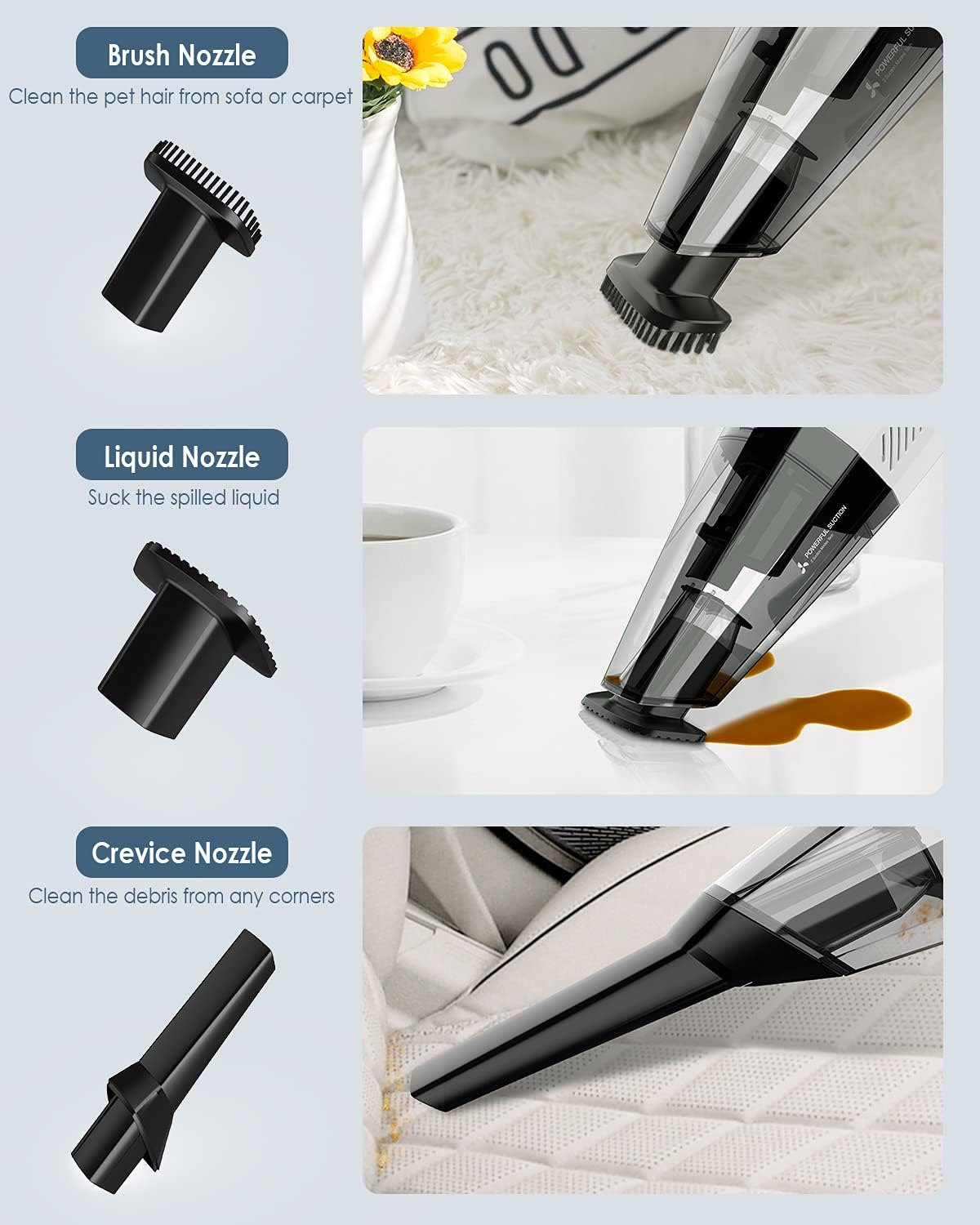
Figure 1: All components included in the FASDUNT Handheld Vacuum package.
3. Toetran'ny vokatra
3.1. 8000Pa Ultra-Strong Suction
Equipped with a 100W power motor, the FASDUNT handheld vacuum delivers over 8000Pa of suction, effectively picking up dirt, crumbs, and pet hair from various surfaces. It features both ECO and MAX modes to adapt to different cleaning needs.
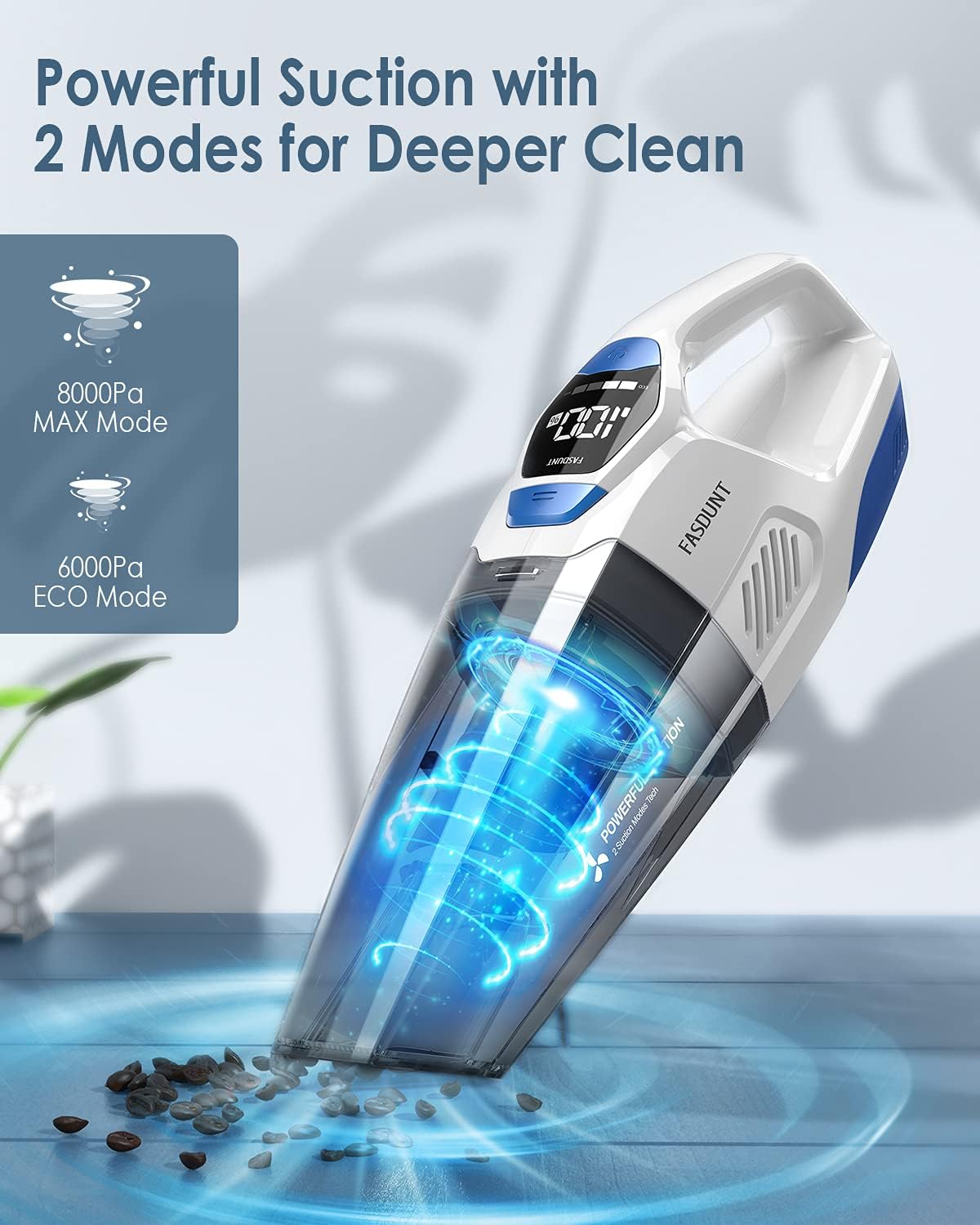
Figure 2: The vacuum in action, showcasing its powerful suction in both ECO and MAX modes.
3.2. 3-layer Filtration with 2 HEPA Filters
The vacuum utilizes an advanced 3-layer filtration system, including an air outlet sponge, filter holder, and a washable HEPA filter. This system captures 99.99% of microparticles, protecting the motor and preventing secondary air pollution. An additional HEPA filter is provided for convenience.

Sary 3: Nipoaka view of the vacuum's multi-layer filtration system, highlighting the HEPA filters.
3.3. Portable Wet Dry Handheld Vacuum
Designed for both wet and dry use, this vacuum comes with three different nozzles (crevice, brush, and liquid) to effectively clean dust, pet hair, and spilled liquids. Note: The liquid capacity of the dust cup should not exceed 100ml.

Figure 4: The three specialized nozzles for versatile cleaning tasks.
3.4. 2-3h Super Rapid Charging
The vacuum is equipped with a 4 x 2200mAh rechargeable and detachable battery pack, utilizing fast-charge technology to achieve a full charge in just 2-3 hours. This provides 20-30 minutes of continuous running time, and the battery pack can be charged independently.
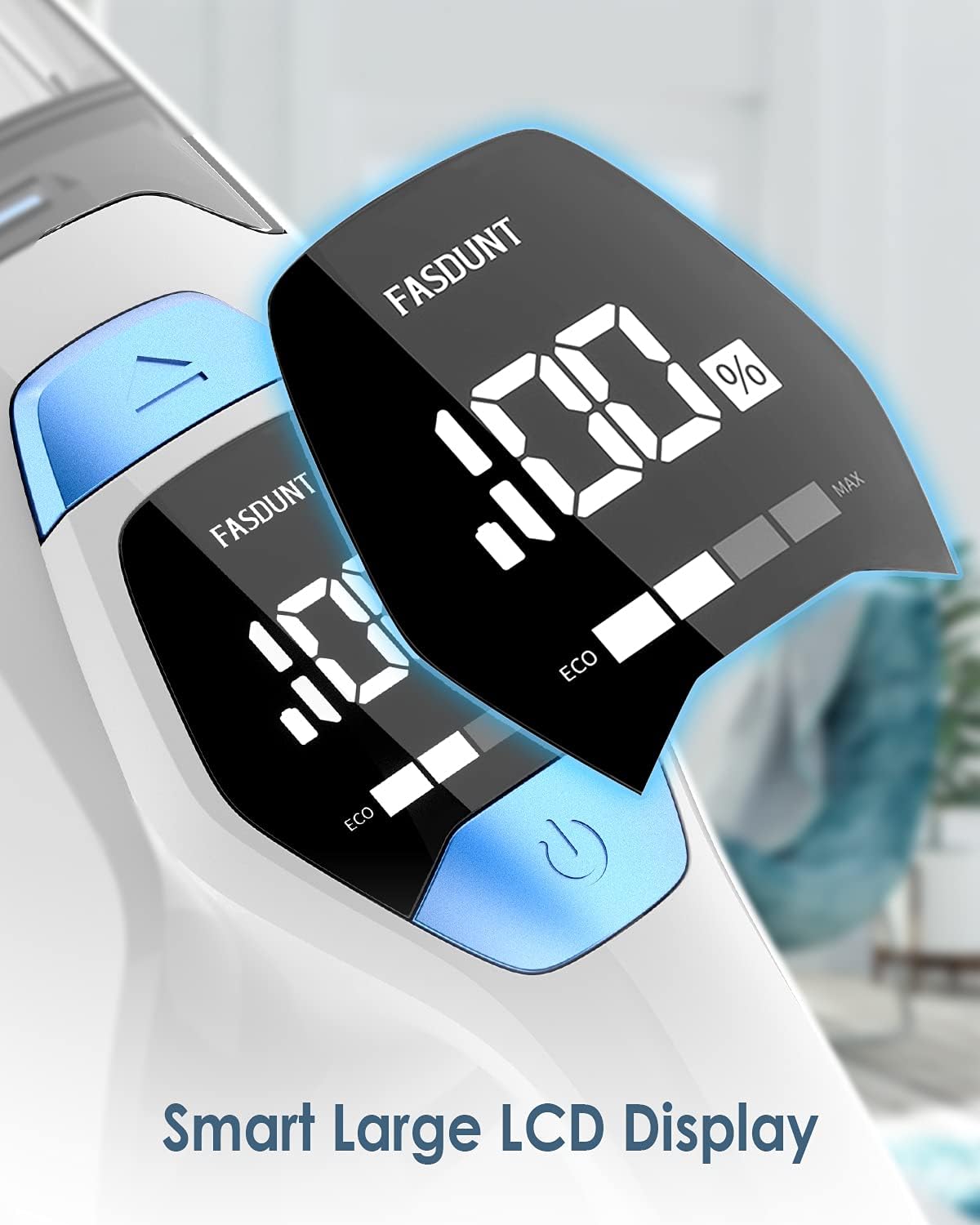
Figure 5: The vacuum charging on its base, highlighting the rapid charging feature.
3.5. Innovative Smart LCD Display
A thoughtful LCD display shows the battery power and selected mode (ECO/MAX) in real-time during use or charging, offering a smarter and more convenient cleaning experience. The included 2-in-1 storage and charging stand helps keep your device organized.

Figure 6: The LCD display providing real-time information on battery and mode settings.
Video 1: Official product video demonstrating the FASDUNT Handheld Vacuum with LCD Display and its features.
4. Fametrahana sy fiampangana
4.1. fiampangana voalohany
Before first use, fully charge the vacuum. Place the handheld vacuum onto the charging base. The LCD display will show the battery percentagmitomboasing as it charges. A full charge typically takes 2-3 hours.
Figure 7: Place the vacuum on the charging base for initial charging.
4.2. Fametahana ireo "nozzles"
Select the appropriate nozzle for your cleaning task. Align the nozzle with the vacuum's suction port and push firmly until it clicks into place. To remove, pull the nozzle straight off.
- Fitaovam-pitaovana: Ideal for narrow gaps and corners (e.g., car seats, window sills).
- Fitaovana borosy: Best for upholstered surfaces, carpets, and pet hair.
- Liquid Nozzle: For vacuuming small liquid spills (ensure liquid does not exceed 100ml).
5. Torolàlana miasa
5.1. Famelomana/Famonoana ary Fifantenana Mode
Press the power button on the handle to turn the vacuum on. The LCD display will illuminate, showing the current battery level and suction mode. Press the mode button to switch between ECO (6000Pa for general cleaning) and MAX (8000Pa for deeper cleaning) modes. Press the power button again to turn the vacuum off.
Figure 8: Power button and mode selection on the vacuum's handle.
5.2. Fanadiovana ankapobeny
Use the appropriate nozzle for the surface you are cleaning. Move the vacuum slowly over the area to allow for effective suction. For dry debris, the crevice or brush tool can be used. For liquid spills, attach the liquid nozzle and ensure the dust cup does not exceed its 100ml liquid capacity.

Figure 9: The versatile handheld vacuum used for cleaning in different environments.
Video 2: Demonstrates the vacuum's usage for various cleaning tasks, including dry and wet spills.
6. Fikojakojana
6.1. Emptying the Dust Cup
To empty the dust cup, press the release button located near the dust cup. Detach the dust cup from the main unit. Hold the dust cup over a trash bin and open its lid to dispose of collected debris. For wet messes, carefully pour out the liquid.

Figure 10: Steps for detaching and emptying the dust cup.
6.2. Manadio ny sivana
Regularly clean the HEPA filter and filter holder to maintain optimal suction performance and prevent secondary pollution. Remove the filter from the dust cup. You can use the provided cleaning brush to remove dust from the HEPA filter. Both the HEPA filter and the dust cup can be rinsed under running water. Ensure all parts are completely dry before reassembling to prevent mold or damage.

Figure 11: Detailed steps for cleaning the HEPA filter and dust cup.
Video 3: Demonstrates how to clean the FASDUNT Handheld Vacuum's filter and dust cup.
7. Famahana olana
| OLANA | Antony mety hitranga | vahaolana |
|---|---|---|
| Tsy misy suction na malemy | Feno ny kaopy vovoka; tsentsina ny sivana; tsentsina ny vavan'ny fantsona. | Empty the dust cup. Clean or replace the HEPA filter. Check and clear any blockages in the nozzle or suction path. |
| Tsy mandeha ny vacuum | Battery is low or depleted; Power button not pressed correctly. | Charge the vacuum fully. Ensure the power button is pressed firmly. |
| Fotoana fohy | Tsy feno tanteraka ny bateria; Simba ny androm-piainan'ny bateria. | Ensure the vacuum is fully charged before use. If battery life is consistently short after full charge, contact customer support. |
| Liquid leaks from dust cup | Dust cup overfilled with liquid; Dust cup not properly sealed. | Do not exceed the 100ml liquid max line. Ensure the dust cup is securely attached and sealed. |
8. Famaritana
| endri-javatra | antsipirihany |
|---|---|
| Marika | FASDUNT |
| Laharana modely | HV1 |
| Endri-javatra manokana | Portable, LCD Display, Cordless, Bagless, Wet/Dry, Lightweight, HEPA |
| Karazana sivana | Filter HEPA |
| Herin'ny setroka | 8000Pa (MAX mode) |
| Karazana bateria | Lithium-Ion (4 x 2200mAh) |
| Time Charging | 2-3 ora |
| Fampandehanana | 20-30 minitra |
| fahafahana | 0.1 Liters (liquid max) |
| Lanja entana | 2.38 kg |
| Ny refin'ny vokatra | 16.14" L x 5.12" W x 4.25" H |
9. Warranty sy fanohanana
FASDUNT products come with a standard manufacturer's warranty. For detailed warranty information, product support, or to purchase replacement parts, please refer to the contact information provided in your product packaging or visit the official FASDUNT webtranonkala. Vonona hanampy anao amin'izay fanontaniana na ahiahy rehetra ny ekipanay momba ny serivisy ho an'ny mpanjifa.
Visit the FASDUNT Store: FASDUNT Store on Amazon
Ask a question about this manual
Ask about setup, troubleshooting, compatibility, parts, safety, or missing instructions. Manuals+ will review the question and use this page’s manual context to help answer it.