
Sava lalana
This manual provides essential information for the safe assembly, operation, and maintenance of your HyperMotion 5-in-1 Convertible Scooter Tricycle. Please read it thoroughly before first use and retain it for future reference. This product is designed for children aged 1 to 5 years.
Information momba ny fiarovana
- Araho foana ny ankizy mandritra ny fampiasana.
- Ataovy azo antoka fa voafatotra tsara avokoa ny singa rehetra alohan'ny hampiasana azy tsirairay.
- Children must wear appropriate safety gear, including a helmet, knee pads, and elbow pads.
- Aza ampiasaina eny amin'ny arabe ho an'ny daholobe, akaikin'ny fiara, na amin'ny tehezan-tendrombohitra mideza.
- The maximum weight limit for this product is 50 kg (110 lbs).
- Regularly check for wear and tear on wheels, brakes, and frame. Replace damaged parts immediately.
- The product is not intended for stunts or extreme riding.
Vokatra singa
The HyperMotion 5-in-1 Convertible Scooter Tricycle includes the following main components:
- Main Scooter Frame with Deck
- Handlebar azo zahana
- Seza azo esorina
- Removable Push Handle
- Kodiarana aloha (2)
- Rear Wheel with Foot Brake

Image: HyperMotion 5-in-1 Convertible Scooter Tricycle showing its various components.
Setup sy Assembly
The scooter is designed for easy, tool-free assembly. Follow these steps to configure the product into its desired mode:
- Famoahana: Esory tsara ny singa rehetra amin'ny fonosana.
- Attaching the Handlebar: Insert the handlebar into the designated slot on the main frame until it clicks securely into place. Adjust the height as needed by pressing the release button and sliding the handlebar up or down.
- Installing the Seat (Tricycle/Balance Bike Mode): If using the seat, align it with the mounting points on the frame and push down firmly until it locks. Ensure it is stable.
- Attaching the Push Handle (Tricycle with Push Handle Mode): For younger children, attach the push handle to the rear of the seat or frame, ensuring it is securely locked.
- Converting to Scooter Mode: To convert from tricycle/balance bike mode to scooter mode, remove the seat and push handle. Ensure the handlebar is at an appropriate height for standing.

Image: Visual guide illustrating the 5-in-1 modular configurations, including scooter, balance bike, and tricycle modes.
Torolàlana miasa
1. Balance Bike / Tricycle Mode (with seat)
- Child sits comfortably on the seat.
- Child uses their feet to push off the ground and propel the tricycle forward.
- The push handle can be used by an adult to assist or guide the child.
- Steering is achieved by leaning and turning the handlebars.
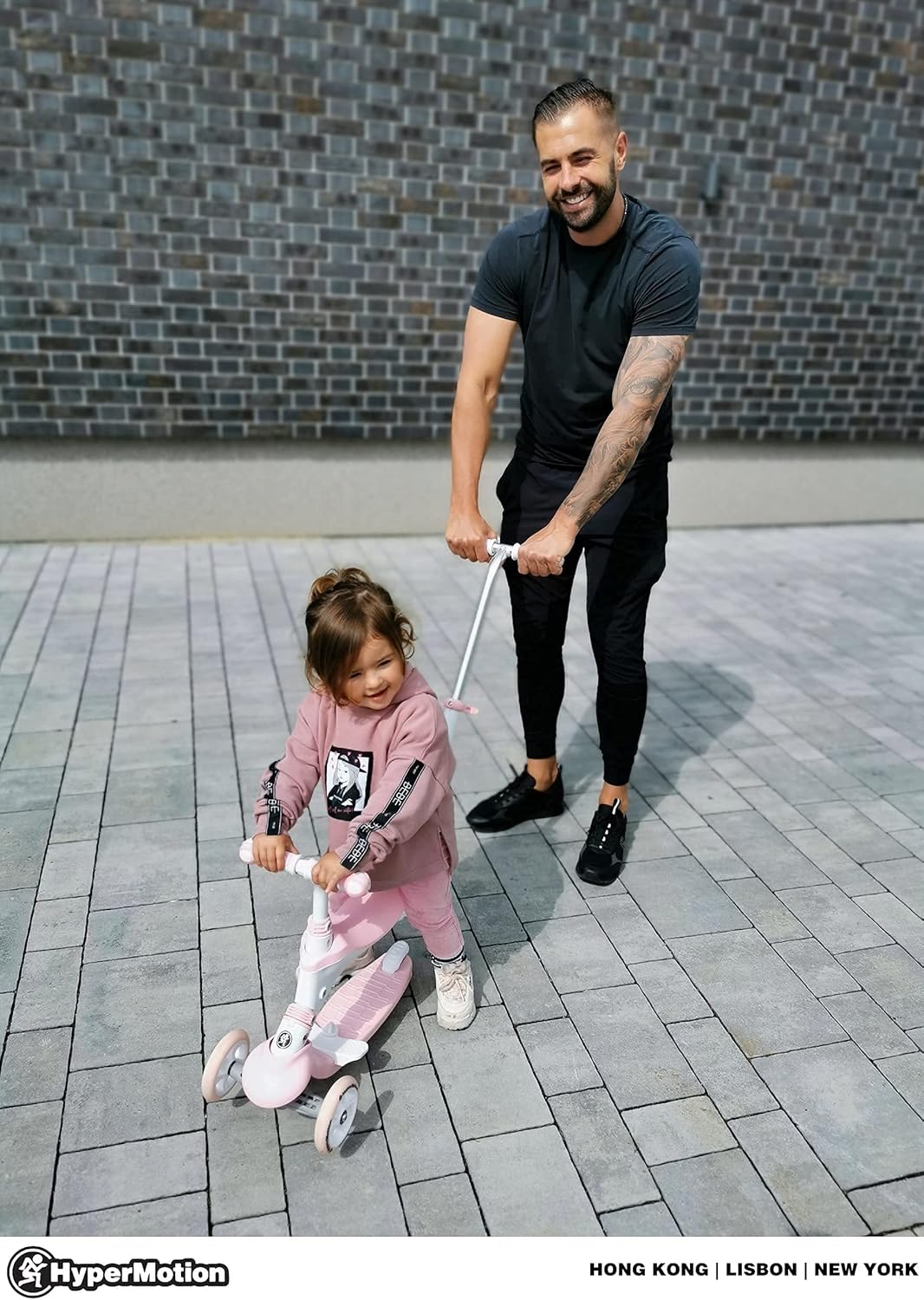
Image: An adult guiding a child on the scooter tricycle using the push handle.
2. Scooter Mode (without seat)
- Child stands on the deck with one foot, using the other foot to push off the ground.
- Steering is performed by leaning the body, which causes the front wheels to turn. This mechanism helps develop balance and coordination.
- To stop, press down on the rear foot brake located above the rear wheel.

Image: A child enjoying the scooter in its standing mode, demonstrating the lean-to-steer mechanism.
fikarakarana
- Fanadiovana: Fafao amin'ny doka ny vokatraamp lamba sy savony malefaka. Aza mampiasa mpanadio abrasive na solvents.
- fitahirizana: Tehirizo ao amin'ny toerana maina ny scooter, lavitry ny tara-masoandro mivantana sy ny mari-pana tafahoatra, mba hisorohana ny fahasimban'ny fitaovana.
- Fijerena kodiarana: Regularly check the rubber wheels for damage, cracks, or excessive wear. Ensure they spin freely.
- Fijerena frein: Verify that the rear foot brake functions effectively.
- Fanamarinana fasteners: Periodically inspect all screws, bolts, and locking mechanisms to ensure they are tight and secure.
Fanamboarana
| OLANA | Antony mety hitranga | vahaolana |
|---|---|---|
| Wheels do not turn smoothly or are stiff. | Dirt or debris in bearings; worn wheels. | Clean wheels and bearings. If worn, consider replacing wheels. |
| Steering is difficult or unresponsive. | Handlebar not fully engaged; steering mechanism obstructed. | Ensure handlebar is securely locked. Check for any obstructions around the steering column. |
| Brake is not effective. | Brake pad worn; debris under brake. | Inspect brake pad for wear. Clean any debris from the brake area. |
| Product feels unstable. | Loose connections; incorrect assembly. | Re-check all assembly steps and ensure all parts are securely fastened. |
fepetra arahana
- marika: HyperMotion
- Anaran'ny modely: Evolutive 50 Kg Max Modulable 5 en 1
- loko: Rose (Pink)
- Sahan-taona: Child (1 to 5 years)
- Endri-javatra manokana: Seza azo esorina
- Fetran-danja: 50 Kilograma (110 lbs)
- Isan'ny kodia: 3
- Fitaovana kodia: fingotra
- Fitaovana Frame: Fiara vy
- Lanja entana: 4.6 Kilograma (10.14 lbs)
- Handlebar Type: Adjustable
- Karazana frein: Fijanonana aoriana
- Haavon'ny tanana: Up to 90 Centimeters (35.4 inches)
- Haben'ny kodia: 12 santimetatra (4.7 santimetatra)
- Fampiasana soso-kevitra: Outdoor play, physical skill development, entertainment
- Firenena nihaviana: CHINE
Warranty sy fanohanana
antoka: This product comes with a 2-year limited warranty. Please retain your proof of purchase for warranty claims.
Misy kojakoja ilaina: Azo ampiasaina mandritra ny 1 taona manomboka amin'ny datin'ny fividianana ny piesy fanolo.
Mpanamboatra: HyperMotion
Ho fanohanana: For any questions, technical assistance, or warranty claims, please contact HyperMotion directly through their official channels or the retailer where the product was purchased. You can visit the HyperMotion Brand Store raha mila fanazavana fanampiny.