
Sava lalana
Thank you for choosing the TOPVISION 120-inch 16:9 HD 4K Foldable Projector Screen. This manual provides essential information for the proper setup, operation, and maintenance of your projector screen. Please read these instructions carefully before use to ensure optimal performance and longevity of your product.
Information momba ny fiarovana
- Keep the screen away from open flames and high heat sources.
- Avoid using sharp objects on the screen surface to prevent damage.
- Ensure the screen is securely mounted to prevent it from falling.
- Do not expose the screen to direct sunlight for extended periods when not in use, as this may affect material integrity.
- Ity vokatra ity dia tsy kilalao. Arovy amin'ny ankizy.
Fonosana fonosana
Azafady, jereo ny fonosana ho an'ireto zavatra manaraka ireto:
- 1 x TOPVISION 120-inch 16:9 Projector Screen
- Mounting Hooks
- Ropes (for alternative mounting)
Fametrahana sy fametrahana
The TOPVISION projector screen is designed for easy installation, suitable for both indoor and outdoor use.
1. Unfolding the Screen
Carefully unfold the screen. Due to its anti-crease polyester fabric, it should flatten out smoothly. If minor creases are present from packaging, they typically disappear after hanging for a short period or with gentle stretching.
2. Safidy fametrahana
The screen offers versatile mounting options:
- Adhesive Hooks: Peel the backing from the adhesive hooks and firmly press them onto a clean, dry, smooth surface (e.g., wall, window). Ensure even spacing. Hang the screen by its grommets onto these hooks.
- Tady: Thread the provided ropes through the screen's grommets. Tie the ropes to suitable anchor points such as trees, poles, or existing fixtures. Adjust tension to ensure the screen is taut.
- Fantsika: For a more permanent installation on appropriate surfaces, use nails through the grommets.
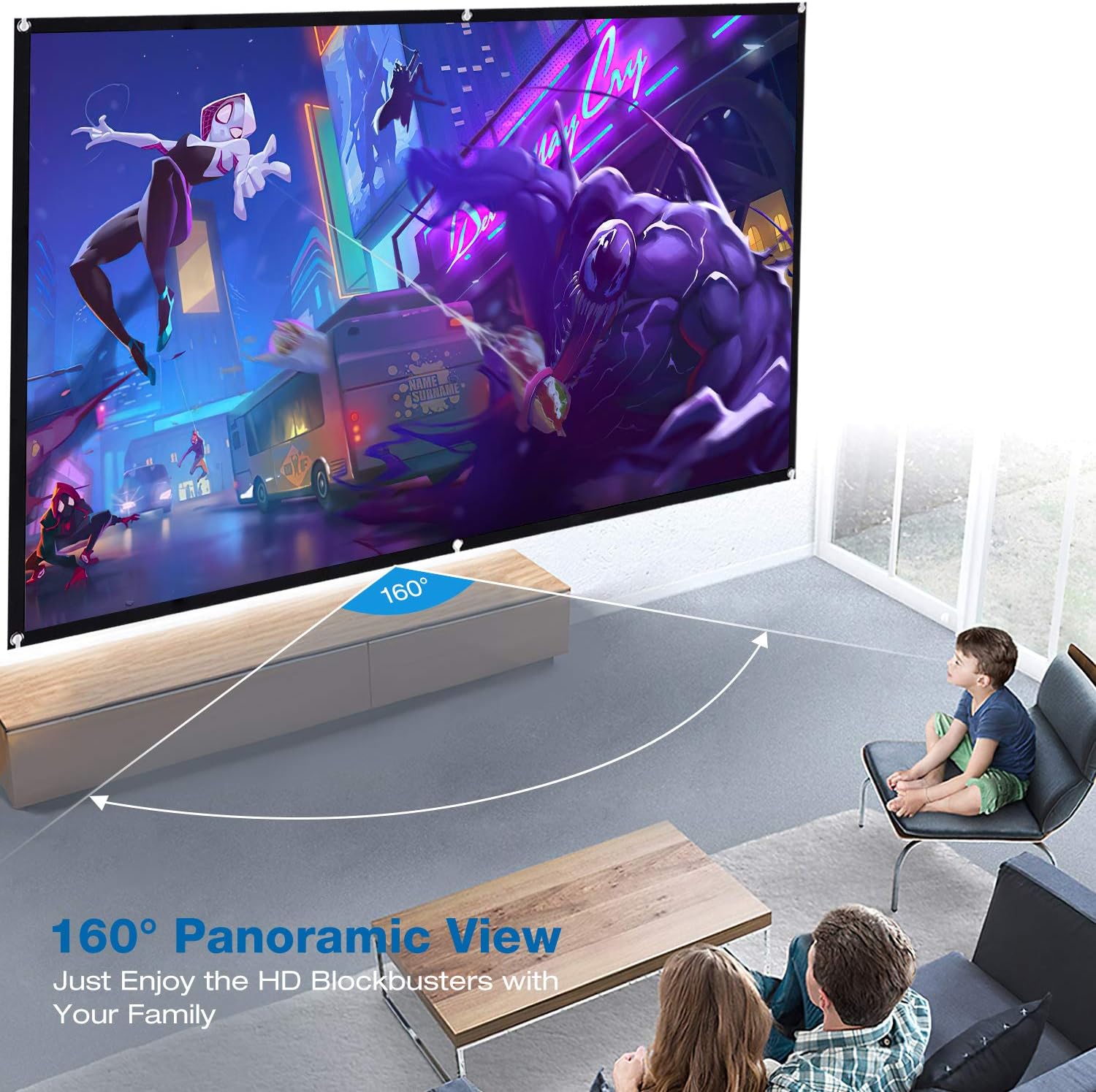
Image: The TOPVISION projector screen installed in a living room, illustrating the wide 160-degree panoramic viewing angle for an immersive experience.

Image: The TOPVISION projector screen set up outdoors, demonstrating its portability and suitability for outdoor movie nights and gatherings.
Ensure the screen is stretched evenly and taut to achieve the best projection surface. The 16:9 aspect ratio is ideal for widescreen content.
Torolàlana miasa
Once installed, the TOPVISION projector screen is ready for use with your projector.
1. Fametrahana ny Projecteur
Position your projector directly in front of the screen. Adjust the projector's distance and zoom settings to fill the screen completely without overshooting the edges.
2. Image Alignment and Focus
Use your projector's keystone correction and focus adjustments to achieve a perfectly rectangular and sharp image on the screen. The screen's smooth surface is optimized for clear 4K/HD projection.
3. Viewamin'ny Angle
The screen offers a wide 160-degree viewing angle, ensuring a clear and vibrant image from various positions within the room or outdoor space. This allows multiple viewers to enjoy the content without significant loss of image quality.

Image: The TOPVISION projector screen displaying a vibrant movie scene, showcasing its ability to render high-definition content with clarity.

Image: A family enjoying a football match on the TOPVISION projector screen, highlighting its suitability for home theater and entertainment.
fikarakarana
Proper care will extend the life and maintain the quality of your projector screen.
1. Manadio ny efijery
The screen is made of durable polyester fabric. To clean, gently wipe the surface with a soft, damp cloth. Use mild soap and water if necessary, then wipe with a clean, damp cloth to remove any residue. Avoid harsh chemicals, abrasive cleaners, or scrubbing, as these can damage the screen surface.
2. Famoahana sy fitahirizana
When not in use, the screen can be folded for compact storage. Its anti-crease design minimizes wrinkles, even after being folded. Store the screen in a cool, dry place, away from direct sunlight and extreme temperatures.
Fanamboarana
If you encounter any issues with your projector screen, please refer to the following common solutions:
- Image Appears Distorted or Unfocused: Ensure your projector is properly aligned and focused. Adjust keystone correction settings on your projector.
- Screen Not Flat: Ensure the screen is stretched taut during installation. Re-adjust mounting points if necessary. Minor creases typically disappear over time.
- Hooks Not Sticking: Ensure the surface is clean, dry, and smooth before applying adhesive hooks. For rough or uneven surfaces, use ropes or nails for mounting.
- Poor Image Brightness/Contrast: While the screen helps improve contrast, ensure your projector's settings are optimized for your viewing environment. Reduce ambient light if possible.
fepetra arahana
| endri-javatra | famaritana |
|---|---|
| Marika | TOPVISION |
| Laharana modely | TYYMB0010 |
| Haben'ny efijery | 120 santimetatra |
| Aspect ratio | 16:9 |
| Viewamin'ny Angle | 160 degre |
| Karazana fitaovana | Polyester |
| Famariparitana eran'ny efijery | Smooth, Anti-Crease |
| Karazana fametrahana | Wall Mount (Hooks, Ropes, Nails) |
| UPC | 681013250479 |
Warranty sy fanohanana
TOPVISION offers a Garantie mpanamboatra 1 taona for this product, covering defects in materials and workmanship from the date of purchase. Additionally, a Politika fiverenana 30 andro dia omena.
For any questions, technical assistance, or warranty claims, please contact our customer service team. Our 24-hour customer service team is available to assist you.
Antsipiriany ifandraisana: Please refer to the contact details provided with your purchase or visit the official TOPVISION webtranonkala ho fanohanana.