
1. Fampidirana
This manual provides instructions for the proper setup, operation, and maintenance of your SevenOak SK-GH02 Carbon Fiber Professional Gimbal Tripod Head. This professional-grade gimbal head is designed for use with telephoto lenses, offering fluid movement and stable support for heavy camera setups.
2. Information momba ny fiarovana
- Read all instructions thoroughly before using the product.
- Ensure all locking mechanisms are securely fastened before releasing your camera equipment.
- Do not exceed the maximum load capacity of the gimbal head (30+ lbs).
- Arovy amin'ny ankizy ny fitaovana.
- Avoid exposing the gimbal head to extreme temperatures, direct sunlight for prolonged periods, or excessive moisture.
3. Ny votoatin'ny fonosana
- SevenOak SK-GH02 Gimbal Tripod Head
- Arca-Swiss Quick-Release Plate
4. Vokatra mihoatraview
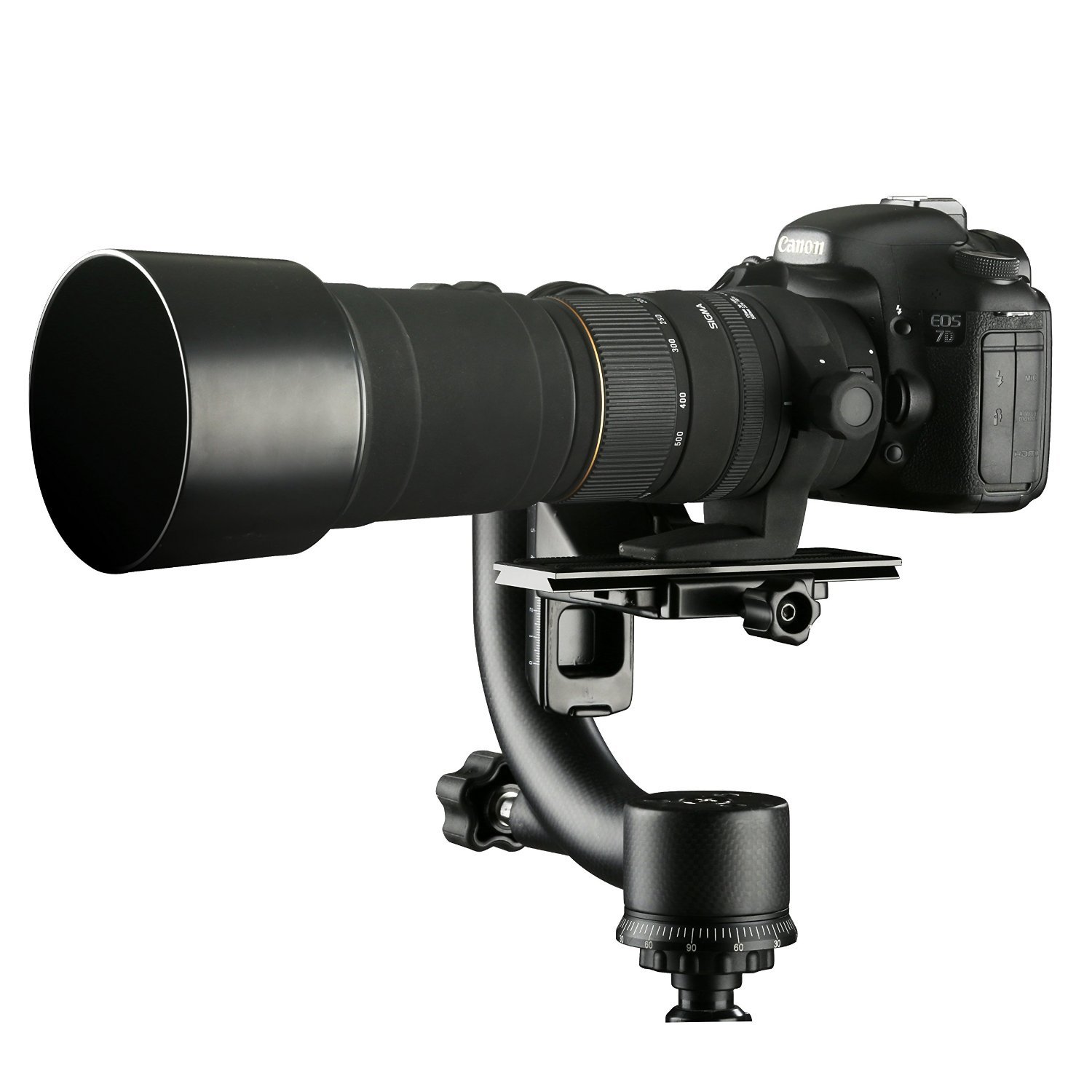
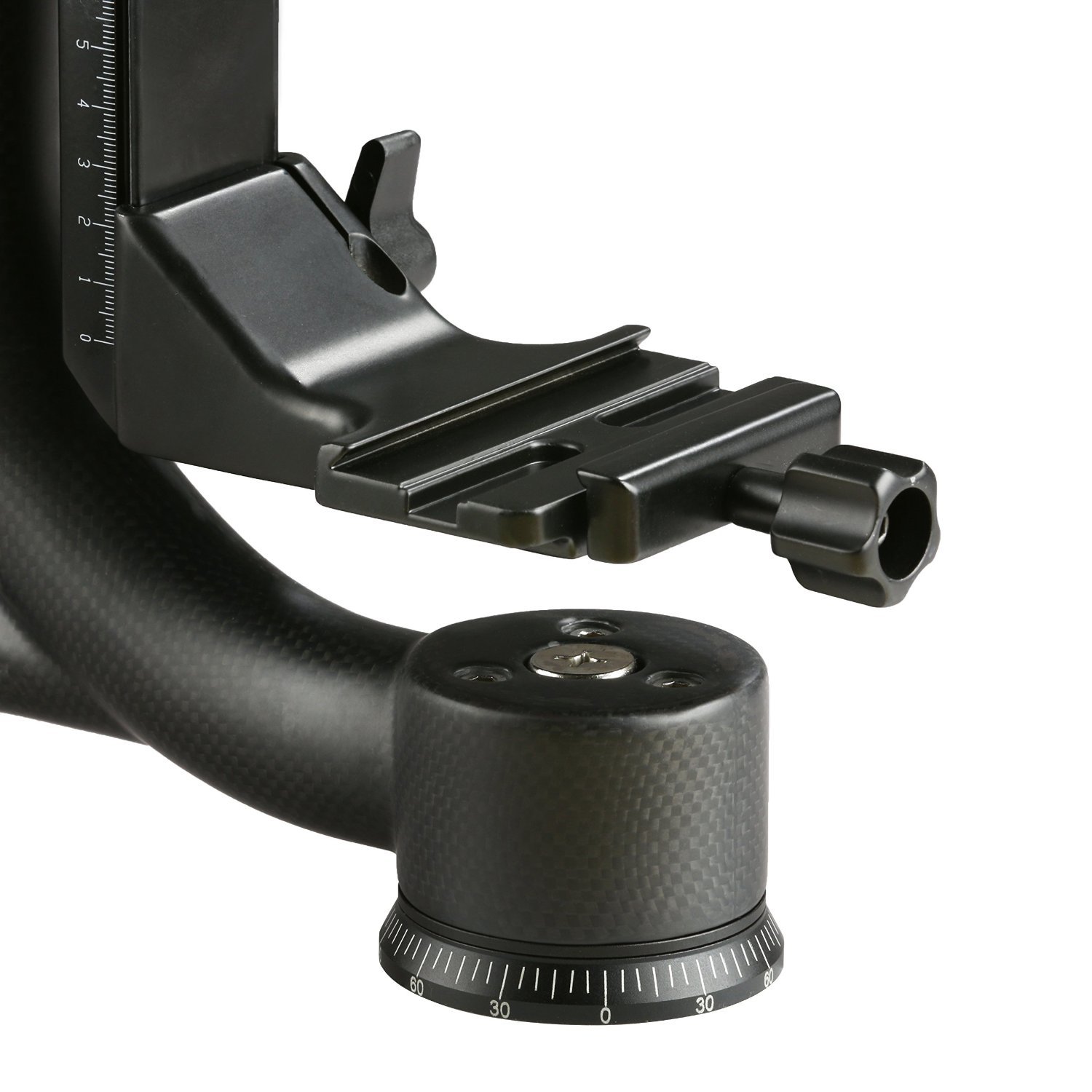
The SevenOak SK-GH02 is a robust carbon fiber gimbal head featuring a swing arm design and an Arca-Swiss compatible quick-release system. It allows for smooth, balanced movement of heavy camera and lens combinations, making it ideal for wildlife and sports photography.




5. Fametrahana
Apetaho amin'ny tripod
Securely mount the base of the gimbal head onto a sturdy tripod using the standard 3/8" screw thread. Ensure the connection is tight to prevent any unwanted movement during use.
Fametrahana ny fakan-tsary sy ny Lens
Attach the provided Arca-Swiss quick-release plate to the tripod collar of your telephoto lens. If your lens does not have a tripod collar, attach it directly to the camera body. Slide the quick-release plate with your camera/lens into the clamp on the gimbal head. Tighten the clamp securely to prevent accidental detachment.
Balancing the Setup
Loosen the tilt and pan locking knobs. Adjust the position of the camera/lens on the quick-release plate and the vertical arm of the gimbal head until the camera and lens are neutrally balanced. The camera should remain stationary when released at any angle. Once balanced, tighten all locking knobs to secure the position.
6. Torolàlana miasa
Panning Movement
Loosen the panning lock knob located at the base of the gimbal head. This allows for smooth 360-degree horizontal rotation. Tighten the knob to lock the position when not panning.
Tilting Movement
Loosen the tilt lock knob on the side of the swing arm. This enables vertical tilting of the camera and lens. Tighten the knob to secure the desired angle.
Mampiasa ny takelaka famotsorana haingana
The Arca-Swiss quick-release plate allows for rapid attachment and detachment of your camera equipment. Always ensure the plate is fully seated and the clamp is tightened before use to prevent accidental drops.
7. Fikojakojana
- Fanadiovana: Use a soft, dry cloth to clean the carbon fiber and metal surfaces. Avoid abrasive cleaners or solvents, which can damage the finish.
- fitahirizana: Store the gimbal head in a dry, dust-free environment when not in use.
- Fanaraha-maso: Periodically check all screws and knobs for tightness. Re-tighten if necessary to ensure safe operation.
8. Famahana olana
- Olana: Camera/Lens not balancing correctly.
Vahaolana: Ensure the quick-release plate is correctly positioned on the lens collar or camera body. Adjust the camera's position on the plate and the vertical arm's height until the setup is neutrally balanced. - Olana: Stiff panning or tilting movement.
Vahaolana: Check that the respective locking knobs are fully loosened. If the issue persists, inspect for any obstructions or debris in the moving parts.
9. Famaritana
| NY FANANANA | sarobidy |
|---|---|
| Marika | Sevenoak |
| MODELY | SK-GH02 |
| Load Capacity | Supports 30+ LBS |
| KEVITRA | Carbon Fibre |
| Karazana fametrahana | Arca-Swiss Quick-Release Plate |
| Haben'ny vokatra (LxWxH) | 25.4 x 23.1 x 15 santimetatra |
| Lanja entana | 1.22 kg (2.7 kilao) |
| mpanamboatra | Texas tr llc |
| ASIN | B01B14EOSC |
| UPC | 815206020383 |
10. Warranty sy fanohanana
Raha mila fampahalalana momba ny fiantohana na fanohanana ara-teknika, azafady mba jereo ny ofisialin'ny mpanamboatra webtranokala na mifandraisa amin'ny mpivarotra anao. Tehirizo ny tapakila fividiananao ho porofon'ny fividianana ho an'ny fitakiana fiantohana.