
Excelvan EHD11
Excelvan EHD11 Mini LED Projector User Manual
Model: EHD11
1. Fampidirana
This manual provides detailed instructions for the setup, operation, and maintenance of your Excelvan EHD11 Mini LED Projector. Please read this manual thoroughly before using the projector to ensure proper operation and to extend the product's lifespan. Keep this manual for future reference.
2. Torolàlana manan-danja momba ny fiarovana
To prevent fire or electric shock, do not expose this appliance to rain or moisture. Observe the following safety precautions:
- Aza sakanana ny fidiran'ny rivotra. Ataovy izay hahazoana toerana ampy tsara manodidina ny projecteur mba hahafahan'ny fikorianan'ny rivotra tsara.
- Aza apetraka eo amin'ny sarety, fijoroana, na latabatra tsy milamina.
- Do not operate the projector near water or moisture.
- Mampiasà fametahana/fanampiana voafaritry ny mpanamboatra ihany.
- Esory amin'ny herinaratra ity projecteur ity rehefa misy tafio-drivotra na rehefa tsy ampiasaina mandritra ny fotoana maharitra.
- Alefaso amin'ny mpiasan'ny serivisy mahafeno fepetra ny serivisy rehetra.
- Fadio ny mijery mivantana amin'ny family projector rehefa lamp mandeha.
3. Ny votoatin'ny fonosana
Azafady, jereo fa misy ny entana rehetra ary ao anatin'ny toe-javatra tsara:
- Excelvan EHD11 Projector
- Cable herinaratra
- Fanaraha-maso lavitra
- AV tariby
- User Manual
4. Vokatra mihoatraview
4.1 Projector Front and Top View

Sary 4.1: Eo anoloana sy ambony view of the Excelvan EHD11 projector, showing the lens, ventilation, and control buttons (Source, Menu).
4.2 Projector Rear View sy Seranana

Sary 4.2: aoriana view of the Excelvan EHD11 projector, highlighting the dual built-in speakers and various input/output ports including USB, HDMI, VGA, AV, and audio out.
4.3 Safidy fifandraisana

Image 4.3: Diagram illustrating the wide range of devices compatible with the projector, such as PCs, smartphones, USB storage, TV set-top boxes, game consoles, DVD players, digital cameras, and external speakers.
5. Fametrahana
5.1 Placement and Projection Distance
Position the projector on a stable, flat surface. The projection distance directly affects the screen size. Refer to the diagram below for recommended distances and corresponding screen sizes.

Image 5.1: Chart detailing the relationship between projection distance (in meters) and screen size (in inches) for a 16:9 aspect ratio, ranging from 32 inches at 1.2 meters to 200 inches at 6 meters.
5.2 Fampifandraisana herinaratra
Connect the power cable to the projector's power input and then to a power outlet. The power indicator light will illuminate.
5.3 Mampifandray ireo loharano fidirana
The projector supports multiple input sources. Connect your desired device (e.g., PC, DVD player, game console, USB drive) to the corresponding port on the rear of the projector using the appropriate cable (HDMI, VGA, AV, USB).
5.4 Fanitsiana ny fifantohana sy ny vato fototra
After powering on, adjust the focus ring around the lens until the image is clear. If the image appears trapezoidal, use the keystone correction dial to square the image. The projector supports a ±15° keystone adjustment.
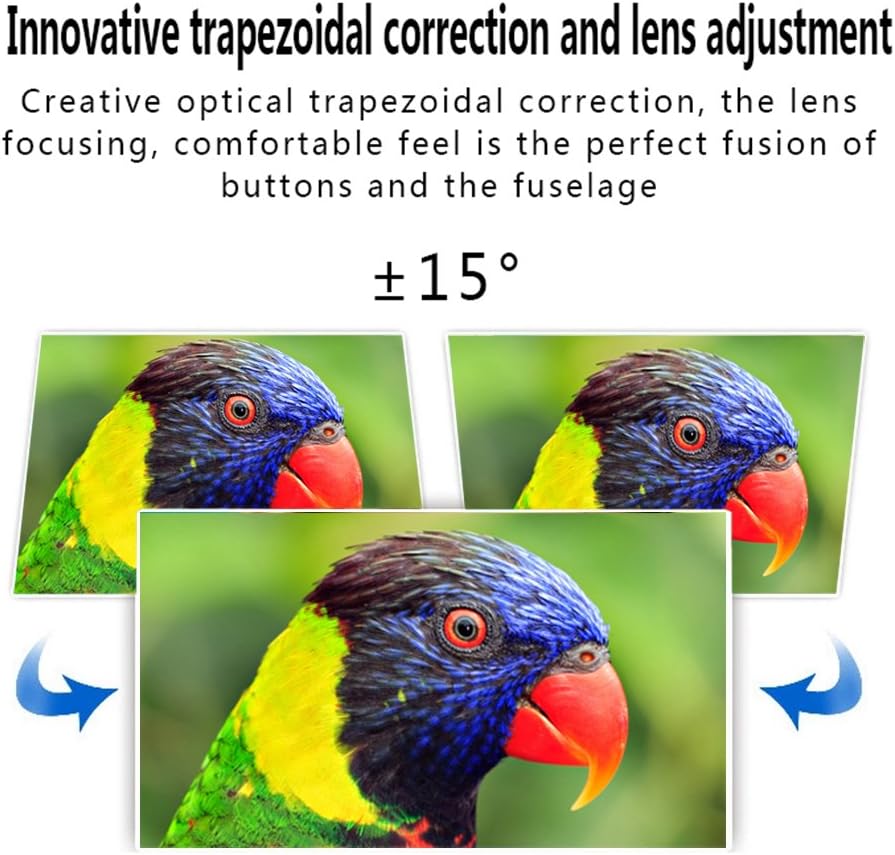
Image 5.4: Visual representation of the ±15° trapezoidal correction and lens adjustment feature, showing how to correct distorted images.
6. Torolàlana miasa
6.1 Power On/off
Tsindrio ny bokotra herinaratra eo amin'ny projector na ny fanaraha-maso lavitra mba hampandeha na hamono ilay fitaovana.
6.2 Fifantenana loharano
Press the 'Source' button on the projector or remote control to cycle through available input sources (HDMI1, HDMI2, USB1, USB2, VGA, AV, YPbPr, TV/DTV). Select the input corresponding to your connected device.
6.3 Fikarohana Menu
Press the 'Menu' button to access the projector's settings. Use the arrow keys on the projector or remote to navigate, and 'OK' or 'Enter' to confirm selections. Adjust settings such as picture mode, aspect ratio, sound mode, and language.
6.4 Output Audio
The projector features built-in speakers. For enhanced audio, connect external speakers to the 'Audio Out' port using a 3.5mm audio cable.
7. Fikojakojana
7.1 Fanadiovana ny solomaso
Use a soft, lint-free cloth and a specialized lens cleaning solution to gently wipe the projector lens. Avoid abrasive materials or excessive pressure.
7.2 Ny rivotra
Regularly check that the projector's ventilation openings are clear of dust and debris. Blocked vents can lead to overheating and affect performance. Do not place the projector on soft surfaces that may obstruct airflow.
8. Famahana olana
| OLANA | Antony mety hitranga | vahaolana |
|---|---|---|
| Tsy misy sary eo amin'ny efijery | Power cable disconnected; Incorrect input source selected; Input device not powered on or connected properly. | Check power connection; Select correct input source; Ensure input device is on and cables are secure. |
| Manjavozavo ny sary | Tsy ahitsy ny fifantohana. | Ahitsio ny peratra fifantohana amin'ny family projecteur. |
| Image is distorted (trapezoidal) | Tsy namboarina ny Keystone. | Adjust the keystone correction dial. |
| Tsy misy feo | Volume too low; Audio cables not connected; Incorrect audio output selected on source device; External speakers not connected or powered. | Increase volume; Check audio cable connections; Ensure source device is outputting audio; Connect external speakers if desired. |
| Input source needs to be set every time | Projector defaults to a specific input or does not save last setting. | Manually select the desired input source after powering on. Check menu settings for an 'Auto Source' or 'Last Input' option if available. |
9. Famaritana
- marika: Excelvan
- Modely: EHD11 (FBA_151224-F6)
- Karazana fampisehoana: LCD
- Fanapahan-kevitra: 1920 x 1080 (Tohanana ny Full HD)
- Teknolojia fifandraisana: HDMI, USB, VGA, AV
- Endri-javatra manokana: 3D-Ready, Portable
- Lanja entana: 6.49 kg
- Ny haben'ny fonosana: 16.9 x 13.1 x 8.5 santimetatra
- Mpanamboatra: Excelvan
- Daty misy voalohany: 8 Novambra 2014
10. Warranty sy fanohanana
For warranty information or technical support, please refer to the documentation provided at the time of purchase or contact your retailer. Keep your purchase receipt as proof of purchase.
Ask a question about this manual
Ask about setup, troubleshooting, compatibility, parts, safety, or missing instructions. Manuals+ will review the question and use this page’s manual context to help answer it.