Sava lalana
Misaotra anao nividyasing the iCES IBT-1 Portable Bluetooth Speaker. This manual provides essential information for setting up, operating, and maintaining your device. Please read it carefully before use to ensure optimal performance and longevity.
Fonosana fonosana
Ataovy azo antoka fa misy ny entana rehetra ao anaty fonosana:
- iCES IBT-1 Portable Bluetooth Speaker
- Mini USB Charging Cable
- User Manual (ity antontan-taratasy ity)
Vita ny vokatraview
The iCES IBT-1 is a compact and versatile portable speaker designed for wireless audio playback via Bluetooth. It also supports audio playback from Micro SD cards and external devices via its AUX input.

Image: Two iCES IBT-1 speakers, one red and one silver, highlighting the product's design and portability.
Famantarana singa
Familiarize yourself with the speaker's various ports and controls:
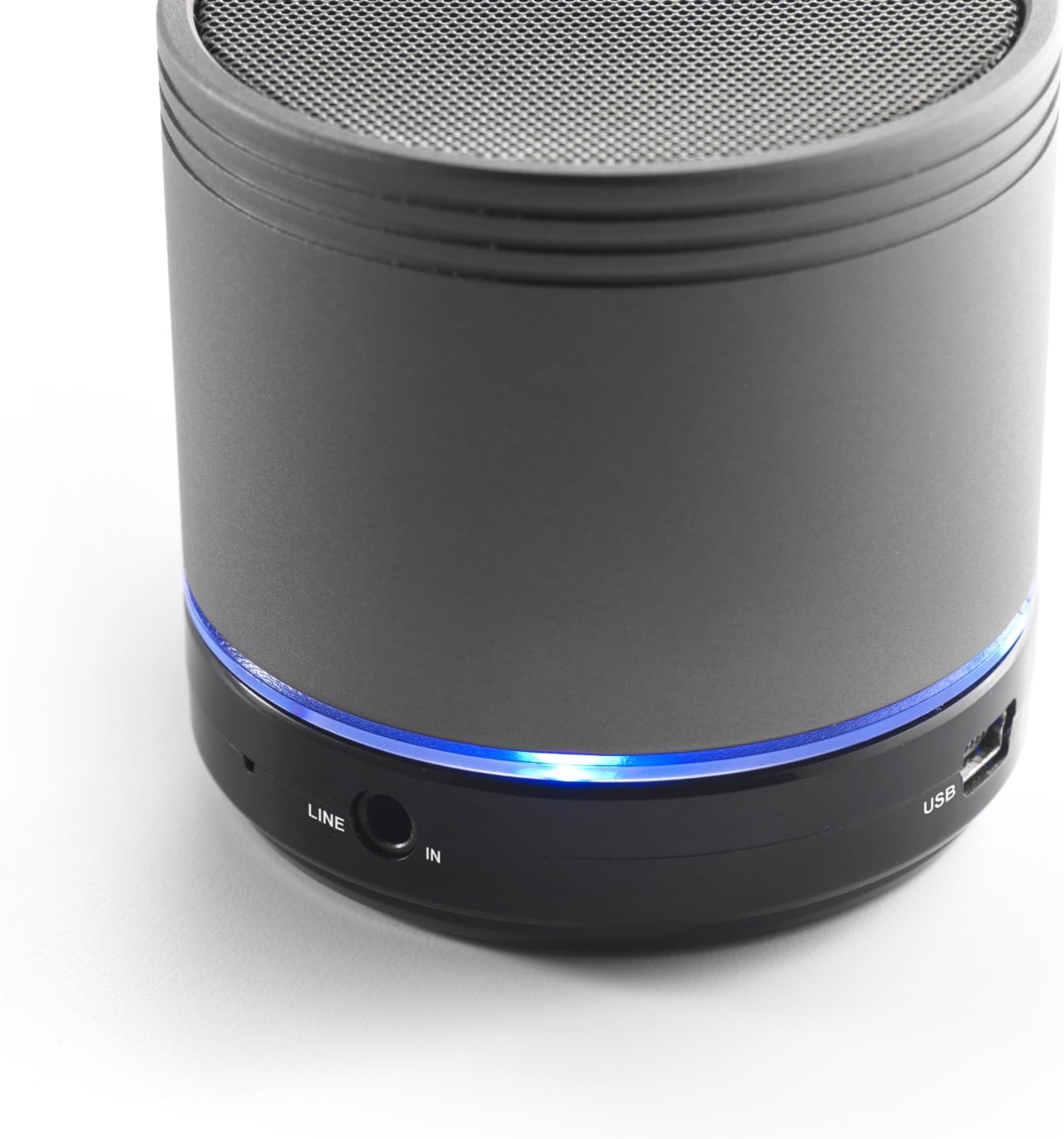
Image: Bottom section of the iCES IBT-1 speaker, displaying the LINE IN and USB ports, along with a glowing blue LED indicator.
- Port USB: Ho an'ny famandrihana ny bateria anatiny.
- LINE IN (AUX) Port: For connecting external audio devices using a 3.5mm audio cable.
- Slot SD Card SD: Mba hilalao audio fileavy amin'ny karatra Micro SD mivantana.
- Hery Switch: ON/OFF control for the speaker.
- Bokotra fanaraha-maso: Play/Pause, Volume Up/Next Track, Volume Down/Previous Track.
- LED famantarana: Mampiseho ny satan'ny herinaratra, ny satan'ny famandrihana ary ny satan'ny fampiarahana Bluetooth.
Hametraka
Fametrahana ny bateria
Before first use, fully charge the speaker's internal battery. Use the provided Mini USB cable.
- Connect the Mini USB end of the cable to the USB port on the speaker.
- Connect the standard USB end of the cable to a USB power adapter (not included) or a computer's USB port.
- The LED indicator will illuminate to show charging status. It will change or turn off once fully charged.
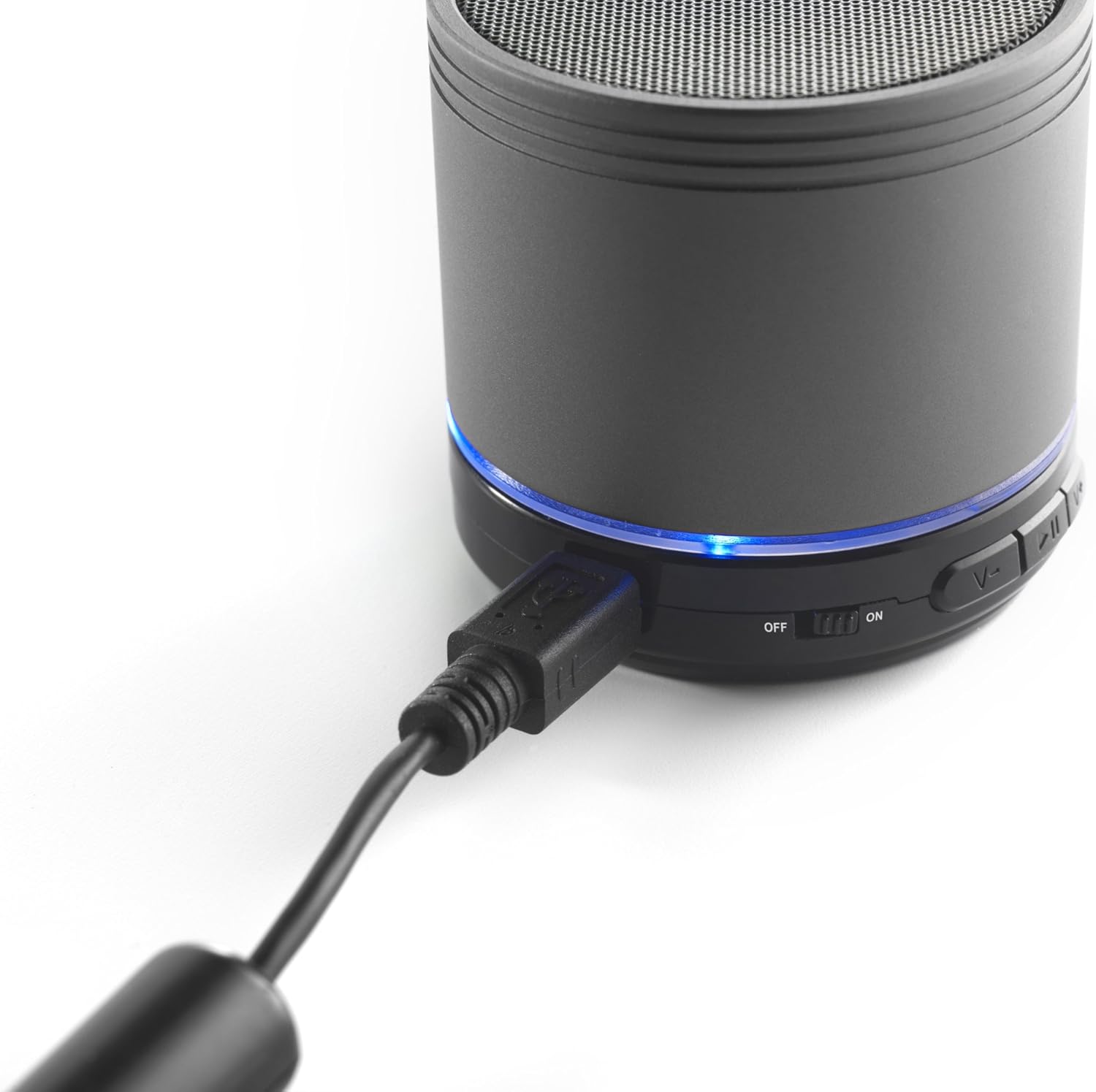
Image: The iCES IBT-1 speaker with the mini USB charging cable connected, illustrating the charging process.
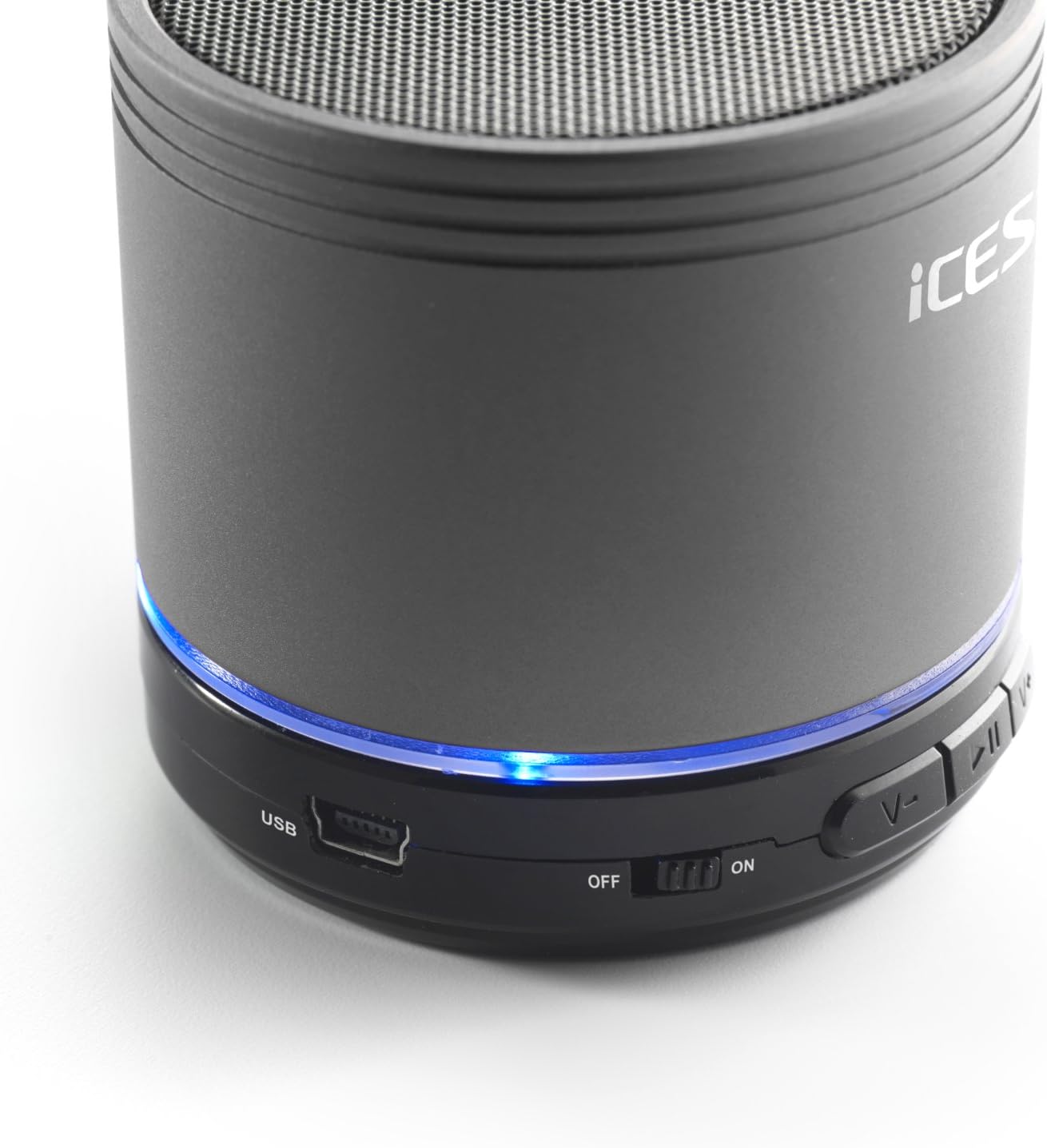
Image: The iCES IBT-1 speaker's base, highlighting the USB port and the power switch in the 'ON' position.
Torolàlana miasa
Mamelona/Efa
- To power on, slide the power switch to the "ON" position. The LED indicator will light up.
- To power off, slide the power switch to the "OFF" position. The LED indicator will turn off.
Fifandraisana Bluetooth
- Ensure the speaker is powered on. The LED indicator will flash, indicating it's in pairing mode.
- Ao amin'ny fitaovanao mampiasa Bluetooth (finday avo lenta, takelaka, sns.), mandehana any amin'ny fikirana Bluetooth.
- Hitady ny available devices. You should see "IBT-1" in the list.
- Select "IBT-1" to pair. Once connected, the LED indicator will stop flashing and remain solid.
- You can now play audio from your device through the iCES IBT-1 speaker.
Famerenana karatra Micro SD
The speaker supports Micro SD cards up to 32 GB.
- Ampidiro karatra Micro SD (miaraka amin'ny feo files) ao amin'ny toerana misy ny karatra Micro SD eo amin'ny fanamafisam-peo.
- The speaker will automatically switch to Micro SD card mode and begin playing audio.
- Use the control buttons on the speaker to play/pause, skip tracks, or adjust volume.

Image: The iCES IBT-1 speaker's base, illustrating the Micro SD card slot and the LINE IN port.
AUX Input Playback
Connect external audio devices without Bluetooth capability.
- Connect one end of a 3.5mm audio cable (not included) to the LINE IN port on the speaker.
- Connect the other end of the 3.5mm audio cable to the headphone jack or audio output of your external device (e.g., MP3 player).
- Ny mpandahateny dia hiova ho azy amin'ny fomba AUX.
- Hifehy ny playback sy ny feo avy amin'ny fitaovana ivelany.
Bokotra fanaraha-maso
- bokotra Play/Pause: Tsindrio indray mandeha raha hilalao na hampiato ny feo.
- Bokotra Ampitomboy ny Feo / Hira Manaraka:
- Tsindrio fohy: Ampitomboy ny feo.
- Tsindrio ela: Mitsambikina mankany amin'ny hira manaraka.
- Bokotra Mampihena ny Feo / Hira teo aloha:
- Tsindrio fohy: Ahena ny feo.
- Tsindrio ela: Mandehana any amin'ny hira teo aloha.
fikarakarana
- Tazomy maina ny fanamafisam-peo. Aza atao anaty rano na hamandoana be loatra.
- Diovy amin'ny lamba malefaka sy maina ny mpandahateny. Aza mampiasa mpanadio abrasive na solvents.
- Fadio ny mari-pana tafahoatra. Tehirizo ao amin'ny toerana mangatsiaka sy maina ny fanamafisam-peo.
- Aza manandrana manala na manamboatra ny fanamafisam-peo samirery. Ho foana ny antoka raha manao izany.
- Asio matetika ny bateria, na dia tsy ampiasaina aza, mba hihazonana ny fahasalaman'ny bateria.
Fanamboarana
| OLANA | vahaolana |
|---|---|
| Tsy mandeha ny fanamafisam-peo. | Hamarino tsara fa feno ny bateria. Ampifandraiso amin'ny loharanon-kery ny fanamafisam-peo amin'ny alàlan'ny tariby USB. |
| Tsy afaka mampiaraka amin'ny alalan'ny Bluetooth. |
|
| Tsy misy feo avy amin'ny fanamafisam-peo. |
|
| Ratsy ny kalitaon'ny feo. |
|
fepetra arahana
| MODELY | IBT-1 |
| fifandraisana | Bluetooth, Micro SD Card, AUX Input (3.5mm) |
| Hery mivoaka | 3 Watt (RMS) |
| Karazana bateria | Integrated Lithium-Polymer |
| Fahaizana bateria | 500mAh |
| Herin'aratra | 5V / 1A (via Mini USB) |
| refy (L x W x H) | 60 x 60 x 58 mm |
| lanja | 180 g |
| Supported Micro SD Card Size | Hatramin'ny 32 GB |
Warranty sy fanohanana
For warranty information and technical support, please refer to the documentation provided at the time of purchase or visit the official iCES webtranonkala. Aza manandrana manamboatra ny fitaovana samirery, satria mety hanafoana ny antoka izany.