
BOSS Audio Systems ME-25
BOSS ME-25 Guitar Multiple Effects User Manual
Modely: ME-25
1. Introduction to the BOSS ME-25
The BOSS ME-25 is a powerful and user-friendly guitar multiple effects processor designed to provide a wide range of professional-grade tones. It combines advanced COSM amp models with a comprehensive sound library, making it suitable for both beginners and experienced guitarists. Its intuitive interface allows for quick sound customization and performance.
Key features include a super simple user-friendly interface, a SOUND LIBRARY with an extensive collection of ready-to-use tones, the SUPER STACK function for heavy low-end and punch, and powerful COSM amp models ranging from classic to contemporary sounds.

Figure 1.1: The BOSS ME-25 Guitar Multiple Effects pedal, showcasing its compact design and integrated expression pedal.
2. Torolàlana fananganana
Before operating your ME-25, ensure all connections are made correctly. The unit can be powered by either an AC adapter (PSA series, sold separately) or six AA batteries.
2.1 Fampifandraisana herinaratra
- Adaptatera AC: Connect a BOSS PSA series AC adapter to the DC IN jack on the rear panel.
- Batterie: Open the battery compartment on the bottom of the unit and insert six AA batteries, observing correct polarity.
2.2 Fifandraisana Audio
- Fidirana gitara: Ampifandraiso amin'ny jack INPUT ny gitara anao.
- Output amin'ny Amplifier/Mixer: Connect the L/MONO and R OUTPUT jacks to your guitar amplifier, mixer, or audio interface. Use the L/MONO jack for mono output.
- Headphone: For silent practice, connect headphones to the PHONES jack.
- AUX IN: Connect an external audio player (e.g., MP3 player) to the AUX IN jack to play along with your favorite tracks.
2.3 Fifandraisana USB
Connect the ME-25 to your computer using a standard USB cable. This allows for direct audio recording, access to the ME-25 Librarian software for patch management, and driver updates.

Figure 2.1: Rear panel connections of the BOSS ME-25, including Input, Aux In, Output, Phones, USB, and DC In.
3. Operating the ME-25
The ME-25 is designed for intuitive operation, allowing you to quickly dial in sounds and effects.
3.1 Power On/off
To power on the unit, ensure the power source is connected and press the POWER switch located on the rear panel. To power off, press the POWER switch again.
3.2 Sound Library and Tone Selection
The ME-25 features a SOUND LIBRARY with preset tones categorized for easy access. Use the dedicated buttons (CLEAN, CRUNCH, LEAD, etc.) to select a category. Then, use the VARIATION knob to choose different variations within that category.

Sary 3.1: Tapitraview of the ME-25 control panel, highlighting the Sound Library section and main control knobs.
3.3 Customizing Tones (Drive, Tone, Volume)
Once a sound is selected from the SOUND LIBRARY, you can fine-tune it using the DRIVE, TONE, and VOLUME knobs. These knobs provide quick adjustments to the gain, equalization, and overall output level of the selected patch.
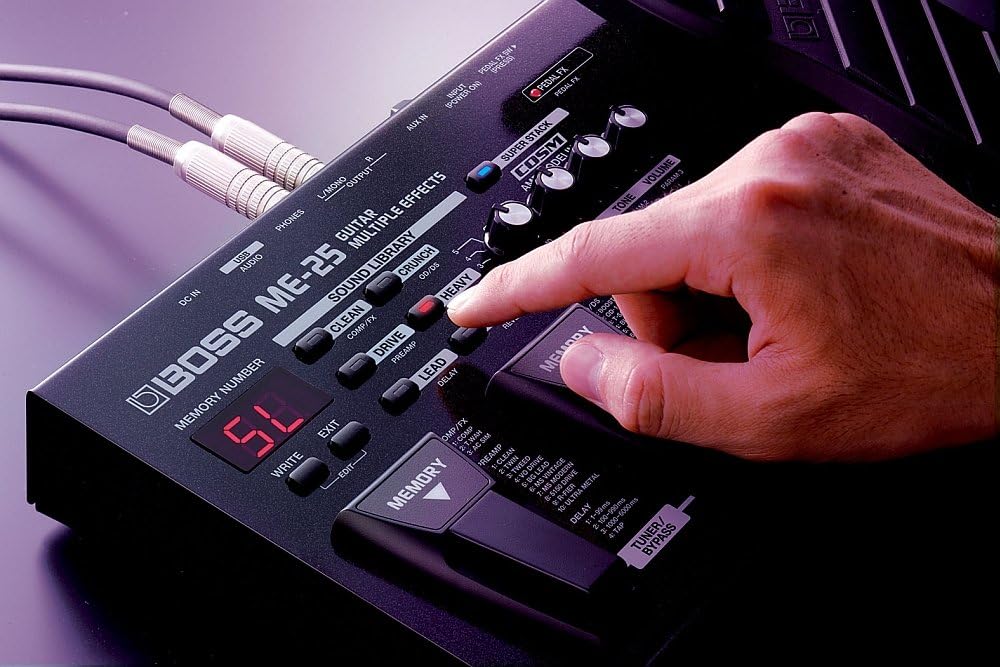
Figure 3.2: A user's hand adjusting one of the control knobs on the ME-25, demonstrating ease of access.
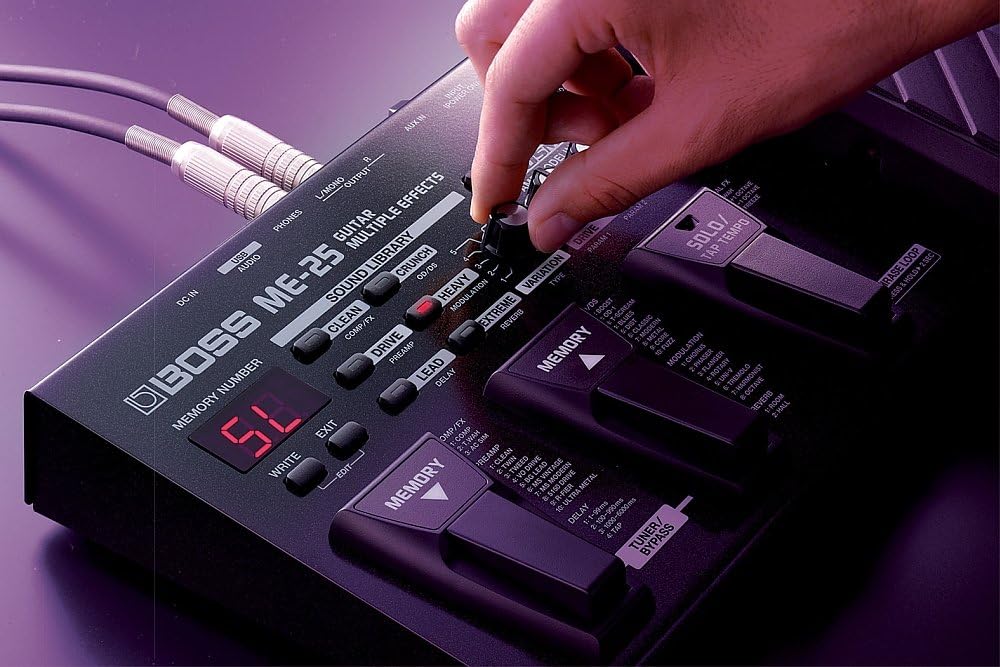
Figure 3.3: Another perspective of a hand interacting with the ME-25's controls, showing the intuitive layout.
3.4 COSM Amp Models and SUPER STACK
The ME-25 incorporates powerful COSM amp models, simulating various classic and modern amplifiers. The SUPER STACK function, activated by its dedicated button, adds a significant low-end boost and punch to your tone, ideal for heavy genres.
3.5 Phrase Loop Function
The Phrase Loop function allows you to record and layer guitar phrases for practice or performance. To activate, press and hold the PHRASE LOOP pedal for more than 2 seconds. The ME-25 can record up to 38 seconds of audio.

Figure 3.4: A foot engaging the expression pedal, which can be used for various effects like wah or volume control, and also for the Phrase Loop function.
3.6 Tuner/Bypass
The ME-25 includes a built-in tuner. Press the TUNER/BYPASS pedal to activate the tuner. While in tuner mode, the output is muted, allowing for silent tuning. Press the pedal again to exit tuner mode and return to normal operation.
3.7 Asa Fahatsiarovana
The ME-25 allows you to save your customized tones to memory locations. Use the MEMORY pedals to switch between different patches. Refer to the detailed manual for specific instructions on saving and recalling user patches.
4. Fikojakojana
Proper maintenance ensures the longevity and optimal performance of your BOSS ME-25.
4.1 Fanadiovana
Fafao amin'ny lamba malefaka sy maina ny fitaovana. Raha misy loto mafy loha, ampiasao savony kely.amp cloth and then wipe dry. Avoid using abrasive cleaners, waxes, or solvents, as these can damage the finish and internal components.
4.2 Fanoloana bateria
When the battery indicator light dims or the unit behaves erratically, it's time to replace the batteries. Always replace all six AA batteries at the same time with new ones of the same type. Ensure correct polarity when inserting.
4.3 Fitehirizana
When not in use for extended periods, remove the batteries to prevent leakage and damage. Store the unit in a cool, dry place away from direct sunlight, extreme temperatures, and high humidity.
5. Famahana olana
If you encounter issues with your ME-25, refer to the following common troubleshooting steps:
- Tsy misy feo:
- Check all cable connections (guitar, output, power).
- Ataovy azo antoka ny amplifier or monitoring system is powered on and volume is up.
- Verify the ME-25's master volume knob is not set to minimum.
- If using batteries, check battery life and replace if necessary.
- Distorted/Unwanted Noise:
- Jereo raha misy tariby simba.
- Ensure input levels are not too high, causing clipping.
- Verify power supply is stable and correct (use only recommended BOSS PSA adapter).
- Tsy mandeha ny fitaovana:
- Confirm AC adapter is properly connected and functional, or batteries are new and correctly inserted.
- Hamarino tsara fa amin'ny toerana 'ON' ny bokotra herinaratra eo amin'ny tontonana aoriana.
- Olana amin'ny fifandraisana USB:
- Ensure the correct USB drivers are installed on your computer.
- Manandrama seranan-tsambo USB na tariby hafa.
- Restart your computer and the ME-25.
If problems persist, consult the official BOSS support webtranokala na mifandray amin'ny serivisy mpanjifa raha mila fanampiana fanampiny.
6. Famaritana
| endri-javatra | famaritana |
|---|---|
| Laharana modely | ME-25 |
| Lanja entana | 2.2 kilao (eo ho eo amin'ny 1 Kilograma) |
| Ny refin'ny vokatra | 3.66 x 11.81 x 7.52 santimetatra |
| Ilaina ny bateria | 6 AA batteries (Alkaline recommended) |
| Loharanon-kery | Corded Electric (9V AC adapter, PSA series) or Battery |
| Hardware Interface | USB |
| Fomba famantarana | Analog |
| loko | Mainty |
| Nominal Input Level (Guitar) | -10dBu |
| Nominal Input Level (AUX IN) | -18dBu |
| Nominal Output Level | -10dBu |
| A/D Fiovam-po | 24-bit + AF method |
7. Warranty sy fanohanana
For detailed warranty information and customer support, please refer to the official BOSS Audio Systems website or the warranty card included with your product. You can also find updated drivers, software (such as ME-25 Librarian), and additional resources on the official support pages.
Loharano an-tserasera: Tsidiho ny BOSS Global Webtoerana for product registration, FAQs, and service information.